


How to cancel Instacart Plus 2026 takes about 2 to 5 minutes in the Instacart app or website. Open your Instacart+ membership page, choose cancellation, confirm it, and save the confirmation email, as noted by the Baltimore Chronicle editorial team.
For annual members, timing matters. Instacart says a paid annual membership may qualify for a refund within its first 5 calendar days. The member must not have used Instacart+ benefits during that period. Monthly membership fees are generally nonrefundable under the company’s current terms.
Key takeaways
- Cancel through the Instacart+ membership settings, not by deleting the grocery delivery app.
- Annual plans have a limited 5-day refund window when no membership benefits were used.
- Keep the confirmation email and monitor the payment card after the next scheduled renewal date.
After cancellation, paid benefits normally continue through the existing billing period. Instacart currently lists standard pricing at $99 per year or $9.99 per month in 2026. Promotional, EBT, Mastercard, or Chase offers can follow different billing schedules.
What you need
The cancellation itself requires very little. Having the correct account and billing information prevents most failed attempts.
- Your Instacart login email or phone number.
- The Instacart app or access to Instacart.com.
- Your current renewal date and membership type.
- The card statement showing any disputed membership charge.
- About 5 minutes for cancellation and confirmation.
Check the account before starting because many households use several email addresses. Family members can also share Instacart+ benefits through eligible membership features. The payment card alone does not identify which login owns the subscription.
Search email for previous Instacart membership receipts when the correct account is unclear. Users managing several recurring services can also review Baltimore Chronicle coverage of subscription management. Subscription controls differ, but preserving cancellation evidence is useful across services.
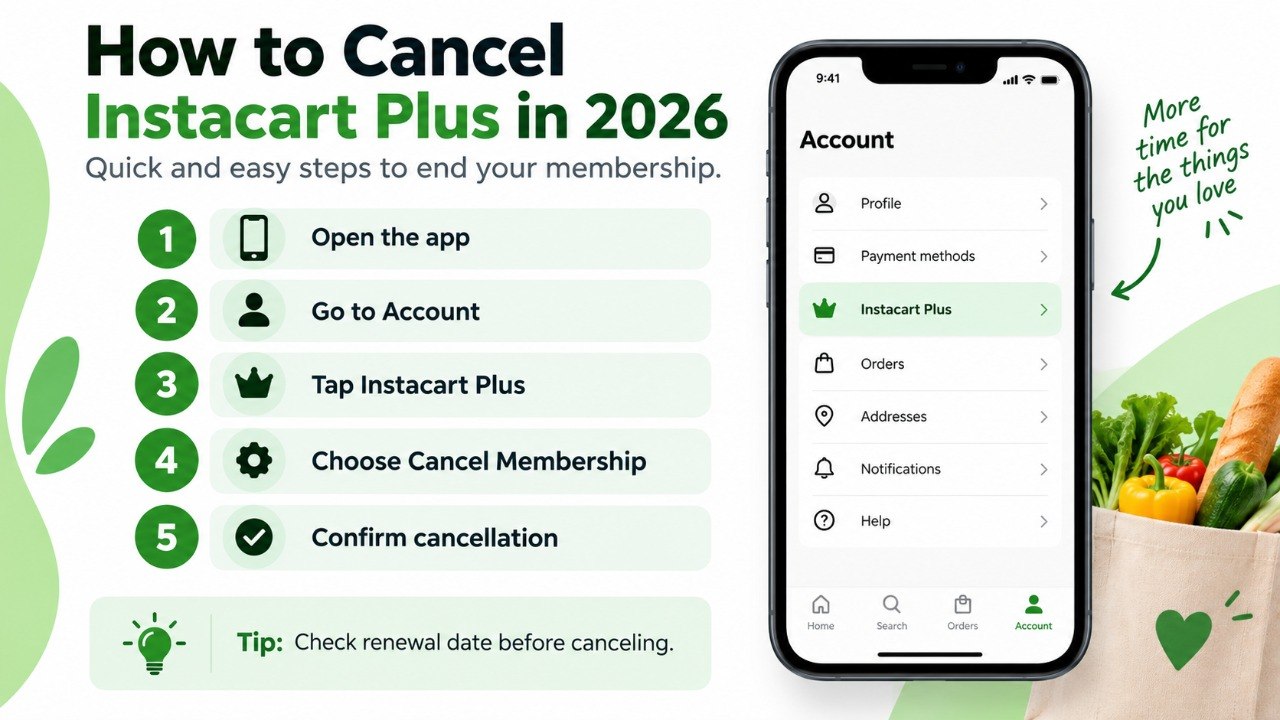
Step 1: How to Cancel Instacart Plus 2026 in the App
Open Instacart and tap the Account icon in the app. Select “Your Instacart+ membership” to reach the membership management controls. Instacart provides the same basic cancellation route on its website.
Under “Manage your membership,” choose “Cancel membership.” Select “Continue to cancel,” then choose “Confirm cancellation.” A final confirmation message should appear before leaving the screen.
This is the critical point: removing the Instacart app does not cancel an Instacart+ subscription.
The membership exists on the Instacart account, not on the phone itself. Deleting the application leaves the recurring billing arrangement unchanged.
A common mistake is stopping after selecting the first cancellation option. Continue until Instacart displays the final confirmation.
Step 2: Check the Renewal Date Before Confirming
Review the expiration or renewal date shown on the Instacart+ page before completing cancellation. This date establishes whether another billing event is approaching.
Instacart says membership charges can sometimes be applied shortly before renewal. Those charges remain subject to the applicable refund terms.
The standard membership currently costs $99 annually or $9.99 monthly. Instacart also offers promotional arrangements that can change the effective price.
The practical differences between the standard plans are straightforward:
| Membership type | Standard 2026 price | After cancellation | Typical refund rule |
|---|---|---|---|
| Annual | $99 per year | Benefits usually remain until term ends | Possible within first 5 calendar days if benefits were unused |
| Monthly | $9.99 per month | Benefits remain through paid term | Monthly fee generally nonrefundable |
| Free or promotional offer | Varies | Depends on offer terms | Check the specific promotion |
Do not assume a promotional membership follows ordinary annual rules. Mastercard, Chase, EBT, retailer, and other partner offers can carry separate conditions.
Check the membership page for the actual renewal price. Review the latest receipt when the displayed rate seems unfamiliar. Promotional discounts may renew at a higher standard rate after the offer ends.
This matters most when a customer signed up through a card benefit or reduced-price promotion. The amount shown inside the account should take priority over an older advertisement.
Step 3: Confirm Cancellation and Save the Evidence
Finish every confirmation screen until Instacart reports that the membership was canceled. The company says it also sends a confirmation email.
Check spam or junk folders when that message does not appear. Save the email until at least one billing cycle passes.
“You’ll get an email confirming your cancellation.”
Instacart Help Center, membership-management guidance.
A screenshot showing the expiration date provides useful secondary evidence. The timestamp can matter if another membership charge appears later.
The common mistake here is assuming a changed payment card prevents renewal. Card issuers can sometimes provide merchants with updated card details.
For that reason, changing or replacing a card should not substitute for canceling the membership inside Instacart.
Step 4: Request an Instacart Plus Refund When Eligible
An Instacart Plus refund depends largely on the plan and cancellation timing. Annual members have the clearest published exception.
Instacart says they may receive the membership fee back within the first 5 calendar days of a paid term or renewal. They must not have used Instacart+ benefits during those days.
Using qualifying delivery benefits can eliminate eligibility under that provision. Monthly fees are generally described as nonrefundable under standard membership terms.
For an eligible annual charge, follow this sequence:
- Cancel the membership through the account controls.
- Check whether the charge occurred within the 5-day period.
- Confirm that no Instacart+ benefits were used after renewal.
- Save the renewal receipt and cancellation confirmation.
- Contact Instacart support if the refund does not appear automatically.
- Keep any support reference number or written response.
A refund can take longer than cancellation because payment processing is separate. Bank posting times can also differ from Instacart’s processing time.
Do not repeatedly submit disputes while an approved refund is pending. Compare the amount against the original membership charge when it posts.
Promotional plans deserve additional review because the billed amount can differ from $99. Keep the original offer terms when a discounted membership is involved.
Canceling future renewal and recovering a past charge are 2 different problems, even when both involve the same membership.
Step 5: Check Your Card After the Membership Ends
Review the credit or debit card statement after the next scheduled billing date. No new Instacart+ membership fee should appear after a properly completed cancellation.
This check catches account mistakes that otherwise remain unnoticed for another month or year.
The Federal Trade Commission advises consumers to keep cancellation records and monitor statements for later charges. If a company continues billing after cancellation, consumers may also contact their card issuer about a dispute.
Businesses offering recurring subscriptions should provide consumers with a clear way to cancel.
Federal Trade Commission, consumer guidance on recurring subscriptions and automatic renewals.
A chargeback should generally follow an attempt to resolve a legitimate billing problem with Instacart. It should not replace ordinary membership cancellation.
The bank can reverse an eligible transaction, but it cannot reliably change membership settings inside Instacart. Keep the cancellation confirmation, payment record, and any support messages together.
Step 6: Know What Changes After You Cancel Instacart Plus
Canceling Instacart+ membership does not delete your Instacart account. Customers can continue ordering groceries without a paid membership.
Paid annual or monthly benefits generally continue until the existing term expires. Afterward, future orders can carry ordinary delivery charges and service fees.
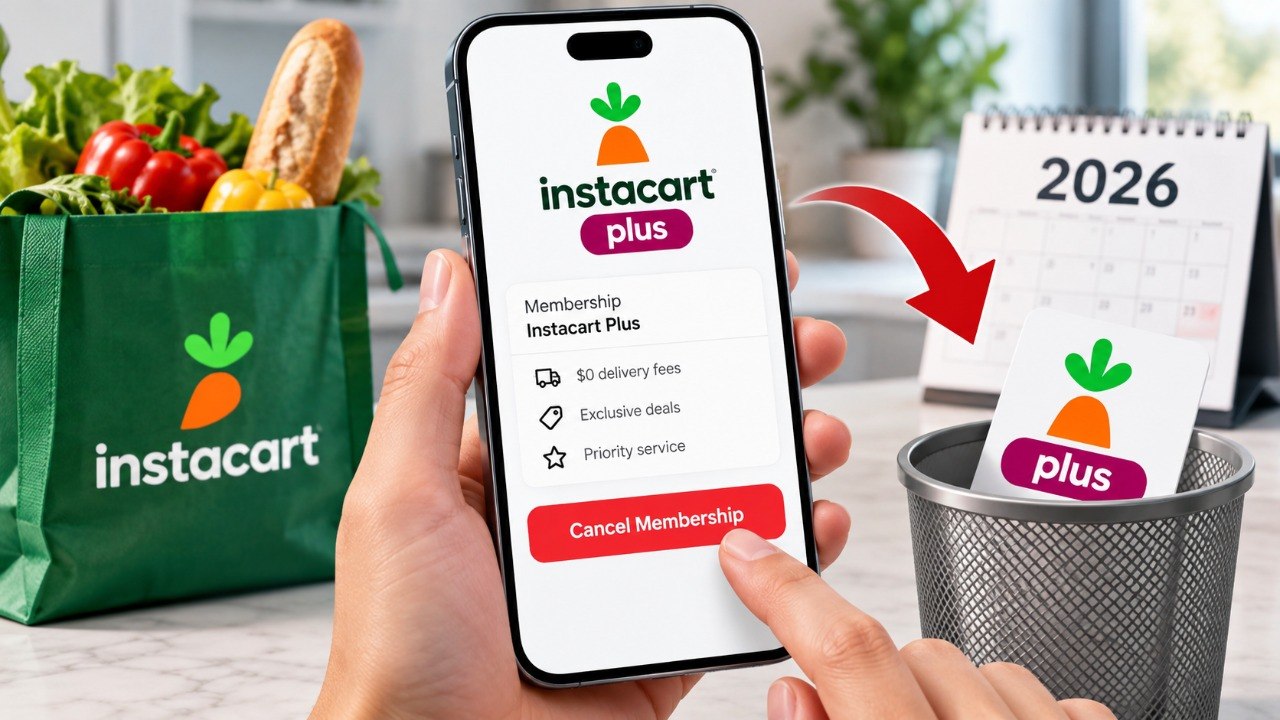
The standard membership can include benefits such as:
- $0 delivery fees on qualifying grocery and retail orders.
- Reduced or waived delivery charges on qualifying Costco orders.
- Restaurant delivery benefits on eligible orders.
- Family membership-sharing features for eligible accounts.
- Additional promotional benefits available through partner services.
Service fees can still apply even while Instacart+ is active. Canceling therefore does not remove a universal “free delivery” benefit from every transaction.
Review recent orders before deciding whether renewal is economically useful. A household ordering weekly may value the benefit differently from an occasional customer.
The relevant comparison is the annual fee against actual avoided delivery costs. Advertised benefits matter less than the amount a household really saves over 12 months.
Troubleshooting Instacart Plus Cancellation Problems
Most cancel Instacart subscription problems involve the wrong account, an incomplete confirmation, or confusion about the billing date.
Common scenarios include:
- Cancel button is missing: update the app, sign in on Instacart.com, and verify the correct account.
- Membership still says active: check whether access simply continues until the paid expiration date.
- A charge appeared after cancellation: compare its timestamp with the cancellation confirmation and scheduled renewal.
- No confirmation email arrived: check spam, then reopen the membership page and review its current status.
- Refund was denied: check whether an annual benefit was used during the first 5 calendar days.
An active status does not always mean automatic renewal remains enabled. Paid benefits can continue after renewal has been turned off.
Look specifically for the expiration date or renewal setting. Keep screenshots when the screen wording appears contradictory.
For unauthorized charges, preserve bank records and support correspondence. The Federal Trade Commission’s consumer guidance explains general options for recurring billing disputes.
FAQ
Can I cancel Instacart Plus from the app?
Yes. Open Account, select “Your Instacart+ membership,” then choose “Cancel membership.” Continue through the confirmation screens until cancellation is complete.
This is the standard cancel Instacart Plus in app process. Do not stop after only removing the app from your phone.
Can I get a refund after canceling Instacart Plus?
Some annual members can qualify. Instacart’s standard terms provide a limited refund window at the beginning of an annual paid term or renewal when membership benefits were not used.
Monthly membership fees are generally nonrefundable. Promotional plans may have different terms.
Does deleting Instacart cancel the subscription?
No. Deleting the app removes software from a device but does not terminate the account’s recurring membership.
Use the Instacart+ membership-management page instead.
How much is Instacart Plus in 2026?
The standard published price is commonly listed at $99 per year or $9.99 per month in 2026. Promotions can produce different prices.
Always verify the amount shown inside your account before renewal.
Can I still use Instacart after canceling Instacart Plus?
Yes. Instacart does not require a paid membership for ordinary grocery ordering.
After paid benefits expire, standard delivery fees and service charges can apply.
What should I do if Instacart charges me after cancellation?
Check whether the payment was processed before cancellation or shortly before renewal. Keep the confirmation email and contact Instacart support first.
If an unresolved charge was unauthorized, keep the records and discuss available dispute options with the card issuer.
Earlier we wrote about Why Old Wood Furniture Turns Blotchy After Staining and How to Refinish It Correctly