

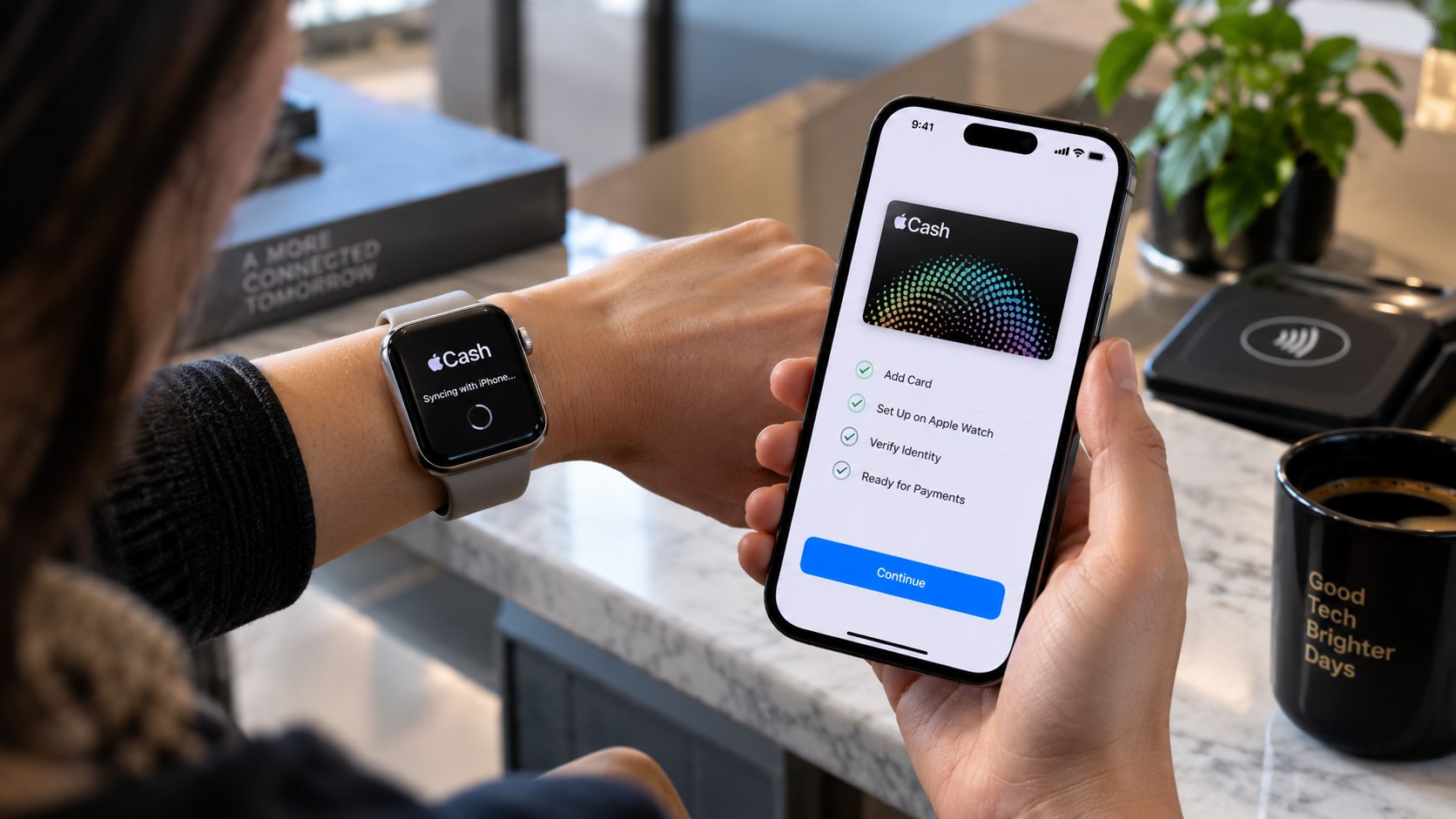
How to set up Apple Cash on Apple Watch 2026 starts on the paired iPhone, not on the watch itself. Turn on Apple Cash under Settings > Wallet & Apple Pay, complete any identity check, then confirm the Apple Cash card appears in Wallet on Apple Watch, as noted by Baltimore Chronicle.
For an eligible US adult with updated Apple software, the hands-on setup usually takes only a few minutes. Apple Cash works across the 50 states, District of Columbia, and Puerto Rico. Users who send or receive money independently must generally be at least 18 and live in the United States.
People under 18 can use Apple Cash through Apple Cash Family when an eligible family organizer sets up the account.
The important distinction is simple: Apple Pay and Apple Cash are related, but they are not the same service. Apple Pay handles payments, while Apple Cash is the digital cash card stored in Wallet.
How to set up Apple Cash on Apple Watch 2026 before you start
Apple Cash is built into Wallet, so no separate Apple Cash app is required. The iPhone and Apple Watch should use the same Apple Account, and both devices should have current compatible software.
Apple lists Apple Cash as available in the United States on supported versions of watchOS. The service itself does not require buying a cellular Apple Watch or paying for a separate watch plan.
Key takeaways
- Enable Apple Cash on the paired iPhone first, then check Wallet on the Apple Watch.
- Identity verification may require your legal name, address, birth date, Social Security information, or government ID.
- Apple Cash setup itself does not require a cellular Apple Watch subscription.
The basic requirements are modest, but account details matter. Have the paired iPhone, Apple Account password, internet access, and Apple Watch passcode available.
A driver’s license or state-issued ID may also be needed if Apple requests additional identity verification. Apple can share identifying information with Green Dot Bank and Apple Payments Services during registration.
Green Dot Bank provides Apple Cash accounts. Apple Inc. itself is not the bank holding the account, which matters when an identity or account review prevents activation.
Owners setting up a watch from scratch can also consult Baltimore Chronicle coverage about Apple Watch setup. Users who recently replaced an iPhone may need a separate guide covering pairing Apple Watch with a new iPhone.
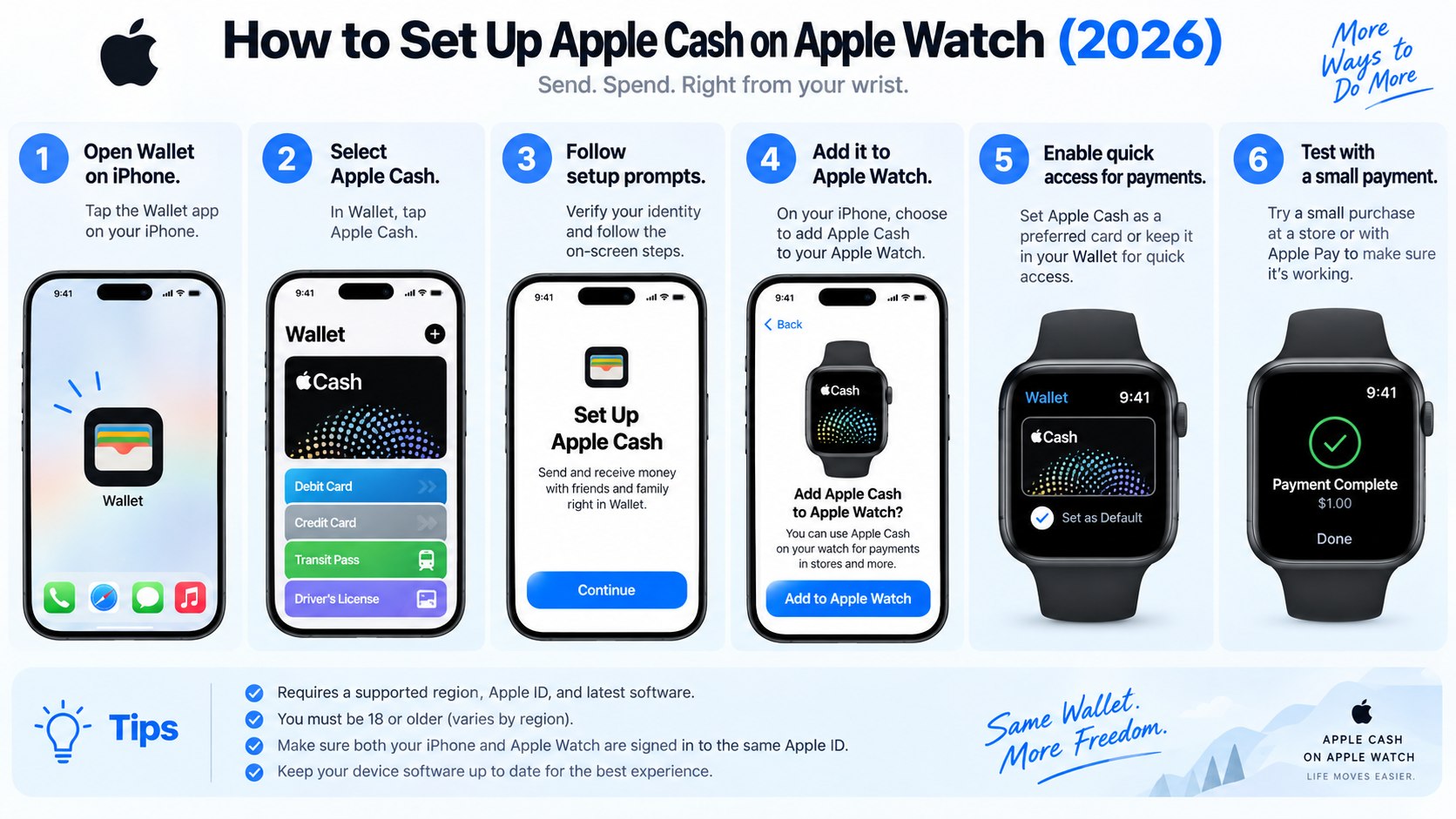
Step 1: Update the iPhone and Apple Watch
Install the newest compatible iOS release on the iPhone and watchOS release on the watch. Keep both devices charged and connected to reliable Wi-Fi while updates finish.
This matters because Wallet services rely on current security components and account settings. A common mistake is troubleshooting Apple Cash repeatedly while one device still runs outdated software.
In 2026, available software versions depend on the Apple Watch and iPhone models in use. Older devices may stop at an earlier compatible release even when newer versions exist.
Step 2: Check the Apple Account and Wallet settings
On the paired iPhone, open Settings and select Wallet & Apple Pay. Look for Apple Cash and make sure the feature is enabled for the Apple Account signed into the device.
The Apple Watch should use the same account relationship. If the watch was recently transferred from another iPhone, finish pairing before trying to repair Wallet settings.
“Apple Cash is an easy and private way to send and receive money.”
Apple, Apple Cash product page.
Apple also supports spending an Apple Cash balance through Apple Pay on Apple Watch. The company explains the broader Wallet integration on its official Apple Cash page.
If Wallet works on the iPhone but remains incomplete on Apple Watch, the problem may involve synchronization rather than the Apple Cash account itself.
Step 3: Turn on Apple Cash on the paired iPhone
Open Settings > Wallet & Apple Pay and enable Apple Cash if it is turned off. Follow Apple’s prompts for account registration and acceptance of the applicable terms.
Why it matters: Apple Watch generally reflects the Apple Cash account connected to the paired iPhone and Apple Account.
Do not search the App Store for a separate Apple Cash application. Apple Cash is integrated directly into Wallet.
The process should not require a purchase. Apple Cash is a financial service rather than an Apple Watch subscription, so GPS-only Apple Watch models can still use the card when the watch has the connectivity required for Apple Pay.
A cellular plan is not an Apple Cash requirement. Cellular service only changes how independently the watch can remain connected when the paired iPhone is not nearby.
Step 4: How to set up Apple Cash on Apple Watch 2026
After Apple Cash is active on the iPhone, open Wallet on Apple Watch. Look for the Apple Cash card among the available payment cards and passes.
If it appears, open the card and confirm the balance or account information loads normally. This verifies that Apple Cash on Apple Watch is connected to the account used on the paired iPhone.
Follow these steps in order:
- Unlock the paired iPhone and Apple Watch.
- Confirm Apple Cash is enabled under Wallet & Apple Pay on iPhone.
- Open the Wallet app on Apple Watch.
- Select the Apple Cash card.
- Confirm the card opens without a verification or account warning.
- Make a small purchase through Apple Pay if a practical test is needed.
Do not create another Apple Account because the card is temporarily missing. That can make account recovery and synchronization more complicated.
Instead, confirm that the watch is paired to the correct iPhone and Apple Account. Restarting both devices can also clear a temporary Wallet synchronization problem.
If the watch was restored from a backup, allow Wallet configuration to finish before assuming the card is unavailable. Some payment credentials may take additional time to reappear after a restore.
Apple Cash can also support Tap to Cash on compatible devices. Apple applies specific transaction limits to Tap to Cash and other Apple Cash functions, so current limits should be checked on Apple Support before moving larger amounts.
Step 5: Verify your identity when Apple asks
Some users can activate basic Apple Cash functionality before completing every verification step. Full Apple Cash identity verification, however, may require additional personal information.
Apple can request a legal name, residential address, date of birth, and Social Security information. If more evidence is required, the user may also be asked for a driver’s license or state-issued photo ID.
Residents of Maryland, California, Texas, Florida, New York, and other US states generally follow the same Apple Cash eligibility framework.
The most common verification items are shown below.
| Item | Why it may be needed | What to check |
|---|---|---|
| Legal name | Identity matching | Use the name tied to official records |
| US address | Residency verification | Enter a current residential address |
| Date of birth | Age verification | Match official identification |
| Social Security information | Identity and financial checks | Enter it only through Apple’s interface |
| Government ID | Additional verification | Use an accepted current document |
Apple places identity verification controls inside Wallet settings on the iPhone. Current instructions are available through the official Apple Support identity verification guide.
Verification should only be completed inside Apple’s Settings or Wallet interfaces. Do not send Social Security details, account passwords, or ID images through unsolicited emails or text messages.
A failed verification check does not necessarily mean the Apple Watch is defective. Identity verification belongs to the Apple Cash account rather than the watch hardware.
Resetting or replacing the watch will not fix incorrect identity information. Users should first confirm that the address, birth date, and legal name connected to the account are accurate.
Step 6: Test sending, receiving, and spending Apple Cash
Once Wallet shows the card normally, test send and receive Apple Cash with a trusted contact or make a small Apple Pay purchase. Do not send money to an unfamiliar person simply to test the service.
For contactless purchases, double-click the Apple Watch side button, select Apple Cash if necessary, and hold the display near the payment reader.
The normal Apple Pay confirmation indicates that the payment credential was presented to the terminal. Merchant acceptance and account balance still determine whether the transaction completes successfully.
The main Wallet functions differ in purpose.
| Feature | Main purpose | Apple Watch use |
|---|---|---|
| Apple Cash | Hold, send, receive, and spend money | Yes |
| Apple Pay | Present eligible payment credentials | Yes |
| Apple Card | Apple-branded credit card | Available through Wallet |
| Tap to Cash | Send or receive Apple Cash nearby | Supported on compatible devices |
Apple Cash and Apple Card should not be treated as interchangeable products. Apple Cash holds funds, while Apple Card is a separate credit product with its own eligibility and account rules.
Apple Cash also differs from a conventional checking account. Green Dot Bank provides the Apple Cash account service, while Apple Payments Services supports parts of the program.
Parents should treat Apple Cash Family setup as a separate configuration. A family organizer can establish Apple Cash for an eligible child or teenager under 18 under Apple’s family-account rules.
Baltimore Chronicle’s coverage of Apple’s 2026 iPhone and Apple Watch lineup offers additional context for households upgrading several Apple devices at once.
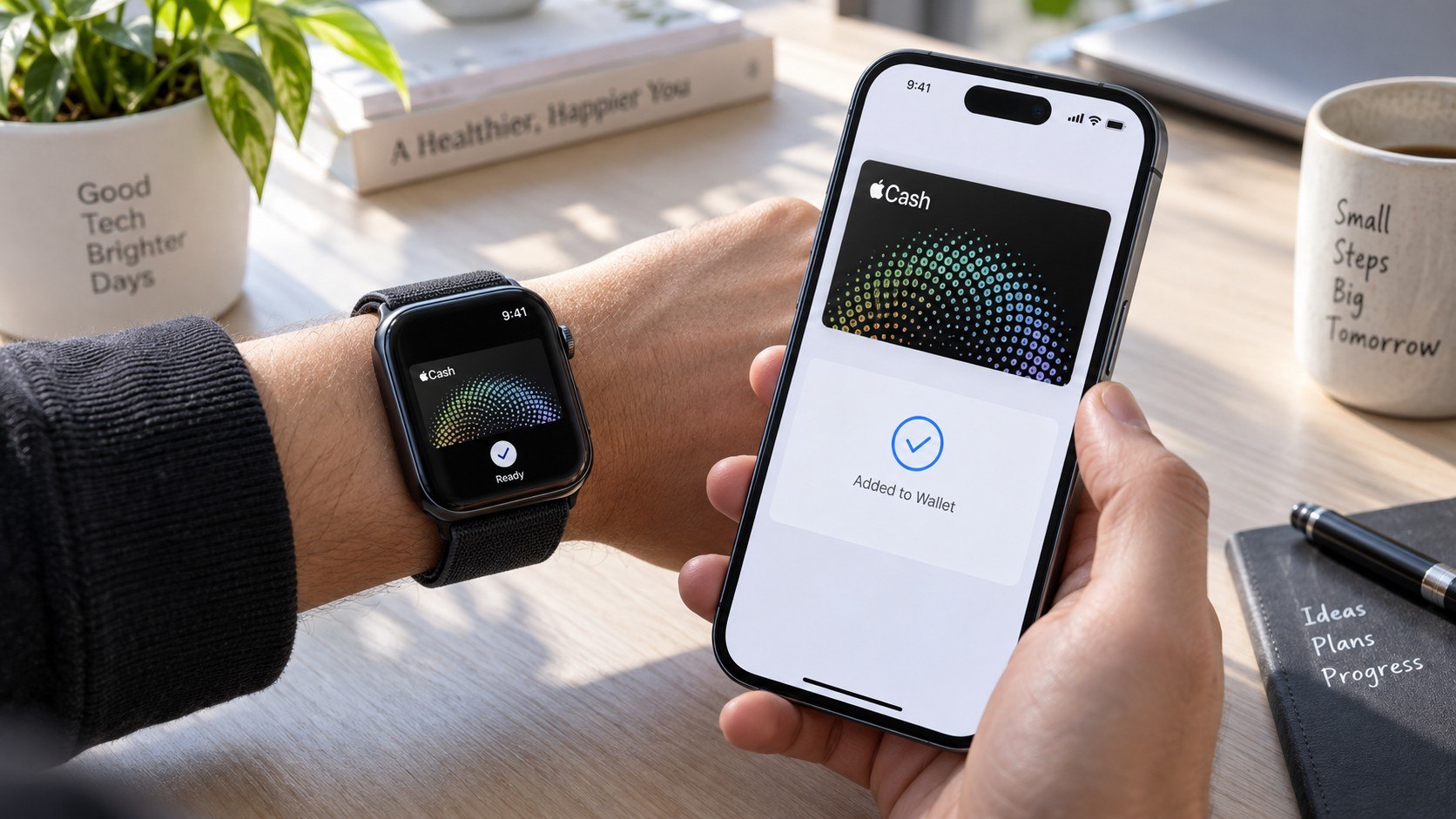
Troubleshooting Apple Cash on Apple Watch
Most problems fall into a few predictable categories. Identify whether the issue affects the account, Wallet, pairing, or identity verification before erasing the watch.
Common scenarios include:
- Apple Cash not showing on Apple Watch: confirm it is enabled on the paired iPhone and both devices use the expected Apple Account.
- Verify Identity keeps appearing: complete the requested verification from the official Wallet settings on iPhone.
- Wallet works on iPhone but not Apple Watch: update both devices, restart them, and confirm the watch remains paired.
- Payment is declined: check the Apple Cash balance, account status, merchant terminal, and any restrictions.
- A child cannot activate Apple Cash: use Apple Cash Family through an eligible family organizer.
Account restrictions may require help from Apple or the banking partner rather than another device reset. Apple Cash remains a US-focused service.
People traveling abroad may still carry an Apple Watch configured in the United States. Local Apple Pay acceptance, however, is a separate issue from Apple Cash account eligibility.
A missing card immediately after restoring a watch can also result from incomplete Wallet synchronization. Confirm internet access and account sign-in before removing cards or changing Apple Accounts.
If money appears missing, review the transaction history in Wallet before making another transfer. Sending a duplicate payment can turn a temporary synchronization concern into a real financial problem.
Persistent account errors should be handled through Apple’s official support channels rather than third-party services requesting passwords or verification codes.
FAQ
Can I set up Apple Cash directly on Apple Watch?
The normal setup begins on the paired iPhone through Settings > Wallet & Apple Pay. After activation, the Apple Cash card should become available inside Wallet on the watch.
Do I need a cellular Apple Watch for Apple Cash?
No. A cellular plan is not required simply to create an Apple Cash account or use the card.
Connectivity is still required for some online functions and transactions.
Why is Apple Cash not showing on my Apple Watch?
Check the paired iPhone first. Confirm Apple Cash is enabled, the watch uses the correct Apple Account, and both devices have current compatible software.
A restart can also resolve temporary Wallet synchronization issues.
Does Apple Cash charge a monthly fee in 2026?
Apple does not offer Apple Cash as a monthly subscription. Specific transaction types, transfer methods, or banking services can have separate conditions.
Users should verify current fees and limits directly with Apple before transferring larger amounts.
Can a teenager use Apple Cash on Apple Watch?
Yes, when an eligible family organizer configures Apple Cash Family.
Users under 18 do not independently open the standard adult Apple Cash arrangement.
Is Apple Cash available outside the United States?
Apple Cash is intended for the US market. Apple defines its eligible service area through current account terms and support documentation.
Earlier we wrote about Psychology Education in Baltimore 2026: 5 Universities, Tuition and Licensing Routes