

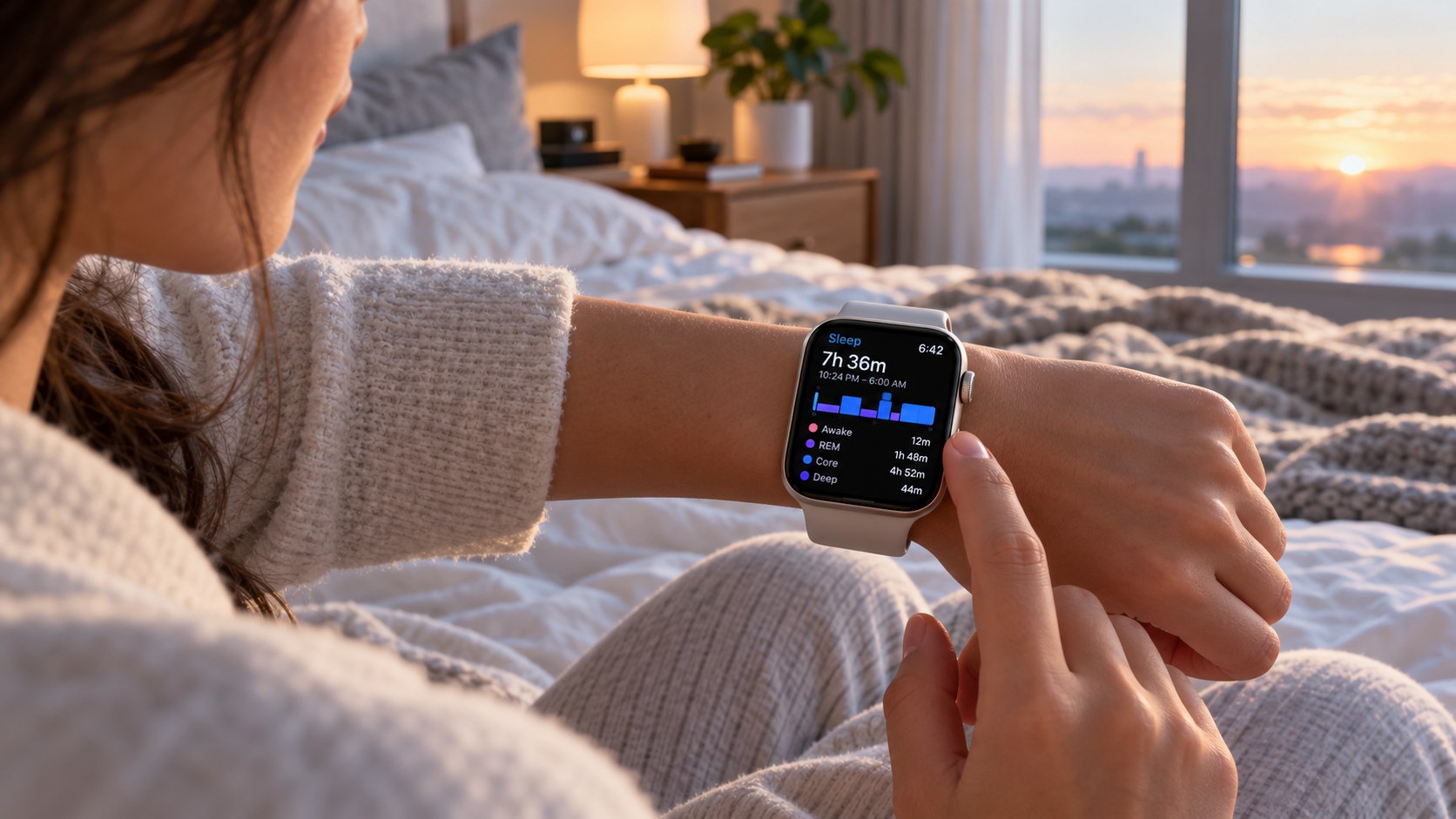
How to track sleep on Apple Watch 2026 takes only a few minutes to configure. You need Sleep Tracking enabled, a workable sleep schedule, and enough battery for the night. The watch can then record sleep duration, stages, interruptions, and overnight trends, as noted by Baltimore Chronicle.
The most important detail is easy to miss. Apple recommends at least 30% battery before bed and at least 1 hour of overnight wear. Your schedule also affects how useful the resulting data becomes. This guide explains the full setup and shows how to improve accuracy.
Key takeaways
- Enable Track Sleep with Apple Watch before bedtime and confirm the watch has at least 30% battery.
- Create separate weekday and weekend schedules when your normal bedtime changes significantly.
- Judge trends across several nights instead of treating one unusual Sleep Score as a health diagnosis.
Apple’s current system works without requiring a separate paid sleep app. The Health app stores detailed history, while Apple Watch provides a faster morning summary. Sleep stages include Awake, REM, Core, and Deep periods.
For most owners, the practical goal is not collecting more data. It is collecting comparable data every night.
What you need
- A compatible Apple Watch paired with your personal iPhone.
- The latest supported iOS and watchOS versions.
- The Health app and Watch app on the paired iPhone.
- At least 30% Apple Watch battery before bedtime.
- A comfortable band that stays secure overnight.
- About 5 minutes for initial setup.
You do not need cellular service or a paid subscription for Apple’s basic sleep tracking. The watch can record sleep once the necessary settings are configured.
Apple says overnight tracking requires wearing the watch for at least 1 hour. Anyone changing iPhones should also make sure Health data transfers correctly.
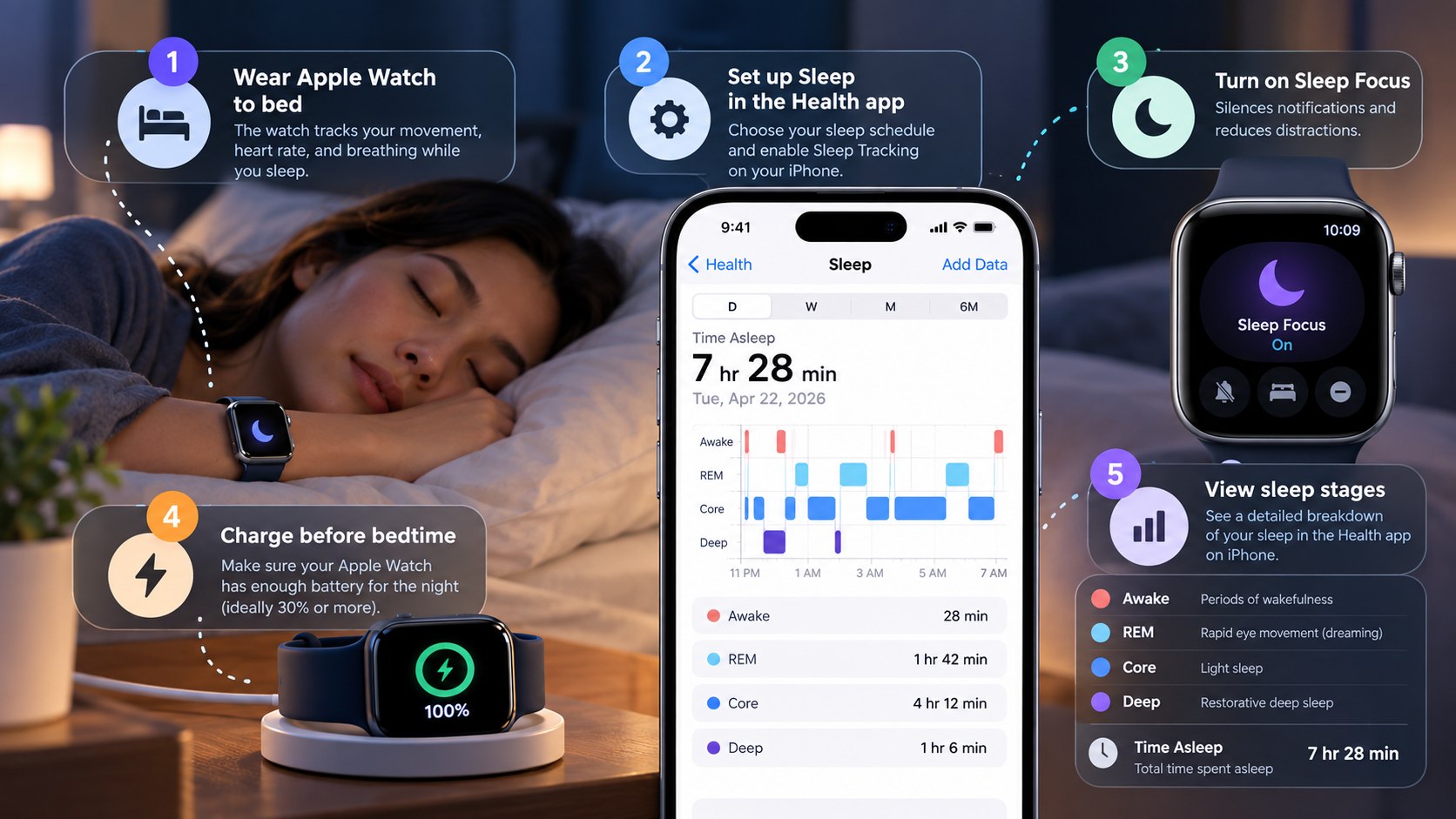
Step 1: Turn on Apple Watch sleep tracking in 2026
Open the Watch app on your iPhone. Tap My Watch, choose Sleep, then enable Track Sleep with Apple Watch.
This switch is important because creating a sleep schedule alone does not guarantee overnight watch data. The schedule manages your routine, while sleep tracking allows the watch to record sleep information.
A common mistake is setting bedtime inside Health but leaving watch tracking disabled. The next morning may then show schedule information without complete overnight data.
“Make sure you charge your Apple Watch to at least 30% before bed.”
Apple gives this recommendation in its official sleep tracking support guide.
Charging is particularly important for older Apple Watch models with reduced battery capacity. If the watch powers off during the night, the missing period cannot be reconstructed later.
Charging during a shower, dinner, or another evening routine is usually easier than leaving the watch on its charger overnight.
Step 2: Create a realistic Apple Watch sleep schedule
Open Health on your iPhone, tap Browse, then Sleep. Choose the schedule controls and set your intended bedtime and wake time.
You can create different schedules for different days. This is useful if you wake at 6:30 a.m. on weekdays but sleep later on Saturday and Sunday.
A realistic schedule is important for Apple Watch sleep schedule tracking because consistency helps make long-term comparisons more useful.
Do not create a schedule based on an ideal routine that you rarely follow. A 10:00 p.m. bedtime does little good if you normally fall asleep around midnight.
- Choose the days that share the same routine.
- Set your normal bedtime.
- Set the time you actually need to wake.
- Create another schedule if weekends differ significantly.
- Use a one-time wake adjustment for unusual mornings.
A separate weekend schedule keeps temporary changes from affecting the rest of the week. Health also supports adjustments for the next wake-up only.
That option is useful before flights, appointments, or early meetings. It changes one morning without rewriting the full schedule.
The common mistake is editing the permanent schedule for a one-day exception. That can create unnecessary changes later in the week.
Step 3: Set Sleep Focus without blocking important alerts
Sleep Focus can reduce nighttime notifications and simplify the iPhone Lock Screen. You can configure it during sleep setup or through Focus settings.
The feature does not have to block everyone. Parents, caregivers, freelancers, and on-call workers can allow selected contacts or apps through.
This matters because sleep tracking on Apple Watch works best when the routine is practical enough to use every night.
Review allowed contacts before the first night. Make sure emergency family members or essential work contacts can still reach you.
A useful sleep schedule should fit real life. The most accurate system is the one you can wear consistently.
Step 4: Wear the watch correctly for better sleep accuracy
Wear Apple Watch snugly enough that its sensors stay in contact with your skin. The band should remain comfortable when your wrist changes position during sleep.
A loose band is one of the simplest causes of poor overnight readings. Apple notes that movement and inconsistent sensor contact can affect measurements.
The goal is stable contact, not excessive pressure. If the watch slides noticeably around your wrist, tighten the band by one position.
Some users prefer a Sport Band or Sport Loop at night because heavier metal bracelets can feel less comfortable in bed. This is mainly a comfort decision.
“Apple Watch Series 11 now offers up to 24 hours of battery life.”
Apple announced that figure when introducing Series 11. The company also said 15 minutes of charging could provide up to 8 hours of use under its test conditions. The details are available in the Apple Newsroom announcement.
Real battery life still depends on watch age, cellular use, workouts, settings, and battery health.
Step 5: Read REM, Core, Deep sleep and Sleep Score correctly
After waking, open the Sleep app on Apple Watch. You can see overnight sleep duration and recent history directly on your wrist.
For more detail, open Health on iPhone and select Sleep. The app can display Awake, REM, Core, and Deep sleep estimates.
Apple also provides a Sleep Score from 0 to 100. The score combines several parts of the night’s sleep, including duration, consistency, and interruptions.
That makes Apple Watch Sleep Score 2026 useful for identifying patterns. It should not be interpreted as a medical diagnosis.
| Metric | Where to find it | What it helps show |
|---|---|---|
| Time Asleep | Watch and Health | Estimated nightly sleep duration |
| REM | Health sleep stages | Estimated REM periods |
| Core | Health sleep stages | Estimated lighter sleep periods |
| Deep | Health sleep stages | Estimated deep sleep periods |
| Awake | Health sleep stages | Estimated overnight waking periods |
| Sleep Score | Watch and Health | Combined nightly score from 0–100 |
Sleep stages become more useful when several nights are compared together. One difficult night can be affected by travel, stress, illness, alcohol, temperature, or an unusual schedule.
Weekly and monthly views make recurring patterns easier to recognize. Health also stores longer history for broader comparisons.
Persistent sleep concerns should be discussed with a qualified healthcare professional. A consumer wearable is useful for personal trends but does not replace a clinical sleep evaluation.
Step 6: Improve Apple Watch sleep tracking accuracy
The simplest way to improve Apple Watch sleep tracking accuracy is to keep the routine consistent. Charge the watch, wear it securely, and avoid unnecessary schedule changes.
Apple also recommends enabling Charging Reminders in the Watch app. The reminder can appear before Wind Down and reduce the chance of losing data overnight.
Users should distinguish measured signals from estimates. Apple Watch collects sensor information and uses it to estimate when particular sleep stages occurred.
For overnight wrist temperature information, Apple supports the feature on compatible newer models, including Series 8 and later devices.
Practical habits that can improve consistency include:
- Charge before the evening rather than leaving the watch on its charger overnight.
- Keep the band comfortable and stable against the wrist.
- Use realistic bedtime and wake schedules.
- Wear the watch for the entire night whenever possible.
- Compare several nights before reacting to one unusual reading.
- Keep iPhone and Apple Watch software reasonably current.
Consistency gives the data more value. Moving the watch between wrists every night introduces an unnecessary variable.
Loose bands can also cause less stable sensor contact. Irregular charging creates gaps that make weekly comparisons harder.
A simple evening charging habit solves many missing-data complaints without requiring new hardware.
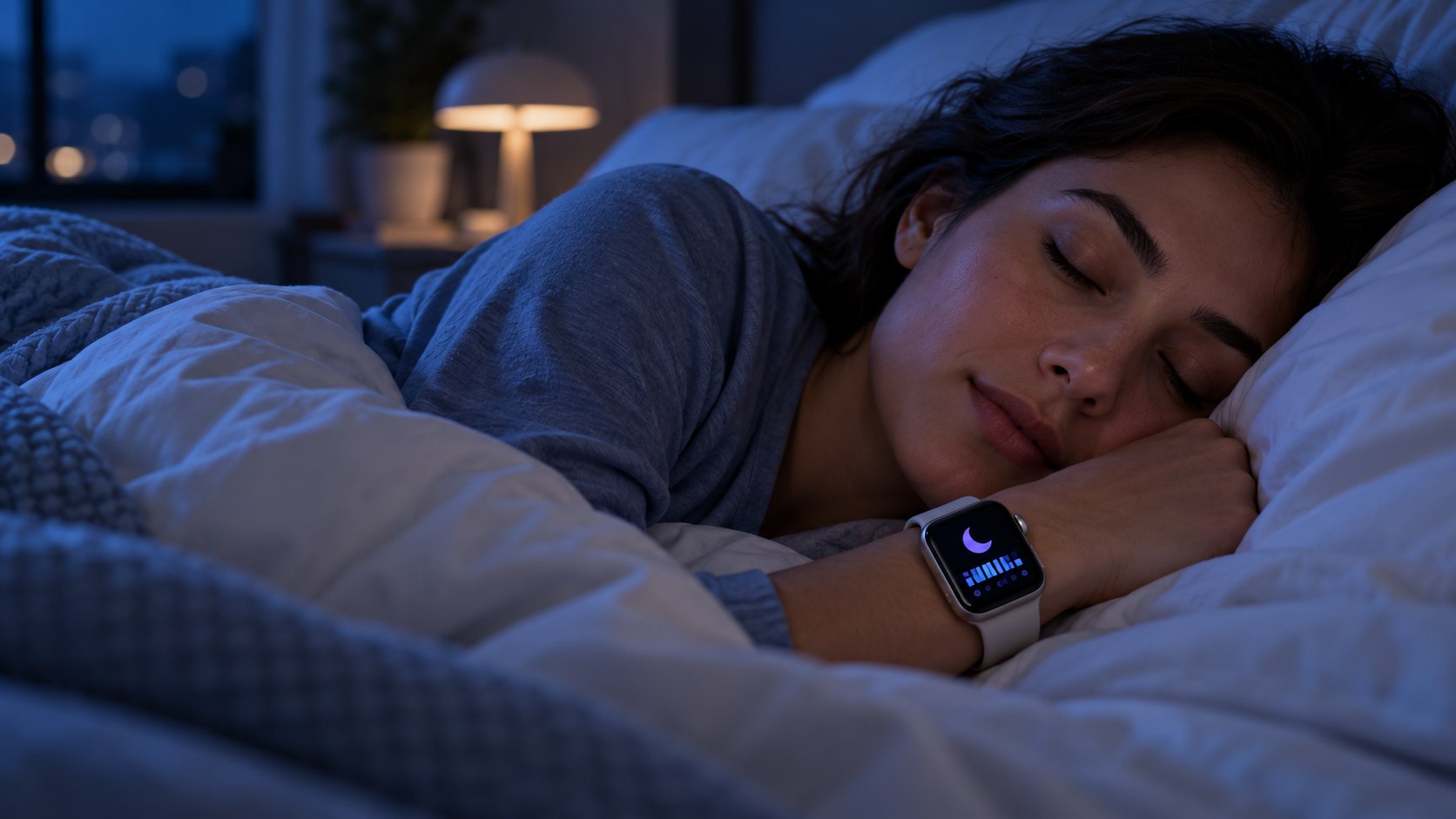
Troubleshooting Apple Watch sleep tracking problems
Most problems involve settings, battery, fit, or insufficient wear time. Check these issues before resetting the watch.
- No sleep data: confirm Track Sleep with Apple Watch is enabled and wear the watch for at least 1 hour.
- Part of the night is missing: check whether the battery died or the watch was removed.
- Sleep stages look incomplete: make sure the watch stayed securely against your wrist.
- Wake time is wrong: inspect both the regular schedule and any one-time wake adjustment.
- Sleep Score seems unusual: compare several nights instead of relying on one result.
A restart can help when settings appear correct but information stops syncing. Also confirm that Bluetooth and Wi-Fi work normally between the watch and iPhone.
Avoid erasing Apple Watch as the first troubleshooting step. Resetting creates more work and rarely fixes a basic disabled setting.
If several nights remain missing, Apple’s official support documentation is the better next step.
FAQ about how to track sleep on Apple Watch 2026
Does Apple Watch automatically track sleep?
Apple Watch can track sleep after Track Sleep with Apple Watch is enabled. You also need to wear the watch during the night.
Do I need a sleep schedule for Apple Watch tracking?
A schedule makes the system easier to use and improves bedtime consistency tracking. It also controls Sleep Focus and wake settings.
How much battery does Apple recommend before sleeping?
Apple recommends at least 30% battery before bed. Charging Reminders can alert you before your scheduled Wind Down period.
How long must I wear Apple Watch for sleep data?
Apple says the watch should be worn for at least 1 hour during the night. Shorter wear can leave the sleep graph incomplete.
How accurate is Apple Watch for sleep stages?
Apple Watch estimates Awake, REM, Core, and Deep sleep stages. Trends across several nights are more meaningful than isolated values.
Can Apple Watch replace a medical sleep study?
No. Consumer sleep tracking can show useful personal trends, but it is not a substitute for professional medical testing.
Earlier we wrote about Chapter 7 vs Chapter 13 Bankruptcy in 2026: Fees, Means Test and Property Rules Explained