

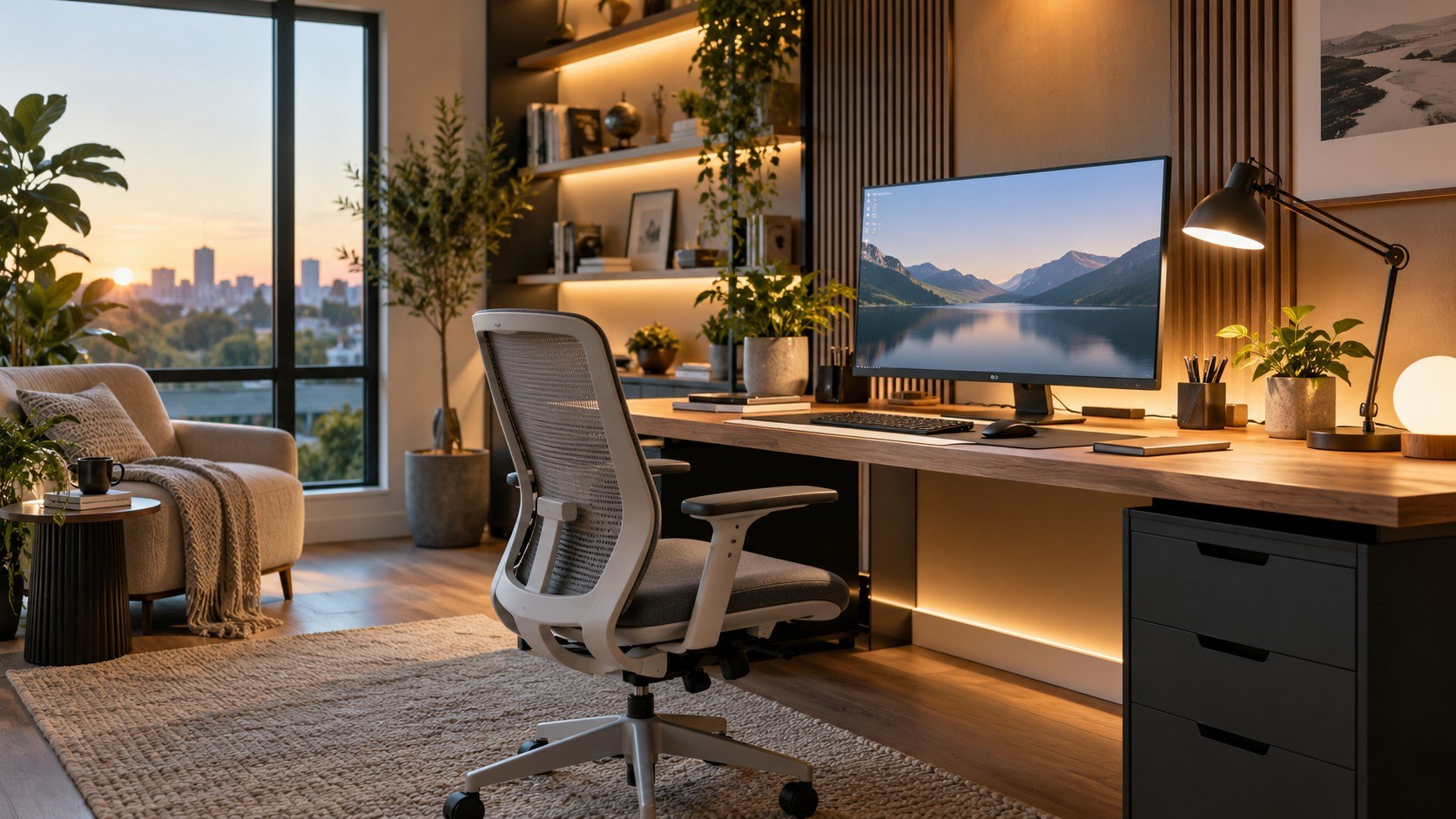
Best lighting for a home office 2026 starts with 2 numbers: about 400–800 lumens near the desk and 3000K–4000K color temperature. That range gives most computer users useful task light without turning a bedroom office into a clinic. Add softer ambient light behind or beside the monitor if the room stays dark. The exact mix depends on desk size, daylight, wall color, and screen position, as noted by the Baltimore Chronicle editorial team.
Products were selected by comparing verified output, color temperature, adjustability, desk footprint, and current U.S. pricing in September 2026. The list favors useful lighting control over decorative features or marketing claims.
Key takeaways
- Choose lumens before watts because lumens describe visible light output, while watts measure electricity use.
- Use 3000K–4000K for most daytime office work, then reduce brightness or warmth later.
- Combine task and ambient lighting instead of expecting one ceiling fixture to illuminate every working surface.
A bright bulb alone does not guarantee a comfortable desk. Direction, glare, wall reflections, and screen placement matter just as much. A 1,000-lumen source can feel harsh when pointed directly toward the eyes. A weaker task lamp can work well when positioned 15–24 inches from paperwork. Dark walls also absorb more light than pale walls. That makes room finishes part of the lighting calculation.
The practical goal is not maximum brightness. It is enough controlled light to see documents without making the monitor look unusually dark.
Best lighting for a home office 2026 by lumens and color temperature
The U.S. Department of Energy recommends comparing bulbs by lumens rather than old incandescent wattage. Its lighting guidance lists roughly 800 lumens as the traditional replacement level for a 60-watt incandescent bulb.
“Lumens … are a measure of the total amount of visible light emitted by a source.”
U.S. Department of Energy, Federal Energy Management Program, guidance for purchasing efficient light bulbs.
The DOE also describes 2700K as warm light and 3000K as a warmer neutral tone. Higher Kelvin values appear progressively cooler. A home office rarely needs one fixed temperature all day.
| Office situation | Useful light level | Color temperature | Best approach |
|---|---|---|---|
| Small computer desk | 400–600 lumens nearby | 3000K–4000K | Adjustable task lamp |
| Paperwork or drawing | 600–1,000 lumens | 3500K–5000K | Wide task light |
| Video-call workspace | 500–1,000 lumens total | 3500K–4500K | Front and side lighting |
| Dark office without daylight | 800–1,500 lumens layered | 3000K–4000K | Task plus ambient light |
| Evening work | 300–600 lumens | 2700K–3500K | Dimmed warmer lighting |
These figures describe practical starting points rather than legal lighting requirements. Room size can change the result quickly. A 70-square-foot office needs less total output than a 180-square-foot converted bedroom. White walls reflect useful light back toward the desk. Charcoal paint and dark wood absorb more of it. The Baltimore Chronicle guide to paint colors for small rooms explains how lighting changes pale and muted colors.
8 home-office lighting options worth considering in 2026
1. IKEA TERTIAL for an inexpensive adjustable task light
IKEA lists the TERTIAL work lamp at $19.99 in the U.S. during September 2026. Its adjustable steel arm accepts an E26 bulb, letting the user choose output and color temperature separately. IKEA recommends an 800-lumen SOLHETTA option for the fixture.
That flexibility makes TERTIAL more useful than many cheap lamps with permanent LEDs. It stands out in 2026 because a failed or unsuitable bulb does not require replacing the fixture.
2. IKEA NÄVLINGE for small desks
NÄVLINGE costs $24.99 and uses an integrated 220-lumen LED at 2700K. Its base measures only 5 inches across, while the adjustable head provides concentrated directional light.
The low output makes it better for keyboards, notebooks, or evening work than full-room illumination. It suits renters and compact desks where a larger lamp would consume valuable surface area.
3. An 800-lumen E26 LED for the simplest upgrade
A new fixture is unnecessary when an existing desk lamp already points light correctly. An 800-lumen LED roughly matches the output historically associated with a 60-watt incandescent bulb, according to DOE guidance.
Choose a 3000K or 4000K bulb for daytime desk work. A dimmable model gives more control when that office also functions as a bedroom.
4. BenQ ScreenBar for monitor-heavy work
A monitor light bar removes the lamp base from the desk and directs light downward. BenQ lists its standard ScreenBar at $109 in its current U.S. pricing.
The format works particularly well on shallow desks. It also reduces the chance of a desk lamp appearing inside a monitor reflection. That matters for programmers, editors, gamers, and remote workers using large screens.
“ScreenBar centers on you, delivering precise light.”
BenQ, official U.S. ScreenBar product guidance.
5. BenQ ScreenBar Halo 2 for adjustable color temperature
The ScreenBar Halo 2 covers a wider technical range. BenQ specifies adjustable color temperature from 2700K to 6500K and center illuminance above 1,000 lux at 19.7 inches.
Its rear light also brightens the wall behind a monitor. That feature can reduce the visual contrast between a bright display and a dark room.
6. Philips Hue Signe for ambient wall light
Philips Hue lists the Signe gradient table lamp at $249.99 in September 2026. It blends white and colored light and supports app-based dimming.
This is not the first lamp to buy for document work. It makes more sense as secondary illumination behind or beside the desk. Wall-washing light can soften a room where the monitor otherwise becomes the brightest object.
7. Dyson Solarcycle Morph for automated daylight adjustment
Dyson lists its Solarcycle Morph desk light at $649.99 in the U.S. The lamp can track local daylight and adjust brightness and color temperature through programmed modes.
The price puts it in a different category from ordinary task lights. Its distinction is automation rather than raw brightness. It suits users who want one premium fixture serving work, reading, and ambient-light duties.
8. A floor lamp for offices with weak ceiling light
A floor lamp works best as a second lighting layer rather than the main task source. Place it behind the desk or near a wall so light spreads across the room.
This approach is useful in rentals where replacing a ceiling fixture is impractical. It also keeps another object off the desk. Anyone rebuilding the complete workspace can compare furniture dimensions in the Baltimore Chronicle guide to U.S. furniture stores in 2026.
How to choose home office lighting without guessing
A useful home office lighting setup can be planned in several minutes. Start with the desk instead of the ceiling because most visual work happens within a small area.
- Measure the desk width and note where the monitor blocks overhead light.
- Check existing bulb lumens instead of judging brightness by wattage.
- Start near 3000K–4000K for general daytime computer work.
- Add directional task light for reading, handwriting, crafts, or printed documents.
- Place secondary light behind the monitor if the surrounding room remains dark.
- Test reflections with the monitor displaying a dark page.
- Dim the setup after sunset if the daytime setting feels unnecessarily bright.
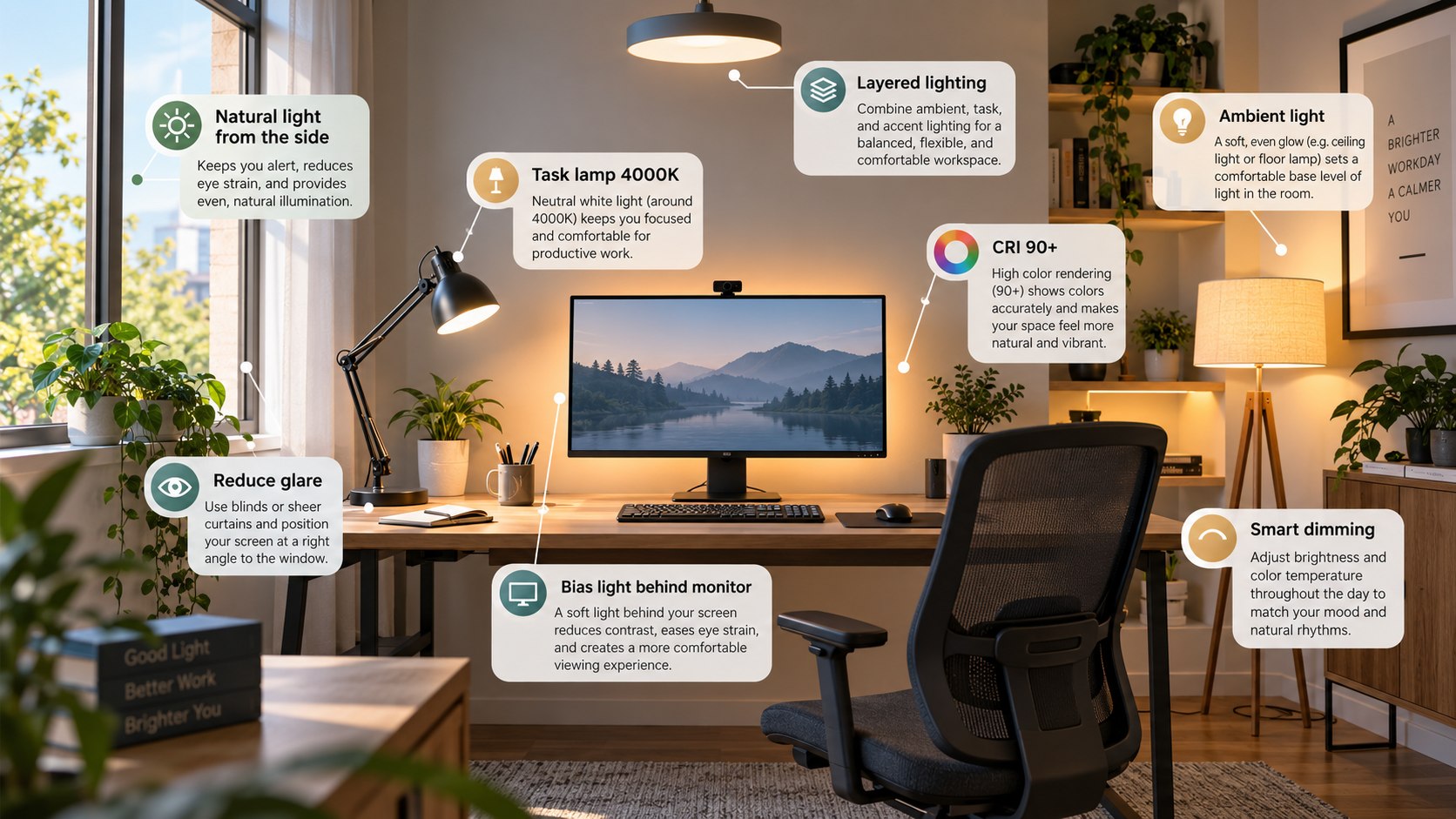
Positioning can solve problems that another 500 lumens cannot. Right-handed writers usually benefit from task light entering from the left. Left-handed writers can reverse that arrangement. The lamp should illuminate paper without throwing the hand’s shadow across the writing area. Monitor users should keep exposed LEDs outside their direct sightline. Matte desk surfaces also produce fewer distracting reflections.
The same principle applies when choosing finishes. Fabric, paint, and wood can look different under warm and cool LEDs. Baltimore Chronicle’s guide to buying a sofa online recommends viewing material samples under different household lighting.
3000K vs 4000K vs 5000K for a home office
Home office color temperature changes appearance rather than total light output. A 500-lumen bulb remains 500 lumens whether its light appears warm or cool.
For most residential offices, 3000K feels warmer and blends easily with surrounding household lamps. A 4000K source looks cleaner and more neutral beside white paper. At 5000K, the light appears distinctly cooler and may feel harsh in a small room at night.
A tunable 2700K–5000K lamp is often more useful than chasing one supposedly perfect Kelvin number.
Cooler light can be practical for detailed daytime tasks. It is not automatically brighter. ENERGY STAR guidance describes 2700K–3000K as warmer light and 4100K–6500K as cooler light.
For video calls, matching nearby lights matters more than selecting an extreme color temperature. Mixing a 2700K lamp with blue daylight can create uneven skin tones. Close curtains or balance the artificial sources before buying another camera.
Common lighting mistakes that make an office uncomfortable
The worst problems usually come from contrast and placement. More output can make them worse when the source is badly positioned.
- Using only a bright ceiling fixture behind the worker
- Placing a bare bulb inside the normal field of view
- Buying by watts instead of lumens
- Running a bright monitor in an otherwise dark room
- Choosing 5000K–6500K everywhere because it appears “more professional”
- Ignoring glare from glossy desks, framed art, and monitor surfaces
- Using decorative RGB lighting as the only source for paperwork
A single overhead fixture often creates shadows beneath the hands and monitor. Bare bulbs become distracting when visible beside the screen. Excessive color temperature can also make a residential office feel visually disconnected from adjoining rooms. Decorative lighting remains useful when it illuminates walls instead of replacing task light. Daylight should be treated as part of the system. Blinds can control glare without eliminating natural light entirely.
What should a 2026 home-office lighting budget look like?
A functional setup does not require premium equipment. Current products show a wide price gap between basic task lights and automated designer systems.
| Budget | Practical setup | Typical 2026 cost |
|---|---|---|
| Basic | Existing fixture plus quality LED bulb | $5–$20 |
| Budget desk setup | IKEA task lamp plus suitable bulb | $20–$45 |
| Monitor-focused | Monitor light bar plus ambient lamp | $100–$250 |
| Smart office | Tunable task lamp plus app-controlled ambient light | $200–$450 |
| Premium automated | High-end adaptive desk lighting | $500–$700+ |
Spending more mainly buys controls, optics, build quality, and automation. It does not guarantee better lighting for every room. A $20 adjustable fixture can outperform an expensive decorative lamp on paperwork. Smart controls become more useful when work continues into the evening. Integrated LEDs also deserve scrutiny because the light source may not be replaceable. Prices should be confirmed before purchase because promotions and inventory change during 2026.
Honorable mentions
- IKEA NYMÅNE, priced around $79.99 in September 2026, combines work lighting with wireless charging.
- Philips Hue Iris, listed around $120.99, works better as ambient lighting than concentrated task illumination.
- IKEA FORSÅ, listed around $39.99, offers a traditional adjustable metal work-lamp format.
All 3 serve different purposes. NYMÅNE favors convenience on a permanent desk. Hue Iris makes more sense behind a monitor or beside a wall. FORSÅ suits users who prefer a conventional replaceable-bulb fixture. None eliminates the need to consider glare. The room remains the system, while the lamp is only one component.
FAQ about the best home office lighting in 2026
How many lumens are best for a home office?
For a desk, roughly 400–800 nearby lumens is a useful starting range. Detailed paperwork may benefit from more controlled task light.
Is 3000K or 4000K better for office work?
Both can work. 3000K office lighting feels warmer, while 4000K provides a more neutral white appearance for daytime tasks.
Is 5000K too bright for a home office?
Kelvin measures color appearance, not brightness. A 5000K source can feel cool or stark, especially in residential rooms after dark.
Should a desk lamp be brighter than the monitor?
Not dramatically. The goal is balanced illumination around the screen, keyboard, and documents without creating glare or extreme contrast.
Are monitor light bars better than desk lamps?
They are useful for small desks and screen-focused work. Traditional lamps remain better when light must reach books, drawings, or larger surfaces.
What is the simplest upgrade for poor home-office lighting?
Check the existing bulb’s lumens and Kelvin rating first. Then add a directional LED desk lamp for home office work where shadows remain.
Earlier we wrote about How to Add an ADU to Your House 2026: Permits, Costs and 6 Steps