

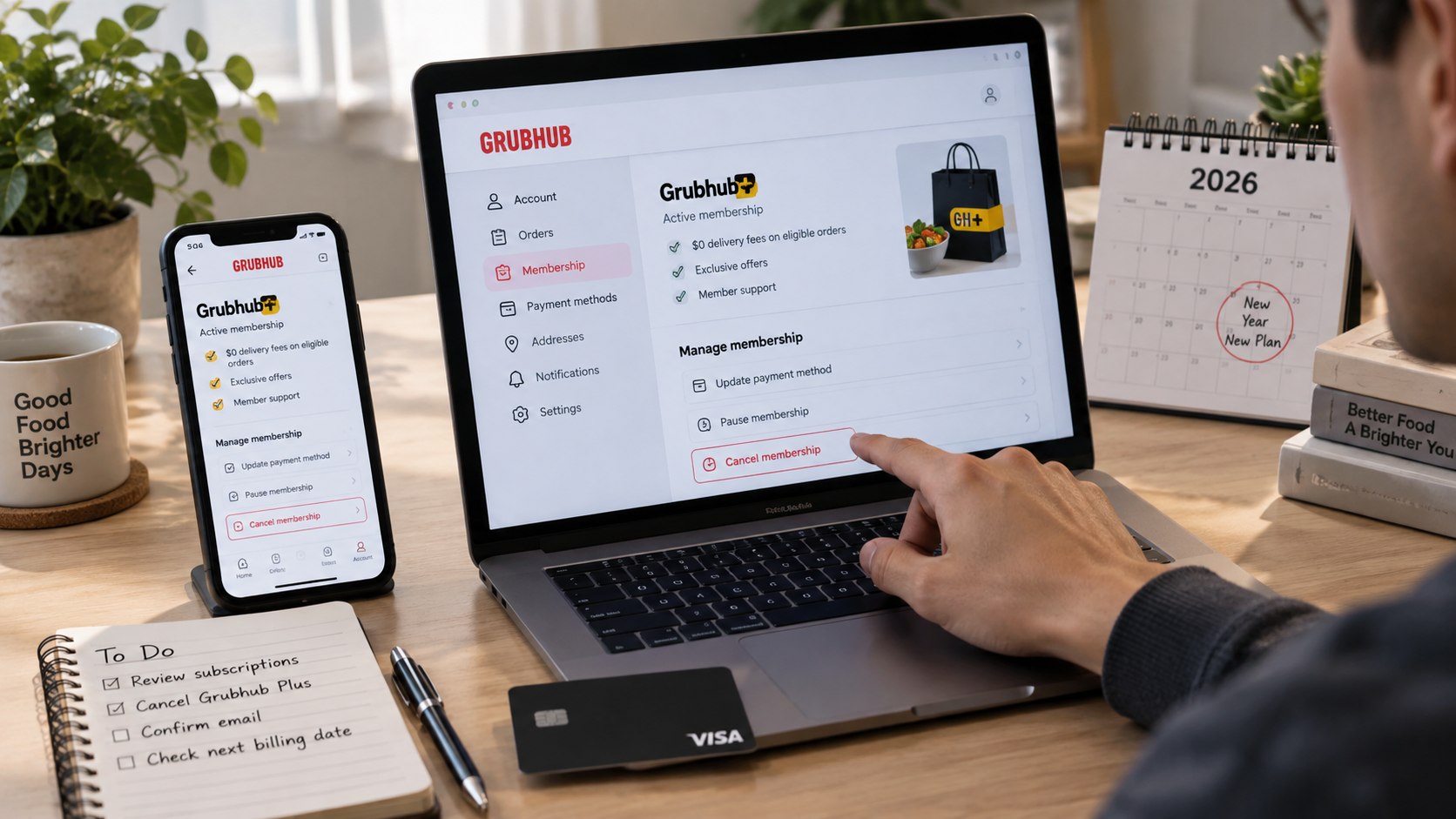
How to cancel Grubhub Plus 2026 comes down to one account setting: sign in, open your Grubhub+ membership settings, choose the cancellation option, and complete every confirmation screen. The process usually takes only a few minutes when the correct account is available, as noted by Baltimore Chronicle.
Do not delete the Grubhub app or remove a credit card first. Neither action reliably ends an automatically renewing membership. The important result is an account status showing that renewal has stopped, supported by a confirmation email or screenshot.
Key takeaways:
- Cancel Grubhub+ through your membership settings, not by deleting the app.
- Grubhub lists its standard monthly membership at $9.99 plus applicable tax.
- Save cancellation confirmation until the next scheduled billing date has passed.
Grubhub describes Grubhub+ as an automatically renewing membership. The official Grubhub+ page lists the standard monthly price at $9.99 plus applicable tax. Benefits may include $0 delivery fees on eligible orders, lower service fees, and credits or other member offers.
What you need before you cancel Grubhub+
Gather your account information before opening subscription settings. This reduces the risk of canceling an unused account while another email address continues receiving Grubhub+ charges.
- Email address or phone number connected to Grubhub
- Your Grubhub password or another available sign-in method
- Access to the inbox receiving Grubhub receipts
- A recent bank or credit-card statement if the account is uncertain
- A phone or computer with access to Grubhub
- About 5–10 minutes
- A screenshot tool for saving cancellation evidence
Start by matching the account with a recent Grubhub receipt. Parents and couples should check whether another household member created the membership. Freelancers who use separate business and personal cards should inspect both accounts.
A $9.99 transaction may indicate a standard monthly membership, although taxes can change the final amount. Promotional plans or partner benefits may also produce different pricing.
Do not assume that removing a saved payment method will solve the problem. The membership itself needs to be ended through the relevant subscription controls.
The account showing the recurring membership is the account that matters, regardless of which phone originally created it.
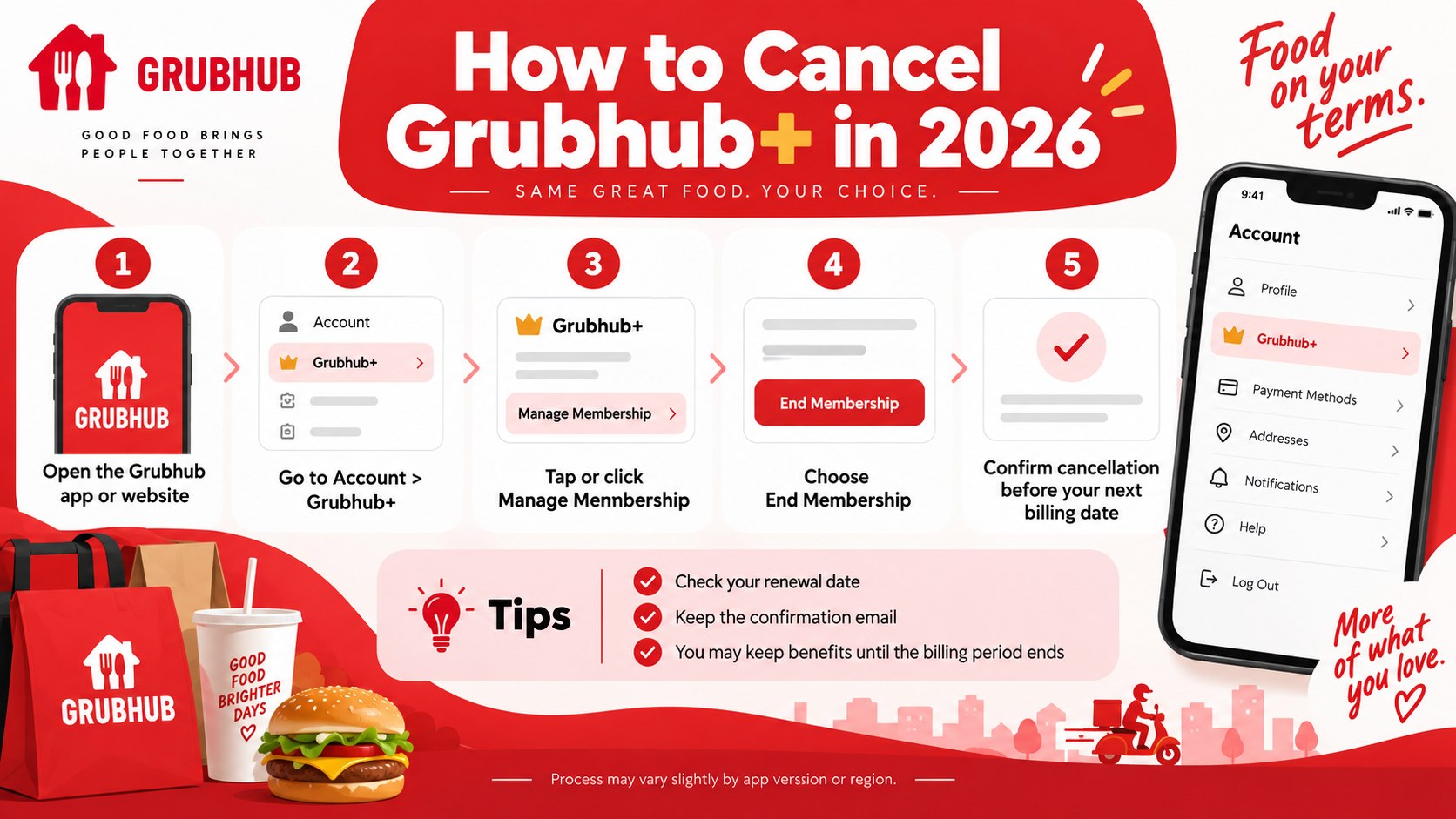
How to cancel Grubhub Plus 2026 in 7 steps
Step 1: Sign in to the Grubhub account being billed
Open Grubhub on the web or in the mobile app and sign in to the account connected to the membership. Confirm the email address before changing anything.
This matters because another household account may also exist. A common mistake is opening an old profile and assuming the paid subscription has disappeared.
Step 2: Open your account settings
Go to the account or profile section. Look for Grubhub+, membership, subscription, or a similar option.
The wording can differ between the website and mobile app. The goal is to reach the page that displays your current Grubhub+ membership status.
Do not confuse notification settings with subscription controls. Turning off promotional emails or app notifications does not stop billing.
Step 3: Check the renewal date and membership type
Before selecting cancellation, record any renewal or expiration information displayed in the account. Take a screenshot if the next billing date is close.
Grubhub lists its standard plan at $9.99 per month plus applicable tax. Some customers may have promotional pricing, student benefits, annual plans, or access linked to a partner program.
That distinction matters because not every Grubhub+ user pays the standard monthly fee directly.
Check who actually bills the membership before changing another subscription or payment method.
Step 4: Select the cancellation option
Inside the Grubhub+ membership controls, choose the option that ends or cancels the membership. Continue through any screen requesting confirmation or a cancellation reason.
The goal is to cancel Grubhub Plus subscription renewal, not merely change account preferences.
A common mistake is leaving after the first cancellation screen. Some subscription flows require an additional confirmation before renewal is actually disabled.
Step 5: Complete every confirmation screen
Continue until Grubhub displays a clear message showing that the membership has been canceled or automatic renewal has ended.
Do not rely only on the disappearance of a button. Look for an explicit membership status, end date, or confirmation notice.
A successful cancellation should produce evidence that the recurring membership changed. Closing the app is not evidence that billing stopped.
Step 6: Save proof of cancellation
Take a screenshot showing the membership status and keep any cancellation email Grubhub sends. Record the date you canceled and the previously scheduled renewal date.
This creates a clear record if another charge appears later. Deleting the email immediately can make a billing dispute harder to document.
Keep the confirmation until at least one billing cycle has passed.
Step 7: Check the account after the old renewal date
Return to the Grubhub settings after cancellation and make sure the account does not show a new automatic renewal. Check the same bank account or credit card after the previous billing date.
If another membership payment posts, compare its date with the cancellation confirmation. Contact Grubhub support with those records instead of repeatedly changing cards.
What happens after you end Grubhub Plus
Canceling Grubhub+ affects the paid membership rather than deleting the underlying Grubhub account. You can generally continue ordering food without a paid membership.
Delivery fees, service fees, available credits, and member-specific offers may then change. The exact cost of an order still depends on the restaurant, location, order size, and other applicable charges.
| Membership situation | What to check | Practical next step |
|---|---|---|
| Standard monthly Grubhub+ | Renewal status and next billing date | Cancel through membership settings |
| Promotional membership | Promotion end date and renewal terms | End renewal before paid billing starts |
| Partner benefit | Whether a separate Grubhub charge exists | Check the linked program first |
| Student membership | Eligibility and account status | Review student membership terms |
| Charge after cancellation | Transaction date and saved confirmation | Contact support with documentation |
The standard $9.99 monthly rate should not be treated as universal. Promotions and partner programs can have different conditions, while taxes can affect the final amount charged.
A customer should therefore compare the transaction with the exact membership shown in the account. A charge that looks unfamiliar may also belong to a regular food order rather than Grubhub+.
The same distinction applies across subscription services. Removing an app rarely changes the underlying billing agreement.
If the membership is connected to a student or partner benefit, review that program before canceling unrelated services. Ending another subscription could affect benefits beyond Grubhub.
Grubhub Plus cancellation, refunds, and unexpected charges
End Grubhub Plus membership before the next renewal when the goal is to prevent another scheduled payment. Waiting until a new charge appears creates a separate refund or billing issue.
Grubhub’s Terms of Use explain the rules governing payments and membership services. Refund decisions can depend on the circumstances, so cancellation should not be treated as an automatic refund request.
If a new payment appears, first compare the posting date with the saved cancellation date. Then confirm whether the transaction belongs to Grubhub+, an ordinary restaurant order, or another household account.
Credit-card statements can shorten merchant descriptions. The original Grubhub receipt is often more useful than the abbreviated bank entry.
Use this sequence when investigating an unexpected charge:
- Open the saved cancellation confirmation.
- Record the date and amount of the charge.
- Check whether another Grubhub account exists.
- Compare the payment with recent food orders.
- Contact official Grubhub support if the membership still appears active.
- Save the support conversation and final resolution.
Do not immediately dispute every Grubhub transaction before identifying it. A restaurant order and a membership renewal are different charges.
Check order history first. Then compare the amount with the membership price displayed in your account.
If cancellation occurred after renewal, the charge may relate to a billing period that had already started. Refund eligibility should be confirmed directly with Grubhub.
Cancellation stops future renewal when completed correctly, while a refund concerns money that has already been charged.
Troubleshooting when Grubhub+ will not cancel
Most cancellation problems involve account access, the wrong profile, or uncertainty about who provides the membership.
- No Grubhub Plus cancel option: confirm that the signed-in account actually shows an active membership.
- Grubhub+ is missing: search old receipts for another email address or phone number.
- You cannot sign in: recover account access before trying another profile.
- A charge appeared after cancellation: compare its date with the saved confirmation.
- Membership came through a partner: identify whether it is a bundled benefit rather than a separately billed plan.
The absence of a $9.99 monthly charge can be an important clue. Some customers may receive Grubhub+ through another program rather than paying for a conventional monthly membership.
Do not cancel an unrelated partner service only because Grubhub+ appears in the account. First determine whether that service provides other benefits you still use.
A student account can also follow different eligibility rules. Check the membership page associated with the exact account instead of assuming standard pricing and renewal terms apply.
If the settings page appears broken, try the web version after signing out and back in. A browser may also provide a clearer account overview than a mobile interface.
How to avoid another unwanted Grubhub+ renewal
After cancellation, leave the confirmation email in a billing folder until the old renewal date has passed. A simple subscription list can also help households manage several recurring services.
Track these details for every paid membership:
- Service name
- Monthly or annual price
- Renewal date
- Payment card
- Cancellation date
- Confirmation number or email
That record becomes especially useful when several family members order through the same services. It can also reveal duplicate memberships attached to different email addresses.
Grubhub Plus cancellation can also be a useful point to review whether the membership was saving enough money. At the advertised $9.99 monthly price, 12 monthly payments equal $119.88 before tax.
That figure is the direct annual cost of paying $9.99 for 12 months. It does not measure potential delivery savings or promotional credits.
Customers who keep Grubhub+ should review renewal settings when a promotional period ends. Introductory offers can have different conversion terms.
The safest source is the membership information displayed inside the account and the current official Grubhub terms.
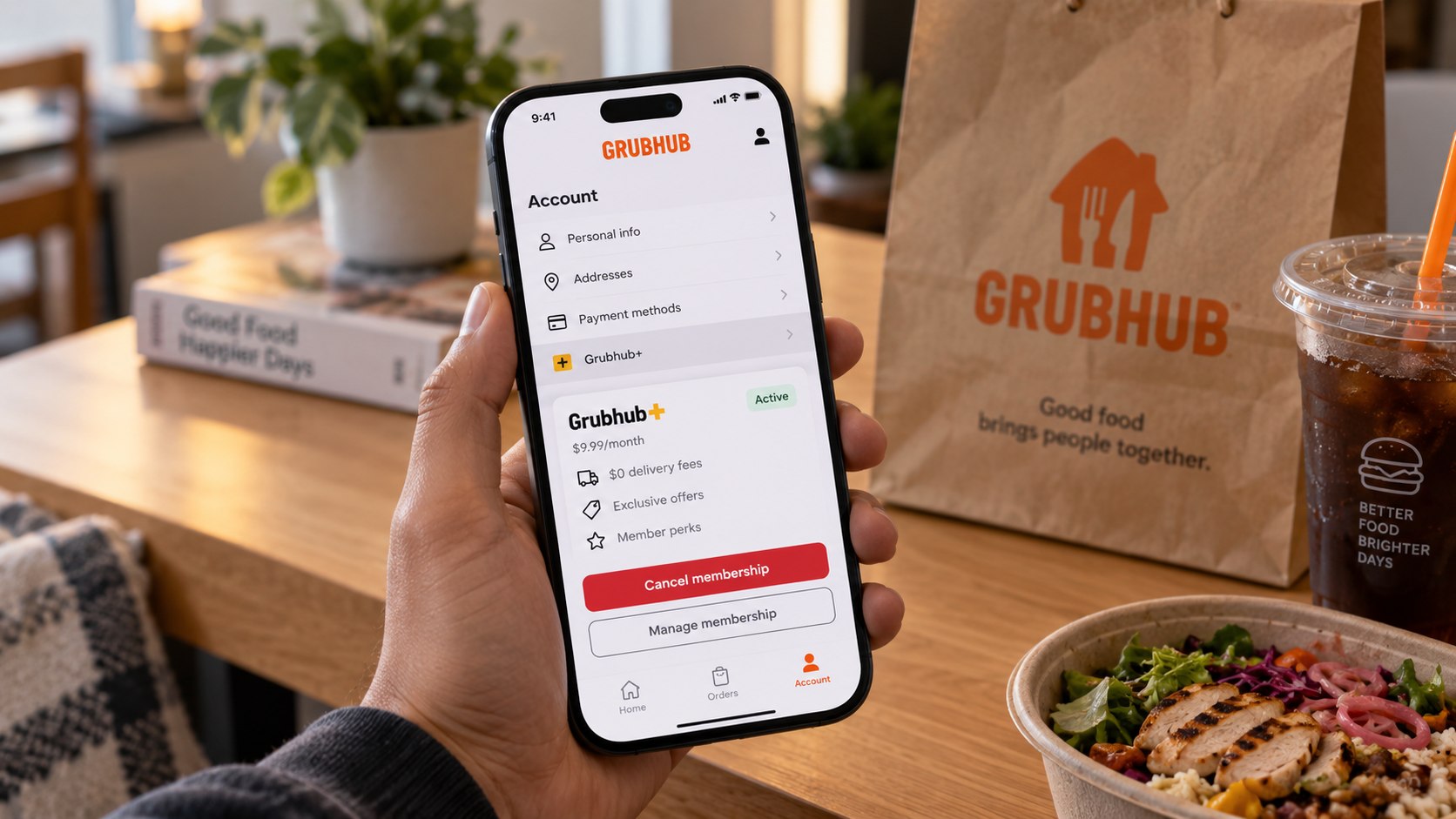
FAQ about canceling Grubhub Plus in 2026
How do I cancel Grubhub Plus in 2026?
Sign in to the Grubhub account with the active membership, open Grubhub+ or subscription settings, choose the cancellation option, and complete every confirmation screen. Save the final membership status or email.
Does deleting the Grubhub app cancel Grubhub+?
No. Removing the app from an iPhone or Android device does not itself terminate the recurring membership. The subscription must be ended through the account’s membership controls.
How much is Grubhub Plus in 2026?
Grubhub lists the standard monthly membership at $9.99 plus applicable tax. Promotions, partner benefits, and other membership arrangements can have different terms.
Can I get a refund after canceling Grubhub Plus?
Cancellation primarily addresses future renewal. Refund eligibility depends on the transaction and Grubhub’s applicable terms, so customers should contact official support for a specific disputed charge.
What if Grubhub+ still charges me after cancellation?
Check the transaction date against your confirmation. Verify that another account is not active, then contact Grubhub with the charge details and saved cancellation evidence.
Should I remove my credit card before canceling?
No. Cancel the membership first. Removing a payment method does not necessarily terminate the subscription agreement.
Earlier we wrote about How to Pair Apple Watch to New iPhone 2026: Unpair, Restore and Keep Your Data