

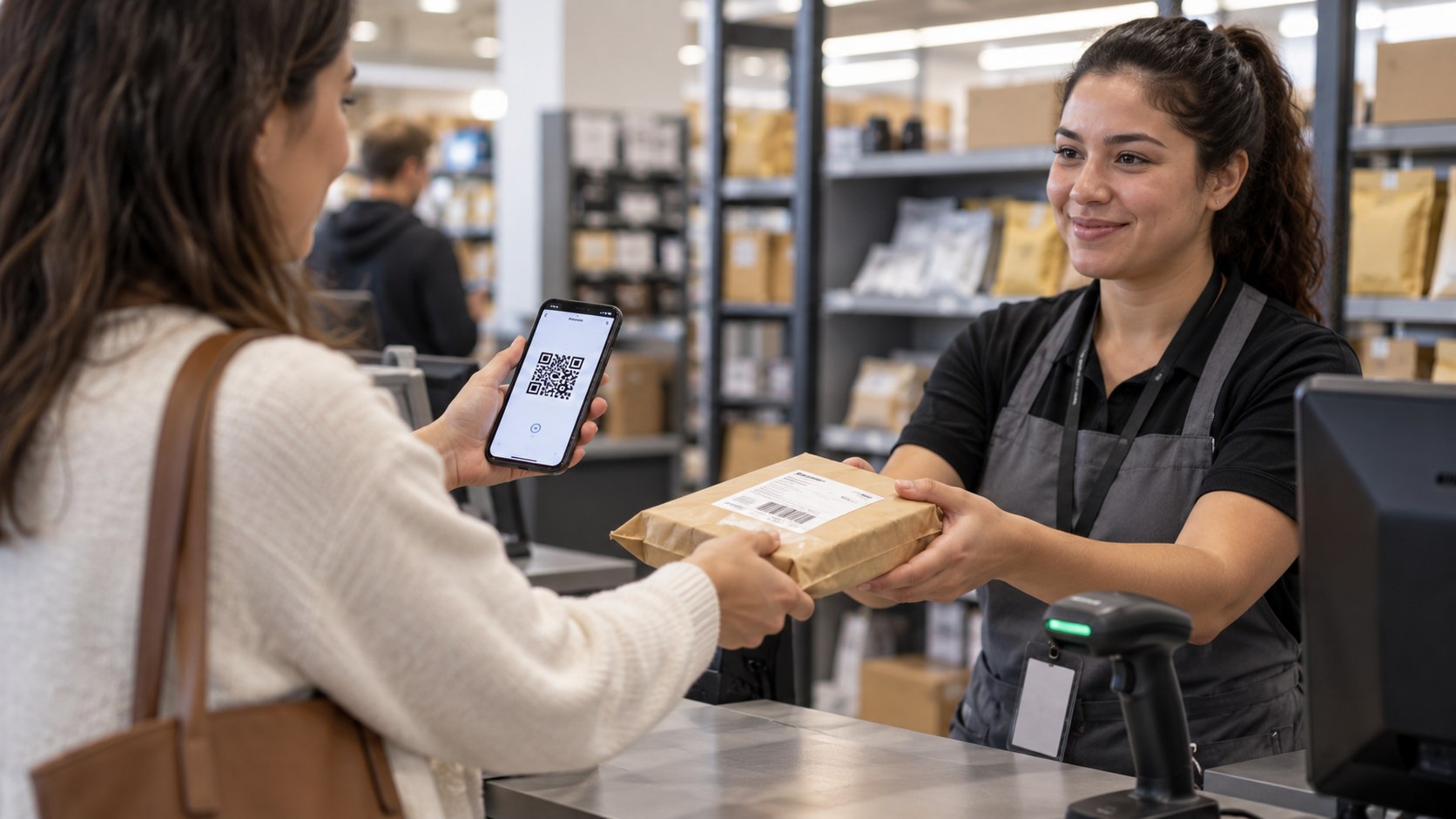
How to return an item to Amazon without printer 2026 is usually simple: start the return in Your Orders and choose a QR-code drop-off. Whole Foods Market and participating Kohl’s stores can handle eligible returns without a home printer. The setup often takes only a few minutes before the store visit, as noted by Baltimore Chronicle.
Your phone becomes the return label. Amazon displays or emails a QR code, which store staff scan when accepting the item. Some returns are also box-free, although eligibility depends on the specific order and return method.
Key takeaways
- Choose a label-free QR-code option when Amazon offers Whole Foods Market or Kohl’s during the return process.
- Keep the QR code on your phone and bring the exact item linked to that return request.
- Do not package a box-free return unless Amazon specifically tells you to pack or label it.
These options remove the most annoying part of many online returns: finding a printer, paper, tape, and a usable shipping label. They also reduce the chance of placing the wrong label on the wrong package. However, Amazon does not show identical return choices for every purchase.
A large television, hazardous product, marketplace purchase, or seller-specific return may require another method. An inexpensive household item may receive several nearby drop-off choices. The options shown under the actual order should therefore control the decision.
For readers comparing carrier locations, Baltimore Chronicle also explains how UPS Access Point locations work in 2026. Those locations are useful, but they should not be confused with every Amazon QR-code program.
What you need before starting the Amazon return
The no-printer method requires very little equipment. The important part is having access to the Amazon account used for the purchase.
- A smartphone with the Amazon app, email access, or a web browser.
- The Amazon account containing the original order.
- The item being returned, including required accessories or components.
- A valid Amazon QR code for the selected location.
- Several minutes to create the return request before leaving home.
- Packaging only when Amazon’s instructions explicitly require it.
The return itself is generally free when Amazon identifies the selected location as a free return option. Do not assume every available return method costs $0. Amazon can display different choices, conditions, or charges according to the item and return reason.
The safest rule is simple: follow the instructions attached to that specific order rather than instructions remembered from a previous return.
This matters for households with several Amazon purchases arriving each week. Two similar-looking products can have different return codes and destinations. Keeping each return request associated with its original item prevents unnecessary store-counter problems.
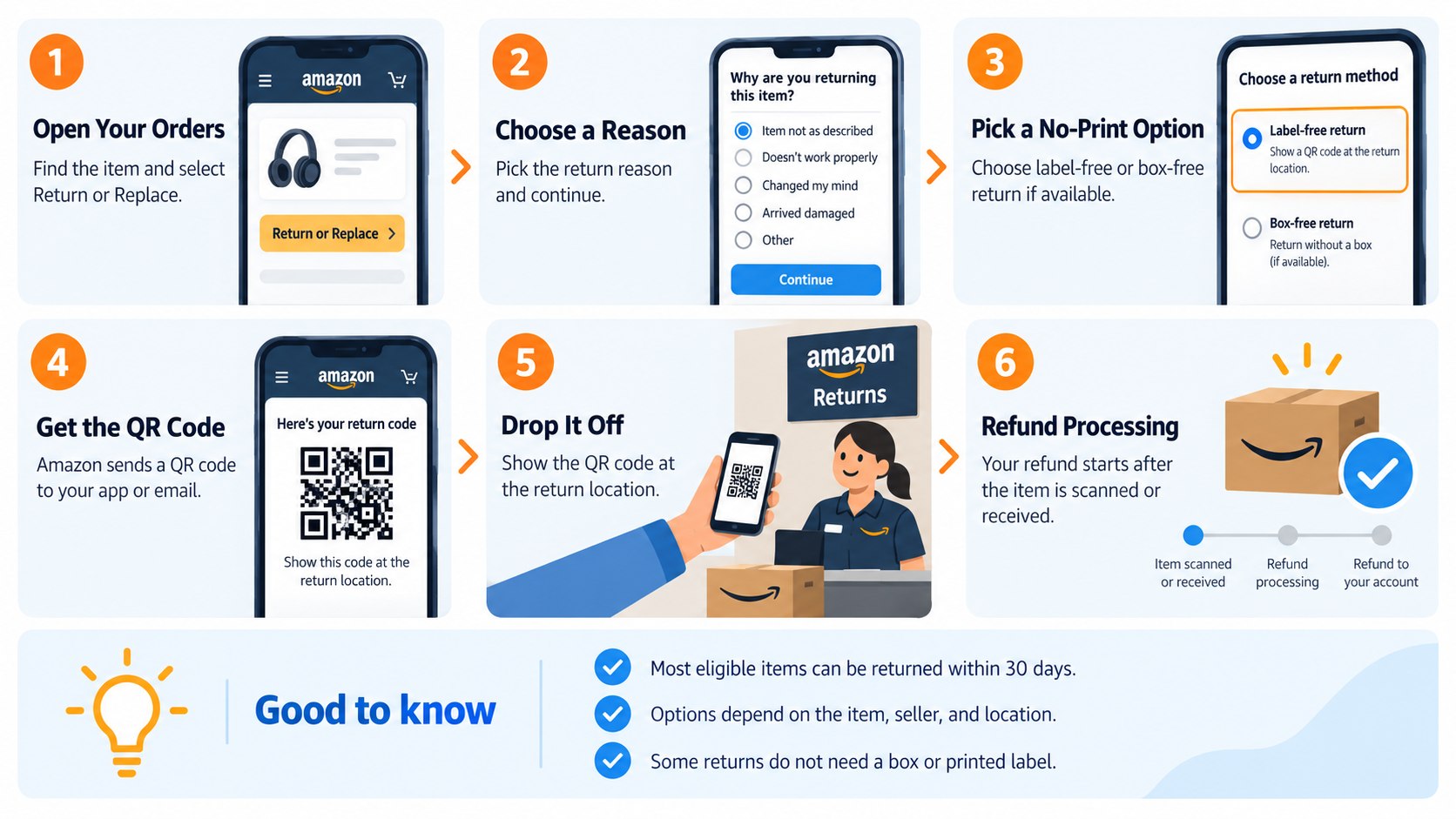
Step 1: Open Your Orders and select the correct purchase
Sign in to Amazon and open Your Orders. Find the exact product, then select the available return or replacement option.
This step matters because the QR code is tied to a particular return request. A code from another order cannot simply be reused for a different product.
A common mistake is starting several returns together and losing track of which code belongs to which item. Keep each item separated until the store accepts it.
Step 2: Choose the reason and review Amazon’s instructions
Select the return reason that accurately describes the problem. Amazon may ask for additional details about damage, missing parts, defects, sizing, or an unwanted purchase.
The reason can affect the options Amazon presents. It may also determine whether shipping charges or special instructions apply.
Do not select an inaccurate reason simply to obtain a preferred drop-off method. The return should match the item’s actual condition and circumstances.
Step 3: Look for a no-printer QR-code return option
Review the available drop-off choices before confirming anything. Search for language indicating label-free, box-free, QR-code, Whole Foods Dropoff, or Kohl’s Dropoff.
Amazon may also offer UPS or other return locations for eligible orders. Baltimore Chronicle’s guide to FedEx, UPS and USPS services in 2026 explains why carrier counters and retailer return desks provide different services.
Seeing a nearby store on a map does not automatically mean that store accepts the QR code shown for a different return method.
The common mistake is choosing a printable-label option first and then expecting any retailer to convert it. Select the printer-free method during Amazon’s return workflow whenever it appears.
Step 4: Decide between Whole Foods and Kohl’s
For many US customers, Amazon return without printer searches eventually come down to Whole Foods Market or Kohl’s. Both can accept eligible QR-code returns, but their availability differs by location and order.
| Return option | What you normally bring | Packaging | Important limitation |
|---|---|---|---|
| Whole Foods Market | Eligible item and Amazon QR code | No box or label for qualifying returns | Amazon must offer Whole Foods Dropoff |
| Kohl’s | Eligible item and Amazon QR code | Kohl’s packs and labels qualifying returns | Not every Amazon item qualifies |
| Other Amazon-listed drop-off | Depends on the selected method | Varies | Follow the order-specific instructions |
Whole Foods says customers can start the return in their Amazon account, select Whole Foods Dropoff, and present the QR code at the store. Its official Amazon pickup and returns page says qualifying returns need no box or label.
“No box or label needed.”
This wording comes from Whole Foods Market’s official return instructions for eligible Amazon purchases. Some stores use customer-service desks, staffed Amazon Counters, or self-service kiosks.
Whole Foods states that its stores accept Amazon returns, although available return equipment can vary by location. Store hours also vary, so checking the selected location before driving there remains practical.
Kohl’s works similarly for eligible orders. Its official Amazon Returns at Kohl’s page says Amazon provides the QR code and Kohl’s handles packing, labeling, and shipping.
“Kohl’s will pack, label and ship your return for free.”
Kohl’s states that Amazon returns are accepted at participating stores nationwide, with Anchorage, Alaska excluded. The Amazon return workflow must still display Kohl’s Dropoff for the item.
That distinction matters in states such as Maryland, Texas, California, Florida, and Ohio. Having a Kohl’s nearby does not guarantee that Amazon will make it available for every purchase.
Step 5: Save the Amazon QR code on your phone
After confirming the return, open the QR code and keep it accessible. Amazon may display it in the account and also send it by email.
Taking a screenshot can be useful when cellular reception inside a store is weak. The screenshot must clearly show the entire valid code.
Do not confuse the square return QR code with an order number, shipping barcode, or tracking screenshot. Store equipment needs the code Amazon generated for that return.
Step 6: Bring the item exactly as instructed
If Amazon identifies the return as label-free box-free Amazon return, bring the eligible product without adding a shipping label. Include components Amazon expects back, such as cables, chargers, remotes, manuals, or bundled accessories.
A common mistake is treating “box-free” as permission to return only the main device. Missing components can create processing problems later.
If Amazon specifically requires original packaging or another preparation step, follow that instruction. The words shown on the return confirmation are more important than a generic rule.
Step 7: Show the QR code at the selected location
At Whole Foods, go to the customer-service desk, Amazon Counter, or kiosk indicated by the location. At Kohl’s, follow signs for the store’s return drop area and show the Amazon QR code to the associate.
The scan connects the physical item with the electronic return request. This is why Amazon QR code return methods eliminate the need to print a traditional shipping label.
Avoid visiting a different retailer simply because it is closer. A Kohl’s QR code should be taken to the eligible Kohl’s location type Amazon selected.
Step 8: Keep proof of the drop-off
Do not treat handing over the product as the final administrative step. Keep any receipt or confirmation provided and monitor the return status inside Amazon.
This matters if a refund becomes delayed or Amazon later asks when the item entered the return network. A receipt, screenshot, and return confirmation create a simple record.
Keep that proof until the refund reaches the original payment method or Amazon confirms that the return is fully completed.
Customers who regularly deal with package records may also find the Baltimore Chronicle guide on tracking a USPS package when the tracking number is missing useful. The same practical principle applies: preserve the retailer’s electronic records before they become difficult to locate.
Troubleshooting common no-printer return problems
Most problems appear before the item reaches the counter. These scenarios cover the failures customers encounter most often.
- Kohl’s does not appear: the item may not qualify for Kohl’s Dropoff. Use one of Amazon’s displayed alternatives.
- Whole Foods does not appear: eligibility can depend on the item, location, seller, and return request.
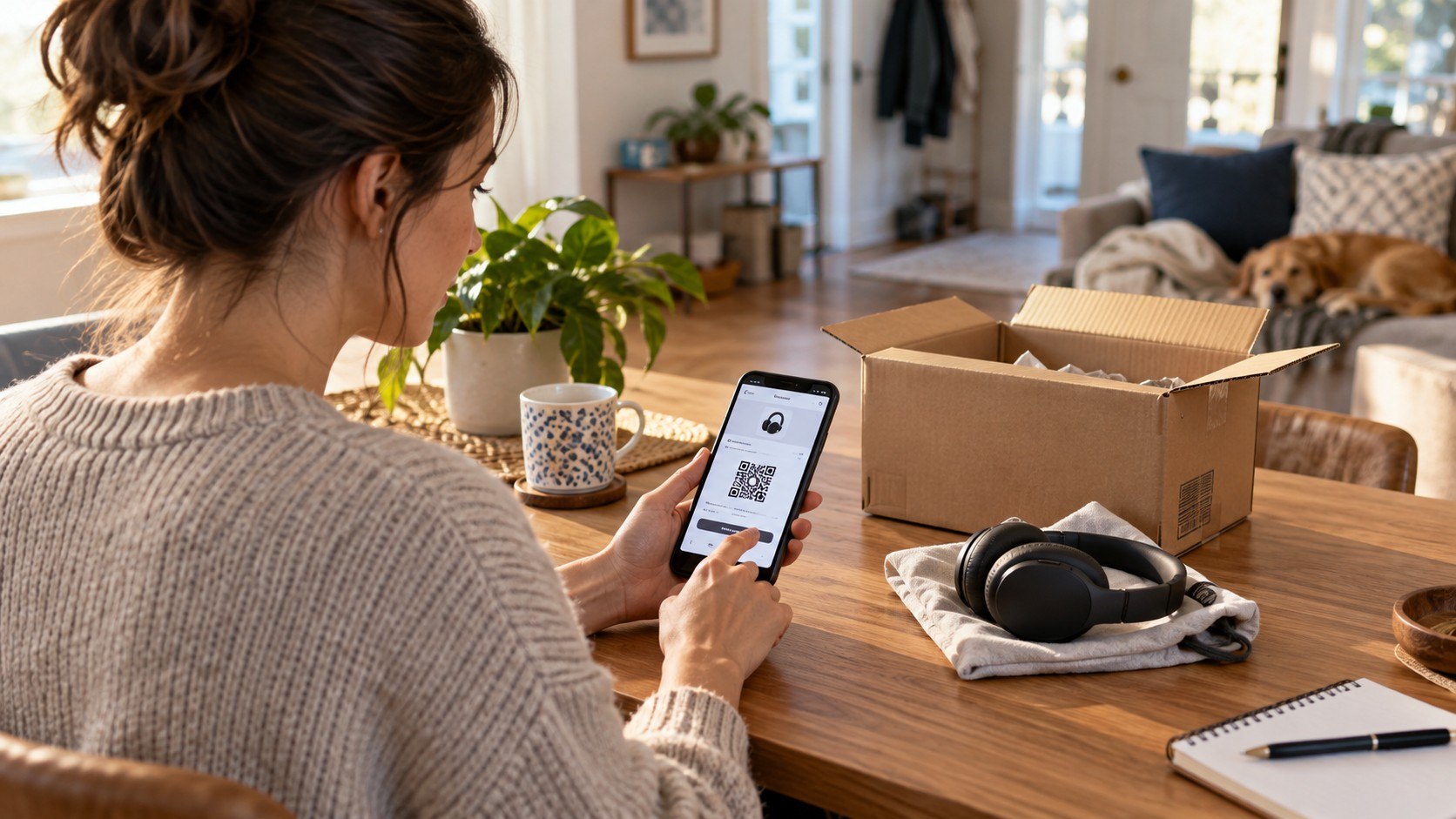
- The QR code will not load: reopen the return inside Your Orders or use the confirmation email before visiting.
- Amazon asks for packaging: do not assume the return is box-free. Follow the instructions shown for that order.
- The wrong item was brought: verify product name, size, color, model, and accessories before the QR code is scanned.
Do not cancel a valid return merely because the preferred store is unavailable. Review the alternatives first. Amazon can present another no-printer location for some orders.
If only a printed-label option appears, check whether another listed method supports a mobile code. When Amazon offers no compatible option, the customer may need printing assistance or another authorized return method.
Commercial printing shops and some shipping stores can print documents, but fees vary by location. That expense is unnecessary when Amazon already provides an eligible return Amazon package without label option.
Customers should also distinguish Amazon marketplace sellers from Amazon-handled returns. Seller-specific instructions can differ from the standard retailer drop-off process.
FAQ
Can I return an Amazon item without owning a printer?
Yes. Eligible Amazon orders can use QR-code return methods that require no home printer. Whole Foods Market and participating Kohl’s stores are 2 prominent options in the United States.
Can Kohl’s print my Amazon return label?
For eligible Kohl’s Dropoff returns, the process does not require printing the Amazon label at home. Amazon supplies a QR code, while Kohl’s says its associates pack, label, and ship qualifying returns.
Can I return an Amazon item to Whole Foods without a box?
Yes, when Amazon specifically offers an eligible Whole Foods label-free and box-free return. Whole Foods instructs customers to bring the item and QR code to the designated return point.
Why is Kohl’s missing from my Amazon return choices?
Amazon does not make every return method available for every purchase. Item type, seller, location, and other return conditions can change the options displayed in Your Orders.
Can I show an Amazon return QR code from a screenshot?
A clear screenshot may work when the scanner can read the valid code. Keeping the original return confirmation available is still useful if the screenshot fails.
How long should I keep my Amazon return receipt?
Keep it until Amazon confirms completion and the expected refund appears. It can help document the drop-off if tracking or refund processing becomes disputed.
Earlier we wrote about DIY Exterior House Painting in 2026: Primer, Weather, Costs and the Right Order of Work