

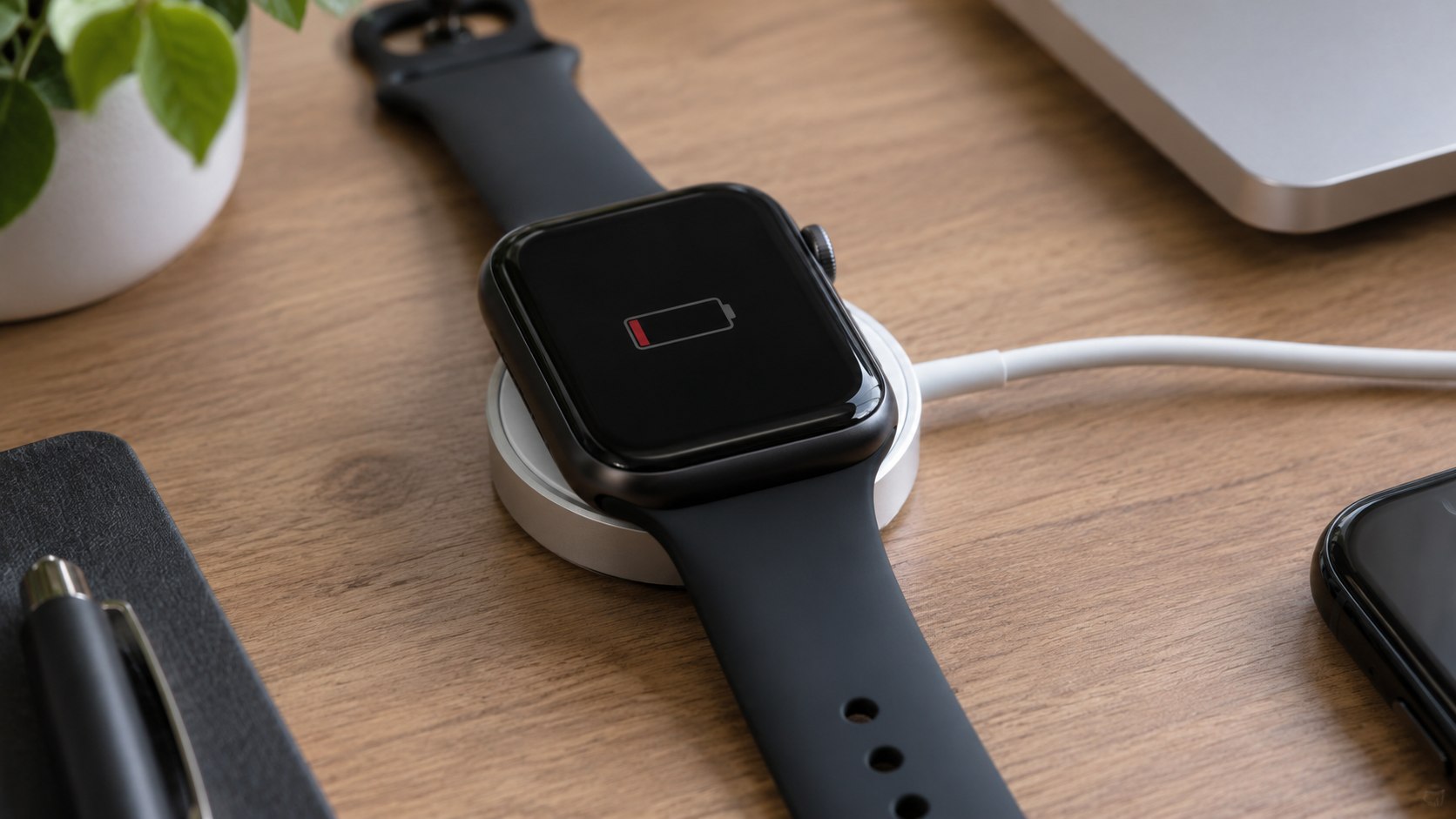
How to fix Apple Watch not charging 2026 starts with 3 checks: reseat the magnetic puck, try another power source, and leave a fully drained watch connected for 30 minutes. Most charging failures can be isolated within 10–20 minutes without opening the watch or buying parts, according to Baltimore Chronicle.
If the screen stays black, a red lightning bolt does not automatically mean hardware failure. Apple says a deeply discharged Watch may need up to 30 minutes before its charging symbol appears. Cable condition, dirt, alignment, temperature, and the USB-C adapter are more common places to investigate first.
Key takeaways before you start
The fastest diagnosis separates a charger problem from a watch problem. Do not erase, unpair, or reset the device before testing its power hardware.
- Give a completely drained Apple Watch up to 30 minutes on a known-good charger before assuming the battery failed.
- Test the magnetic cable and USB-C adapter separately because either component can produce an apparent charging failure.
- Escalate to Apple service when multiple verified chargers fail or the watch becomes unusually hot, swollen, or physically damaged.
These checks matter because a black screen can hide several very different faults. A dead battery, weak wall adapter, damaged cable, dirty charging surface, and hardware defect can look almost identical at first. Buying a replacement watch before isolating those variables can turn a simple accessory problem into a costly mistake.
Apple currently lists its Apple Watch Magnetic Fast Charger to USB-C Cable at $29 in the US store. That makes a charger swap a relatively inexpensive diagnostic step compared with out-of-warranty hardware service. Repair pricing depends on the model and inspection result.
The important distinction is whether the watch receives no power at all, or receives power too slowly to recover from a deeply discharged battery.
What you need
A proper charging test needs very little equipment. Using known-good accessories is more useful than repeatedly reconnecting the same questionable charger.
- Your Apple Watch and its current magnetic charging cable.
- A wall outlet that works with another device.
- A compatible USB-C power adapter.
- A clean, dry microfiber cloth.
- A second Apple or MFi-certified Apple Watch charger, if available.
- About 30 minutes for a deeply discharged watch.
- Your Apple Account details if professional service becomes necessary.
No screwdriver, pry tool, cleaning liquid, or battery-opening kit should be necessary. Apple Watch batteries are not intended for casual home replacement. Liquids can also migrate around seals and charging surfaces.
A dry cloth is enough for the initial cleaning test. Users who recently changed phones should treat pairing as a separate issue from charging.
How to fix Apple Watch not charging 2026 step by step
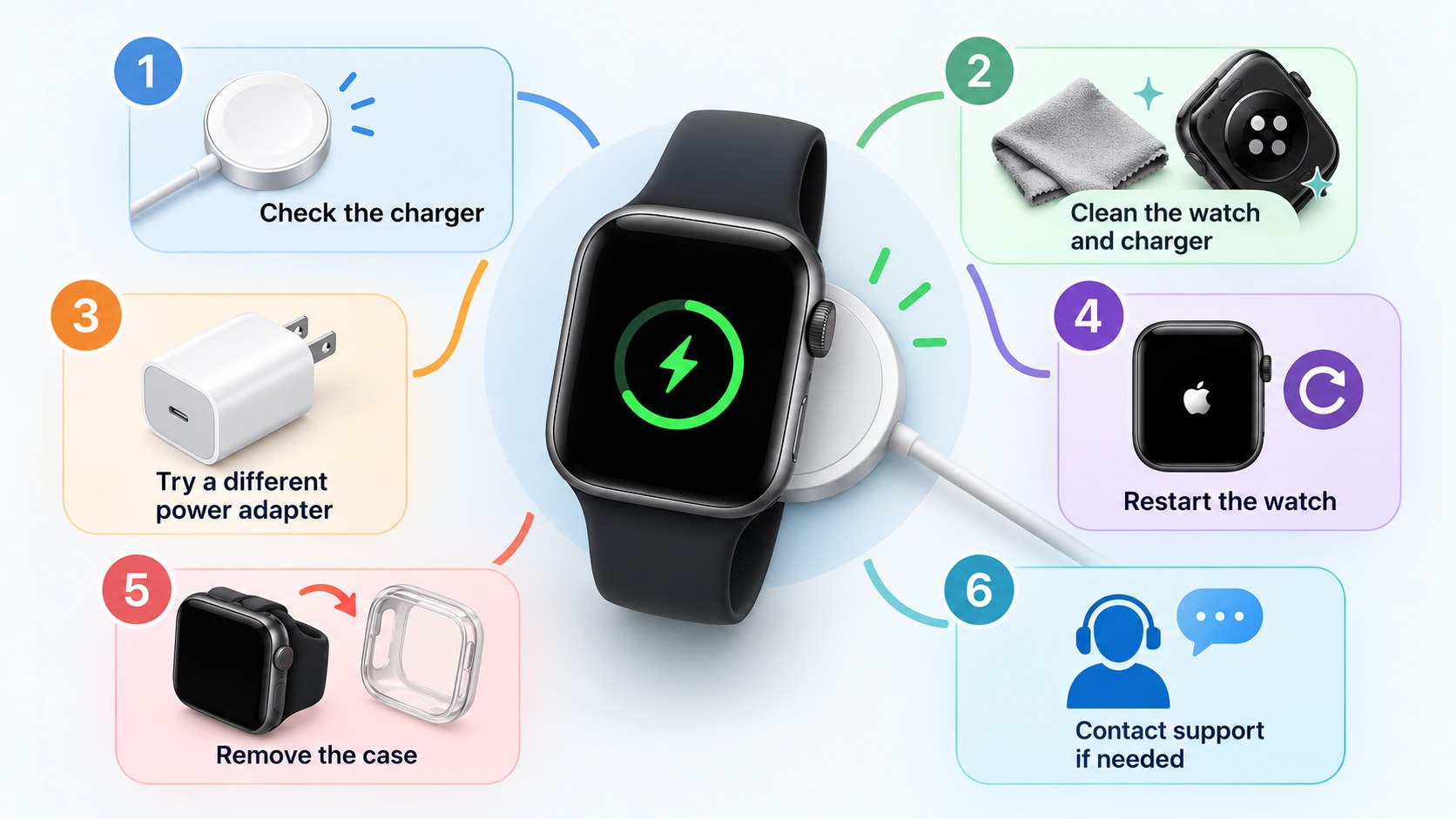
The following sequence moves from the least invasive checks to the tests most likely to identify a failing accessory or watch. Complete the steps in order unless there is visible battery swelling or severe physical damage.
Step 1: Reseat the Apple Watch on the charger
Remove the watch from the puck, then place its back directly against the magnetic charging surface. The magnets should pull both surfaces into alignment without pressure.
This matters because a case, thick band position, debris, or slightly tilted charging stand can prevent consistent contact. A common mistake is assuming magnetic attraction alone proves the charger is correctly aligned.
Step 2: Check the outlet, adapter, and cable
Plug the charger directly into a dedicated wall adapter rather than a laptop, vehicle port, or overloaded USB hub. Test the outlet using another device before changing anything else.
Charging through a shared USB hub may work normally one day and slow dramatically when other devices begin drawing power.
Apple says dedicated USB-C charging can provide better performance than some computers, hubs, or vehicle ports. The common mistake is replacing the Watch battery before testing the adapter and outlet independently.
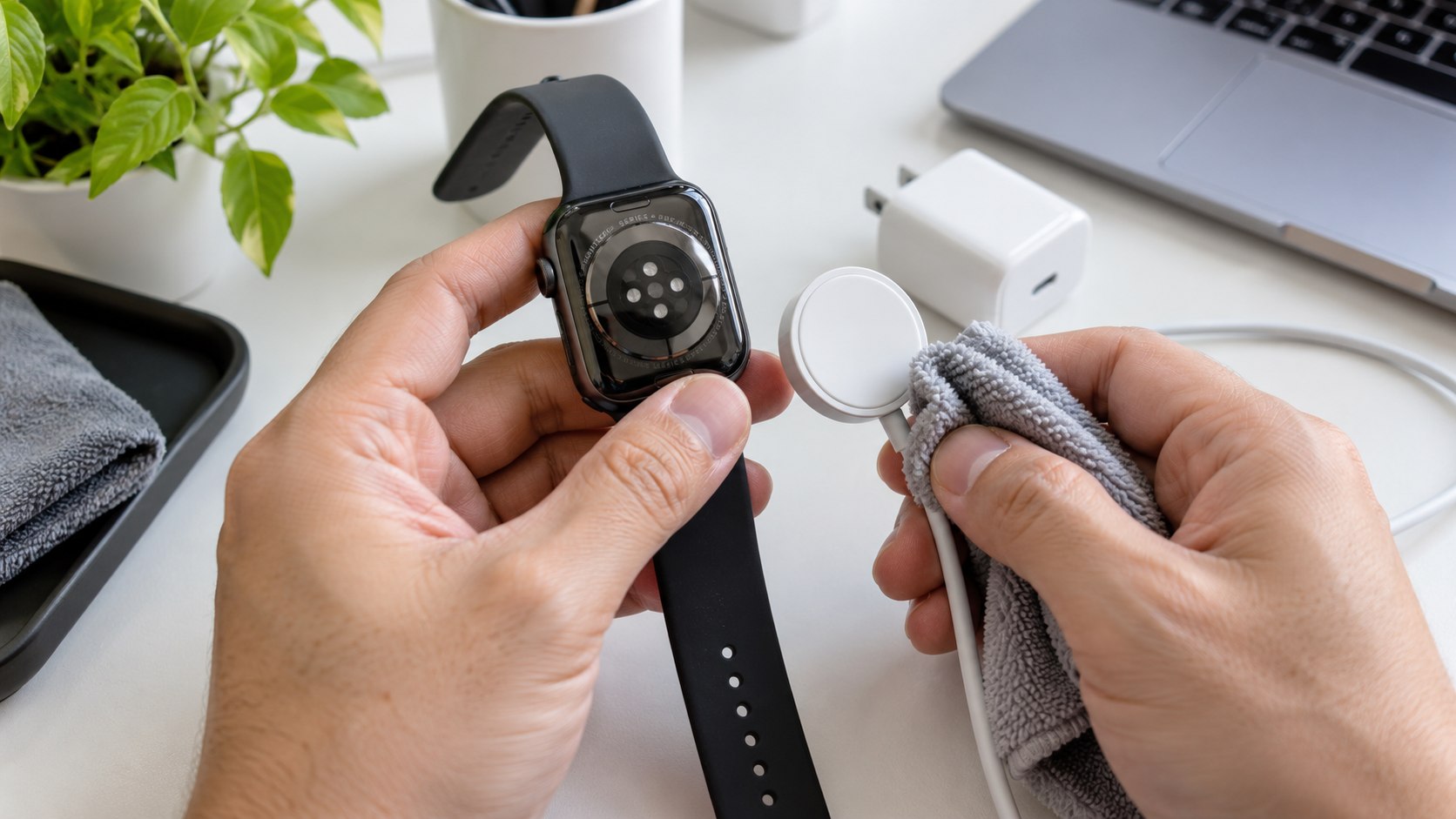
Step 3: Clean the charging surfaces
Wipe the watch back and magnetic puck with a clean, dry microfiber cloth. Remove protective film if a replacement charger still has factory plastic attached.
Dirt, skin oils, dust, and trapped material can interfere with stable positioning. Avoid spraying cleaner onto the puck or pushing sharp objects around the watch sensors. That can damage finishes or seals instead of solving Apple Watch charging problems.
Step 4: Leave a fully drained watch connected
If the battery reached zero, leave the Watch on a working charger for up to 30 minutes. Do not keep lifting it from the puck every 2 minutes to check progress.
Apple specifically notes that a deeply discharged Watch may need time before displaying its charging indicator. The common mistake is interpreting the first few minutes of a black screen as proof that the battery is dead.
Apple’s support guidance says a drained Apple Watch may need to charge for up to 30 minutes before the charging symbol appears.
That delay is more relevant after the Watch has been stored unused, left discharged overnight, or exposed to conditions that increased battery drain. Apple explains this process on its official Apple Watch charging support page.
Step 5: Force restart only after the charging test
Hold the side button and Digital Crown together for at least 10 seconds. Release them when the Apple logo appears.
A force restart can recover a Watch whose software is unresponsive while charging hardware remains functional. It should not replace the outlet and cable tests.
Repeatedly restarting a completely discharged Watch is a common mistake because it consumes the small amount of power the battery has recovered.
Step 6: Test another certified charging setup
Use another genuine Apple charger or a Made for Apple Watch certified accessory. Pair it with a known-good USB-C adapter and working wall outlet.
This is the most useful isolation test for an Apple Watch not charging on magnetic charger complaint. If another charger works immediately, the original cable, puck, or adapter is the likely fault. If neither setup works, the Watch itself becomes a stronger suspect.
Common causes of an Apple Watch that will not charge
Charging failures usually fall into a small set of categories. The visible symptom alone rarely identifies which one is responsible.
| Symptom | Likely cause | First test | Typical next move |
|---|---|---|---|
| Black screen after battery reached 0% | Deep discharge | Charge for 30 minutes | Force restart afterward |
| Charging starts and stops | Alignment, dirt, or damaged cable | Clean and reseat puck | Test another charger |
| “Slow Charger” message | Low-power source or incompatible setup | Use dedicated USB-C adapter | Check cable type |
| One charger fails, another works | Accessory fault | Swap cable and adapter separately | Replace failed component |
| Multiple chargers fail | Possible watch hardware issue | Inspect for damage and heat | Arrange service |
Temperature also matters. Apple says charging speed can decrease when the Watch becomes too hot or cold because the device protects its battery. Move it to a normal indoor environment before repeating the test.
Remove a case if it interferes with puck alignment or traps excessive heat. Do not cool an overheated Watch in a refrigerator or freezer. Condensation can create another problem while trying to solve the first one.
Fast charging adds another variable. Apple’s 2026 guidance says supported Watches charge fastest with the appropriate USB-C magnetic cable and a USB Power Delivery adapter. A slow charger warning does not necessarily mean the watch is defective. It means the charging setup could deliver power faster.
An Apple Watch that charges slowly and one that does not charge at all are different problems, even when both start with a nearly empty battery.
Apple Watch charger compatibility and 2026 costs
Apple currently sells the 1-meter Apple Watch Magnetic Fast Charger to USB-C Cable for $29 in the United States. Third-party prices vary, but certification matters more than a small price difference when the charger becomes part of the diagnosis.
Apple recommends chargers made by Apple or certified through its accessory programs. Unsupported accessories can produce intermittent connections, repeated charging sounds, or reduced charging performance.
Owners of newer models should also check Apple Watch fast charging 2026 requirements before assuming a slower older puck is defective.
- Confirm that the cable connector matches the adapter you plan to use.
- Use a USB-C Power Delivery adapter when fast charging is supported.
- Connect directly to the adapter during troubleshooting.
- Avoid testing through a dock containing several simultaneously charging devices.
- Compare charging behavior with a second certified puck before ordering service.
Apple lists multiple compatible USB-C adapters for fast charging and also permits comparable third-party USB-PD adapters. The company says eligible third-party adapters need USB Power Delivery support.
Wattage alone does not prove that an accessory follows the required charging standard. A high-output laptop brick can still be suitable when it supports the correct protocol. Conversely, an old low-power USB arrangement may charge slowly despite appearing physically compatible.
Apple documents current requirements on its Apple Watch fast-charge support page.
Troubleshooting specific charging symptoms
Once the basic steps are complete, the remaining symptom usually points toward a narrower group of causes. These scenarios help decide whether more home testing is useful.
- Apple Watch shows red lightning bolt but won’t charge: keep it connected for 30 minutes, then test another certified charger.
- Apple Watch charging slowly: connect the puck directly to a USB-C Power Delivery wall adapter and avoid shared hubs.
- Watch repeatedly connects and disconnects: clean both surfaces, remove interfering cases, and inspect the cable for bends or damage.
- Watch charges only at a certain angle: stop relying on that position and test another puck because the accessory may be damaged.
- Watch becomes unusually hot: disconnect it, allow it to return to normal temperature, and seek service if abnormal heating returns.
A charging fault that changes when the cable moves deserves attention. Intermittent operation often gets worse rather than better.
Do not secure a damaged cable with tight bends or pressure against furniture. If multiple known-good charging setups fail, continuing to buy adapters offers little diagnostic value. Physical damage, liquid intrusion, battery swelling, or unusual heat should move the case toward professional inspection.
The goal is to determine whether power reaches the Watch reliably, not to force a failing device to remain connected.
When Apple Watch repair makes more sense
Professional service becomes reasonable when the Watch fails with multiple verified chargers or shows evidence of battery or internal damage. Apple provides model-specific estimates after users select their device and service issue.
Authorized providers may set their own fees, while final Apple pricing can depend on inspection, warranty status, AppleCare coverage, tax, and shipping.
Do not open a swollen Apple Watch or continue wearing one with a lifting display. Battery expansion requires professional handling. The same applies after significant impact or water exposure followed by abnormal heating.
For an ordinary Apple Watch battery not charging complaint, however, accessory isolation should come first. A $29 charging cable is easier to rule out than an internal battery or charging circuit.
FAQ
Why is my Apple Watch not charging even though the charger is connected?
The most common possibilities are poor puck alignment, debris, a failed cable, a weak adapter, or deep battery discharge. Test a working outlet and certified charger before assuming internal damage.
How long should a dead Apple Watch charge before turning on?
Apple says a deeply discharged Watch may require up to 30 minutes before the charging indicator appears. Keep it connected without repeatedly restarting it during that period.
Can I use an iPhone USB-C power adapter with Apple Watch?
Yes, compatible USB-C power adapters can charge Apple Watch. Fast-charging support depends on the Watch model, magnetic cable, and USB Power Delivery capability.
Why does my Apple Watch say Slow Charger in 2026?
On supported software, that message means the Watch detects a charging setup that could provide faster power. It does not by itself prove that the battery or charger is defective.
Should I replace the battery if my Apple Watch stops charging?
Not immediately. First test another certified charging cable, adapter, outlet, alignment, and the 30-minute deep-discharge procedure. Battery service becomes more plausible when known-good accessories also fail.
When should I stop troubleshooting at home?
Stop if the Watch swells, becomes abnormally hot, has major physical damage, or fails on several verified chargers. Those symptoms justify professional inspection rather than repeated charging attempts.
Earlier we wrote about Walmart Plus Cancellation and Refund Rules 2026: 6 Steps That Stop the Next Renewal