

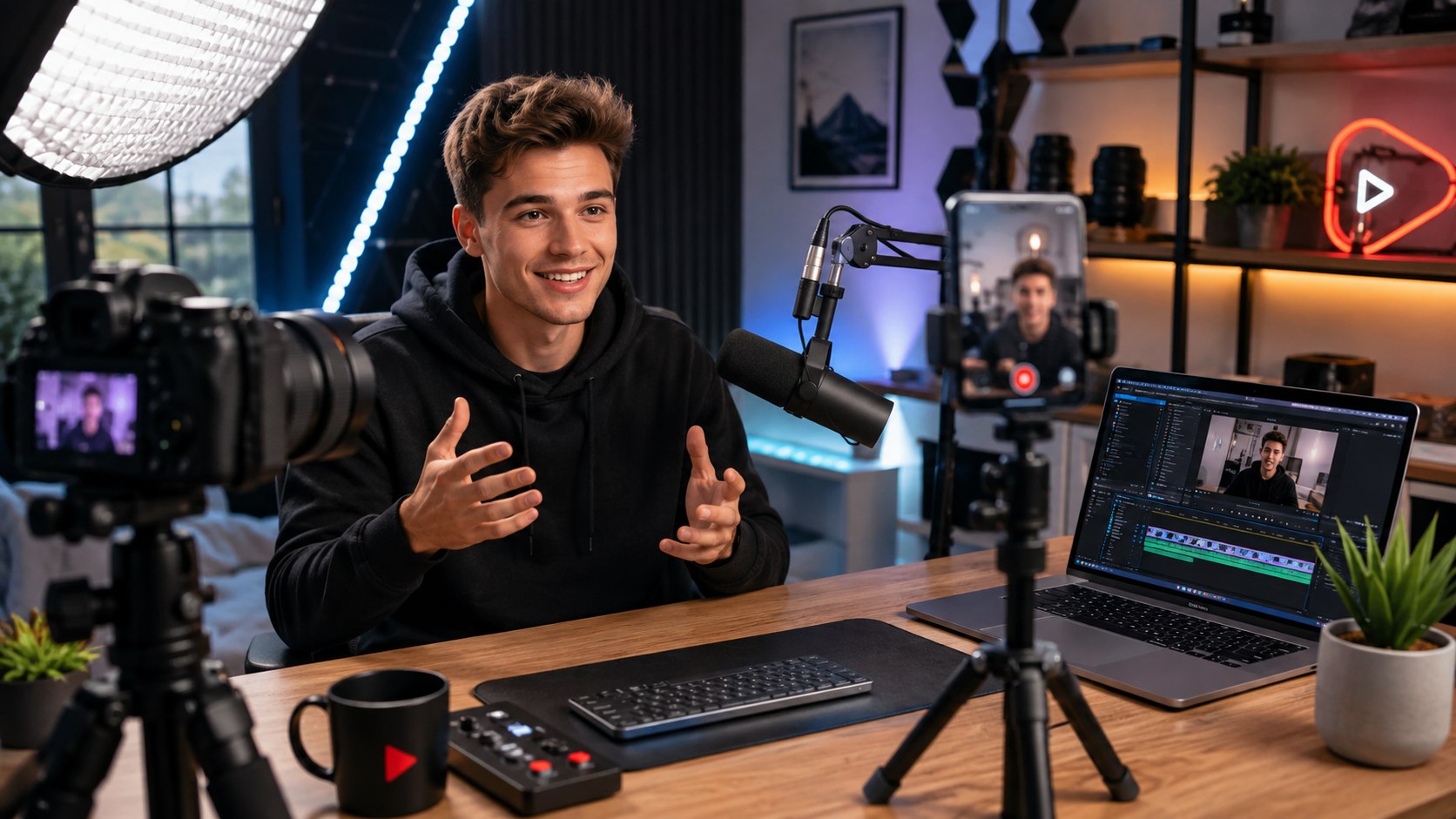
How to start a YouTube channel in 2026 begins with a Google account, a clear topic, and one video worth publishing. A basic channel can be configured in about 60 minutes, while planning, recording, and editing the first useful video may take a weekend. The practical goal is to set up the account correctly, create a repeatable publishing process, and prepare for monetization without overspending, as noted by the Baltimore Chronicle editorial team.
You do not need a studio, an expensive camera, or a registered company to begin. A recent iPhone, Google Pixel, or Samsung Galaxy can produce strong 1080p or 4K footage. Spend first on clear audio and useful content rather than decorative equipment.
“To upload videos, comment or make playlists, you need a YouTube channel.”
YouTube Help, official channel creation guidance.
Key takeaways
- Start with one narrow audience problem and publish several videos before judging whether the idea works.
- A practical beginner setup can cost $0 to about $300 if you already own a suitable smartphone.
- In 2026, full advertising revenue generally requires 1,000 subscribers plus YouTube’s qualifying watch-time or Shorts threshold.
The channel itself costs nothing to create. A $20–$80 microphone often improves a beginner video more than an expensive camera upgrade. Free editors such as DaVinci Resolve and CapCut can handle basic cutting, captions, and audio adjustments.
Paid software can wait until editing limitations actually slow production. A new channel needs consistency more than professional-grade tools.
Creators planning YouTube as part of a business should also think beyond views. The Baltimore Chronicle guide to using social media for business explains why regular publishing needs a defined purpose rather than endless content production.
What you need
Before opening YouTube Studio, prepare the accounts, equipment, and information needed for a complete setup. Most beginners already own several items from this list.
- A Google account with 2-Step Verification available.
- A smartphone, webcam, mirrorless camera, or DSLR.
- A microphone or quiet recording space.
- Editing software such as DaVinci Resolve, CapCut, Final Cut Pro, or Adobe Premiere.
- A channel name, profile image, banner, and short description.
- About 2–4 hours for setup, testing, thumbnails, and the first upload.
- A starter budget from $0 to roughly $300 for optional equipment.
A dedicated business bank account is unnecessary just to publish videos. An LLC is also not required to open a standard YouTube channel in the United States.
Business structure becomes a separate tax and liability decision once the channel starts earning meaningful income. Freelancers should keep records of revenue and legitimate business expenses from the beginning. YouTube monetization payments later run through AdSense for YouTube.
Tax treatment depends on individual circumstances and should be verified with the IRS or a qualified tax professional.
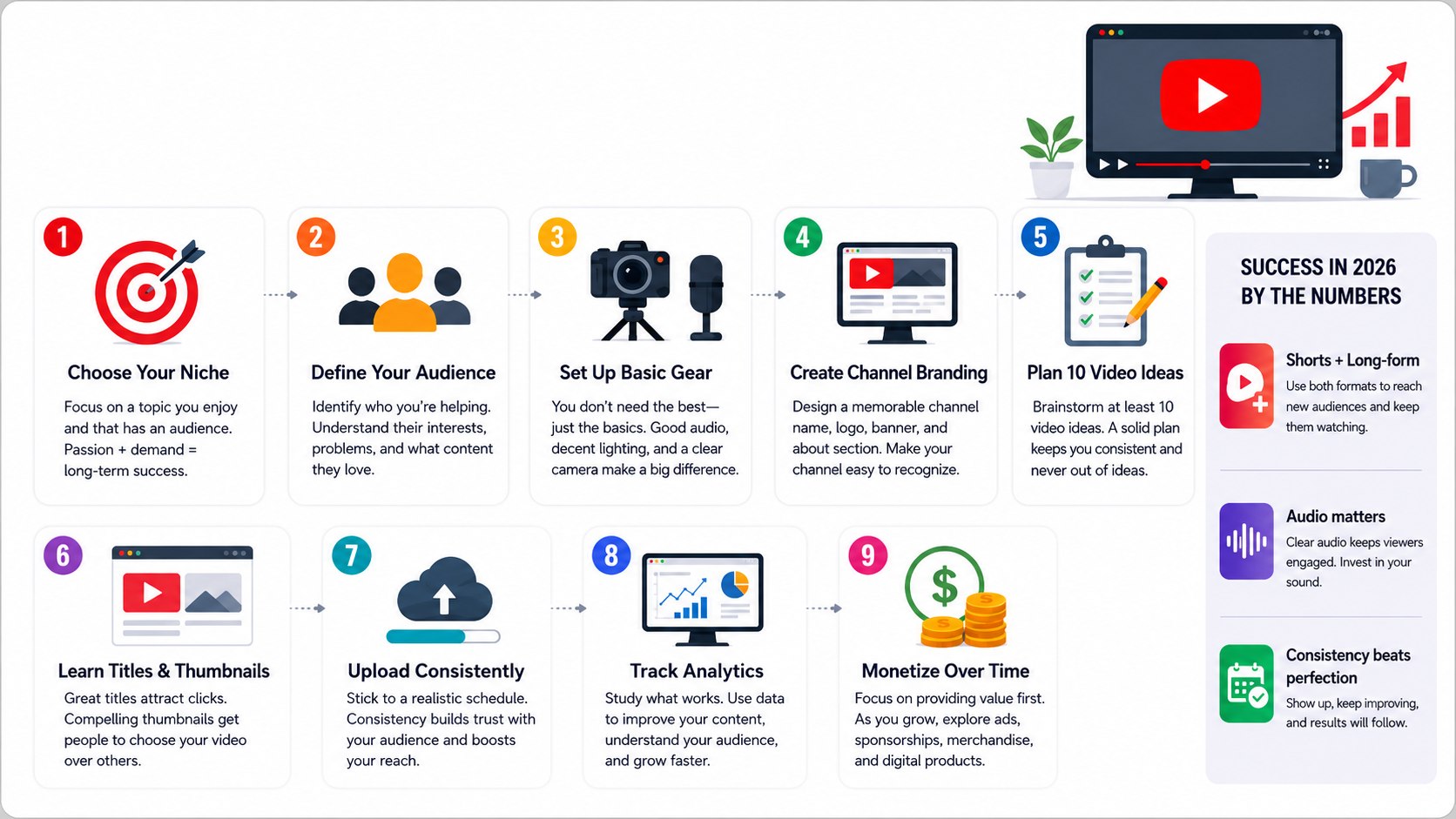
Step 1: How to Start a YouTube Channel in 2026 Correctly
Sign in to YouTube, open your account settings, choose “Add or manage channel(s),” and select the option to create a channel. YouTube asks for a profile image, channel name, and handle.
The company’s official channel creation instructions also explain account options for creators who need multiple managers.
Choose a name that makes sense without additional explanation. “Phoenix DIY Plumbing” immediately communicates more than “Mike’s Amazing World” if the target audience is Arizona homeowners.
The reason is simple. A clear identity makes search, thumbnails, descriptions, and future sponsorship discussions easier. The common mistake is choosing a name so narrow that the creator cannot expand beyond one product or temporary trend.
Do not spend 2 weeks designing a logo while the first useful video remains unrecorded. A recognizable name and clean profile image are enough to publish.
Step 2: Pick a Niche That Can Support 30 Videos
Starting a YouTube channel becomes easier when the topic is built around a specific viewer. “Cars” is too broad. “Used Toyota maintenance for first-time owners” gives the creator a much clearer problem to solve.
Test the niche by writing 30 possible video titles before buying equipment. A renter-focused channel might cover security deposits, apartment organization, moving costs, and maintenance questions.
A Texas parenting channel could focus on affordable weekend activities, school preparation, or family travel.
Use this simple process:
- Define one type of viewer.
- List 10 problems that viewer repeatedly faces.
- Turn each problem into 3 video ideas.
- Check YouTube search suggestions for natural wording.
- Remove topics where expertise or reliable sourcing is too weak.
This exercise exposes thin ideas quickly. A viable niche does not require millions of potential viewers. It requires enough recurring questions to support consistent publishing.
Search demand matters, but competition is not automatically bad. Existing videos often prove that people already care about the subject. The mistake is copying successful channels without adding experience, clearer explanations, better demonstrations, or a different audience focus.
Creators interested in turning content into income can also review Baltimore Chronicle’s overview of online income and content creation.
Step 3: Build a Budget You Can Sustain
A YouTube setup for beginners can remain surprisingly inexpensive. Window light, a smartphone, and free editing software can handle educational videos, commentary, recipes, repair guides, and many talking-head formats.
The ranges below are practical 2026 planning figures rather than required purchases. Retail pricing changes frequently across Amazon, Best Buy, B&H, and manufacturer stores.
| Item | Starter option | Typical 2026 budget | Priority |
|---|---|---|---|
| Camera | Existing smartphone | $0 | High |
| Microphone | Wired lavalier or USB mic | $20–$100 | High |
| Tripod | Phone tripod or basic stand | $15–$50 | Medium |
| Lighting | Window light or LED panel | $0–$100 | Medium |
| Editing | Free editor | $0 | High |
| Thumbnail design | Canva or similar tool | $0–$15 monthly | Medium |
Audio should usually receive the first upgrade because viewers often tolerate modest visuals better than distracting sound. Record a 30-second test before an important shoot.
Keep the camera lens close to eye level for talking-head videos. Avoid mixing several lighting temperatures in the same room. Do not finance professional gear before the channel proves that its publishing format is sustainable.
A $1,500 camera cannot fix an unclear topic. A $30 microphone and a useful explanation often provide more practical value at the beginning.
Step 4: Plan, Record, and Package the First Videos
Create the first 3 videos around connected searches rather than unrelated experiments. Someone explaining home generators might publish “What Size Generator Do I Need?” followed by fuel-cost and extension-cord guides.
That sequence gives viewers a reason to continue watching. It also helps the channel develop a recognizable subject area.
Each video needs an immediate promise. Within the opening seconds, establish the problem and explain what the viewer will receive. Long animated logos and repeated introductions consume attention without helping the searcher.
A simple production workflow works for many new creators:
- Write the video’s question in one sentence.
- Outline 3–6 main points.
- Record a short audio and framing test.
- Film the main explanation and necessary close-ups.
- Remove repetition, dead space, and irrelevant tangents.
- Create a thumbnail that remains readable on a phone.
- Write a title matching the actual promise of the video.
The title and thumbnail should work together rather than repeat identical text. Accurate packaging also protects long-term audience trust.
A 12-minute video does not become useful because its thumbnail looks dramatic. Demonstrations should show the result clearly. The common mistake is editing for constant visual activity instead of comprehension.
“Once you apply, your channel will go through a standard review process.”
YouTube Help, YouTube Partner Program eligibility guidance.
Step 5: Publish for Search Without Keyword Stuffing
YouTube SEO in 2026 starts with matching a real search or viewer need. Put the main topic naturally in the title and describe the video accurately in the opening lines of the description.
For example, “How to Replace a Garbage Disposal: 6 Steps for Homeowners” is clearer than a generic title promising an unbelievable repair trick.
Spoken explanations, captions, chapters, descriptions, and consistent subject coverage also help YouTube understand the video. The goal is not to repeat the same keyword 15 times.
Good optimization makes a useful video easier to discover. It cannot rescue a video that fails to answer the question promised by its title.
Do not paste dozens of near-identical phrases into descriptions. Avoid irrelevant trending names and topics. Use chapters when they make longer tutorials easier to scan.
After publishing, monitor impressions, click-through behavior, retention patterns, and traffic sources inside YouTube Studio. Do not change the title, thumbnail, topic, and format simultaneously after only a few hours.
Step 6: Monetize the YouTube Channel Without Waiting for Ads
YouTube monetization requirements 2026 include several eligibility levels in supported markets. YouTube provides earlier access to selected fan-funding and Shopping features for qualifying creators who meet subscriber, upload, watch-hour, or Shorts-view requirements.
For full advertising and YouTube Premium revenue sharing, creators generally need 1,000 subscribers plus the relevant qualified watch-time or Shorts-view threshold.
The latest eligibility conditions should always be checked through the official YouTube Partner Program guidance.
Advertising is not the only revenue path. A useful channel may start generating business value before AdSense income becomes significant.
Possible monetization options include:
- Freelance or consulting services linked to the channel’s expertise.
- Digital products, courses, templates, or workshops.
- Direct sponsorships with proper disclosure.
- Eligible memberships and fan-funding tools.
- Sales of the creator’s own products or services.
Revenue should follow audience trust rather than replace it. A contractor publishing repair education may generate qualified customer inquiries before reaching full advertising eligibility.
A freelance designer might use tutorials as a public portfolio. Sponsorships should fit the subject and include legally appropriate disclosures. Never buy subscribers, watch time, or artificial engagement to accelerate eligibility.
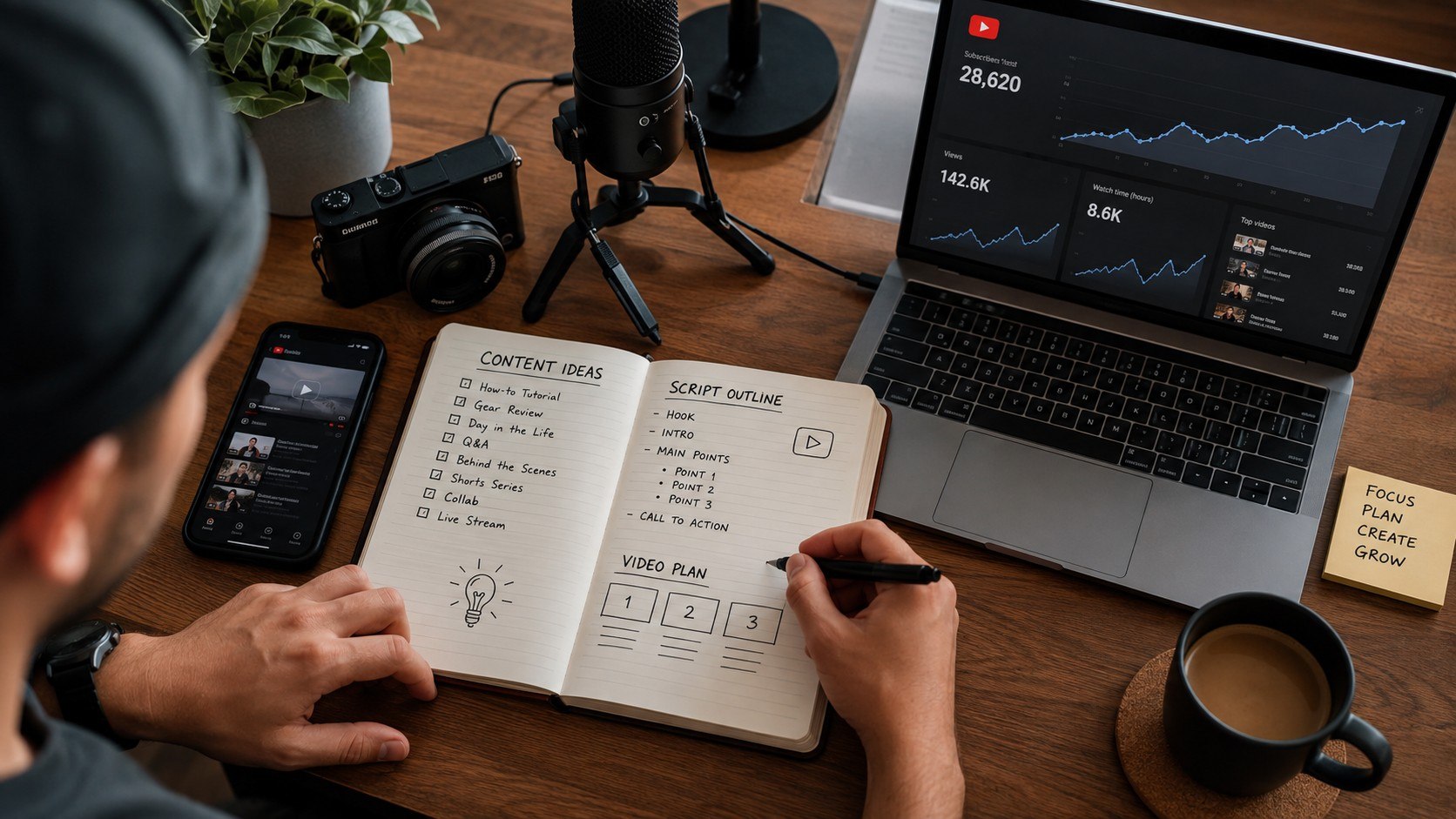
Troubleshooting Common Problems
New channels often face problems that appear technical but are really caused by positioning, packaging, or production habits. Use these checks before replacing equipment or abandoning the niche.
- Videos get impressions but few clicks: simplify titles and thumbnails, then verify that the promise is specific.
- Viewers leave quickly: shorten the opening and answer the main question earlier.
- Production takes too long: use repeatable filming locations, templates, and batch recording.
- Audio sounds poor: move the microphone closer and reduce room echo before buying another camera.
- Subscribers grow but revenue does not: check which monetization threshold and features the channel actually qualifies for.
Do not diagnose performance from one upload. Compare videos covering similar subjects and look for repeated patterns.
A thumbnail problem differs from weak audience retention. Search-driven tutorials may also grow differently from entertainment or Shorts channels.
Build enough comparable uploads to make decisions from evidence rather than frustration. A creator who changes the entire strategy after every upload never produces useful comparison data.
FAQ
How much does it cost to start a YouTube channel in 2026?
Creating the channel is free. Someone who already owns a suitable smartphone can begin for $0, while a microphone and tripod may bring a practical starter budget to roughly $35–$150.
A larger $300 budget can add lighting or better audio. Buying a dedicated camera is optional for most beginners.
Can I start a YouTube channel using only my phone?
Yes. Modern iPhones, Google Pixel phones, and Samsung Galaxy devices can record suitable video for many channel formats.
Prioritize stable framing, clear sound, usable lighting, and useful information before purchasing a separate camera.
How many subscribers do you need to monetize YouTube in 2026?
Some monetization features may become available earlier when additional conditions are met. Full advertising eligibility generally requires 1,000 subscribers plus the applicable watch-time or Shorts-view threshold.
Creators should verify the latest requirements directly through YouTube because eligibility conditions depend on program rules and market availability.
Do I need an LLC to make money on YouTube?
No. YouTube does not require a US creator to form an LLC simply to open a channel or earn revenue.
Business registration and tax structure are separate decisions. They depend on income, liability, state rules, and individual circumstances.
How often should a new YouTube channel post?
Choose a schedule that can be maintained without reducing quality. One strong weekly video can be more sustainable than daily uploads that exhaust the creator.
Consistency matters because it creates enough comparable content to understand what the audience actually watches.
How long should I give a new YouTube channel before judging it?
Judge a format after several related uploads rather than one video. Track impressions, clicks, retention, returning viewers, and search traffic across a coherent group of topics.
A channel becomes easier to evaluate once its content provides enough evidence to separate weak ideas from weak execution.
Earlier we wrote about Apple iCloud+ Plans in 2026: How US Users Can Upgrade Storage and Share It With Family