


How to recover deleted photos iPhone 2026 starts with one place: Photos → Collections → Recently Deleted. If the deletion happened within 30 days, recovery usually takes under 2 minutes and costs $0. If the photo is gone there, the next question is whether iCloud Photos was enabled before deletion, as noted by Baltimore Chronicle.
Apple gives deleted photos and videos a 30-day recovery window before permanent removal. When iCloud Photos is active, deleting an image also removes it from synced Apple devices. That detail determines whether an old backup can actually help.
Key takeaways
- Check Recently Deleted first because Apple keeps deleted photos there for 30 days before permanent removal.
- Do not erase the iPhone for a backup restore until checking whether iCloud Photos was enabled.
- If iCloud Photos synced the deletion, restoring an iCloud Backup normally will not restore that deleted image.
The order matters because restoring an iPhone is much more disruptive than recovering an item from Photos. A backup restore can replace current device data. Recently Deleted does not require that risk. iCloud.com also provides access to the synced photo library.
Third-party recovery software should remain a last resort, not the first move. Existing backups and independent copies matter more than advertised scanning claims.
What you need
- The iPhone connected to your Apple Account.
- Face ID, Touch ID, or your device passcode.
- Apple Account credentials for iCloud access.
- A Wi-Fi connection for iCloud or backup restoration.
- A Mac or Windows PC if a computer backup may contain the photo.
- About 2 minutes for Recently Deleted, or longer for a full restore.
- $0 for Apple’s built-in recovery methods.
Start without installing anything. Apple already provides the main recovery tools through Photos, iCloud, Finder, and device backups. Installing a recovery application does not recreate data that Apple has permanently removed from synchronized storage.
It can also introduce privacy concerns when personal photo libraries are involved. Existing backups are more important than advertised recovery claims.
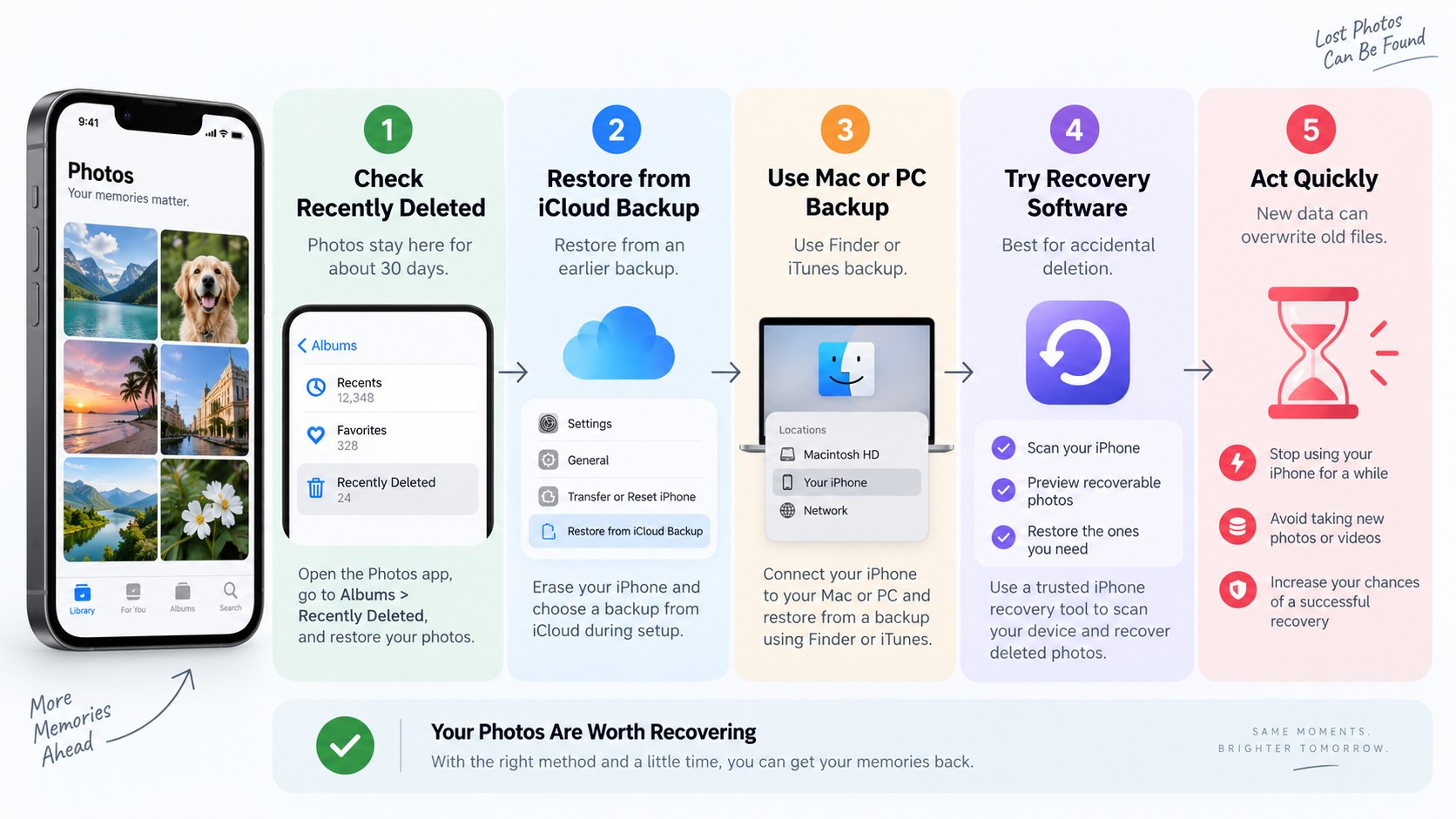
Step 1: How to Recover Deleted Photos iPhone 2026 from Recently Deleted
Recover deleted iPhone photos by opening Photos and tapping Collections. Swipe upward, find Recently Deleted under Utilities, then unlock the album with Face ID or Touch ID.
Select the image, tap More, choose Recover, and confirm. This works because deleted photos remain in Recently Deleted for 30 days.
The recovered item returns to the main photo library. Avoid pressing Delete inside this album because that action permanently removes the selected item. Apple explains the process on its official support page.
“You’ll have 30 days to get it back from your Recently Deleted album.”
Apple Support states this in its official iPhone photo deletion guidance. The 30-day period applies to photos and videos placed in Recently Deleted.
The fastest successful recovery usually happens before synchronization settings are changed, the phone is reset, or recovery software is installed.
Readers following Apple hardware developments can also see Baltimore Chronicle coverage of the iPhone 18 Pro Max and Apple’s 2026 hardware changes. The recovery procedure itself depends on Photos and the Apple Account, not the iPhone generation.
Step 2: Check iCloud Photos before touching a backup
Open Settings, tap your name, choose iCloud, then Photos. Check whether Sync this iPhone is enabled.
This is the most important diagnostic step in iPhone photo recovery after Recently Deleted fails. If iCloud Photos is enabled, the photo library synchronizes through iCloud.
Apple says those photos are not duplicated inside the normal daily iCloud Backup. Deleting a synced photo therefore affects devices using the same Apple Account.
Restoring an older iCloud Backup is not a reliable way to reverse that synchronized deletion.
| Situation | Best place to check | Recovery outlook |
|---|---|---|
| Deleted less than 30 days ago | Recently Deleted | Best chance |
| iCloud Photos enabled | Recently Deleted and iCloud Photos | Deletion syncs across devices |
| iCloud Photos disabled | Older iCloud or computer backup | Backup may contain the photo |
| Removed from Recently Deleted | Independent older copy or backup | Apple Photos recovery unavailable |
| Photo was only hidden | Hidden album | No recovery required |
The distinction between synchronization and backup causes many failed recovery attempts. iCloud Photos is a synchronized library, not a sequence of independent historical photo archives.
A deletion can therefore propagate to an iPad and Mac. An offline copy exported earlier is different because synchronization cannot delete that file. A computer backup can also matter when photos were stored locally rather than synchronized.
Establish which system was active before resetting anything.
Step 3: Check iCloud.com and your other Apple devices
Sign in at iCloud.com with the same Apple Account and open Photos. Check the library and Recently Deleted. This provides a second view of the synchronized collection without modifying the iPhone.
Why it matters: an account mix-up can look exactly like lost photos. Households sometimes use different Apple Accounts across an iPhone, iPad, and Mac.
Confirm the account before assuming deletion. Avoid signing out of iCloud as a troubleshooting experiment because it adds unnecessary variables.
A Mac can also expose overlooked copies in Downloads, Pictures, Messages, AirDrop destinations, or exported folders. Those files are separate from the synchronized Photos library if they were saved independently.
Baltimore Chronicle’s coverage of the Mac software ecosystem in 2026 provides additional context for users working across iPhone and macOS.
An image missing from the iPhone library is not necessarily gone from every computer, message thread, external drive, or cloud service.
Step 4: Determine whether an older backup can contain the photo
Check Settings → your name → iCloud → iCloud Backup to identify available device backups. Note their dates before doing anything else.
A useful backup must predate the photo’s deletion and must actually include the photo data. This condition is crucial.
Apple explains that when iCloud Photos is enabled, photos automatically sync and are excluded from the nightly iCloud Backup. When iCloud Photos was disabled, iCloud Backup may include locally stored photos and videos.
“When you use iCloud Photos, your photos and videos automatically upload to iCloud.”
Apple Support uses this distinction in its documentation about iCloud restoration. Synced photos are treated differently from local photo data contained in a backup.
This is why an older backup is not automatically a time machine for an iCloud Photos library. The backup could restore settings and local application data without restoring the deleted picture.
Check the backup date first. Then establish whether iCloud Photos was active at that date. Continue only when the backup has a realistic chance of containing the file.
Step 5: Restore from iCloud Backup only when the evidence fits
Before using restore photos from iCloud backup, protect current information on the iPhone. Apple’s full iCloud restore process requires an erased or newly configured device.
A current computer backup can reduce the risk of losing newer local data.
- Confirm that the target backup predates the deletion.
- Verify that iCloud Photos was not storing the relevant photos separately.
- Create a current backup before replacing device contents.
- Open Settings → General → Transfer or Reset iPhone.
- Choose Erase All Content and Settings only when ready.
- During setup, select From iCloud Backup.
- Sign in and choose the relevant backup by date and size.
Apple instructs users to choose a backup during the Transfer Your Apps & Data stage. The phone should remain connected to Wi-Fi and power while content returns.
Restoration can continue after the main progress bar completes. Photos contained in the backup may download in the background. Do not choose the newest backup automatically when an older version contains the needed data.
Avoid erasing the device when no suitable backup appears in the account. Apple’s official restoration instructions describe both iCloud and computer restoration.
A full restore is a device-level operation, not a single-photo recovery command.
Step 6: Check Finder or Windows backups before paying for recovery software
A Mac backup may provide another route for recover permanently deleted photos iPhone searches. Connect the iPhone and open Finder on a modern Mac.
On Windows, use Apple’s supported device-management software or the applicable iTunes setup. Check existing backup dates before creating new ones.
An older computer backup has value only if the image existed locally when that backup was created. If the photo already lived exclusively through iCloud Photos, the local device backup may not contain another independent copy.
The same synchronization-versus-backup distinction still applies.
Finder can restore an entire compatible backup to an iPhone. Apple says encrypted backups require their password during restoration.
Do not overwrite or discard a potentially useful old backup without first preserving it. A forgotten encrypted-backup password can prevent restoration even when the backup itself still exists.
For readers comparing newer Apple devices, Baltimore Chronicle also tracks iPhone 18 Pro developments for 2026. Recovery options remain tied primarily to the account, synchronization settings, and existing backups.
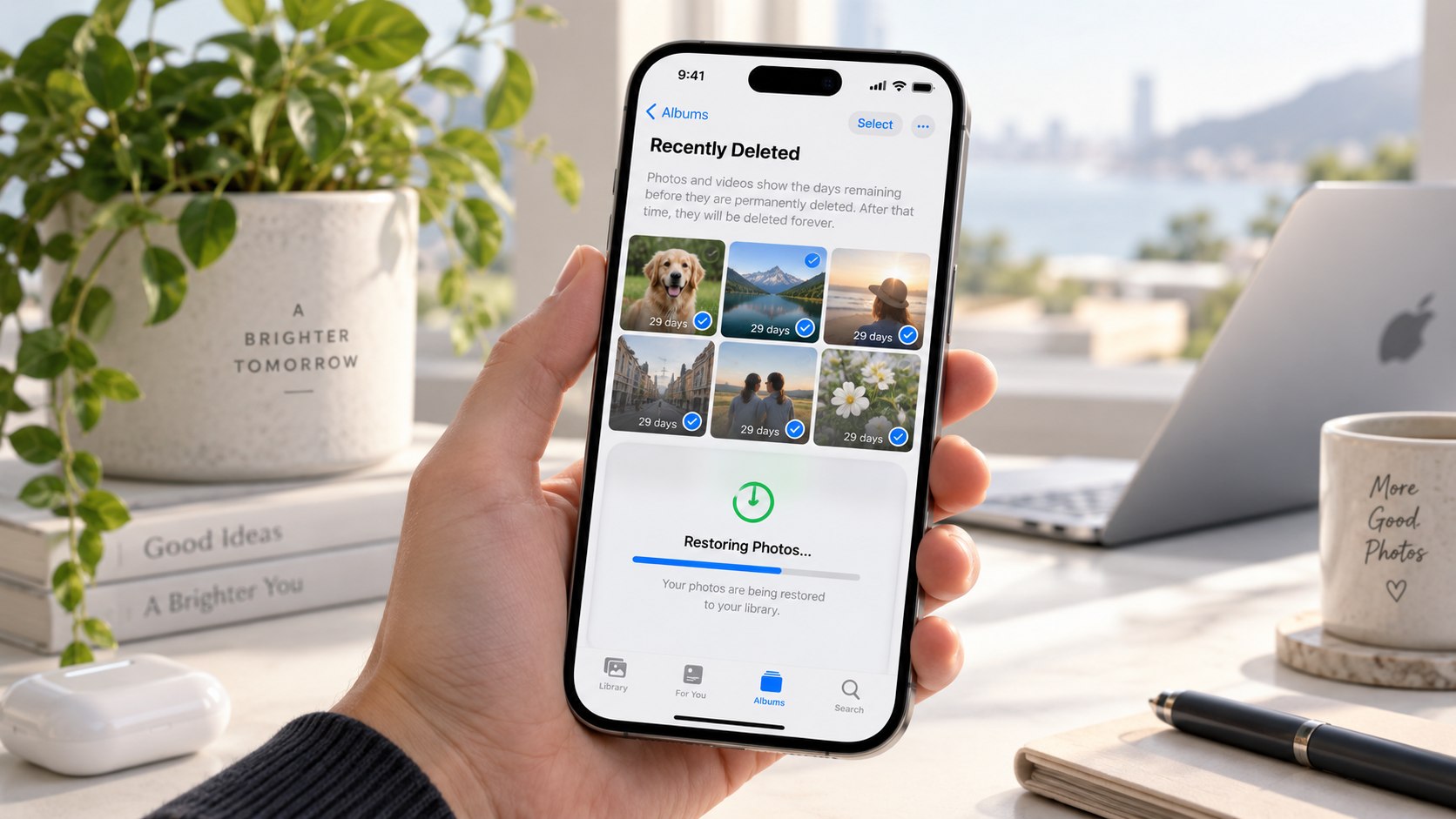
Troubleshooting deleted iPhone photos in 2026
When deleted photos not in Recently Deleted describes the problem, work through the likely causes instead of repeatedly resetting the device. Each scenario points toward a different storage location.
- Recently Deleted is empty: the 30-day period may have expired, or the items were manually removed.
- The photo disappeared everywhere: iCloud Photos may have synchronized the deletion across the Apple Account.
- The photo seems missing but was not deleted: check Hidden, Shared Albums, Messages, and the correct Apple Account.
- An old backup exists: verify its date and whether iCloud Photos was enabled before restoring it.
- Restored photos have not appeared: keep the iPhone connected to Wi-Fi and power while background restoration continues.
Do not assume that a paid scanner can bypass Apple’s permanent deletion process. Modern iPhones use encrypted storage, and deleted synchronized data cannot simply be reconstructed like files on an old memory card.
Claims of guaranteed recovery deserve skepticism. Existing independent copies remain the strongest fallback. These include exported Mac files, Google Photos uploads, OneDrive camera backups, and message attachments.
Preserve every surviving copy before continuing experiments.
The safest recovery hierarchy is simple: Recently Deleted first, independent cloud or computer copies second, verified backups third. A factory reset belongs near the end because it changes current device contents.
Before restoration, record the backup date and Apple Account being used. If iCloud Photos was active, expect synchronization rules to control the result. Apple’s official explanation of iCloud Backup contents documents that distinction.
FAQ about recovering deleted iPhone photos
Can I recover permanently deleted photos on an iPhone after 30 days?
Not through Apple’s Recently Deleted feature. After 30 days, Apple removes those items from that recovery location.
An older independent backup, exported file, or separate cloud copy may still exist elsewhere.
Does iCloud keep deleted photos forever?
No. Photos placed in Recently Deleted remain recoverable for 30 days.
If iCloud Photos is enabled, deletions synchronize across devices using that Apple Account.
Will restoring an old iCloud Backup bring deleted photos back?
Sometimes, but only under the right conditions. If iCloud Photos was disabled, the backup may contain locally stored photos.
Synced iCloud Photos are normally not included in the daily iCloud Backup.
Can Apple Store employees recover permanently deleted photos?
Apple’s published recovery process directs users to Recently Deleted and existing backups. Its documentation does not promise recovery after an item becomes permanently deleted.
Should I buy iPhone photo recovery software?
Check Apple’s built-in options and existing backups first. Software cannot guarantee recovery of data already permanently removed from encrypted, synchronized Apple storage.
How can I prevent this problem next time?
Keep important photos in more than one independent location. An exported Mac copy or separate cloud backup provides protection beyond a synchronized iCloud Photos library.
Earlier we wrote about Portable AC Prices Reach $400–$700 in 2026 as Dual-Hose Inverter Models Lead the US Market