


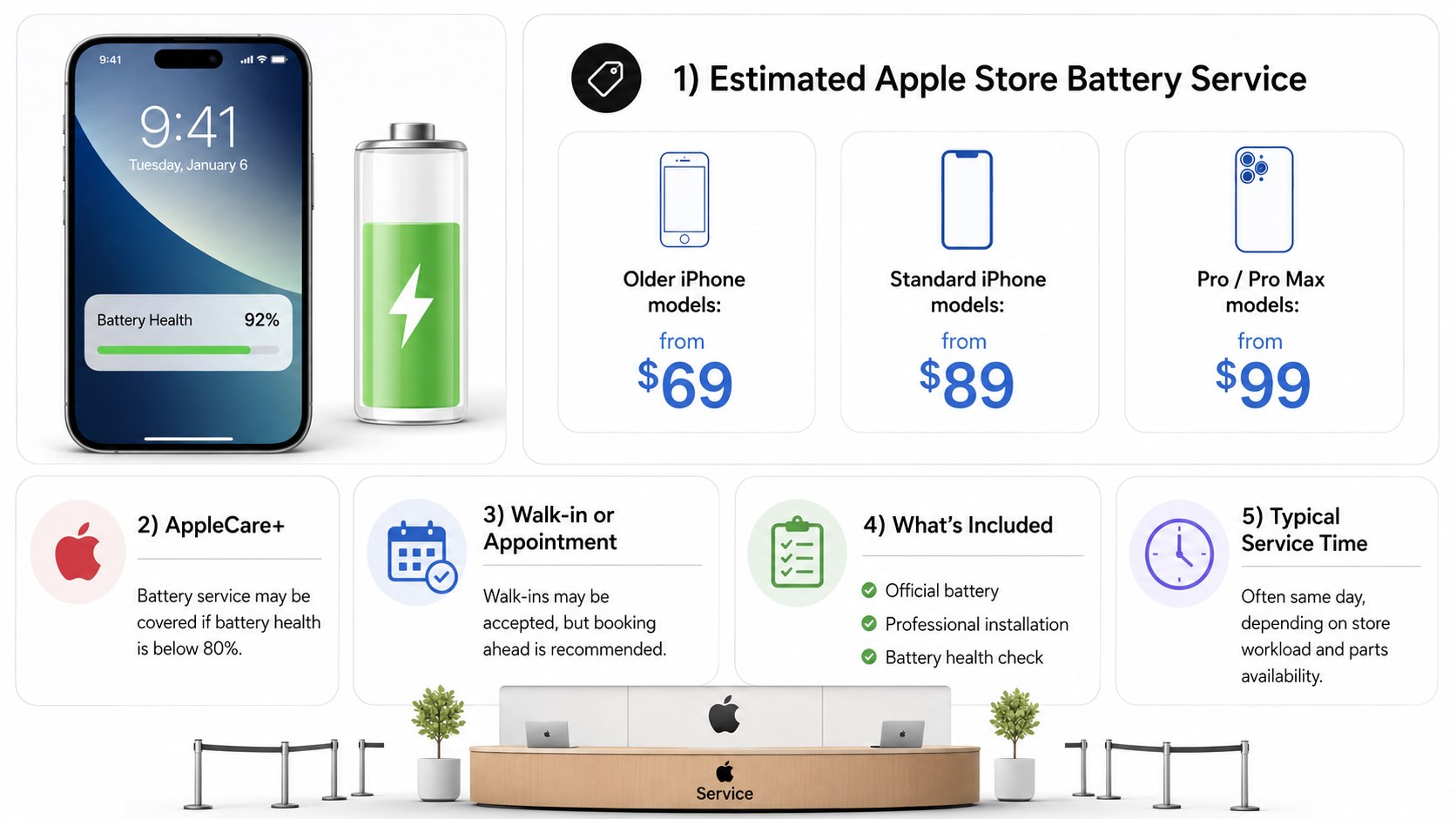
How to replace iPhone battery at Apple Store 2026 starts with a practical price question. In the United States, expect roughly $69 at the low end, about $89–$99 for many models, and up to approximately $119 for newer premium iPhones. AppleCare+ may reduce the battery-service charge to $0 when capacity falls below 80%, as noted by Baltimore Chronicle.
You can walk into an Apple Store, but an unplanned visit does not guarantee same-day service. Booking a Genius Bar appointment remains the safer option, especially in New York, California, Texas, Florida, and other high-traffic markets. Back up the phone, check Battery Health, disable Find My when instructed, and expect an inspection before Apple confirms the final price.
Key takeaways
- Budget about $69–$119 before tax for an out-of-warranty Apple battery replacement in 2026.
- Walk-ins may be accepted, but appointments receive priority and parts availability can affect completion time.
- AppleCare+ battery service may cost $0 when tested capacity is below 80% of its original level.
The quoted amount is normally for battery service alone. A cracked display, bent enclosure, liquid damage, or previous unauthorized repair may change the job. Apple states that technicians must inspect the device before providing a personalized final estimate.
How to Replace iPhone Battery at Apple Store 2026: The Fastest Process
Begin by opening Settings, selecting Battery, and tapping Battery Health & Charging. Check the Maximum Capacity percentage and any service warning. A low percentage supports the case for replacement, but Apple’s diagnostic result determines coverage.
Before visiting the store, complete these steps:
- Make a current iCloud or encrypted computer backup.
- Confirm your Apple Account password and iPhone passcode.
- Check AppleCare coverage through Settings or Apple Support.
- Remove cards, detachable accessories, and protective cases.
- Schedule a Genius Bar appointment for the selected Apple Store.
- Disable Find My only when Apple’s service process requests it.
- Bring identification and proof of purchase if coverage is unclear.
A repair should never begin without a usable backup. Readers can follow Baltimore Chronicle’s guide to back up an iPhone to iCloud in 2026. Those who prefer a local copy can use the guide on backing up an iPhone to a Mac.
Arrive several minutes before the appointment and expect an initial diagnostic. The technician checks the battery, display, cameras, charging system, enclosure, and internal indicators. Apple may decline a battery-only repair until damage affecting safe disassembly is addressed.
Do not erase the iPhone before the visit unless Apple specifically tells you to do so. A backup protects your data, while keeping the phone operational helps technicians complete diagnostics.
Can You Walk In for an iPhone Battery Replacement?
Yes, Apple Stores may accept walk-in battery-service requests. However, a walk-in functions more like a request for the next available opening than a guaranteed repair slot. Customers with scheduled Genius Bar appointments usually receive priority.
Availability depends on the store, weekday, staffing, model, and replacement-part inventory. A Manhattan location may have a different queue than a suburban store in Ohio or Arizona. Weekends, evenings, holidays, and product-launch periods are commonly busier.
Walk-in service makes sense when the store is nearby and your schedule is flexible. It is less suitable when the phone is essential for work, transportation, school pickup, mobile payments, or two-factor authentication.
- Best walk-in timing: shortly after opening on a weekday.
- Higher-delay periods: weekends, evenings, holidays, and major Apple launches.
- Best option for travelers: reserve an appointment before leaving home.
- Best option for urgent repairs: check several nearby Apple Stores and authorized providers.
- Best option for rare models: confirm parts availability before traveling.
Online availability does not guarantee that a battery is physically stocked. The diagnostic may also reveal another issue requiring extra time. A store can accept the phone and still move completion to a later day.
Do not plan a replacement immediately before a flight, long drive, court appearance, medical appointment, or client meeting. Leave enough time to retrieve the phone and restore essential services. Keep another device available for calls and authentication when possible.
Price Breakdown
The figures below are practical US planning ranges for 2026. Apple’s model-specific estimator remains the controlling source because pricing can change. Sales tax and unrelated damage can raise the final amount.
| Line item | Typical 2026 cost | What affects it |
|---|---|---|
| Older supported iPhone battery service | $69–$89 | Model generation and continued parts support |
| Many standard iPhone models | $89–$99 | Battery design and Apple’s current service tier |
| Recent Pro, Pro Max, or premium models | $99–$119 | Model-specific parts and repair procedure |
| AppleCare+ qualifying battery service | $0 | Battery must test below 80% capacity under active coverage |
| Applicable sales tax | Varies by location | State and local tax rules |
| Additional damage repair | Varies significantly | Screen, enclosure, camera, liquid, or internal damage |
| Mail-in shipping charge | May apply | Service method and current Apple terms |
A battery replacement should not automatically become a whole-device replacement. However, serious damage can make battery service unsafe or uneconomical. Apple may provide a revised estimate after inspection.
Prices at Apple Authorized Service Providers can differ from direct Apple Store pricing. Apple says authorized providers may set their own service fees. Request a written estimate before approving work.
Taxes also vary. A quoted $99 service can produce a different checkout total in Maryland, California, New York, Oregon, or Texas. Verify the final amount before surrendering the device.
The official Apple iPhone battery service page provides the current estimator, service options, and coverage information. Select the exact model rather than relying on a general price found in an older article.
What Drives the Price
iPhone model and battery design
Apple does not use one universal battery or repair procedure across every iPhone. Newer devices may require different parts, adhesives, tools, calibration, and handling. Pro and Pro Max models can therefore sit in a higher service tier.
AppleCare+ status
Active AppleCare+ coverage can create the largest price difference. Apple states that battery service is available without an extra charge when the battery retains less than 80% of its original capacity. Normal degradation above that threshold may not qualify for free replacement.
Physical condition
A cracked display can complicate safe opening and reassembly. Bent frames, damaged back glass, missing screws, swollen batteries, and liquid exposure may also change the repair path. The technician must consider employee safety and the risk of further device damage.
Previous third-party work
An iPhone that was previously opened may contain non-genuine parts, damaged connectors, misplaced shields, or excessive adhesive. Apple can still inspect the phone, but earlier work may affect service eligibility. Never assume that a battery-only quote will survive inspection.
Service location
Direct Apple Store pricing follows Apple’s national service structure, although tax varies. Authorized providers can set different fees. Availability and turnaround may also differ between major cities and smaller regional markets.
Shipping and secondary repairs
Mail-in service can involve shipping-related charges under current terms. The larger financial risk is unrelated damage discovered during inspection. Ask whether the revised amount is optional or required before battery service can continue.
A cheap battery quote is not useful when it excludes damage that must be repaired first. Compare the complete written estimate, not the headline battery price.
Ways to Save in 2026
The most effective savings come from verifying coverage and preventing unnecessary extra work. Use these tactics before approving the repair:
- Check AppleCare+ status before paying an out-of-warranty fee.
- Review Battery Health and record any service warning.
- Use Apple’s estimator for the exact iPhone model.
- Book an appointment to reduce travel and missed-work costs.
- Ask whether another store has the required battery in stock.
- Remove the case yourself and bring only necessary accessories.
- Compare direct Apple service with a nearby authorized provider.
- Request the complete estimate before authorizing additional repairs.
Coverage verification should come first because it can reduce a qualifying battery replacement to $0. Do not rely on memory about the purchase date. Check the device’s coverage status through Apple.
A scheduled visit also protects your time. Missing several work hours can cost more than the repair itself. Parents and caregivers should avoid appointment windows that conflict with school pickup or medical commitments.
Check multiple locations when the nearest store lacks parts. A 15-mile drive to another store may be worthwhile if it avoids a multi-day delay. Compare travel costs before choosing a distant appointment.
Do not approve screen or enclosure work without understanding why it is required. Ask the technician to separate the battery-service amount from additional repairs. A clear estimate makes the repair-versus-upgrade decision easier.
After service, restore and verify essential data before leaving the area. Baltimore Chronicle’s guide on transferring iPhone data in 2026 explains Quick Start, iCloud, and Finder options if replacement becomes more practical.
When Paying More Makes Sense
The iPhone is still supported and performs well
A $99 battery can be reasonable when the display, cameras, charging port, storage, and cellular functions remain reliable. Replacement may extend useful life without creating a new monthly device payment.
The phone contains critical work or family data
Apple-certified service uses genuine Apple parts and includes a service guarantee. That added assurance can matter for freelancers, parents, business owners, and users who depend on banking or authentication apps.
You plan to keep the phone for another year
Battery replacement makes more sense when the device still meets your needs. It makes less sense when storage is full, software support is nearing its end, or several major components already require repair.
A lower quote carries unclear risks
A substantially cheaper repair may use an unknown battery or provide limited warranty coverage. Ask about part origin, calibration, water-resistance procedures, and written guarantees before comparing prices.
Signs the Battery Should Be Replaced
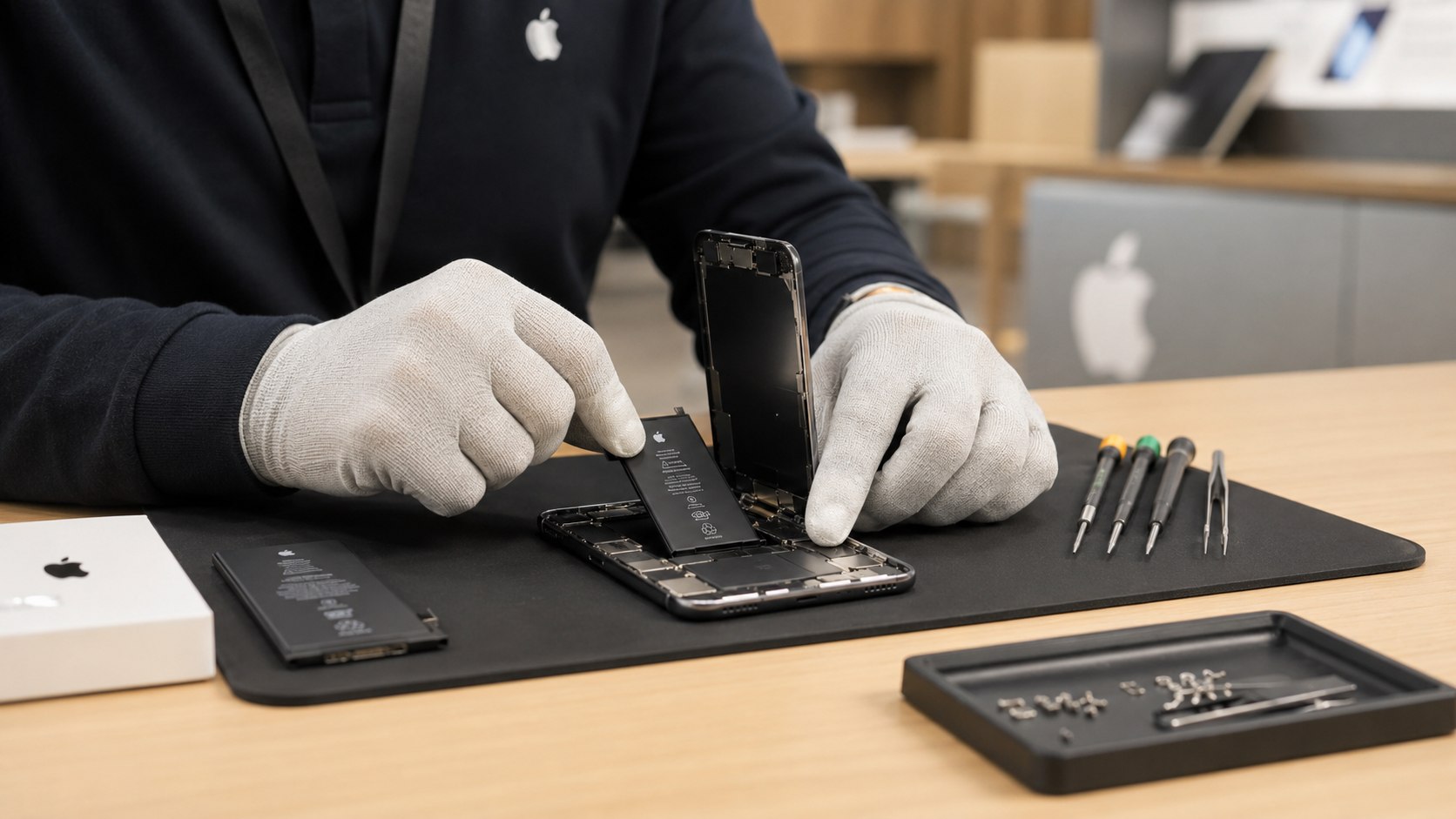
Maximum Capacity alone does not tell the entire story. Daily symptoms can show that the battery no longer supports normal use, even before the phone becomes unusable.
- Battery Health displays a service recommendation.
- The iPhone shuts down despite showing remaining charge.
- Battery percentage falls sharply during ordinary use.
- The phone becomes unusually warm without heavy activity.
- Performance slows during simple tasks.
- The display or enclosure begins lifting from battery swelling.
- The phone cannot last through a normal workday.
A swollen battery requires prompt attention. Stop pressing the display into place and avoid puncturing the enclosure. Do not charge a visibly damaged or expanding device unless directed by a qualified technician.
Rapid drain can also come from software, weak cellular coverage, background apps, location services, or a recent iOS update. Restart the phone and review Battery Usage before scheduling service. Persistent shutdowns and swelling are stronger hardware warnings.
Battery replacement will not repair a failing charging port, damaged logic board, or defective power adapter. Bring the charging cable if the complaint involves intermittent charging. The technician may need to distinguish between battery wear and power-delivery problems.
FAQ
How much does Apple charge to replace an iPhone battery in 2026?
Plan for approximately $69–$119 before tax in the United States. The exact charge depends on the iPhone model, coverage, condition, and service method. Verify the current amount through Apple’s model-specific estimator.
Can I walk into an Apple Store for battery replacement?
Yes, a store may accept walk-ins when staff and parts are available. However, there is no guarantee of immediate service. A Genius Bar appointment is more reliable.
How long does an Apple Store battery replacement take?
Some repairs can be completed the same day. Others require more time because of workload, diagnostics, parts shortages, or additional damage. Ask for a completion estimate after the technician inspects the phone.
Is iPhone battery replacement free with AppleCare+?
Apple says covered battery service has no extra charge when the battery tests below 80% of its original capacity. Active coverage does not automatically make every battery request free.
Do I need to back up my iPhone first?
Yes. Create a current iCloud or encrypted computer backup before service. Repair work does not always erase data, but no customer should depend on that assumption.
Will Apple replace a battery if the screen is cracked?
Apple must inspect the device first. Screen or enclosure damage may need repair before technicians can safely replace the battery. The additional work can increase the total price.
Earlier we wrote about How to Sell a House with a Mortgage in 2026: Payoff, Equity and Closing Steps