

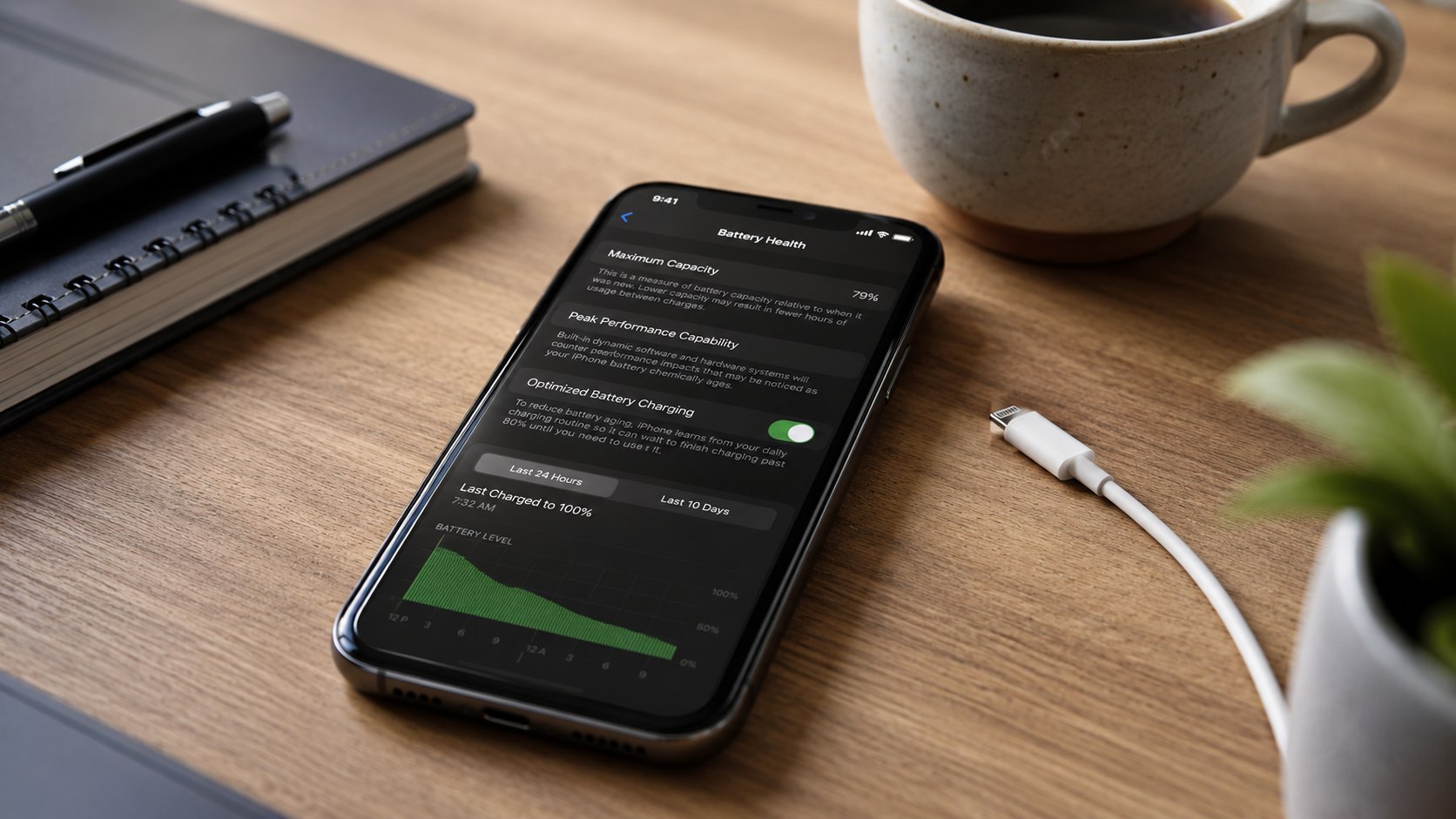
iPhone battery health 80 percent meaning 2026 is simple: the battery can now store about 80% of the energy it held when new. You do not need an emergency repair, but replacement becomes reasonable when shorter runtime, shutdowns, or reduced performance disrupt daily use, as noted by Baltimore Chronicle.
An iPhone showing 80% Maximum Capacity can usually remain safe and usable. However, a commuter who needs navigation all day may replace it immediately. A home-based freelancer who stays near a charger may wait several months.
“Batteries of iPhone 15 models are designed to retain 80 percent of their original capacity at 1,000 complete charge cycles.”
Apple Support, “iPhone battery and performance,” updated June 2026.
Key takeaways
- Replace the battery when 80% capacity creates real problems, not merely because the number appears in Settings.
- AppleCare battery service may cost nothing when capacity falls below 80% and the device remains covered.
- Unexpected shutdowns, swelling, heat, or a “Service” warning matter more than a one-point capacity change.
These points create a practical decision rule. The percentage is a diagnostic estimate, not a countdown timer. An iPhone at 79% may still complete a normal day, while another at 84% may struggle under heavy cellular use.
Battery condition, temperature, apps, signal strength, and screen brightness all affect runtime. Check the phone’s behavior before scheduling service. Back up important data before any repair appointment.
In Plain English: What 80% Battery Health Means
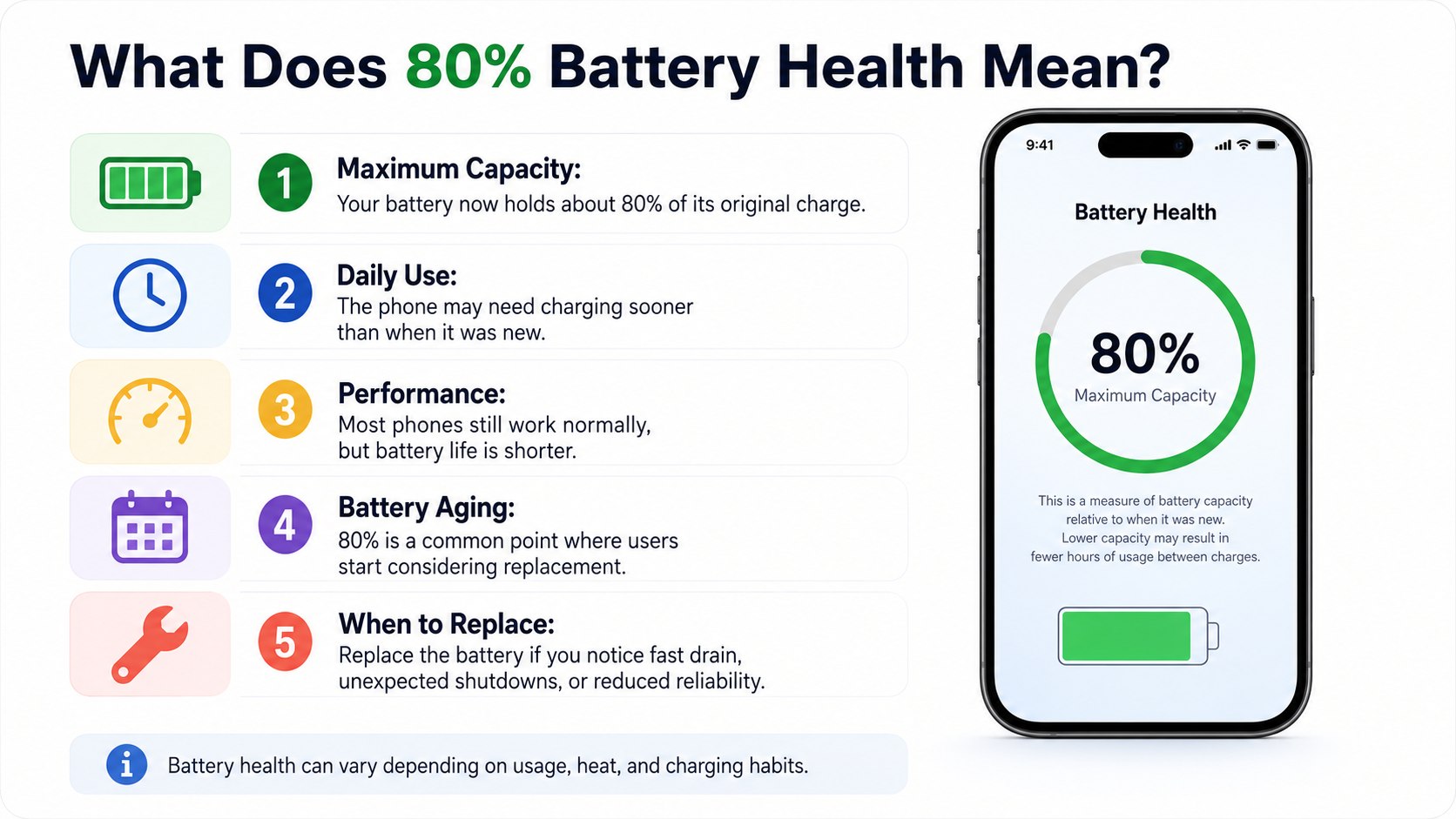
Think of a new iPhone battery as a 10-gallon fuel tank. At 80% health, that tank effectively holds about 8 gallons. The phone can still run normally, but it reaches empty sooner under the same workload.
The number does not mean the phone stops charging at 80%. A worn battery can still display 100% charge on the status bar. That 100% now represents the battery’s smaller current capacity rather than its original capacity.
An 80% reading is closer to a worn tire indicator than a mechanical failure alarm. It signals reduced capability and invites inspection, but daily symptoms determine the urgency.
Maximum Capacity also differs from the optional 80% Charge Limit available on newer iPhones. A charge limit intentionally stops charging near 80% to reduce long-term wear. Battery Health measures how much physical capacity remains compared with the battery when it was new.
Readers trying to reduce future wear can review these phone battery life and charging tips. They address heat, background activity, charging habits, and other factors affecting daily endurance.
How It Actually Works
Every iPhone uses a rechargeable lithium-ion battery. Chemical reactions move ions during charging and discharging. Those reactions gradually become less efficient as the battery ages and completes more charge cycles.
A charge cycle does not necessarily mean one connection to a charger. Apple counts a cycle after cumulative use reaches 100% of the battery’s capacity. Using 60% today and 40% tomorrow would equal one complete cycle.
iOS estimates maximum battery capacity by examining voltage, charging behavior, temperature, cycle history, and other operating data. The percentage can occasionally pause or change after software recalibration. A move from 81% to 80% does not prove that significant damage occurred overnight.
Battery aging can also affect peak power delivery. An older battery may hold enough energy for ordinary tasks yet struggle during demanding moments. Gaming, video recording, GPS navigation, cold weather, and poor cellular reception can expose that weakness.
Apple explains that iOS may apply performance management after an unexpected shutdown. This system can reduce peak demand to prevent another shutdown. Users may notice slower app launches, lower frame rates, dimmer brightness, or reduced background activity.
How to check the reading
- Open Settings on the iPhone.
- Select Battery.
- Open Battery Health or Battery Health & Charging.
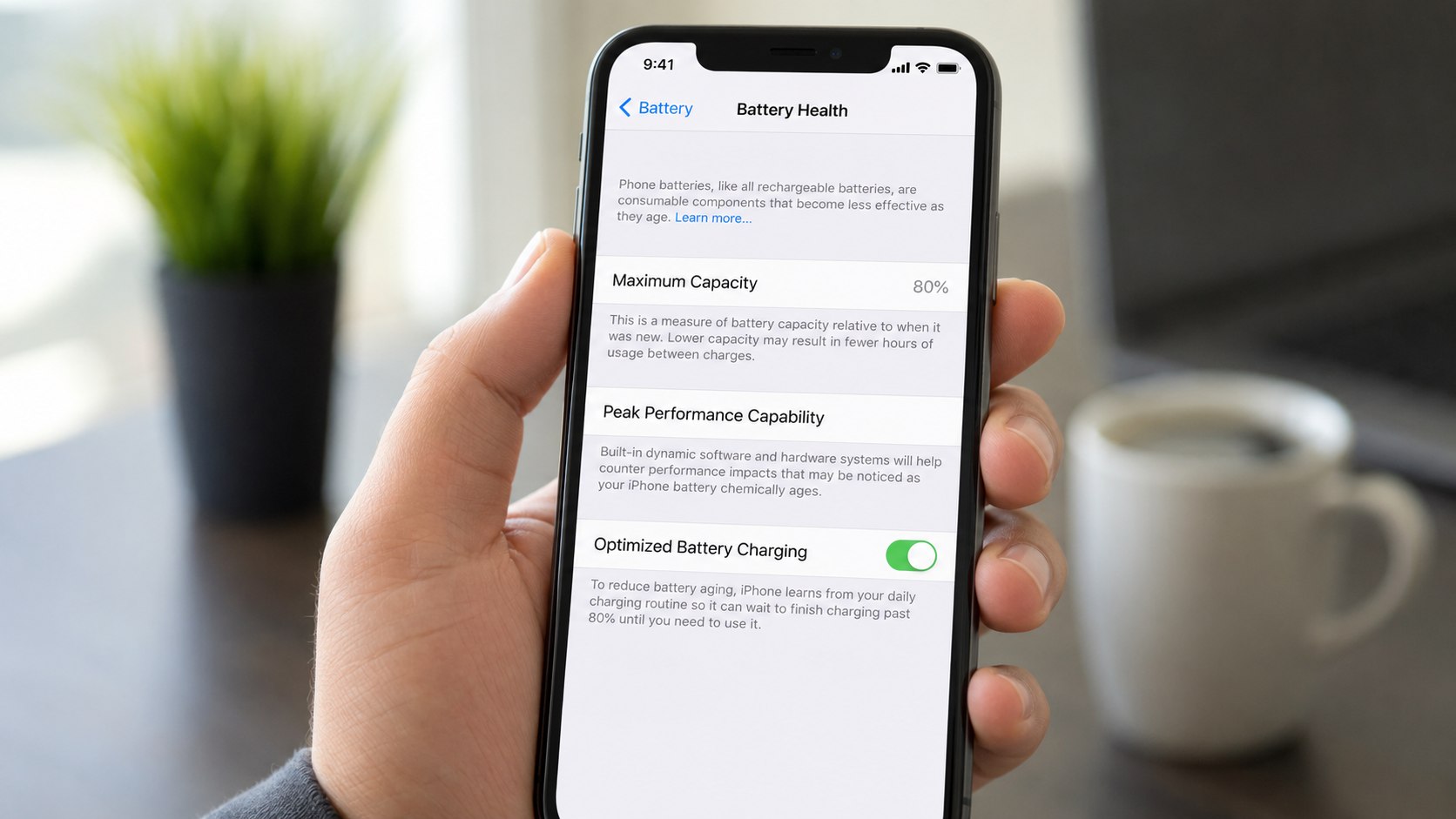
- Review Maximum Capacity and Peak Performance Capability.
- Check for a “Service” or important battery message.
Take a screenshot if the percentage changes unexpectedly. Then check Battery Usage for the last 24 hours and 10 days. A single power-hungry app can imitate a worn battery.
Weak 5G coverage can also increase consumption during travel. Install pending iOS updates before judging unusual drain. Restart the device and observe it through 2 or 3 normal days. Persistent problems make the battery-health reading more meaningful.
iPhone Battery Health 80 Percent Meaning 2026: When to Replace
The best replacement point is when battery degradation creates a measurable inconvenience. For many owners, that happens around 80%. Others can continue using the phone comfortably into the upper 70s.
Replace the iPhone battery soon when several of these signs appear together:
- The phone no longer lasts through your normal workday.
- Battery level falls sharply from 30% or 20%.
- The iPhone shuts down during calls, navigation, gaming, or video recording.
- Battery settings show “Service” or a degraded-battery message.
- Performance management activates after an unexpected shutdown.
- The device becomes unusually hot during light use or charging.
- The screen or case begins lifting, suggesting possible battery swelling.
A swollen battery requires prompt attention even when Maximum Capacity exceeds 80%. Stop pressing the screen or attempting a home repair. Avoid charging a visibly damaged device.
Contact Apple or an authorized repair provider. Do not puncture, bend, or compress the battery. Local household trash is not appropriate for lithium-ion battery disposal. Apple Stores and many authorized providers can route replaced batteries for recycling.
Waiting is reasonable when the phone remains stable and reaches your usual evening charge. A battery case or compact power bank may cover occasional long days. However, those accessories add weight and do not correct unexpected shutdowns.
Replacement is usually the cleaner option when the owner plans to keep the iPhone another year. A fresh battery may also improve resale appeal. Buyers frequently check Battery Health before purchasing a used iPhone.
Replacement Costs and Service Options in the USA
Apple’s US repair estimator sets the final price by iPhone model. In 2026, many out-of-warranty Apple battery replacements fall roughly between $69 and $119 before applicable tax. Owners should confirm the current quote through the official Apple battery service page.
| Service situation | Likely 2026 cost | Best choice when |
|---|---|---|
| AppleCare coverage and capacity below 80% | Usually $0 for eligible battery service | The plan remains active and Apple diagnostics confirm eligibility |
| Apple out-of-warranty service | Approximately $69–$119, model dependent | You want genuine parts and documented Apple service |
| Apple Authorized Service Provider | Varies by provider and location | No convenient Apple Store exists nearby |
| Independent Repair Provider | Often varies by model, part, and warranty | The provider uses quality parts and explains calibration limitations |
| Self Service Repair | Parts, tools, and possible rental costs vary | You have repair experience and accept the technical risk |
The lowest quote is not automatically the best value. Ask whether the replacement battery is genuine and whether the repair includes a warranty. Confirm whether water-resistant seals will be replaced.
Request a written estimate before leaving the phone. Prices can differ between California, Texas, Florida, Maryland, and other states because of tax and provider policies. Mail-in service also adds downtime and shipping considerations.
Back up the device and disable Find My only when Apple’s service instructions request it. Apple says genuine battery service is available through Apple Stores, Apple Authorized Service Providers, mail-in repair, and participating independent providers.
Repair access depends on the model and location. Older iPhones may have limited parts availability.
Before replacing an older device, compare repair costs with the price of a newer model. Baltimore Chronicle’s reporting on Apple’s 2026 iPhone plans can help owners decide whether to repair now or wait for another product cycle.
Who It Matters to in 2026
Drivers and commuters
Battery health matters most when the iPhone functions as a navigation screen, transit pass, car key, or emergency contact. GPS, high screen brightness, Bluetooth, and cellular data create sustained demand. A phone that survives at home may drain quickly during a 90-mile trip.
Drivers should consider replacement before a long road trip if navigation causes sharp drops. A certified car charger remains useful but should not become the only reason the phone stays alive. Excessive cabin heat can accelerate battery wear.
Parents and caregivers
Parents often need dependable access to school messages, location sharing, medical portals, and family calls. An unpredictable shutdown can matter more than a lower benchmark score. Reliability usually justifies replacement once daily charging becomes difficult.
A parent does not need to wait for 79% if the phone repeatedly dies before pickup time. The practical cost of missed communication can exceed the repair bill.
Freelancers and remote workers
Freelancers may use an iPhone for two-factor authentication, client calls, hotspot access, invoices, and video meetings. Battery failure can interrupt paid work. Replacing at 80% may be sensible when the phone supports daily income.
Remote workers who remain near an outlet can often wait longer. They should still replace the battery if the phone overheats or throttles during ordinary tasks.
Readers preparing another iPhone can also consult the Baltimore Chronicle guide to handling iPhone Activation Lock in 2026.
Common Myths About 80% iPhone Battery Health
- Myth: An iPhone becomes unsafe at exactly 80%.
Correction: The number marks reduced capacity, not automatic danger. - Myth: Apple replaces every 80% battery for free.
Correction: Coverage normally requires an eligible plan and capacity below 80%. - Myth: Charging overnight always destroys the battery.
Correction: iOS manages charging, although prolonged heat still increases wear. - Myth: Closing every app saves substantial power.
Correction: Repeatedly reopening apps can sometimes use more energy. - Myth: A factory reset restores battery health.
Correction: Software changes cannot reverse chemical aging.
These myths often confuse physical battery wear with temporary battery drain. Software bugs, weak reception, location services, and background activity can shorten runtime without reducing Maximum Capacity.
Conversely, a battery can show 80% while still supporting normal daily use. Judge the percentage beside actual behavior. Watch for sudden shutdowns and inconsistent charging.
Use Apple diagnostics when the symptoms remain unclear. Replace the battery when reliability no longer matches your needs.
What to Do Before Booking a Battery Replacement
A short diagnostic check can prevent an unnecessary repair. It also helps identify unrelated problems, such as a damaged charging port or an app running continuously.
- Update iOS and restart the iPhone.
- Check Battery Usage for unusually active apps.
- Test another Apple-certified cable and power adapter.
- Remove a thick case if charging creates excessive heat.
- Confirm Maximum Capacity and Peak Performance Capability.
- Create an encrypted computer backup or an iCloud backup.
- Compare Apple, authorized-provider, and independent repair terms.
- Verify the final 2026 price before approving service.
Record important account credentials before surrendering the device. Do not give a technician your Apple Account password. Apple may ask you to disable Find My during service preparation.
Remove payment cards when required by the provider’s instructions. Photograph the phone’s condition before mail-in repair. Confirm whether same-day service is available.
Ask whether the repair warranty covers parts and labor. Keep the receipt because documented battery service may support a later resale.
If the phone loses more than 20% overnight while idle, investigate software activity first. Review cellular signal, background refresh, notifications, and location access.
A clean battery report does not exclude charging-port damage. Apple Support can run additional diagnostics remotely or during an appointment.
FAQ
Should I replace my iPhone battery at exactly 80%?
No. Replace it when reduced runtime, shutdowns, heat, or performance limits affect normal use. The 80% figure is a useful service threshold, not a mandatory deadline.
Is 80% battery health bad after 2 years?
It indicates noticeable wear, but the result depends on charging cycles, heat, usage, and model. Heavy users may reach 80% sooner than light users.
How long can an iPhone last with 80% battery health?
Some phones remain usable for months or longer. Daily runtime will usually be shorter, especially during gaming, navigation, video calls, or weak cellular coverage.
Will a new battery make an iPhone faster?
It can restore consistent peak performance when iOS has limited performance after unexpected shutdowns. It will not fix low storage, damaged hardware, or unsupported software.
Does AppleCare replace an iPhone battery at 80%?
Apple generally advertises battery service at no additional charge when covered capacity drops below 80%. Confirm eligibility and plan status with Apple before booking.
Can I sell an iPhone with 80% battery health?
Yes, but disclose the percentage accurately. A replacement may improve buyer confidence, although the repair cost may not always increase the sale price equally.
Earlier we wrote about Interesting Facts About Maryland Everyone Should Know in 2026: 13 Strange State Oddities