

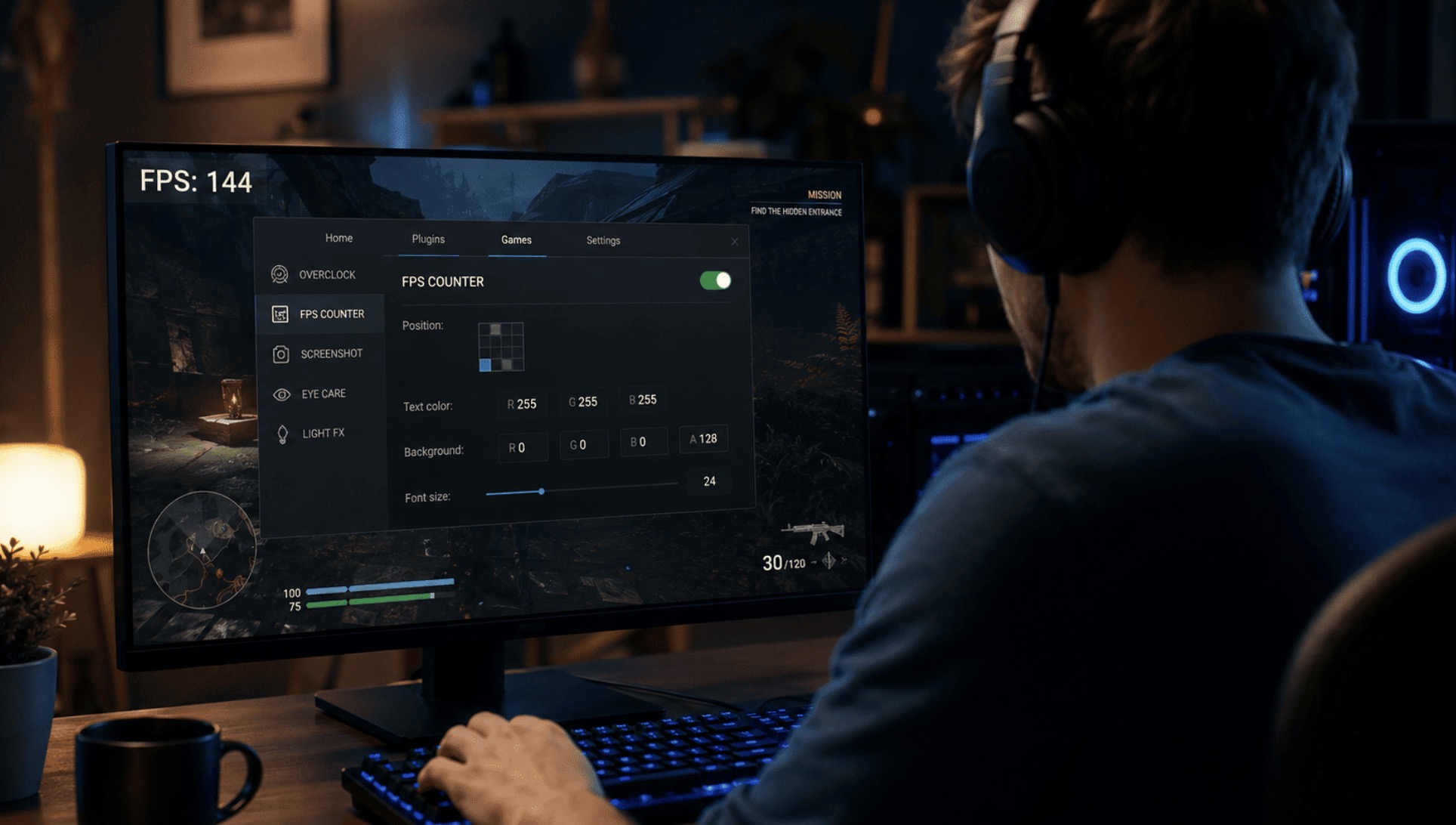
Some tools improve accessibility, customize the interface, display performance information, or add community-made content. Others automate player actions, alter active game values, or reveal information that the normal client keeps hidden.
The category is broad. A texture mod for a single-player game, a keyboard macro, a frame-rate overlay, and a trainer that changes health or resources are all third-party tools, but they work in different ways and create different levels of risk.
Not every external tool is a cheat, and not every harmless-looking utility is automatically safe. A performance overlay may be accepted in one game but conflict with another. A macro intended for convenience or accessibility may still violate competitive rules if it automates combat actions. A trainer may be tolerated in an offline campaign but prohibited as soon as a protected multiplayer client is launched.
Players therefore need to evaluate two separate questions: whether a tool is safe to install and whether the game permits its use. This article explains how the main categories work, how developers usually classify them, what risks unofficial software creates, and how to check the rules before running it.
What Third-Party Gaming Software Is and How It Works
Third-party gaming software is any external program or modification that interacts with a game without being part of its original client. It may change installed files, run beside the game, automate input, draw information over the screen, or interact with active game data.
The term describes the software’s origin, not whether it is legitimate. An approved workshop mod and a prohibited memory editor are both third-party tools. Their status depends on how they operate, what they change, and whether the developer allows that behavior.
Common Ways External Tools Interact With Games
- Official integration: using a supported workshop, API, plug-in system, mod folder, or software development kit.
- File modification: replacing or editing textures, models, audio, scripts, configuration files, or interface assets.
- Input control: remapping buttons or sending predefined keyboard, mouse, and controller commands.
- Overlay rendering: drawing text, graphs, notifications, or controls over the game image.
- Log and API access: reading data that the game deliberately exports for companion apps or statistics services.
- Memory interaction: reading or changing values stored by the running game.
- Code injection: loading an additional module into the game process.
- Driver-level access: using a system driver to monitor or alter low-level activity.
The technical method affects compatibility, security, and anti-cheat risk. A mod loaded through an official workshop normally operates within boundaries defined by the developer. An unsigned program that installs a driver and interacts with a protected multiplayer process has much broader access and creates more serious concerns.
File-Based Modifications
Traditional mods often replace or extend files in the game directory. They may add maps, quests, characters, textures, translations, interface changes, or new gameplay systems.
Some games are designed to load these files from a dedicated mod folder. Others depend on community-made loaders or direct file replacement. File-based modifications are most common in single-player games, where the changes affect only the local installation.
In multiplayer games, altered files may trigger integrity checks or create compatibility problems. Even a visual modification can be restricted if it removes smoke, darkness, vegetation, or another effect that influences competitive visibility.
External Programs Running Beside the Game
Many tools remain separate from the game process. Examples include recording software, voice-chat applications, hardware monitors, controller utilities, accessibility tools, and some overlays.
These programs may collect information through operating-system functions, graphics interfaces, screen capture, hardware sensors, game logs, or approved APIs. Running as a separate process does not automatically make a tool safe or permitted. An external application can still automate actions, inspect protected data, or interfere with anti-cheat software.
How Games Detect External Software
Games and anti-cheat systems can use several methods to identify prohibited tools or suspicious behavior:
- verifying installed game files;
- inspecting modules loaded into the game;
- monitoring running processes and services;
- checking system drivers and digital signatures;
- detecting unexpected memory access;
- analyzing automated or unusually consistent input patterns;
- comparing client activity with server-side statistics;
- detecting impossible changes to movement, resources, accuracy, or timing.
Some systems focus on behavior rather than filenames. Renaming an executable does not change what the program does or make a prohibited function acceptable.
Why Permissions Matter
Third-party gaming software may request access to files, input devices, the screen, account data, system memory, or administrator functions. Some permissions have legitimate technical uses, but broader access increases the potential damage if the program is vulnerable or malicious.
Particular caution is required when a tool:
- requests administrator access without explaining why;
- installs an unsigned or unknown driver;
- asks the user to disable antivirus protection;
- requires game credentials or authentication tokens;
- runs permanently in the background;
- connects to undocumented servers;
- claims guaranteed protection from bans or detection.
A tool’s visible function does not prove that it performs only that function. A working mod, trainer, or overlay can still contain credential-stealing malware, remote-access components, or unwanted background processes.
How Mods, Macros, Overlays and Trainers Differ
The four main categories differ in purpose and technical behavior. Mods change content or game systems. Macros automate input. Overlays display information over the game image. Trainers alter active values while the game is running.
Mods
A mod, short for modification, changes or extends part of a game. Common examples include:
- new maps, quests, and characters;
- texture, model, and audio replacements;
- interface and inventory improvements;
- translation patches;
- accessibility additions;
- balance changes;
- total conversions that create a substantially different experience.
Mods can be loaded through official tools, community mod managers, scripts, plug-ins, or direct file replacement. Their acceptability depends on the game and mode. A custom campaign may be encouraged in a single-player title, while the same game may prohibit modified files on competitive servers.
Macros
A macro performs one or more input actions according to a predefined sequence. It may be created through keyboard or mouse software, controller utilities, scripting applications, or features built into gaming peripherals.
A simple remap changes which physical button sends an existing command. A macro can go further by combining actions, repeating them automatically, or controlling their timing.
Examples include:
- performing several menu actions with one button;
- repeating a crafting or gathering command;
- sending a timed movement sequence;
- rapidly activating an action at fixed intervals;
- executing a combat combination;
- automating recoil compensation.
Macros are often restricted in competitive games because they can replace player execution and produce faster or more consistent results. The use of official peripheral software does not automatically make the resulting automation acceptable.
Overlays
An overlay displays text, icons, graphs, notifications, or controls over the game image. Legitimate examples include:
- frame-rate and frame-time counters;
- CPU and GPU monitoring panels;
- recording and streaming controls;
- voice-chat indicators;
- platform messages and achievement notifications;
- accessibility information.
An overlay does not necessarily change the game. However, the same rendering technique can be used to display prohibited information.
The central question is where the data comes from. A hardware overlay showing GPU temperature is different from an overlay that reads protected memory and displays hidden enemy positions or object locations.
Trainers
A trainer changes values or conditions while a game is running. It commonly targets information stored in memory, such as:
- health and stamina;
- ammunition;
- currency and resources;
- movement speed;
- ability cooldowns;
- timers;
- damage values.
Trainers are most commonly associated with offline single-player games. Some players use them to experiment, reduce difficulty, test systems, or skip repetitive progression.
In multiplayer games, trainers are normally prohibited because they directly alter the game state. They may also cause crashes or save corruption after an update changes internal memory layouts.
Key Differences
| Category | Main purpose | Typical method | Typical policy risk |
|---|---|---|---|
| Mods | Change or add content | Files, scripts, plug-ins, mod loaders | Low to high depending on mode and effect |
| Macros | Automate input | Peripheral software, scripts, input tools | Moderate to high in competitive games |
| Overlays | Display information above the game | Graphics interfaces, APIs, screen layers | Low for system data, high for hidden game data |
| Trainers | Change active game values | Memory editing or runtime modification | Very high in multiplayer |
Tools Can Belong to More Than One Category
Some programs combine several functions. A mod manager may include an overlay. Peripheral software may offer both basic remapping and complex macros. A trainer may inject an in-game menu that appears as an overlay.
Because the categories overlap, a product’s name is not enough to classify it. The useful questions are:
- Does it change game files?
- Does it read or write game memory?
- Does it automate input?
- Does it display information unavailable through normal play?
- Does it inject code or install a driver?
- Does the developer explicitly support its use?
Offline and Multiplayer Use Are Different
A tool tolerated in an offline campaign may be prohibited in multiplayer. A trainer that changes local currency affects only the player’s private save. In an online game, a similar change could affect rankings, progression, trading, and other users.
Mods also depend on context. A texture improvement may be harmless offline, while a visual modification that removes smoke or makes targets easier to see can create a competitive advantage.
Macros become more sensitive when timing and mechanical execution are part of the challenge. Automating a menu task is not necessarily treated the same way as automating aiming, firing, movement, or combat combinations.
Accessibility and Unfair Automation
Some players use external software because of limited mobility, visual impairments, or hardware constraints. Accessibility tools can remap controls, support alternative devices, convert speech into commands, or simplify complex input arrangements.
The key distinction is whether the tool provides access to ordinary controls or performs gameplay decisions and execution on the player’s behalf. An accessibility purpose does not automatically override a game’s competitive rules, so unusual automation should be confirmed with official support.
Which Third-Party Tools Are Usually Allowed by Games

There is no universal list of programs allowed by every game. Each developer defines its own rules, and the same tool may be accepted in one title but restricted in another.
Tools are generally more likely to be permitted when they use official integration methods, do not automate gameplay, do not reveal hidden information, and do not modify protected files, memory, or processes.
Officially Supported Mods
Mods distributed through an official workshop, mod browser, creation system, or developer-provided SDK are usually the safest option. These systems can provide moderation, version management, compatibility information, and controlled installation.
Common supported content includes:
- maps and missions;
- community campaigns;
- approved models and textures;
- translations;
- interface customization;
- accessibility improvements;
- gameplay extensions loaded through official systems.
Official distribution does not mean that every uploaded item is acceptable. Content can still violate copyright, community, monetization, or server rules.
Single-Player Modifications
Developers are often more tolerant of modifications used entirely offline. A local interface adjustment, custom quest, texture pack, or difficulty rebalance usually affects only the person who installed it.
However, tolerated does not always mean officially supported. Modified installations may not receive technical support, and updates can break community content or damage saves.
Platform, Recording, and Performance Overlays
Official platform overlays, recording tools, voice-chat interfaces, and hardware-monitoring panels are commonly accepted because they normally display system or communication information rather than protected gameplay data.
Examples include:
- chat and invitation panels;
- screenshot and recording controls;
- achievement notifications;
- frame-rate counters;
- temperature and hardware-usage monitors;
- streaming controls.
Legitimate overlays can still cause technical conflicts. An outdated graphics hook or driver may crash the game or prevent it from opening. A compatibility problem does not necessarily mean the software is prohibited.
One-to-One Input Remapping
Basic remapping is commonly accepted when one physical control produces one ordinary game command. The safest form of remapping includes:
- one physical input;
- one in-game action;
- no timed sequence;
- no automatic repetition;
- no reaction to game data.
This differs from a macro that performs several actions or continues operating without equivalent player input.
Accessibility Tools
Accessibility software may be allowed when it helps the player operate normal controls without automating tactical decisions or competitive execution.
Because accessibility needs vary, players who depend on unusual input conversion or automation should review official accessibility guidance or contact support before using the tool in protected modes.
Stat Trackers and Companion Applications
Statistics and companion tools are commonly accepted when they use official APIs, public match history, approved logs, or data deliberately exposed by the developer.
Acceptable functions may include:
- tracking previous matches;
- displaying public rankings;
- building post-match reports;
- analyzing long-term performance;
- managing inventory through an approved service;
- organizing groups and social features.
The risk increases when a tool reveals concealed information, makes real-time decisions for the player, or uses protected data not available through an approved interface.
Cosmetic Changes
Some games allow local cosmetic changes that do not affect gameplay. These may include menu themes, audio replacements, or interface skins.
A visual tool can still be prohibited if it improves competitive visibility by:
- removing smoke, darkness, or vegetation;
- making opponents brighter or easier to identify;
- enlarging targets;
- highlighting normally hidden objects;
- removing intended interface limitations.
Conditional Acceptability
| Tool category | Usually acceptable when | Becomes risky when |
|---|---|---|
| Mods | Used through official systems or permitted offline modes | They alter protected files, online balance, or visibility |
| Overlays | They display performance, chat, or recording information | They reveal hidden data or read protected memory |
| Input remappers | One input produces one normal command | They automate sequences, timing, aiming, or repetition |
| Stat trackers | They use approved APIs or public data | They expose concealed or prohibited real-time information |
| Accessibility tools | They provide access to normal controls | They perform gameplay decisions or execution automatically |
| Trainers | Used in a permitted offline environment | They run with protected multiplayer clients or affect online progression |
“Not Detected” Does Not Mean “Allowed”
A tool may run without an immediate warning and still violate the rules. Anti-cheat detection and policy compliance are separate issues.
Popularity, a clean antivirus result, and the absence of an instant ban do not establish permission. The deciding question is whether the developer allows the tool’s specific functions in the relevant game mode.
What Risks Come With Unofficial Gaming Software
Unofficial gaming software can affect more than the game itself. Risks include account penalties, malware, credential theft, privacy loss, system instability, corrupted saves, hidden charges, and loss of online progression.
The danger depends on how deeply the tool interacts with the system, where it was downloaded, and what permissions it requests.
Account Penalties
A tool does not need to contain malware to violate game rules. Unauthorized macros, trainers, overlays, modified files, and memory-reading utilities can result in:
- removal from a match;
- loss of ranked access;
- rollback of rewards or progression;
- temporary suspension;
- permanent account termination;
- restrictions affecting linked accounts or devices.
Enforcement may be delayed. Some anti-cheat systems collect evidence and apply penalties later, so the absence of an immediate ban does not prove that a program is permitted.
Malware and Account Theft
Unofficial gaming tools are often distributed through forums, temporary file hosts, private messaging groups, and websites with limited accountability. This makes them useful delivery methods for:
- password and browser-cookie stealers;
- remote-access malware;
- keyloggers;
- cryptocurrency miners;
- ransomware;
- downloaders that install additional threats;
- programs that steal game sessions and authentication tokens.
The advertised feature may still work while the malware runs in the background. A functional trainer or mod is not proof that the installer is clean.
Gaming accounts are valuable because they may contain purchased games, marketplace balances, rare items, stored payment details, and years of progress.
A local tool should be treated as highly suspicious if it requests:
- the game account password;
- session cookies or login tokens;
- multi-factor authentication backup codes;
- marketplace credentials without a clear reason;
- remote access to the computer.
Administrator and Driver Access
A program running as administrator may be able to change security settings, install services, modify files belonging to other applications, capture input, alter network settings, and add persistent startup components.
Kernel-level drivers create even greater risk. A vulnerable or malicious driver can cause system crashes, weaken security, or provide persistent access to the computer.
Administrator permission is not automatically proof of malware, but the developer should clearly explain why it is required. Unknown or unsigned drivers deserve particular caution.
Requests to Disable Security
Some tools instruct users to disable antivirus protection, memory integrity, Secure Boot, reputation checks, or other safeguards.
False positives can occur, especially with programs that inject code or modify memory. However, malware often uses the same explanation. Disabling protection removes the controls most likely to detect a dangerous installer.
High-risk instructions include:
- turning off antivirus protection permanently;
- excluding an entire download folder from scanning;
- installing an unknown root certificate;
- disabling Secure Boot;
- running undocumented scripts that change security policies;
- installing outdated or vulnerable drivers.
Privacy and Data Collection
A third-party tool may collect hardware details, IP addresses, account identifiers, running-process lists, screenshots, usage statistics, input activity, or crash reports.
Diagnostic collection is not always malicious, but the software should explain what it gathers, why the data is needed, how long it is retained, and who receives it.
Missing privacy documentation, anonymous ownership, and unexplained network traffic increase the risk.
Crashes, Compatibility Problems, and Lost Saves
Even non-malicious software can become unstable after a game update changes file structures, scripts, graphics functions, or memory layouts.
Possible consequences include:
- startup and loading crashes;
- visual corruption;
- lower performance;
- input delay or repeated commands;
- conflicts between overlays;
- system freezes and blue-screen errors;
- incorrectly modified values;
- corrupted save data.
Mods and trainers can store altered values inside save files. Problems may appear after a mod is removed, the load order changes, or cloud synchronization uploads a damaged save.
Important saves should be backed up before installing major modifications or using tools that change progression. A cloud copy is not a complete backup because corrupted data may synchronize automatically.
Conflicts Between Multiple Tools
Programs that work separately may fail when combined. Examples include:
- two mods replacing the same file;
- plug-ins requiring incompatible loader versions;
- multiple overlays competing for the same graphics interface;
- macro software conflicting with controller remapping;
- trainers modifying the same memory values;
- security drivers blocking one another.
Fake Downloads and Scams
Popular mods and utilities are frequently copied by unrelated websites. Fake pages may use stolen logos, similar domain names, misleading advertisements, or reuploaded installers containing malware.
Financial warning signs include:
- payment accepted only through irreversible methods;
- guaranteed claims of being undetectable;
- unclear subscriptions or renewal terms;
- extra activation fees introduced after purchase;
- pressure to pay immediately;
- requests for remote access during installation.
Never grant remote-desktop access to an anonymous seller or unofficial support account. A remote operator can copy files, open saved browser sessions, change account recovery information, or install persistent malware.
Copyright and Licensing Problems
Some mods redistribute copyrighted music, models, voice recordings, or proprietary code without permission. The practical consequences can include takedowns, deleted project pages, removed workshop content, and loss of future updates.
A discontinued project can also become dangerous when unofficial mirrors continue distributing modified copies after the original download disappears.
Risk by Tool Type
| Tool type | Common technical risk | Common policy risk |
|---|---|---|
| Officially supported mod | Compatibility problems and save corruption | Usually low within supported rules |
| Unofficial file mod | Malicious files, broken updates, damaged saves | Depends on mode and affected files |
| Macro | Unintended repeated input or background scripts | High when competitive actions are automated |
| Performance overlay | Graphics-hook conflicts and crashes | Usually low unless protected data is accessed |
| Unauthorized gameplay overlay | Memory access, injection, or malware | Very high when hidden information is revealed |
| Trainer | Memory corruption, crashes, or malicious installers | Very high in multiplayer |
| Kernel-level tool | System compromise, vulnerable drivers, blue screens | Very high in protected games |
How to Reduce the Risk
- Use official workshops, approved repositories, and original project pages.
- Review the game’s rules before installation.
- Keep Windows and security software updated.
- Scan downloads before opening them.
- Review requested permissions.
- Do not disable security features permanently.
- Avoid unknown drivers and remote installation services.
- Back up saves and important files.
- Use unique passwords and multi-factor authentication.
- Close trainers, memory editors, and automation tools before launching multiplayer games.
- Test major modifications on a separate save profile.
What to Do After Installing a Suspicious Tool
- Close the program and related processes.
- Disconnect the computer from the network if account theft is suspected.
- Run a full security scan.
- Check startup items, services, scheduled tasks, and installed drivers.
- Change important passwords from a separate trusted device.
- Revoke active account sessions and regenerate backup codes.
- Contact the game platform if account access, currency, or items were lost.
- Consider reinstalling Windows if a malicious driver or remote-access component was installed.
Deleting the visible executable may not remove services, drivers, browser extensions, or additional malware installed with it.
How to Check Whether a Tool Violates Game Rules
Before using a mod, macro, overlay, trainer, or companion application, check both the tool’s behavior and the game’s current policy.
The strongest evidence is explicit approval from the developer. Popularity, positive comments, a clean malware scan, and claims of being “safe” or “undetected” do not prove compliance.
Review Official Rules
Check documents published by the developer, publisher, platform, tournament organizer, or anti-cheat provider. Relevant information may appear in:
- terms of service;
- end-user license agreements;
- codes of conduct;
- anti-cheat policies;
- competitive and tournament rules;
- official support articles;
- modding guidelines;
- developer announcements and patch notes.
Useful search terms include:
- third-party software;
- unauthorized programs;
- automation and macros;
- scripts;
- mods and modifications;
- overlays;
- trainers;
- memory editing;
- input simulation;
- competitive advantage;
- game-file modification.
Policies often describe prohibited behavior without naming individual programs. A tool can violate a rule against automation or hidden information even when its product name never appears in the policy.
Check the Correct Game Mode
Permission can differ between:
- single-player and multiplayer;
- private and public servers;
- casual and ranked modes;
- official and community servers;
- ordinary matchmaking and tournaments;
- local saves and online progression.
Do not assume that a modification allowed offline remains acceptable when the protected multiplayer client is running. Some anti-cheat services activate before the player joins a match.
Identify the Tool’s Actual Behavior
Marketing terms such as “assistant,” “utility,” “enhancement,” and “overlay” do not explain what a program actually does.
Determine whether it:
- changes game files;
- reads or writes memory;
- injects code;
- installs a service or driver;
- automates input;
- performs several actions from one press;
- reacts automatically to screen or game events;
- displays information hidden by the standard client;
- changes active gameplay values;
- uses an official API, workshop, or modding system.
Estimate the Policy Risk
| Behavior | Main concern | General risk |
|---|---|---|
| Uses an official modding system | Compliance with workshop and server rules | Usually lower |
| Displays hardware or frame-rate data | Possible technical conflict | Usually lower |
| Remaps one button to one command | Whether external remapping is permitted | Low to moderate |
| Performs timed action sequences | Automation of player execution | Moderate to high |
| Repeats combat or movement automatically | Reduced player input and unfair consistency | High |
| Reads hidden positions or protected data | Information unavailable through normal play | Very high |
| Changes active game values | Unauthorized modification of game state | Very high in multiplayer |
| Injects code or installs an unknown driver | Interference with protected processes | Very high |
This is a general guide. The current rules of the specific game remain the deciding source.
Look for Explicit and Current Approval
Strong signs of permission include:
- the tool is linked from an official website;
- it is distributed through an official workshop;
- the developer provides an API for its functions;
- it appears on an approved-application list;
- an official support article explains how to use it;
- the developer has confirmed that its specific features are allowed.
Approval should match the current version and intended use. A statement about an older release may no longer apply after the software adds automation, memory access, injection, or new overlay features.
Approval of one function also does not approve every module in the same application. A permitted performance overlay does not automatically make its macro system acceptable.
Do Not Treat Silence as Permission
Developers often avoid maintaining lists of individual programs because tools change frequently. If a program is not named, compare its behavior with the general policy.
The absence of a specific ban does not permit software that clearly:
- automates gameplay;
- reveals hidden information;
- modifies memory;
- interferes with anti-cheat services;
- injects unauthorized modules;
- creates a measurable competitive advantage.
Review the Tool’s Documentation
A trustworthy project should explain its functions, installation method, permissions, and data use. Look for clear answers to these questions:
- Which files does it change?
- Does it read or modify memory?
- Does it inject code into the game?
- Does it install a service or driver?
- Does it automate input?
- Does it connect to external servers?
- What account or device information does it collect?
- Can individual features be disabled?
- Is it intended for offline or multiplayer use?
If the developer avoids technical details, assessing both policy compliance and security becomes more difficult.
Use Community Reports Carefully
Community discussions can reveal crashes, fake downloads, recent warnings, and compatibility changes. They are not a substitute for official permission.
Statements such as “I have used it for years” or “nobody has been banned” are weak evidence. Different users may enable different features, and enforcement may be delayed.
Contact Support When Necessary
If the policy is unclear, send the game’s support team a precise description containing:
- the tool’s exact name and official website;
- the version number;
- the game mode in which it will be used;
- the features you plan to enable;
- whether it automates input;
- whether it changes files or reads memory;
- whether it injects code or installs a driver.
Keep a copy of the response, but remember that guidance may change after a game or tool update.
Check Tournament and Server Rules
Tournaments, leagues, and community servers can impose stricter rules than the base game. They may prohibit overlays, custom configuration files, communication tools, performance monitors, or peripheral macros that are allowed in ordinary play.
Permission from the game developer does not override the rules of a particular event or server.
Separate Permission, Safety, and Compatibility
| Question | What to verify |
|---|---|
| Is the tool permitted? | Game rules, developer statements, tournament policies, and server rules |
| Is the download authentic? | Original project page, approved repository, signature, or checksum |
| Is the software safe? | Permissions, malware scans, drivers, network activity, and project reputation |
| Is it compatible? | Game version, operating system, anti-cheat, and other installed tools |
Passing one check does not guarantee the others. A clean program can violate game rules, and an approved category can still be distributed through a malicious fake download.
Warning Signs of a Prohibited Tool
A program is likely to violate game rules when it promises:
- protection from anti-cheat detection;
- guaranteed freedom from bans;
- hidden enemy, object, or item information;
- automatic aiming, firing, movement, or recoil control;
- memory editing;
- integrity-check bypasses;
- device or account spoofing;
- anti-cheat disabling;
- injection into protected games;
- invisibility in screenshots or recordings.
Pre-Use Checklist
- The current game rules have been reviewed.
- The relevant game mode allows the tool’s functions.
- The download comes from its original or approved source.
- The tool’s actual behavior is understood.
- It does not automate prohibited actions.
- It does not reveal hidden gameplay information.
- It does not modify protected files or memory without permission.
- It does not require disabling security or anti-cheat services.
- Any approval applies to the current version.
- Tournament and server rules do not add stricter restrictions.
If any of these points cannot be confirmed, the safest option is to keep the program closed while the game and anti-cheat service are running.
Third-party gaming software should be judged by its behavior, source, permissions, and effect on other players. Official integrations and transparent tools generally present the lowest risk. Automation, hidden information, runtime modification, unknown drivers, and anti-cheat evasion claims indicate a much more serious problem.
Material prepared by https://getcheats.io/.