

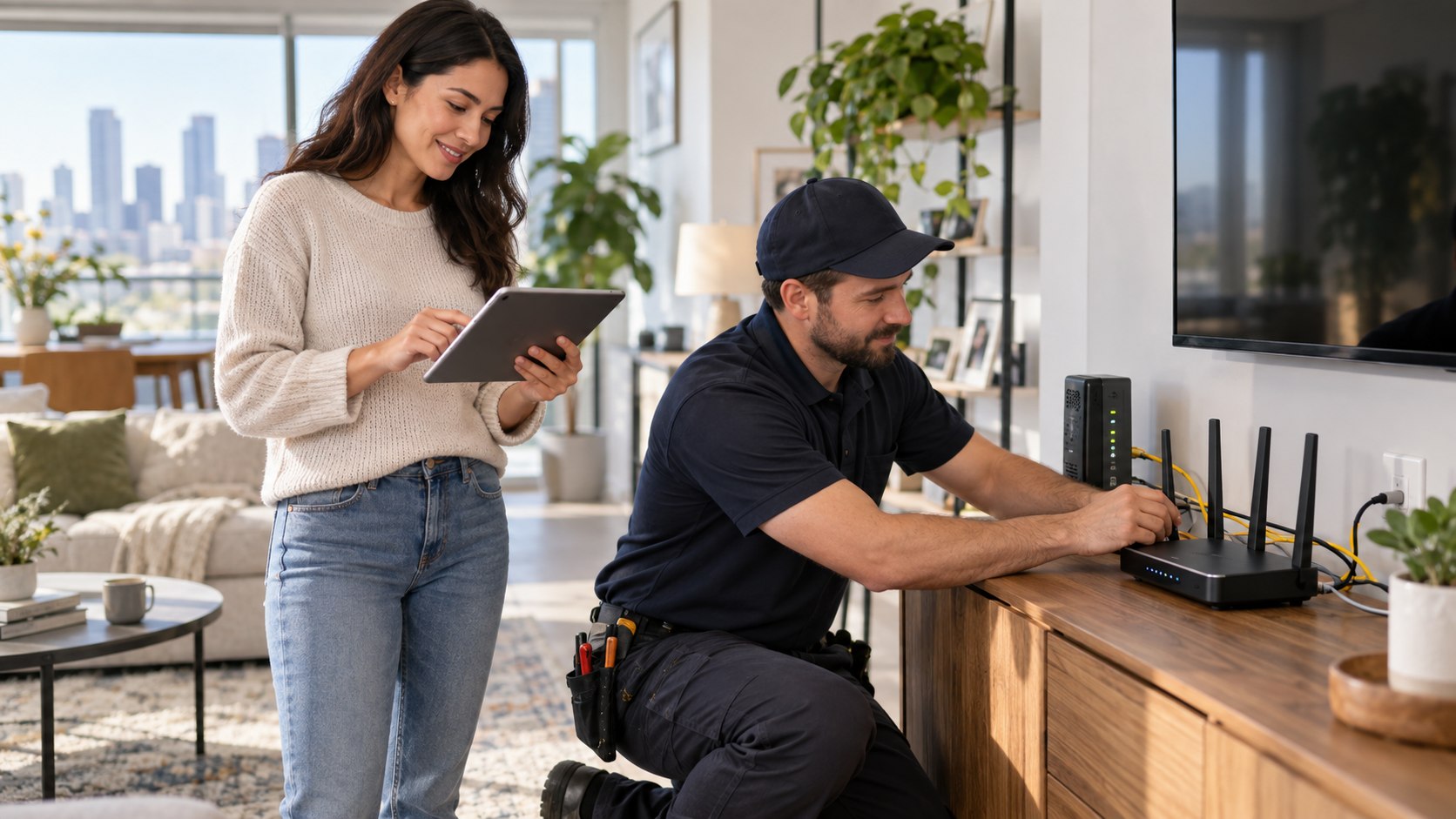
How to switch internet providers without downtime 2026 comes down to one rule: activate and test the new connection before canceling the old one. For most US households, the administrative work takes 30–60 minutes, while installation may require several days of scheduling. Keep both services active for 24–72 hours when reliability matters, especially for remote work, security cameras, or medical devices, as noted by the Baltimore Chronicle editorial team.
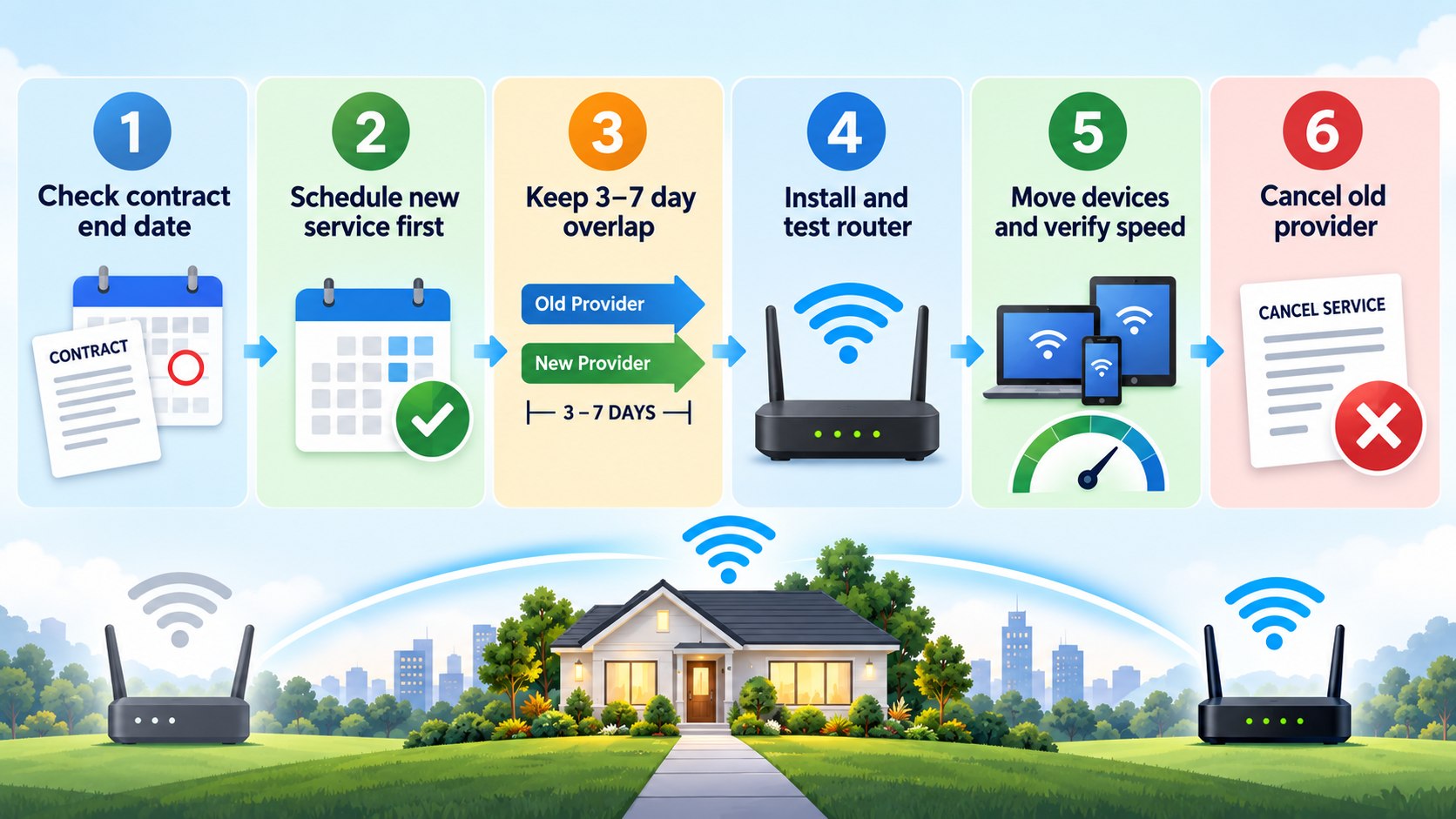
The safest sequence is simple. Confirm service at the exact address, order the new line, keep the existing modem connected, test the replacement network, then schedule cancellation. This approach costs a few extra days of overlapping service but removes the biggest risk: discovering an installation problem after the old provider has already disconnected the home.
Key takeaways
- Keep the old internet active until the new connection works on several devices and passes a real-world stability test.
- Compare the complete monthly cost, including gateway rental, installation, promotional expiration dates, data rules, and cancellation charges.
- Photograph equipment serial numbers and keep return receipts because modem disputes can continue after service ends.
What you need
Prepare the account details before placing a new order. The process is easier when cancellation dates, hardware, and payment information are in one place rather than scattered across emails.
- Current ISP account number and login
- Latest internet bill and contract terms
- New provider account or order confirmation
- Modem, router, gateway, power supplies, and Ethernet cable
- Phone with cellular data for backup during installation
- Payment method for activation or installation charges
- 30–60 minutes for testing and account changes
- A budget for several days of overlapping service
Do not assume the router belongs to the household simply because it has been there for years. Check the bill for equipment rental charges and compare serial numbers against the account. Customers moving between apartments should also confirm whether a building has an exclusive wiring arrangement or a managed internet package.
The Baltimore utilities guide illustrates why address-level availability matters. A provider may serve an entire ZIP code without offering the same technology at every building. Fiber could reach one block while the next address has cable, DSL, or fixed wireless.
Households moving at the same time should also coordinate internet with utilities, lease dates, and key handover. The Baltimore Chronicle guide to changing an address when moving includes internet among the services that should be scheduled before the old account disappears.
Step 1: Check the new provider at your exact address
Start the internet provider switch without interruption by checking service at the street address, including the apartment or unit number. Verizon Fios, Xfinity, Spectrum, AT&T Fiber, Cox, Frontier, and 5G home internet providers can show different options only a few houses apart.
Compare the Broadband Facts label rather than the headline advertisement. The Federal Communications Commission broadband-label rules require providers to disclose information such as monthly pricing, introductory terms, fees, data allowances, speeds, and latency.
Broadband Facts labels are designed to make recurring prices and service conditions easier to compare before signing up.
Source context: Federal Communications Commission broadband-label requirements for US internet providers.
Why it matters: an advertised $40 or $50 plan may not represent the long-term bill. Equipment, installation, autopay conditions, or a later price change can alter the actual cost.
A common mistake is comparing only download speed. A freelancer sending large video files may care more about upload performance, while gamers may prioritize latency and connection stability.
Step 2: Order the new service before canceling anything
Place the new order while the existing connection is still fully active. Choose an installation date at least several days before the planned old-service cancellation when scheduling allows.
A short period of double billing is often cheaper than losing a workday because a technician cannot complete the installation.
Installation timing varies by provider, building access, existing wiring, and whether a technician is required. Self-install kits can shorten the process when a compatible line already reaches the home. Fiber installation may require access to an optical network terminal, utility room, exterior wall, or building communications closet.
Why it matters: the new ISP cannot guarantee that every scheduled activation will succeed on the first attempt. Damaged coaxial cable, missing fiber equipment, inaccessible utility rooms, or incorrect address records can delay service.
The common mistake is scheduling the old provider to shut off in the morning and the new installation for later that day. A failed appointment can leave the home offline overnight or longer.
Step 3: Plan the overlap and compare the real 2026 cost
A practical ISP overlap period is usually 24–72 hours after the new service becomes usable. Households dependent on internet income may prefer a longer buffer, while light users can often cancel sooner.
Internet pricing differs by address in 2026, so no national advertised price should be treated as universal. Baltimore Chronicle’s 2026 Baltimore living-cost guide places typical local internet spending around $50–$90 monthly, although specific provider offers can fall outside that range.
Use these figures and conditions before choosing a cancellation date:
| Cost or condition | Old provider | New provider | What to verify |
|---|---|---|---|
| Monthly service | Current bill | 2026 address-specific quote | Price after promotion |
| Equipment | Owned or rented | Included, rented, or purchased | Monthly gateway fee |
| Installation | Not applicable | Self-install or technician | One-time charge |
| Cancellation | Check agreement | Not applicable yet | Contract or final billing terms |
| Overlap | 1–3 extra days | Starts at activation | Expected double billing |
The overlap should be intentional rather than accidental. Record both billing dates before ordering the new service. Ask whether the old provider bills through the disconnect date or uses another billing method.
Confirm whether promotional credits appear immediately or on a later statement. Promotional pricing can depend on autopay, paperless billing, mobile bundles, or new-customer status.
Save a PDF or screenshot of the new offer. Do not assume a sales representative’s quoted total includes every recurring charge.
A common mistake is spending $100 to avoid $10 of overlap. Keeping the old line briefly can be cheaper when missed work or an emergency hotspot purchase is the alternative.
Step 4: Install and test the new connection under real load
Do not cancel the former ISP when the new router merely shows a green light. Connect laptops, phones, televisions, smart speakers, printers, cameras, and work equipment to the replacement network.
Test the connection in the rooms where it will actually be used. Run a video call, stream high-resolution video, upload a large file, and check Wi-Fi coverage in bedrooms or a home office.
A 1 Gbps plan provides little benefit if the router location leaves an upstairs office with unstable Wi-Fi.
The decisive test is not whether the modem reaches the internet. It is whether the household can complete its normal day without falling back to the old network.
Why it matters: switch broadband providers without losing internet is partly a line-installation problem and partly a Wi-Fi problem. A successful activation does not guarantee good wireless coverage across a 2,000 sq ft home.
The common mistake is reusing the old Wi-Fi name before testing. Keeping separate network names for the first day makes it easier to confirm which ISP each device is actually using.
Step 5: Cancel the old service only after the new line passes testing
Once the new service survives normal household use, contact the former provider and request a specific disconnect date. Save the confirmation number, email, chat transcript, or account screenshot.
Customers leaving Comcast can use Baltimore Chronicle’s guide on canceling Xfinity Internet in 2026 for the cancellation and final-bill sequence. The same principle applies nationally: stopping autopay is not the same as canceling internet service.
Ask 4 direct questions:
- What is the exact service-disconnection date?
- Will another full month appear after cancellation?
- Does any contract or early termination charge apply?
- Which devices must be returned, and by what deadline?
Why it matters: cancel old internet after new installation keeps the household online while creating a clear record for billing disputes. It also prevents an account from remaining active because the customer only removed a payment card.
A common mistake is accepting an equipment-return instruction without checking which modem, router, extender, or TV box is listed on the account. Record model names and serial numbers before handing anything over.
Step 6: Return equipment and audit the final bill
Separate provider-owned hardware from equipment purchased personally. Photograph each rented device and its serial number before returning it. Keep the physical or electronic receipt until the old account shows a zero equipment balance.
Xfinity, for example, says customers can return rented equipment through an Xfinity Retail Store or prepaid UPS process. Its official equipment-return instructions also tell customers to retain tracking information.
“Please allow up to two weeks for the return to be shown on your account.”
Xfinity Support, equipment-return guidance.
Why it matters: return ISP equipment after cancellation is part of the switch, not an optional cleanup task. A missing gateway on the account can create charges long after the household has started using another provider.
Check the final bill against the promised disconnect date. Verify recurring service, equipment charges, credits, and any remaining balance. Do not delete account emails as soon as the modem is shipped.
A common mistake is dropping equipment at an unverified location without obtaining a receipt. A photo of a modem sitting on a counter does not provide the same evidence as a provider or carrier tracking record.

Troubleshooting an internet provider switch
Most failed transitions fall into a small number of categories. Keep the old connection available while resolving any issue that affects work, school, security systems, or essential communications.
- The technician cannot complete installation: keep the old service and reschedule. Do not cancel until the physical connection works.
- The new line works but Wi-Fi is weak: move the router, test Ethernet, or evaluate a mesh system before blaming the ISP connection.
- The old provider disconnects too early: use mobile hotspot service if available and contact both providers about restoration or expedited activation.
- The new bill is higher than quoted: compare it with the saved Broadband Facts label, order confirmation, autopay conditions, and installation charges.
- Returned equipment remains on the account: provide the receipt, tracking number, serial number, and return date to the former provider.
Do not switch every smart-home device on installation day unless necessary. Start with computers and phones, then move televisions, cameras, thermostats, speakers, and appliances in groups. This makes connection failures easier to isolate.
Renters should check whether the technician needs access to a locked telecommunications room. Building management may need to be present. Homeowners should ask before drilling or running visible cable.
Remote workers can keep a phone hotspot ready until the new line has completed at least one full working day. This provides a practical fallback without changing the main switching sequence.
Customers using their own modem should verify compatibility before the order. Cable systems can restrict supported models by speed tier, while fiber services often use provider-specific optical equipment. Buying hardware first and checking compatibility later can turn a simple switch into a return-and-reorder problem.
FAQ
Can I have 2 internet providers at the same house?
Often, yes. Cable and fiber can usually operate simultaneously because they use separate connections. Two cable providers may be less practical if the property has only one usable coaxial path.
Building rules and local infrastructure also matter. Apartments may have different technical limitations than detached homes.
How long should I keep both internet services active?
For many households, 24–72 hours is enough to test the new service. Remote workers, businesses, or homes with many connected devices may prefer several working days before terminating the old account.
The useful period is not defined only by hours. The new connection should complete a normal workday, streaming session, video call, and device load without requiring the old network.
Should I cancel my internet before switching providers?
No, not when avoiding downtime is the priority. Order, install, and test the replacement service first.
Canceling early removes the fallback connection if installation fails or the new line performs poorly.
Will changing internet providers affect my Wi-Fi devices?
Usually. Devices must join the new router unless the replacement network uses the same Wi-Fi name and password.
Keeping separate names during testing makes troubleshooting easier. The old network can be removed after the new connection proves stable.
What happens to my old modem and router?
Owned equipment remains yours. Rented equipment normally must be returned according to the provider’s instructions.
Photograph serial numbers and keep the return receipt until the old account no longer shows an equipment balance.
What is the best way to switch internet providers without downtime in 2026?
The lowest-risk method is a planned overlap. Verify the new provider, schedule installation, test the service under normal household load, then cancel the old line.
That sequence minimizes interruption and preserves documentation for billing or equipment disputes.
Earlier we wrote about 15 vs 30 Year Mortgage in 2026: Monthly Payment and Total Interest Compared