

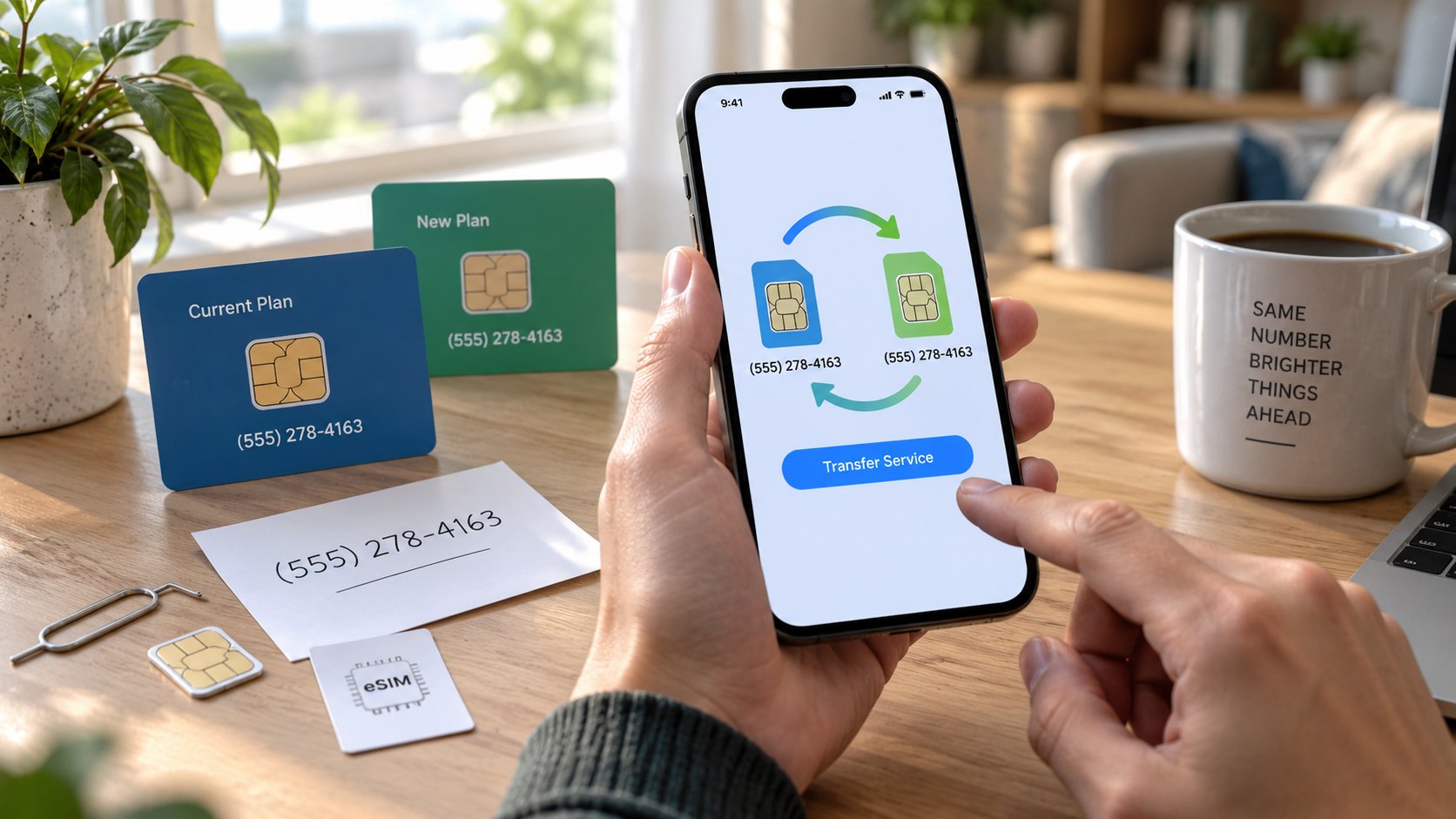
How to switch cellular carriers without losing your number 2026 starts with one rule: keep your current service active. Gather your account number, transfer PIN, billing details, and phone information before contacting the new carrier. Preparation usually takes about 15 minutes, while the actual port may take longer. The safest sequence is to start the new service first and let the carriers move your number, as noted by the Baltimore Chronicle editorial team.
The process is similar whether you move from AT&T to Verizon, T-Mobile to an MVNO, or another US carrier. eSIM makes activation faster on supported phones, but it does not remove the number-porting requirements.
Key takeaways
- Do not cancel your old wireless line before the number transfer finishes, because the number must remain active.
- Get the correct account number and temporary port-out PIN before submitting the transfer request to the new carrier.
- Check device unlocking and eSIM compatibility separately because keeping a number does not guarantee your existing phone will work.
A number port and a device activation are related, but they are not the same transaction. Your number can be eligible for transfer while the phone remains locked to its previous network.
Security settings can create another obstacle. Verizon uses Number Lock, T-Mobile offers Port Out Protection, and AT&T can block transfers through Wireless Account Lock. Those protections usually must be disabled before a legitimate port can proceed.
The safest switch is deliberately boring: collect the credentials first, submit the port once, and leave the old account untouched.
What you need before switching carriers
Prepare the information from your existing account rather than relying on memory. A single wrong digit in an account number or ZIP code can delay the transfer.
- Your existing 10-digit mobile number.
- The current carrier account number.
- A number transfer PIN, port-out PIN, or account passcode.
- The billing name and ZIP code exactly as shown on the account.
- Your phone’s IMEI or IMEI2 when the new carrier requests it.
- Wi-Fi access for eSIM activation.
- Access to your old phone for security codes and confirmation texts.
- A payment method for the new wireless account.
Do not assume your normal account password is also the transfer PIN. Major carriers increasingly issue temporary credentials specifically for number transfers.
AT&T says its consumer Number Transfer PIN expires after 4 days. T-Mobile personal accounts use a Temporary Port Out PIN, while Verizon requires Number Lock to be disabled before generating a transfer PIN.
If the carrier change is part of a relocation, coordinate it with your other services. Baltimore residents can also review related guides about moving, utilities, and household service changes before switching several accounts at once.
| Item | Why it matters | Common problem |
|---|---|---|
| Account number | Identifies the old wireless account | Using the phone number instead |
| Transfer PIN | Authorizes the number release | PIN expired or protection remains active |
| Billing ZIP code | Helps verify account data | Old address remains on file |
| IMEI | Checks device compatibility | Wrong IMEI entered on dual-SIM phones |
| eSIM support | Allows digital activation | Phone remains carrier-locked |
The details must match the old carrier’s records, not simply your current mailing address. That distinction matters after a recent move.
Family plans deserve extra care because the person requesting the transfer may need primary account permissions. T-Mobile, for example, restricts Temporary Port Out PIN creation to the Primary Account Holder.
Check every line separately if several family members are leaving. Moving one number can change discounts or pricing on the lines that remain.
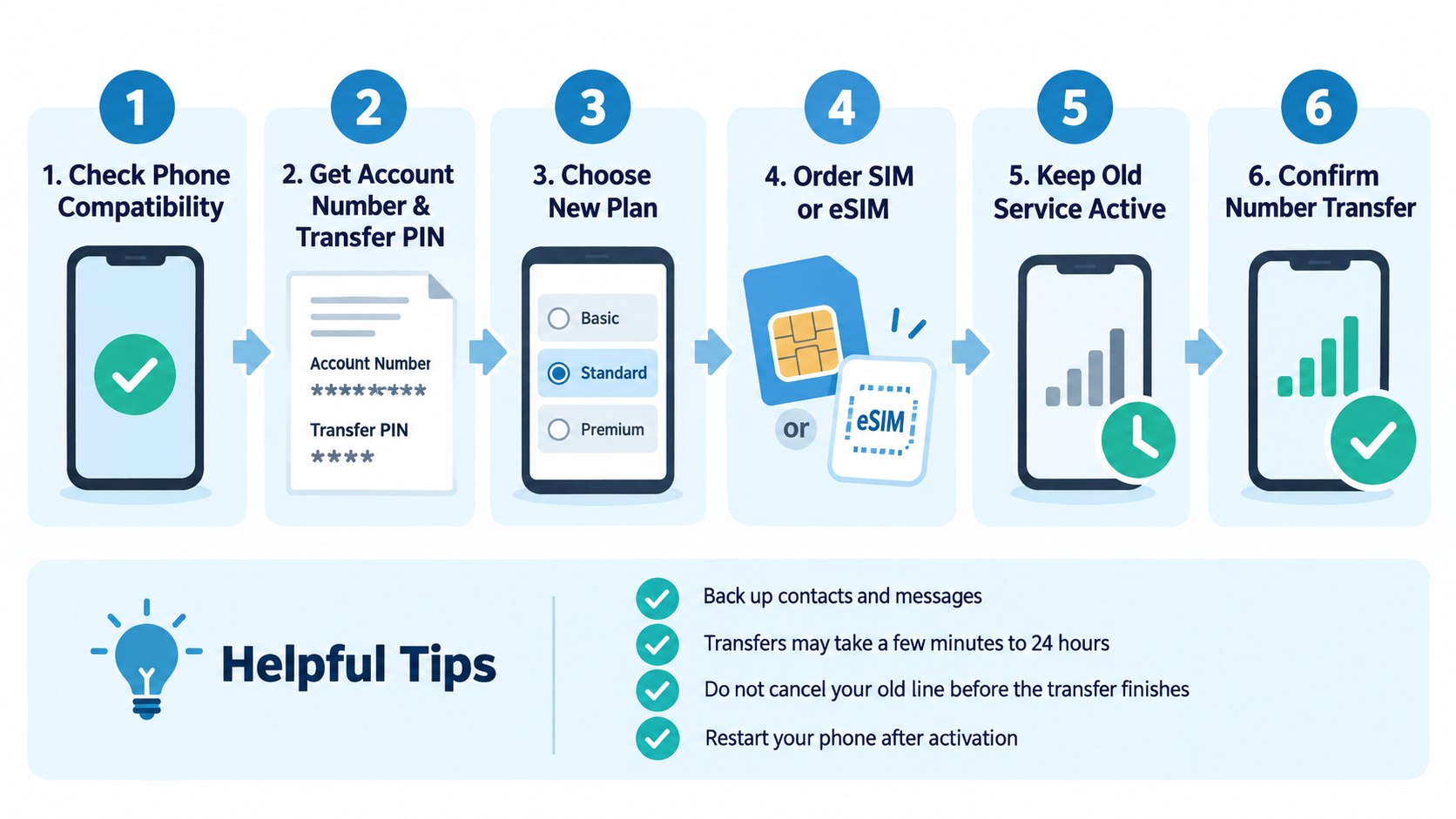
Step 1: Confirm the number can be ported
Start with the new carrier’s eligibility checker and enter the number you want to keep. Most major providers can determine transfer eligibility before you purchase service.
The Federal Communications Commission states that consumers changing providers within the same geographic area can generally keep their existing number. Porting can apply between wireless, wireline, and IP providers. The FCC consumer guidance explains the federal framework.
“If you switch service providers and remain in the same geographic area, you can keep your existing phone number.”
Federal Communications Commission, consumer guidance on number porting.
Do not cancel the current service while checking eligibility. The old number needs to remain active until the receiving carrier completes the port.
Step 2: Check whether your phone is unlocked and eSIM-ready
Keeping a phone number does not automatically mean you can keep the same device. Confirm that the phone is unlocked and supports the new network.
On an iPhone, check Settings, General, About, then Carrier Lock. Android terminology differs by manufacturer, so the current carrier can confirm the lock status.
For switching carriers with eSIM, verify both the handset and receiving carrier support digital activation. Apple currently supports eSIM activation through carrier assignment, QR codes, carrier apps, and compatible device-to-device transfers. Apple’s eSIM support guide explains the available methods.
Apple describes eSIM as an “industry-standard digital SIM built into your iPhone.”
Apple Support, current eSIM setup guidance.
Do not erase the old eSIM manually before the new carrier instructs you to do so. Premature deletion can make verification more difficult.
An eSIM changes how service reaches the phone; number porting still controls which carrier owns the mobile number.
Step 3: Get your account number and port-out PIN
Sign in to your current carrier account and locate the transfer section. Generate the PIN shortly before you intend to submit the port.
- Confirm you have owner or manager access to the wireless account.
- Copy the account number exactly as displayed on the bill or account page.
- Disable Number Lock, Port Out Protection, or another transfer block when required.
- Generate the temporary transfer PIN.
- Save the PIN securely until the new carrier accepts the request.
AT&T users can request a Number Transfer PIN through their account or app. The company also supports dialing *PORT from an eligible AT&T mobile device.
Verizon customers should check Number Lock before attempting the transfer. Verizon states that a locked number cannot generate a Number Transfer PIN.
T-Mobile personal accounts use a Temporary Port Out PIN. T-Mobile may require the request from the phone using its network with Wi-Fi disabled.
A common error is generating the PIN days before shopping for a new plan. Temporary credentials can expire before the transfer request reaches the new carrier.
Step 4: Open the new account without canceling the old one
Choose the new plan and tell the carrier that you want to keep your existing number. Enter the porting information during checkout or activation.
In 2026, advertised wireless pricing varies widely by carrier, taxes, discounts, and line count. Verizon currently advertises a single-line option at $30 per month on its current plan page. Promotions and Auto Pay conditions can change the effective price.
Compare the full monthly cost rather than the headline rate. Device financing, insurance, wearable service, hotspot allowances, taxes, and promotional credits can change the bill.
This is particularly relevant for households in Maryland, California, Texas, New York, and other states with different taxes and local surcharges. The porting process remains federal, but the final bill can vary by billing location.
The biggest mistake is calling the old carrier and canceling service first. Let the port itself close or move the affected line according to the carrier’s procedure.
Step 5: Activate the physical SIM or eSIM and test everything
After the new carrier accepts the port request, follow its activation instructions. eSIM users may receive an app prompt, QR code, carrier activation notification, or device transfer option.
Test the phone before assuming the migration is complete. Make an outgoing call, receive a call, send a text, receive a text, and turn off Wi-Fi to test cellular data.
Also check voicemail, picture messaging, two-factor authentication codes, and hotspot access. Cellular Apple Watch or other wearable plans may require separate activation after the phone line moves.
Apple says supported iPhones can use eSIM Quick Transfer between devices when the carrier supports the feature. With current software, some US carriers also support transfers between compatible iPhone and Android devices.
Do not repeatedly submit the same port request when service appears delayed. Duplicate requests can create additional account mismatches.
Step 6: Confirm the old account and final bill
Once calls, texts, and mobile data work on the new network, check the old carrier account. Confirm the transferred line no longer shows active recurring service.
Do not assume porting eliminates outstanding balances. A financed phone, final service charge, international usage, or other account obligation may still appear.
Porting a phone number to a new carrier also does not automatically transfer voicemail, stored carrier messages, insurance, or promotional financing. Save anything important before the switch.
If other family lines remain on the old account, inspect their new monthly price. Multi-line discounts can change when one member leaves.
Keep the final statement and transfer confirmation for at least one billing cycle. Those records are useful if both carriers later claim responsibility for the same period.
Troubleshooting a delayed or failed number transfer
Most transfer failures have a specific cause. Start with the information submitted to the receiving carrier before changing anything else.
- Number port is stuck: recheck the account number, billing ZIP code, account holder name, and transfer PIN.
- Transfer PIN rejected: generate a fresh PIN and confirm that port protection or number lock is disabled.
- eSIM will not activate: connect to Wi-Fi, restart the device, and confirm that the handset is unlocked.
- Calls work but texts fail: allow additional carrier provisioning time before deleting profiles or resetting the phone.
- Old carrier still bills you: confirm whether another line, watch, tablet, insurance plan, or financed device remains active.
A delayed port does not necessarily mean the number has been lost. The receiving carrier can normally see whether the request is pending, rejected, or awaiting corrected credentials.
Do not start another account for the same number unless support specifically instructs you. That can complicate ownership records.
If the old carrier refuses to release an eligible number after account details are corrected, document every interaction. The FCC Consumer Inquiries and Complaints Center accepts complaints involving number porting and phone issues.
Fraud protections deserve respect during this process. A carrier employee asking for identity verification before disabling a port lock is not necessarily creating an unnecessary obstacle.
FAQ
Can I switch cellular carriers and keep the same phone number?
Yes. The FCC states that consumers can generally keep an existing number when changing providers within the same geographic area. Keep the old line active until the port finishes.
Should I cancel my old phone service before porting my number?
No. Canceling first can interfere with the transfer because the number may need to remain active. Start the port through the new carrier.
How long does a carrier number transfer take?
Wireless ports can sometimes finish quickly, while others require several hours or longer. Incorrect account details, security locks, and expired PINs can delay completion.
Do I need a transfer PIN to change carriers?
Major US carriers commonly require one. AT&T, Verizon, and T-Mobile each use transfer credentials and account security controls during outbound ports.
Can I keep my number when switching to eSIM?
Yes. Transfer a phone number with eSIM is possible when the receiving carrier and device support the required activation method. Number porting and eSIM installation remain separate steps.
Will switching carriers automatically unlock my phone?
No. Keep your phone number when switching carriers does not guarantee device compatibility or unlocking. Confirm the handset’s lock status before activating the new service.
Earlier we wrote about How to Use Claude for Studying in 2026: Prompts, Projects and Exam Workflows