

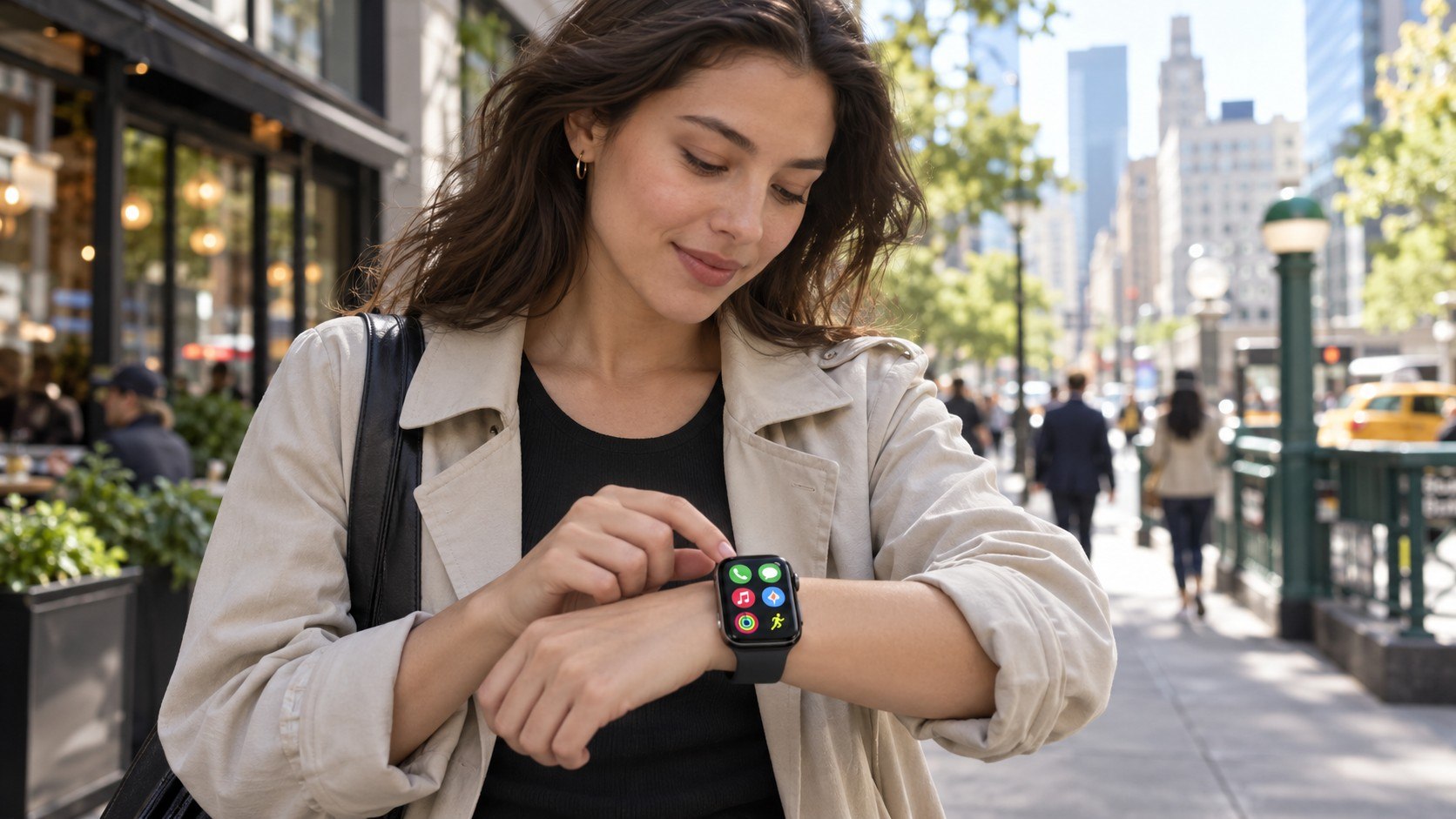
How to use Apple Watch without iPhone 2026 comes down to choosing the right setup before leaving the phone behind. A GPS + Cellular watch can handle calls, messages, maps, music, payments, and many apps without an iPhone nearby. Family members without iPhones can also get their own managed watch, as noted by Baltimore Chronicle.
The process usually takes about 10–20 minutes once accounts, software, and carrier access are ready. The important catch is simple. An iPhone is still required for initial setup, even when the wearer will not own one afterward.
“Make calls and send messages with just your Apple Watch.”
Apple, Apple Watch product information, 2026.
An Apple Watch with cellular service is independent during everyday use, but it is not completely independent during setup and account management.
Key takeaways
- Choose GPS + Cellular if the watch must communicate when its paired iPhone is miles away.
- Use Apple Watch For Your Kids when the wearer has no personal iPhone but belongs to Family Sharing.
- Confirm US carrier support before buying because regular cellular service and family-watch support are not identical.
A GPS-only watch can still work away from its iPhone when known Wi-Fi is available. That arrangement is less flexible outside homes, offices, schools, or other connected locations. Cellular models automatically choose between the nearby iPhone, Wi-Fi, and mobile service.
Apple lists several US carriers for compatible watch service. Family-watch carrier availability can be more limited than ordinary Apple Watch cellular support. Anyone replacing an existing device can also use the Baltimore Chronicle guide to pair an Apple Watch with a new iPhone before changing the cellular configuration.
What you need
Before starting, make sure the hardware, account, and mobile plan are suitable for independent Apple Watch use.
- A compatible Apple Watch GPS + Cellular model for full phone-free use.
- An iPhone for initial pairing and configuration.
- An Apple Account with two-factor authentication enabled.
- Family Sharing when configuring a watch for another person.
- Wi-Fi access during setup and software updates.
- A supported US cellular carrier if calls and data are needed away from Wi-Fi.
- About 10–20 minutes, excluding large software downloads.
- A budget for cellular service in addition to the watch purchase price.
Apple Watch pricing varies by model, case size, material, and current product generation. Cellular versions cost more than GPS-only watches, while the carrier fee is billed separately. Existing prepaid, employer-managed, or older wireless plans may not qualify for watch activation.
The broader Baltimore Chronicle Apple Watch setup guide covers standard pairing before cellular service is added. Checking both hardware compatibility and carrier eligibility first prevents most setup problems.
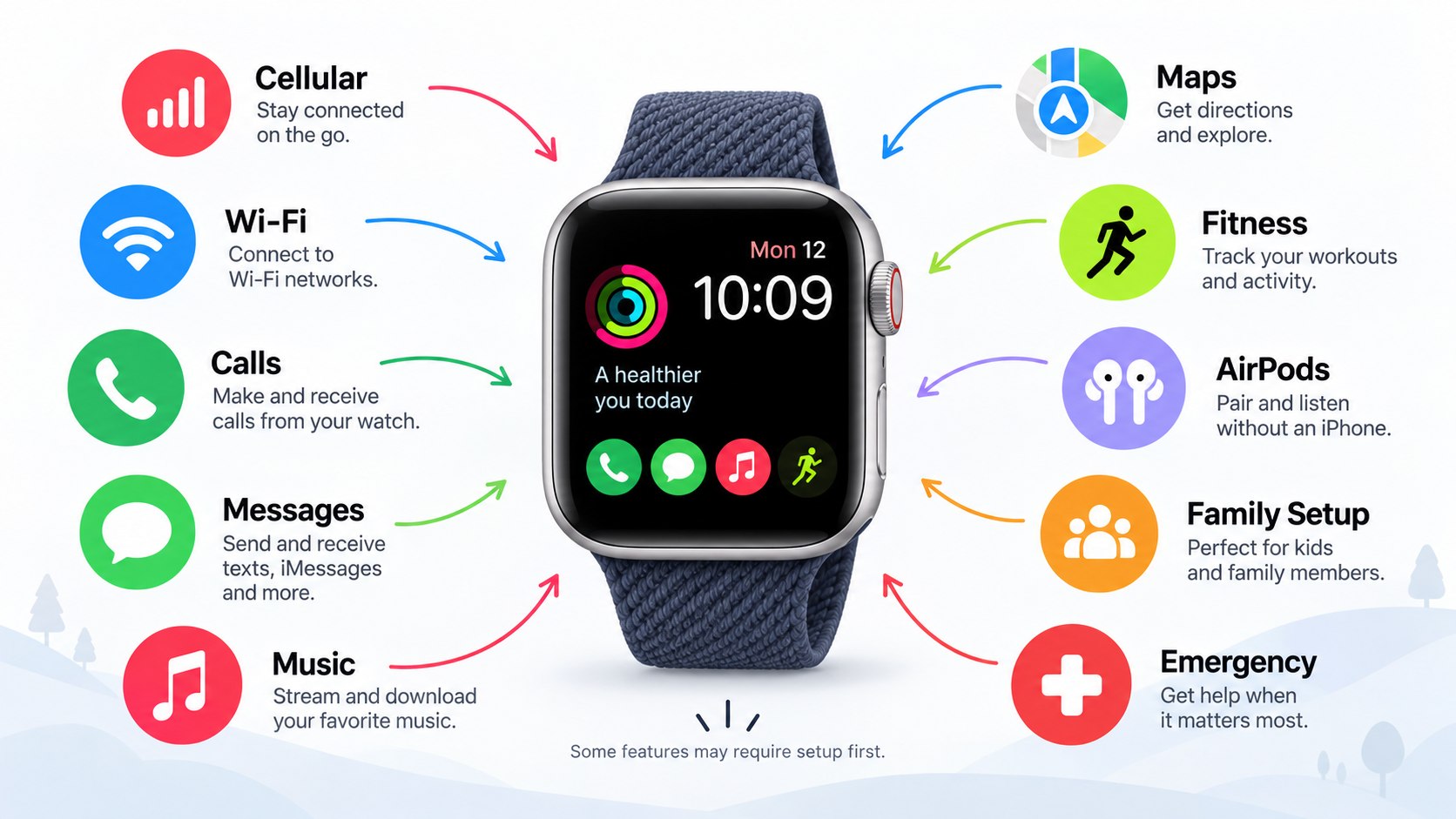
Step 1: Decide how you will use Apple Watch without iPhone 2026
First decide whether the iPhone will simply stay at home or the wearer will not own one at all. Those situations require different configurations.
For an adult using a personal iPhone, pair the watch normally and activate cellular. The watch then remains connected to the same Apple ecosystem and can continue working when the phone is elsewhere.
For a child or relative without an iPhone, choose Apple’s family configuration. Apple refers to this setup as Apple Watch For Your Kids, while many people still know it as Apple Watch Family Setup.
Why it matters: a family-managed watch receives its own settings, communication rules, and account permissions. A common mistake is pairing the device as the organizer’s personal watch instead.
Step 2: Check whether your Apple Watch supports cellular
Look for a GPS + Cellular model before changing any account settings. GPS-only watches cannot connect directly to a mobile network.
Compatible cellular watches can use carrier service when an iPhone and trusted Wi-Fi network are unavailable. This is the main requirement for anyone who expects reliable Apple Watch cellular without iPhone access while running, commuting, working, or traveling.
| Setup | iPhone nearby | Wi-Fi | Cellular required | Best use |
|---|---|---|---|---|
| GPS model | Usually needed for full connectivity | Supported | No | Home, office, workouts near phone |
| GPS + Cellular | No after setup | Optional | Yes for mobile independence | Running, work, errands, travel |
| Family-managed Cellular | No after setup | Optional | Needed for full remote use | Children and relatives without iPhone |
The difference becomes obvious outside Wi-Fi coverage. A GPS model loses direct internet access when neither its paired iPhone nor a usable Wi-Fi network is available. A cellular watch can remain online through the carrier.
That can preserve access to messaging, calling, navigation, and supported streaming services. Extended cellular use can consume more battery than Bluetooth connectivity. Owners with charging problems can separately check the Baltimore Chronicle guide on fixing an Apple Watch that will not charge.
Step 3: Pair the watch with an iPhone for initial setup
Turn on the watch and hold it near an unlocked iPhone. Open the Watch app when Apple’s pairing prompt appears.
Choose “Set Up for Myself” for a personal watch. Select the family-member option when another person will use the watch without owning an iPhone.
This requirement is easy to misunderstand. Searching for Apple Watch without iPhone does not mean the device can be taken from the box and configured without any iPhone involvement.
Why it matters: pairing creates the Apple Account relationship, security configuration, and initial watch settings. A frequent mistake is buying a used Apple Watch that remains protected by another owner’s Activation Lock.
Apple states that a family member without their own iPhone can use a properly configured Apple Watch for communication, activity, and location features.
Source: Apple Support, family Apple Watch setup guidance.
Step 4: Activate Apple Watch cellular service
Open the Watch app on the paired iPhone. Go to My Watch, select Cellular, and choose Set Up Cellular. The carrier then guides the account through activation.
A personal iPhone and Apple Watch usually operate through the same carrier account. Family-managed watches can follow different carrier rules, so eligibility should be checked before buying service.
Apple maintains its current list of supported networks on the official Apple Watch cellular carrier page.
US support depends on the carrier, account type, watch model, and region. A provider that supports normal Apple Watch cellular service may apply different conditions to family-managed watches.
Why it matters: ordinary smartwatch support does not always guarantee support for Apple Watch For Your Kids. The common mistake is buying hardware first and discovering an account restriction later.
For parents, carrier compatibility matters more than case color, band material, or storage configuration.
Step 5: Configure family access and safety settings
Family Sharing needs an Apple Account for the person wearing the managed watch. The organizer or parent completes the configuration from their own iPhone.
Follow these steps:
- Add the person to the Family Sharing group.
- Select the family-member setup option in the Watch app.
- Assign the correct Apple Account to the watch.
- Configure approved contacts and location sharing.
- Set Schooltime or Screen Time restrictions when appropriate.
- Activate cellular service if the watch needs mobile access outside Wi-Fi.
The account structure keeps the wearer’s messages, location, and watch settings separate from the organizer’s personal watch. Parents can manage selected controls without giving a child their iPhone.
Location sharing can also help when children move between school, sports activities, home, and another caregiver. Communication limits can restrict some contact during school hours.
Some functions designed around a person’s own paired iPhone remain unavailable in a family-managed configuration. Apple documents the current restrictions on its Apple Watch family setup support page.
Step 6: Test independent Apple Watch use
Leave the paired iPhone indoors, then walk outside with the watch. Open Control Center and check whether the cellular connection appears.
Place a call, send a message, open Maps, and test an app that requires data. This confirms that the watch works beyond Bluetooth range instead of relying silently on the iPhone.
Apple Watch normally selects the most efficient available connection. It can use the paired iPhone, known Wi-Fi, or cellular service depending on availability.
Why it matters: seeing a cellular plan in settings does not always prove that coverage or activation works correctly. The common mistake is discovering a problem only during a trip or emergency.
Troubleshooting Apple Watch without an iPhone nearby
Most problems involve carrier activation, network availability, account restrictions, or an incomplete family configuration. Check the current connection before resetting the watch.
- No cellular option: confirm that the device is a GPS + Cellular model.
- Cellular plan will not activate: restart both devices and confirm mobile service works on the iPhone.
- Family watch cannot connect: verify that the carrier specifically supports family-managed Apple Watch service.
- Messages work only on Wi-Fi: inspect Cellular status in Control Center and confirm the plan remains active.
- Battery drains faster away from the phone: extended cellular sessions can consume more power than Bluetooth connections.
Apple commonly recommends restarting both devices when cellular setup fails. Airplane Mode can also be enabled briefly and disabled before another connection attempt.
Some carrier account restrictions require direct support from the provider. Corporate plans, prepaid accounts, and older wireless plans can follow separate eligibility rules.
Erasing the watch should remain a later troubleshooting step. It removes the existing configuration and forces another pairing process.
FAQ about using Apple Watch without an iPhone
Can Apple Watch work without an iPhone nearby?
Yes. A GPS + Cellular Apple Watch can place calls, send messages, use Maps, receive notifications, and access supported online services without the iPhone nearby. Active cellular service is needed when Wi-Fi is unavailable.
Can I set up Apple Watch without owning an iPhone?
Not completely. Apple still requires an iPhone during initial configuration. A parent or family organizer can use their own iPhone to configure a watch for someone who does not own one.
Can a child use Apple Watch without having an iPhone?
Yes. Apple Watch For Your Kids lets a compatible cellular watch operate through Family Sharing. The parent or organizer manages selected settings from their own iPhone.
Does Apple Watch need a separate phone number?
A personal cellular watch normally works through carrier integration with the user’s existing phone account. Family-managed watches can receive separate carrier provisioning and their own associated number.
Which Apple Watch should I buy for phone-free use?
Choose a GPS + Cellular model rather than GPS-only hardware. Check current 2026 pricing directly with Apple because model generations and configurations can change during the year.
Can I leave my iPhone at home every day?
Yes, provided the watch has compatible cellular service and the required apps work independently. Some settings and functions still depend on the paired iPhone.
Featured image idea
A parent walking through a US neighborhood while a child uses a cellular Apple Watch independently and the iPhone remains at home.
Inline image ideas
A close editorial photograph of an Apple Watch showing an active cellular connection while the paired iPhone sits several feet away.
A lifestyle photo of a child wearing an Apple Watch while a parent manages Family Sharing settings on an iPhone.
Earlier we wrote about How to Switch Cellular Carriers Without Losing Your Number in 2026: Porting and eSIM Guide