

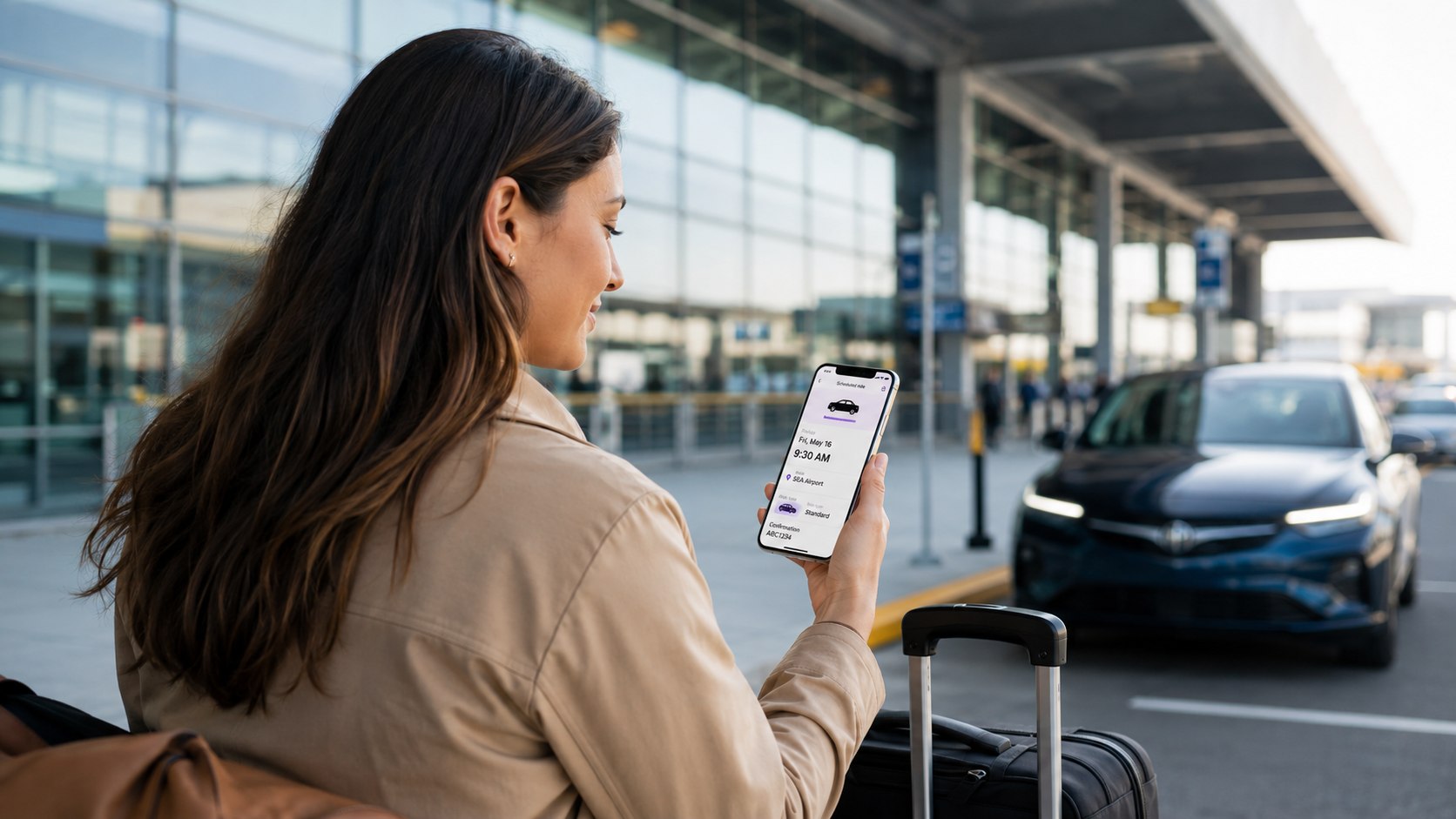
How to schedule a Lyft ride in advance takes about 2 minutes once your account and payment method are ready. In 2026, Lyft lets eligible US riders choose a future pickup time up to 90 days ahead. The app shows the fare before confirmation, so you can decide before committing, as noted by Baltimore Chronicle.
For a flight, medical appointment, early shift, or important meeting, open Lyft and enter your destination. Tap the calendar icon, choose the pickup date and time, review the ride type and price, then confirm. Scheduling does not create a national fixed fare. The price still depends on your route, city, ride type, demand, traffic, tolls, and local fees.
“Lock in your pickup time and price, up to 90 days in advance.”
— Lyft, Scheduled Rides, official rider information, accessed in 2026.
Key takeaways
- You can schedule many Lyft rides up to 90 days before pickup, although availability depends on your location.
- The app displays an upfront scheduled price, letting you evaluate the cost before confirming the future ride.
- You can generally edit or cancel until 1 hour before pickup without the scheduled-ride cancellation deadline becoming an issue.
A scheduled ride is especially useful when being late has a real cost. Airport departures, job interviews, medical visits, weddings, and early-morning transportation are obvious examples. Lyft also prioritizes scheduled rides when matching drivers. That can add useful planning certainty, but driver availability still varies by market. A reservation should never replace a backup plan for a time-critical trip.
What you need
Before you start, make sure you have everything required to create the reservation correctly.
- A current Lyft account.
- The Lyft app on an iPhone or Android phone.
- A valid payment method saved to your account.
- Your exact pickup and destination addresses.
- The date and preferred pickup time.
- About 2 minutes to review the fare and booking details.
Enter the destination carefully before comparing prices. A nearby airport terminal, hotel entrance, or apartment building can produce different pickup instructions. You should also check whether the selected payment card remains valid through the travel date. Travelers can save an airline terminal or hotel address before booking. Parents scheduling transportation for another person should confirm that rider’s contact details. Lyft supports scheduling rides for another rider through eligible app flows.
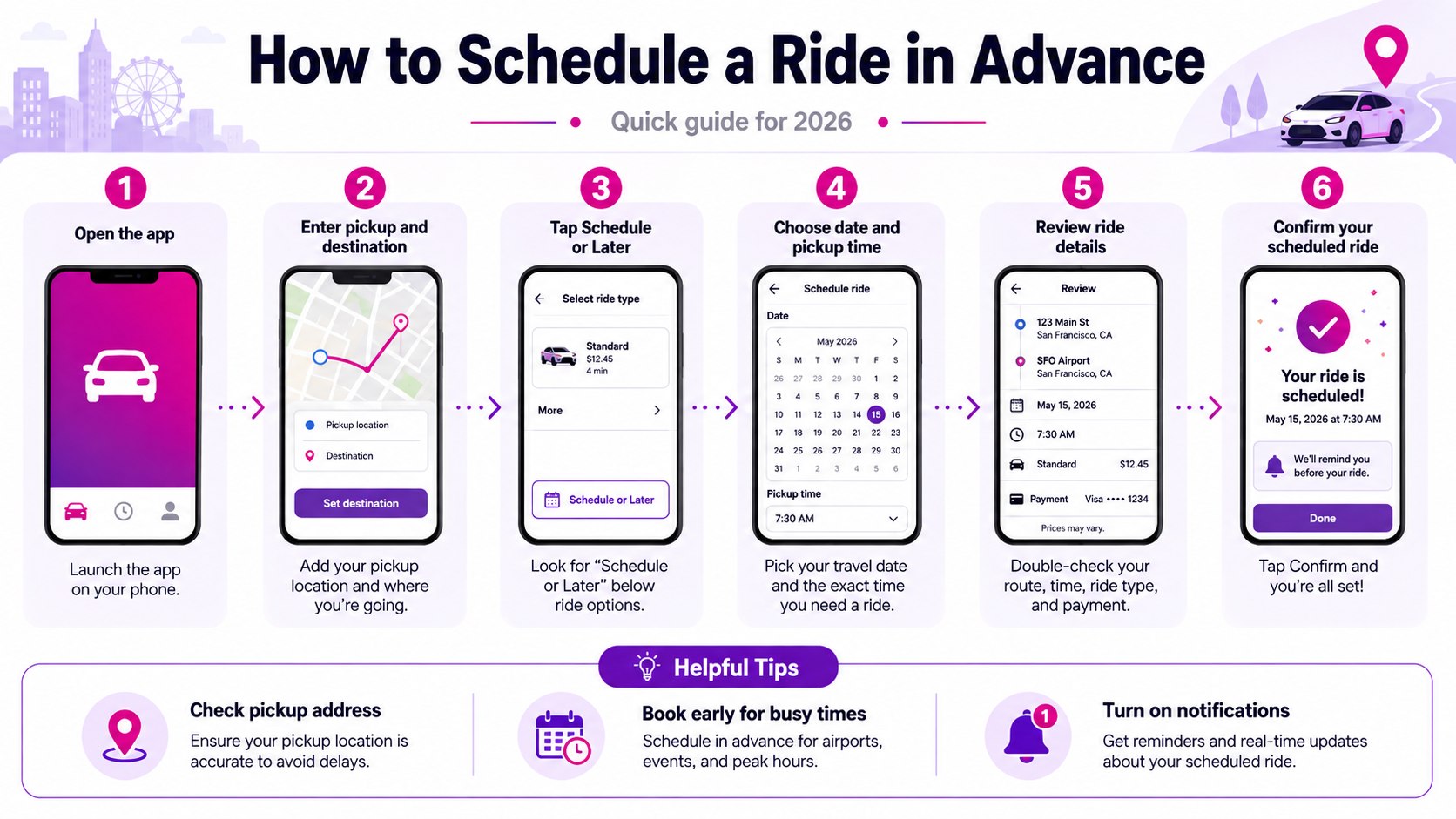
Step 1: How to Schedule a Lyft Ride in Advance in the App
Open Lyft and enter where you want to go. On the ride-selection screen, tap the calendar or Schedule icon instead of immediately requesting a car.
You can also start from the calendar icon beside the address search field. Choose your date and pickup time, then continue to the available ride choices.
This matters because scheduled rides use a specific future pickup time. They are different from simply opening Lyft shortly before you need transportation.
A common mistake is setting the time you want to arrive instead of the time you want the car to arrive. For a 7:00 AM airport arrival, your Lyft pickup might need to be 5:45 AM or earlier.
Lyft’s official Scheduled Rides guidance confirms that rides can be scheduled up to 90 days ahead in supported locations. If the Schedule option does not appear, the feature may not be offered for that trip or market.
Step 2: Set the Right Pickup Time, Not Just the Appointment Time
Work backward from the time you must reach your destination. Include normal driving time, traffic, parking restrictions, building access, and a reasonable buffer.
For airport trips, account for security screening and airline check-in requirements. A scheduled ride only solves the ground transportation portion of that timeline.
The best scheduled pickup is usually earlier than the mathematically perfect departure time. A 15-minute cushion costs less than missing a flight.
Traffic conditions differ dramatically between New York, Los Angeles, Chicago, Miami, Dallas, Baltimore, and smaller US markets. Rush hour can turn an otherwise predictable trip into a much longer ride.
Baltimore-area travelers can compare rideshare with rail and taxi options in the BWI to Downtown Baltimore transportation guide. That comparison matters when a flight departure leaves little room for a failed pickup.
The common mistake is relying on the app’s normal drive time without adding a buffer. Schedule the pickup around the consequence of delay, not only the mileage.
Step 3: Check the Pickup Address and Ride Type
Confirm the pin before selecting Lyft, XL, Extra Comfort, Black, or another available product. Large airports, hospitals, stadiums, and apartment complexes may have designated pickup areas.
This step matters because changing trip details later can affect the fare. A misplaced pin can also force the driver to circle a terminal or building.
Choose the vehicle for the actual passenger count and luggage load. A standard ride can be inappropriate for a family carrying several full-size suitcases.
Do not assume every Lyft product supports advance scheduling in every city. Available products vary by market, time, and local driver supply.
The common mistake is selecting the cheapest visible option before checking capacity. Saving several dollars is pointless when passengers or luggage cannot fit safely.
Step 4: Review the Scheduled Lyft Price Before You Confirm
Lyft scheduled ride prices are shown before confirmation, but there is no single national scheduled-ride price. Lyft calculates pricing using factors including ride type, time, traffic, demand, and driver availability.
Tolls, service charges, airport charges, and other regional fees can also affect the total. Lyft explains these components in its official ride pricing guidance.
The practical 2026 cost structure looks like this:
| Cost factor | How it affects a scheduled ride | What the rider can do |
|---|---|---|
| Ride type | XL, Extra Comfort, Black, and other premium choices generally cost more | Compare available products before booking |
| Demand | Busy periods can influence the price displayed when scheduling | Compare nearby pickup times when practical |
| Airport or local fees | Regional and facility charges may be included | Review the complete upfront amount |
| Tolls | Route-based tolls can contribute to the final cost | Check the expected route |
| Trip changes | Changing destinations or adding stops can change pricing | Finalize the route before confirmation |
| Cancellation | A fee may apply when canceling close to pickup | Make changes at least 1 hour beforehand |
The number worth comparing is the full upfront price, not a theoretical per-mile rate. Lyft says scheduled rides can lock the price shown when the reservation is made. However, material trip changes can alter what you ultimately pay. Tips are also separate rider decisions. Cancellation charges vary by ride type and circumstances. Always review the current app screen before confirming.
Dynamic pricing is also why comparison shopping can matter. Baltimore Chronicle’s guide to Uber surge pricing in 2026 explains how demand can reshape rideshare prices during events and rush periods.
Step 5: Confirm the Ride and Check Your Scheduled Trip
After reviewing the pickup, destination, time, ride type, and fare, tap the final scheduling button. The trip should then appear among your upcoming rides.
Check it immediately. A reservation hidden somewhere in your memory is not enough when a 5:30 AM pickup is involved.
Lyft says riders receive a reminder before scheduled pickup. You can also open the app and use the Trips area to review upcoming reservation details.
This matters because mistakes are easiest to fix before the cancellation window becomes relevant. Look specifically at AM versus PM, date, street number, airport code, and pickup pin.
A common mistake is assuming a confirmation screen means the same driver has already been permanently assigned. Driver matching is part of Lyft’s scheduled-ride process, and availability can still vary.
Step 6: Edit, Cancel, or Prepare a Backup Before Pickup
Plans change. Lyft currently allows riders to edit or cancel a scheduled ride up to 1 hour before pickup, according to its 2026 rider guidance.
Open the Trips section, select the scheduled ride, and choose its details. Make the required change before the 1-hour cutoff whenever possible.
Inside the final hour, a cancellation fee may apply. The exact amount can vary by ride type and circumstances, so check the amount shown in your account.
Scheduling ahead reduces uncertainty, but it does not eliminate transportation risk. Time-critical travelers should know their second-best option before leaving home.
For an airport departure, your backup might be Uber, a local taxi, transit, or another household driver. For work, a medical appointment, or court appearance, save those alternatives before the morning of travel.
If a driver cancels unexpectedly, use a second service instead of repeatedly requesting the same ride. The Baltimore Chronicle guide on what to do after an Uber or Lyft cancellation covers that backup process.
A useful final check follows this order:
- Open the scheduled trip several hours before departure.
- Confirm the pickup address and pickup time.
- Charge your phone and keep mobile data available.
- Be ready before the scheduled pickup window.
- Keep one alternative transportation option available.
This check takes only a few minutes. It catches most avoidable booking mistakes before they become expensive. Phone battery matters because driver messages and pickup changes arrive through the app. Being outside on time also reduces confusion at busy pickup points. A backup becomes especially useful during storms, major events, and overnight travel. For flights, keep enough time to switch transportation services if necessary.

Troubleshooting: When a Scheduled Lyft Ride Does Not Work
Most advance-booking problems fall into a few recognizable categories. Start with the scenario that matches what you see in the app.
- No Schedule button: scheduled rides may not be available for that location, route, or ride type.
- The price looks unusually high: compare another pickup time, ride type, Uber, taxi, or public transportation.
- You entered the wrong time: edit the trip before the 1-hour cutoff whenever possible.
- No driver appears near pickup: check Lyft messages and prepare your backup transportation option.
- Your airport ride is late: check whether Lyft’s on-time pickup promise applies to your eligible trip and region.
Lyft’s airport protection deserves special attention. For eligible scheduled rides to airports, Lyft states that a rider may receive credits after qualifying pickup failures. Baltimore, Atlanta, Austin, Boston, and Charlotte are among listed US regions, with additional markets also covered. The exact eligibility terms matter, so do not treat the program as universal insurance. Scheduled rides from an airport are treated differently from rides going to an airport. Keep receipts if Lyft instructs you to use alternative transportation and seek reimbursement.
FAQ
How far in advance can you schedule a Lyft ride in 2026?
Lyft says eligible riders can schedule a ride up to 90 days ahead. Availability depends on the location and the options displayed in your app.
Does scheduling a Lyft guarantee a driver?
No reservation should be treated as an absolute transportation guarantee. Lyft prioritizes scheduled rides for matching, but its own guidance says driver availability can vary.
Is a scheduled Lyft more expensive than ordering one immediately?
Not necessarily. The scheduled price depends on route, ride type, timing, demand, driver availability, tolls, and regional charges. Compare the displayed amount before booking.
Can Lyft increase the price after I schedule?
Lyft promotes scheduled rides as a way to lock in the displayed price. However, changing the destination, adding stops, or altering the trip can affect pricing.
Can I cancel a scheduled Lyft without paying a fee?
Lyft permits editing or cancellation up to 1 hour before pickup. A cancellation fee may apply inside that window or after a driver is matched under applicable conditions.
Should I schedule Lyft for an early-morning airport trip?
It is useful when you already know your departure time and route. Schedule early, build in a flight buffer, and keep another transportation option available.
For a fixed appointment or departure, how to schedule a Lyft ride in advance is mainly about entering the correct pickup time and reviewing the price. Schedule early enough to protect your timeline, verify the reservation before departure, and keep a backup for high-stakes trips.
Earlier we wrote about How to Start a Blog and Make Money in 2026: Platforms, Costs and 6 Steps That Matter