

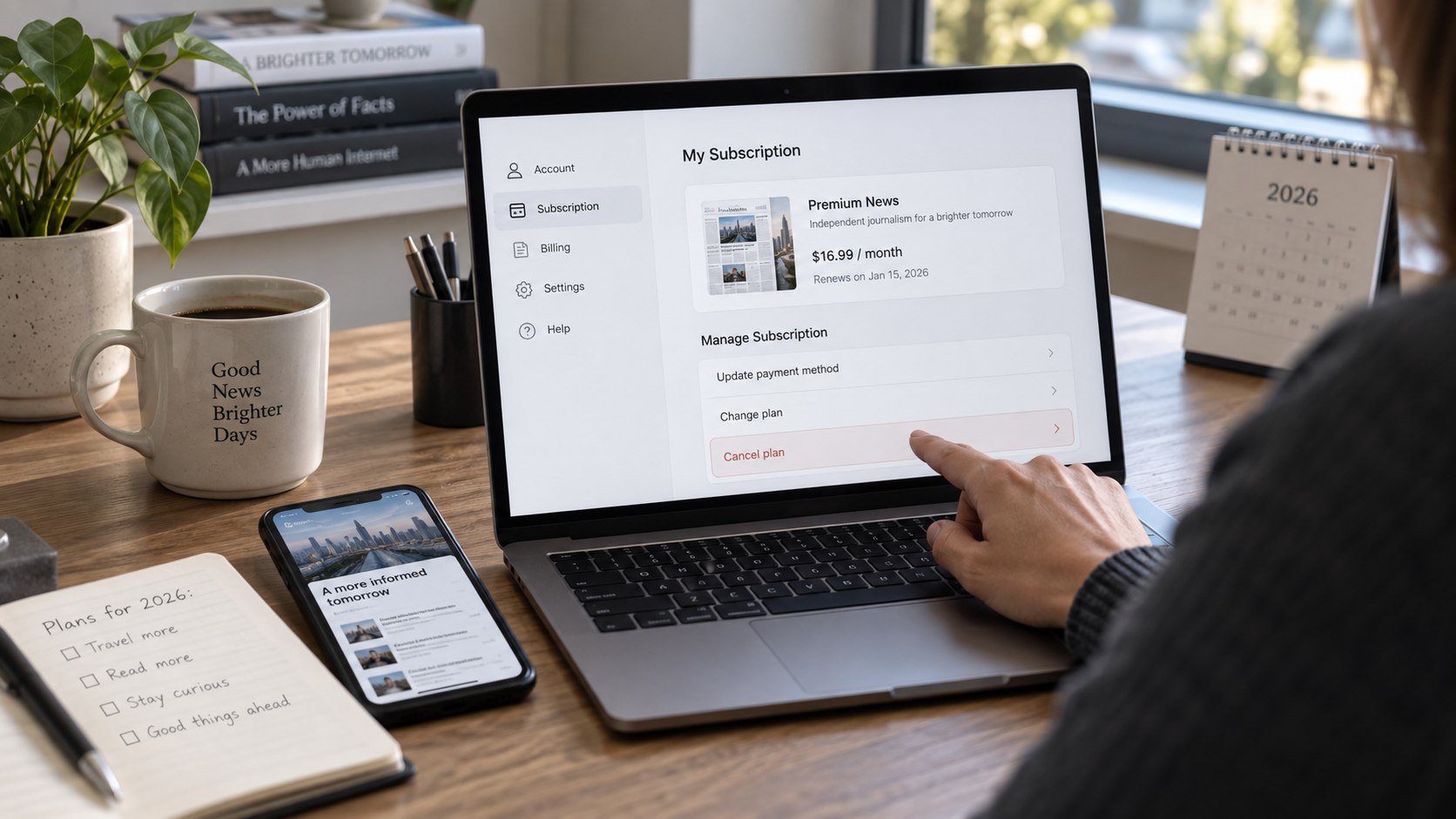
How to cancel nytimes subscription 2026 depends first on who actually bills the account. Direct NYTimes subscribers can usually cancel online, while Apple or Google customers must cancel through those platforms. The process often takes only a few minutes when the billing source is clear, as noted by the Baltimore Chronicle editorial team.
For a subscription billed directly by The New York Times, sign in and open Subscription Overview. Select the cancellation option under Manage Subscription and complete every confirmation screen. Phone cancellation also remains available for US customers at 866-273-3612.
Key takeaways
- Cancel through the company processing the payment, not simply through the device used to read The New York Times.
- Direct digital subscriptions can be canceled online, while Apple and Google Play purchases require their respective subscription controls.
- Save the confirmation because cancellation usually stops future charges rather than refunding the current paid billing period.
Deleting the NYTimes app does not terminate recurring billing. Removing a saved card is also not a substitute for completing the cancellation process.
Readers reviewing several recurring payments can compare this process with Baltimore Chronicle guides for canceling Netflix in 2026 and canceling a Peacock subscription. The billing-provider rule applies across many subscription services.
What you need
Gather the account information before opening the cancellation page. This reduces problems caused by old email addresses or subscriptions purchased through another platform.
- The email address connected to the NYTimes account
- Your New York Times password or account recovery access
- A recent receipt, card statement, or PayPal transaction
- Access to the Apple Account or Google Account if either handles billing
- The renewal date shown in Subscription Overview
- About 5–10 minutes for the online process or additional time for customer support
A recent statement is particularly useful when several people share household subscriptions. Look at the merchant connected to the recurring charge before changing account settings. An Apple receipt points toward Apple subscription management rather than NYTimes billing.
Check the next renewal date at the same time. Canceling before that date prevents another scheduled renewal when the request is completed successfully. The New York Times says ordinary cancellations generally become effective after the current billing period. Free-trial cancellation can take effect immediately. Keep the receipt or screenshot until the expected renewal date has passed.
Step 1: Identify who bills your New York Times subscription
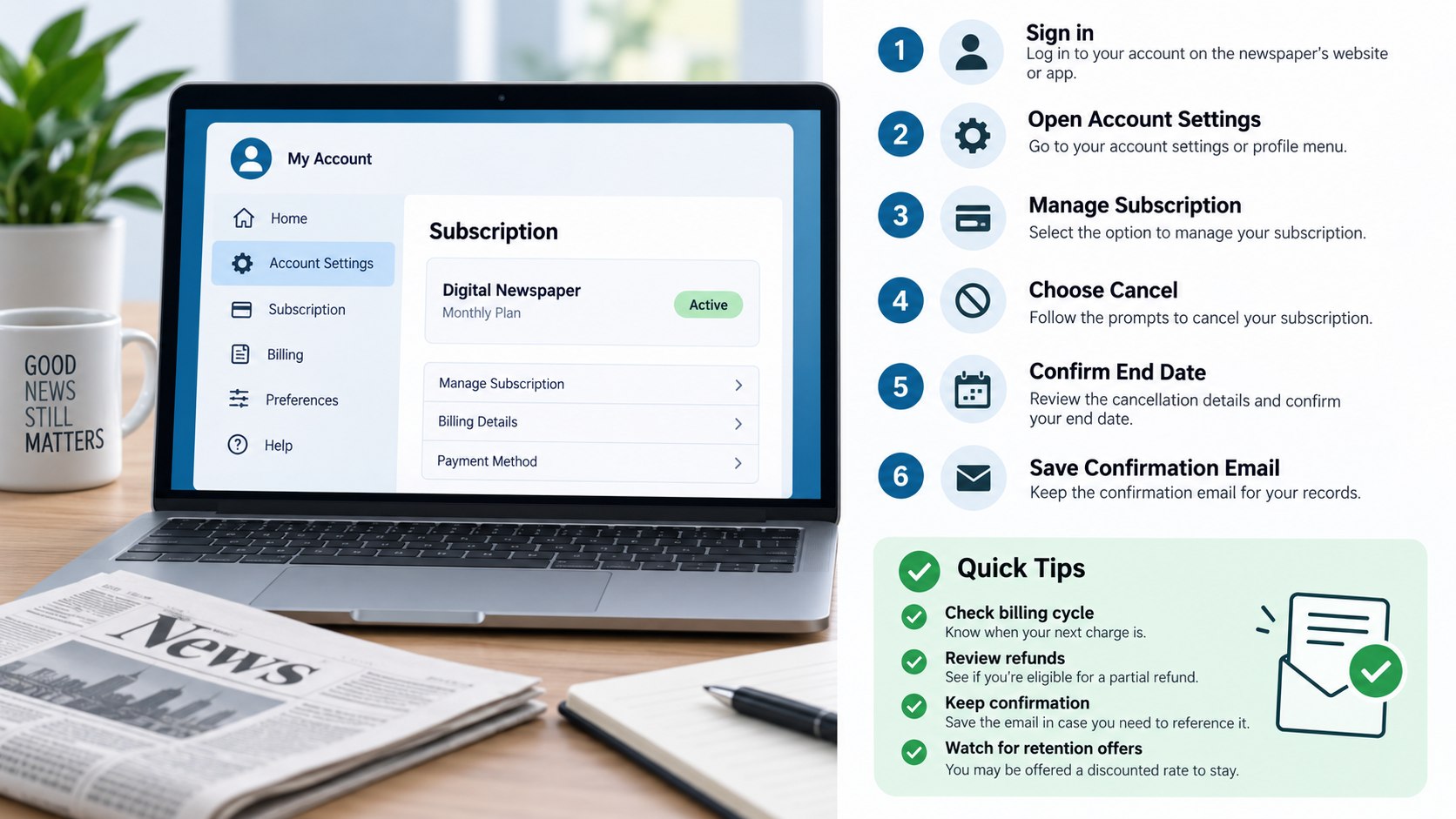
Open the NYTimes Account area and review Subscription Overview, payment information, and the current subscription type. Also search email for the original purchase receipt if the billing source remains unclear.
This matters because cancel New York Times subscription online instructions apply directly only when NYTimes controls the billing relationship. A subscription purchased through Apple or Google Play must generally be managed by that platform.
The common mistake is assuming the device determines the billing company. Reading the Times on an iPhone does not automatically mean Apple handles the subscription.
| Billing source | Where to cancel | What to verify |
|---|---|---|
| The New York Times | NYTimes Account or Customer Care | Cancellation status and access end date |
| Apple | Apple Account subscriptions | NYTimes subscription shows canceled or expiring |
| Google Play | Google Play subscriptions | Automatic renewal is disabled |
| The Athletic billed separately | The Athletic account | Separate subscription has also been canceled |
| Eligible Home Delivery | NYTimes Account or Customer Care | Print and digital effects are understood |
The billing source controls more than the location of the cancel button. It can also determine which company handles refunds and payment disputes. NYTimes states that it cannot cancel third-party subscriptions on the subscriber’s behalf.
The Athletic deserves separate attention because canceling NYTimes does not necessarily cancel an independently billed Athletic subscription. Households with multiple products should review each active service separately. Family subscriptions also have a specific limitation: only the primary account holder can cancel the Family Subscription.
Do not assume a missing NYTimes renewal means every related product has ended. Open each relevant billing account and check its status. Save separate confirmations when more than one subscription is involved.
Step 2: Cancel a directly billed NYTimes subscription online
Sign in at NYTimes.com and open the Account page. Choose Subscription Overview, find Manage Subscription, and select the cancellation option. Follow the displayed prompts until the account confirms the request.
This is the practical route for NYTimes online cancellation when The New York Times directly processes the digital subscription. The company’s current terms state that directly billed digital subscriptions can use account cancellation. Certain Home Delivery subscriptions also qualify.
A common mistake is stopping at a retention offer or feedback screen. Continue until the website displays a canceled status, expiration date, or comparable confirmation.
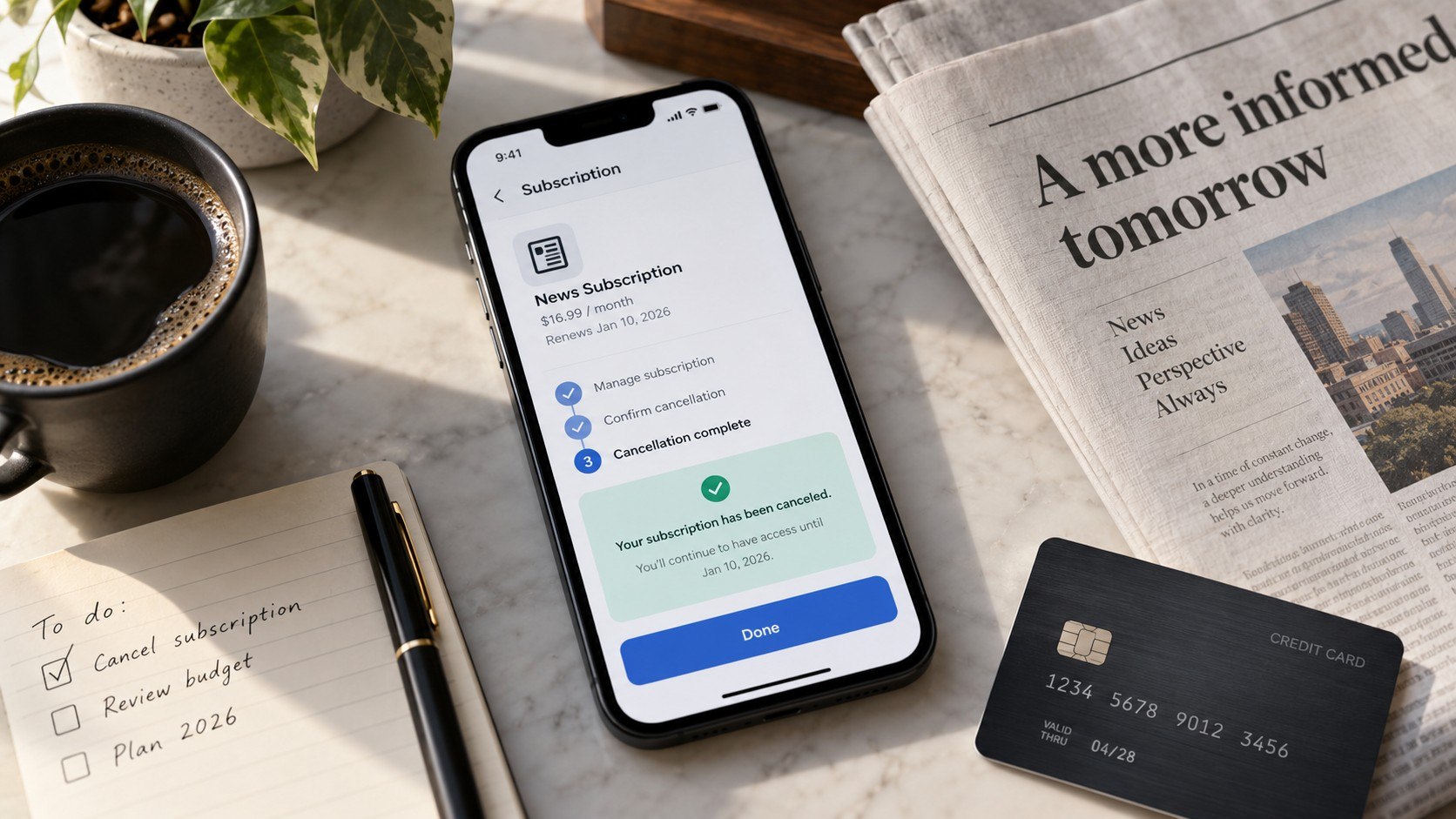
The important screen is not the first cancellation button but the final page showing that another automatic renewal will not occur.
Take a screenshot before leaving the page. Keep any cancellation email with the original subscription receipt and payment records.
Step 3: Cancel by phone when online cancellation is inconvenient
US customers can call 866-273-3612 to request cancellation from New York Times Customer Care. The current NYTimes terms list phone support hours for subscription assistance.
Phone support can be useful when the account includes Home Delivery, several products, or an unclear billing history. It also provides another route when the online cancellation control does not appear.
“When you cancel a subscription, you cancel only future charges associated with your subscription.”
The New York Times Company, Terms of Sale. Source: official NYTimes terms.
The common mistake is ending the call without recording the result. Ask for the effective cancellation date and retain any confirmation number or email.
Step 4: Cancel through Apple or Google Play when they handle billing
For Apple billing, open the Apple Account subscription settings and locate The New York Times. Select the cancellation control and verify the subscription now shows an expiration date.
For Google Play, open Payments & subscriptions, choose Subscriptions, and select the NYTimes product. Complete the cancellation inside the Google account that made the original purchase.
This distinction matters because cancel NYTimes on iPhone does not always mean canceling inside the NYTimes app. Apple only controls cancellation when the purchase was actually processed through Apple.
The common mistake is checking the wrong Apple Account or Google Account. Search old app-store receipts if the subscription does not appear.
Baltimore Chronicle’s guide to automatic subscription charges and paid trials explains why identifying the billing merchant matters before disputing a charge.
Step 5: Check the access date, refund rules, and remaining products
After cancellation, check when access ends. NYTimes states that paid subscriptions generally remain usable through the current subscription period.
Most subscription fees are nonrefundable unless another policy or applicable law provides otherwise. Canceling therefore usually stops the next charge rather than returning unused days from the existing billing cycle.
Canceling before renewal and requesting a refund after renewal are different actions, with different outcomes and evidence requirements.
Print-and-digital packages can work differently. The NYTimes terms describe separate treatment for certain combined subscriptions. Review the account’s exact plan before assuming the digital rules apply identically.
The common mistake is treating account deletion as cancellation. NYTimes says an active subscription must end before the associated account can be deleted.
Step 6: Save proof and monitor the next scheduled charge
Keep the confirmation email, screenshot, cancellation date, and any support reference number. Then review the payment account after the former renewal date passes.
This record matters if the same recurring payment appears after a confirmed cancellation. The Federal Trade Commission advises consumers to keep cancellation records and monitor card statements afterward. FTC consumer guidance also explains what consumers can do when recurring billing continues.
The common mistake is immediately deleting all subscription emails. Keep the evidence until at least one expected renewal cycle has passed without another completed charge.
Troubleshooting NYTimes cancellation problems
Most failed cancellations come from billing confusion, multiple accounts, or incomplete confirmation screens. These scenarios cover the problems most likely to block how to stop NYTimes recurring charges.
- No cancel button appears: check whether Apple, Google Play, or another provider controls the billing.
- The subscription cannot be found: try another email address and search payment receipts for the original account.
- A charge appears after cancellation: compare the transaction date with the effective cancellation and renewal dates.
- The Athletic still bills separately: open The Athletic account and cancel that subscription independently.
- Online cancellation fails: use NYTimes Customer Care by phone or available chat and preserve the conversation record.
Do not start by blocking the merchant unless the situation involves an unauthorized transaction. First establish whether the cancellation actually completed. A charge posted before the effective cancellation date may belong to the previous billing period.
If a confirmed cancellation is followed by another completed unauthorized charge, contact the company and card issuer promptly. Provide the cancellation confirmation, transaction date, and amount. The FTC recommends disputing charges when a company continues billing after a cancellation request.
Consumers can also report subscription problems to the FTC or their state attorney general. State rules can provide protections beyond federal requirements. California, New York, and other states maintain their own automatic-renewal laws.
Keep screenshots rather than relying solely on memory. The date visible on an account page can determine whether a disputed transaction occurred before or after cancellation. A pending card authorization may also differ from a completed charge.
The Federal Trade Commission continues enforcement against companies accused of making recurring subscriptions difficult to cancel. Its consumer guidance says businesses should provide a practical cancellation mechanism for recurring subscription arrangements.
FAQ about canceling a New York Times subscription
Can I cancel my New York Times subscription online in 2026?
Yes. Directly billed digital subscriptions can be canceled through the NYTimes account area. Certain Home Delivery subscriptions also support account cancellation. Open Subscription Overview and complete the prompts under Manage Subscription.
What is the NYTimes cancellation phone number in the USA?
The New York Times lists 866-273-3612 for US subscription cancellation. Check the official Customer Care page before calling because service hours can change.
Will NYTimes refund the unused part of my subscription?
Ordinary subscription fees are generally nonrefundable under the company’s terms, unless another policy or applicable law applies. Paid access usually continues through the remaining billing period.
Does deleting the NYTimes app cancel the subscription?
No. The recurring subscription must be canceled through NYTimes or whichever third party handles billing. Removing an app only removes software from the device.
Why can’t I find my New York Times subscription on the website?
The subscription may belong to another NYTimes account or be billed by Apple or Google Play. Check receipts and card statements to identify the company processing payment.
Does canceling NYTimes also cancel The Athletic?
Not necessarily. A separately billed Athletic subscription must be canceled separately. Review both accounts when both services appear among recurring household charges.
Earlier we wrote about Mortgage Refinancing in 2026: Why the Break-Even Month Matters More Than the Advertised Rate