

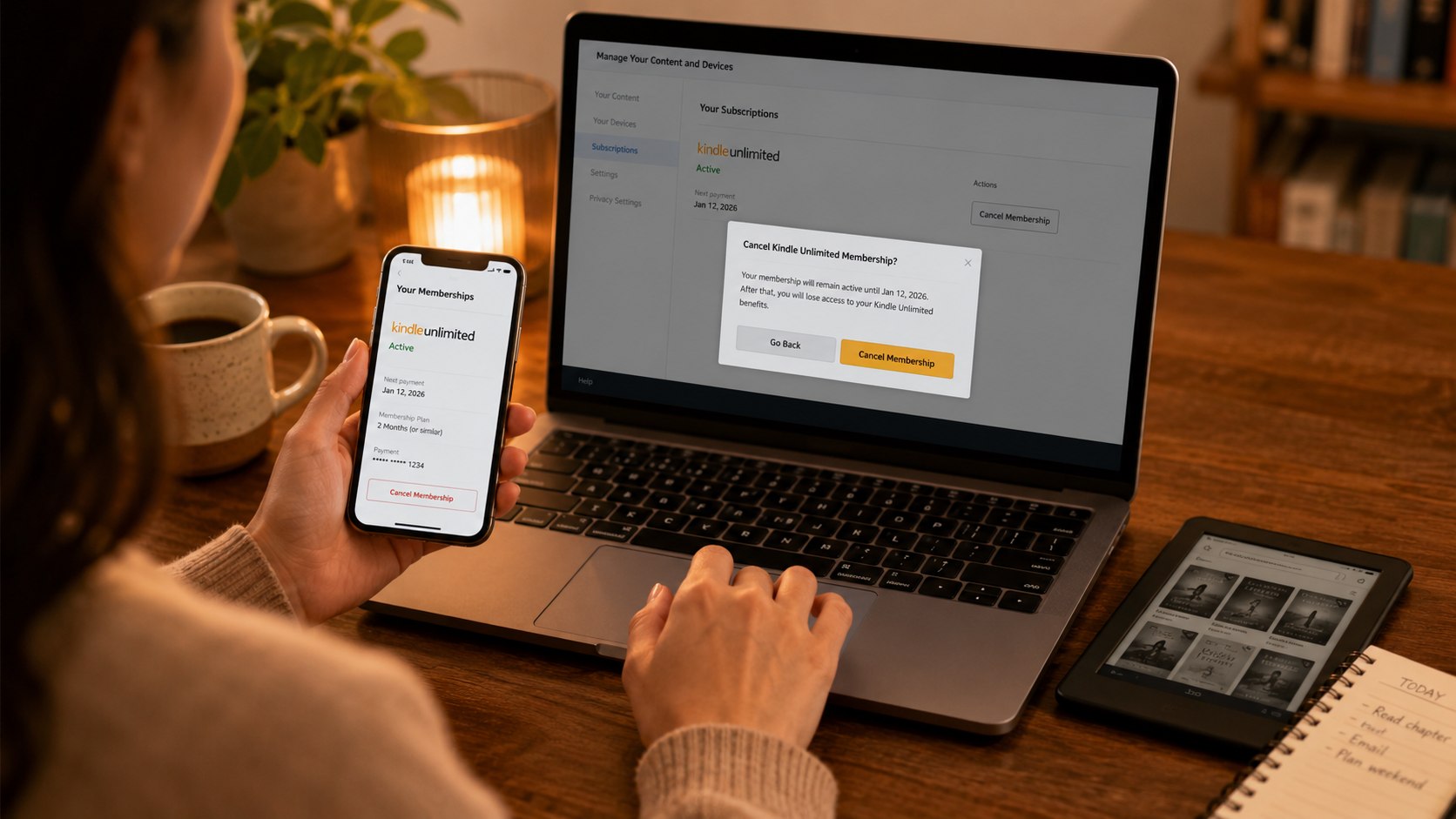
How to cancel Kindle Unlimited 2026 takes about 3–5 minutes through Amazon’s membership settings. Sign in, open your Kindle Unlimited membership, select “Cancel membership,” complete every confirmation screen, and save the displayed expiration date, as noted by Baltimore Chronicle.
Cancellation stops the next automatic renewal. It usually does not reverse a charge already processed or remove access immediately. Your borrowed Kindle Unlimited titles remain available until the paid membership period ends.
Key takeaways
- Cancel through the Amazon account that started Kindle Unlimited, not through the Kindle device or reading app.
- Standard cancellation normally stops future billing but does not create an automatic prorated refund.
- Save the confirmation page and inspect your next statement for another Amazon Kindle Unlimited charge.
What you need
Gather the correct account information before opening Amazon’s settings. This prevents the most common problem: searching for a membership under the wrong email address.
- The Amazon account used to start Kindle Unlimited
- Your password, passkey, or one-time verification code
- Access to the account’s email address or mobile number
- A phone, tablet, laptop, or desktop browser
- Your latest credit card, debit card, or bank statement
- About 3–5 minutes
- No standard cancellation fee
Kindle Unlimited costs $11.99 per month before applicable taxes in the United States as of 2026. Promotional trials and prepaid gift memberships can follow different terms. Confirm the amount and renewal date displayed inside your account before canceling.
Deleting the Kindle app does not stop the membership. Removing downloaded books, deregistering a Kindle, or turning off Wi-Fi also leaves recurring billing active. Only the membership controls or Amazon Customer Service can end the renewal.
Cancel at least 24 hours before the displayed renewal date when possible. That leaves time to resolve password, account, or payment problems.
Step 1: Confirm which Amazon account is being charged
Open Amazon in a browser and sign in with the email address or mobile number connected to Kindle Unlimited. Check your name, payment method, and recent membership activity before changing anything.
This matters because one household may use several Amazon accounts. A spouse, parent, roommate, or work profile may control the paid membership.
A common mistake is checking only the account currently registered on a Kindle. The device account and the account shown on a bank charge may differ.
| What you see | Likely explanation | Next action |
|---|---|---|
| Active Kindle Unlimited membership | You found the billing account | Continue to the cancellation controls |
| No membership listed | Another Amazon account may be paying | Try another email or mobile login |
| Amazon charge without clear details | The statement description may be shortened | Compare the amount and transaction date |
| Prepaid membership or gift term | Renewal rules may differ | Read the displayed expiration terms |
| Unknown or unauthorized charge | Someone else may have used the payment method | Contact Amazon and secure the account |
Look at the transaction date rather than relying only on the merchant wording. Bank descriptions can vary between issuers.
Search every email inbox used by the household for “Kindle Unlimited,” “membership,” or “Amazon subscription.” A welcome message or renewal receipt can identify the correct account.
Do not immediately dispute the charge with your card issuer. A dispute does not necessarily cancel the underlying membership.
First secure the Amazon account, stop renewal, and collect billing records. Then escalate the payment if Amazon cannot resolve it.
Readers reviewing several recurring services can also use Baltimore Chronicle’s guide to canceling Netflix without extra charges.
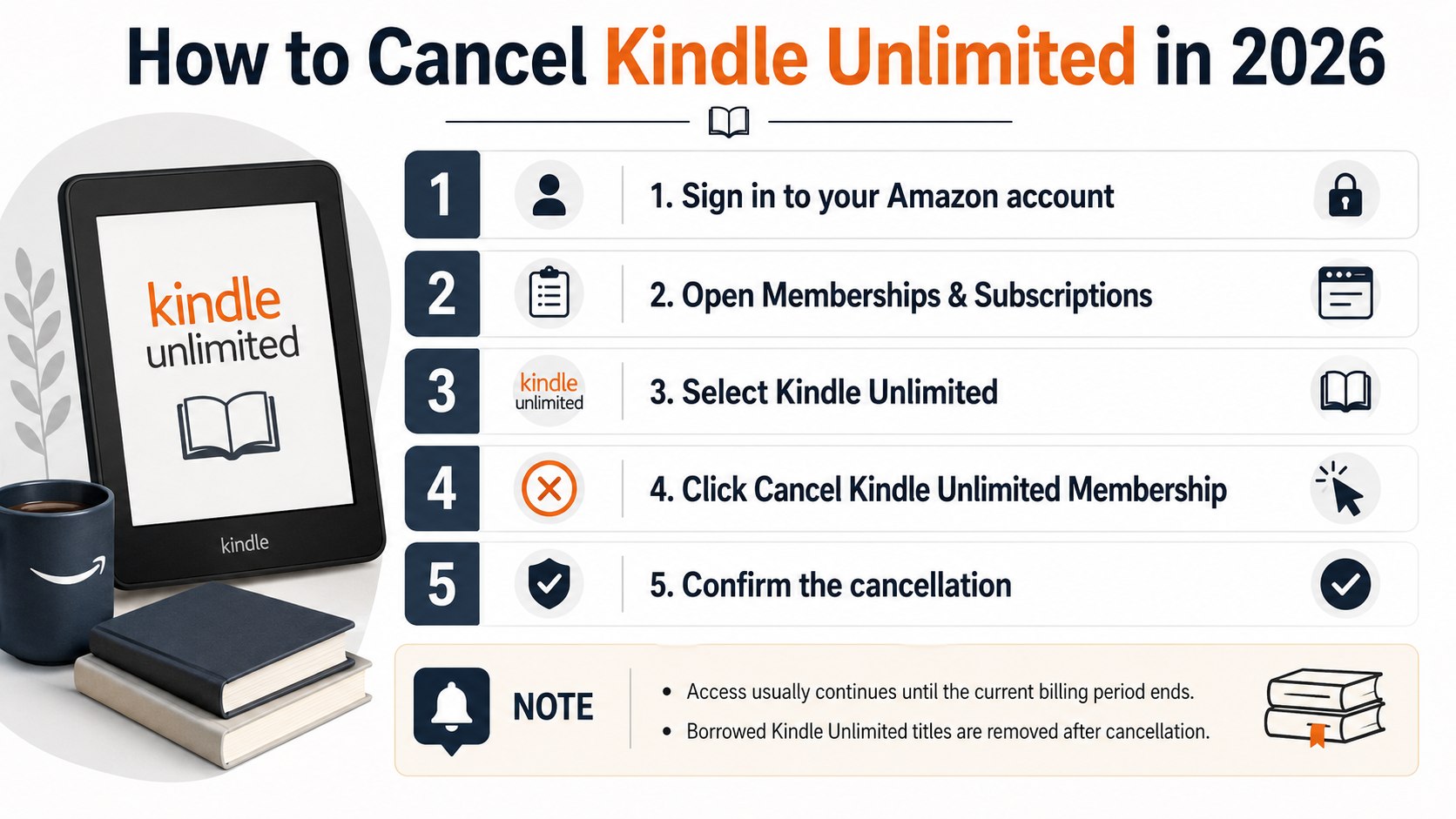
Step 2: Open Manage Your Kindle Unlimited Membership
Visit Amazon’s official Kindle Unlimited cancellation page. Follow the link to manage the membership, then sign in when prompted.
You can also open “Accounts & Lists,” choose “Memberships & Subscriptions,” and locate Kindle Unlimited. Menu labels may differ slightly across desktop and mobile layouts.
This page should display the current plan, renewal date, payment method, and membership controls. Review those details before selecting cancellation.
A common mistake is opening “Manage Your Content and Devices.” That section controls books and hardware, but it may not provide the final billing cancellation control.
- Sign in to Amazon.com.
- Open “Accounts & Lists.”
- Select “Memberships & Subscriptions.”
- Find Kindle Unlimited.
- Choose the membership management option.
These steps work nationally for direct Amazon billing across California, Texas, Florida, New York, Maryland, and other states. Taxes may vary by location, but the account-management path remains tied to Amazon.
Use a browser when the option is difficult to find inside the mobile app. The desktop site often shows account controls more clearly.
Do not confuse Kindle Unlimited with Prime Reading. Prime Reading is included with eligible Amazon Prime memberships and has separate account terms.
Canceling Kindle Unlimited does not automatically cancel Amazon Prime, Audible, Amazon Music Unlimited, or other Amazon subscriptions. Each service requires its own review.
Step 3: Select Cancel Kindle Unlimited Membership
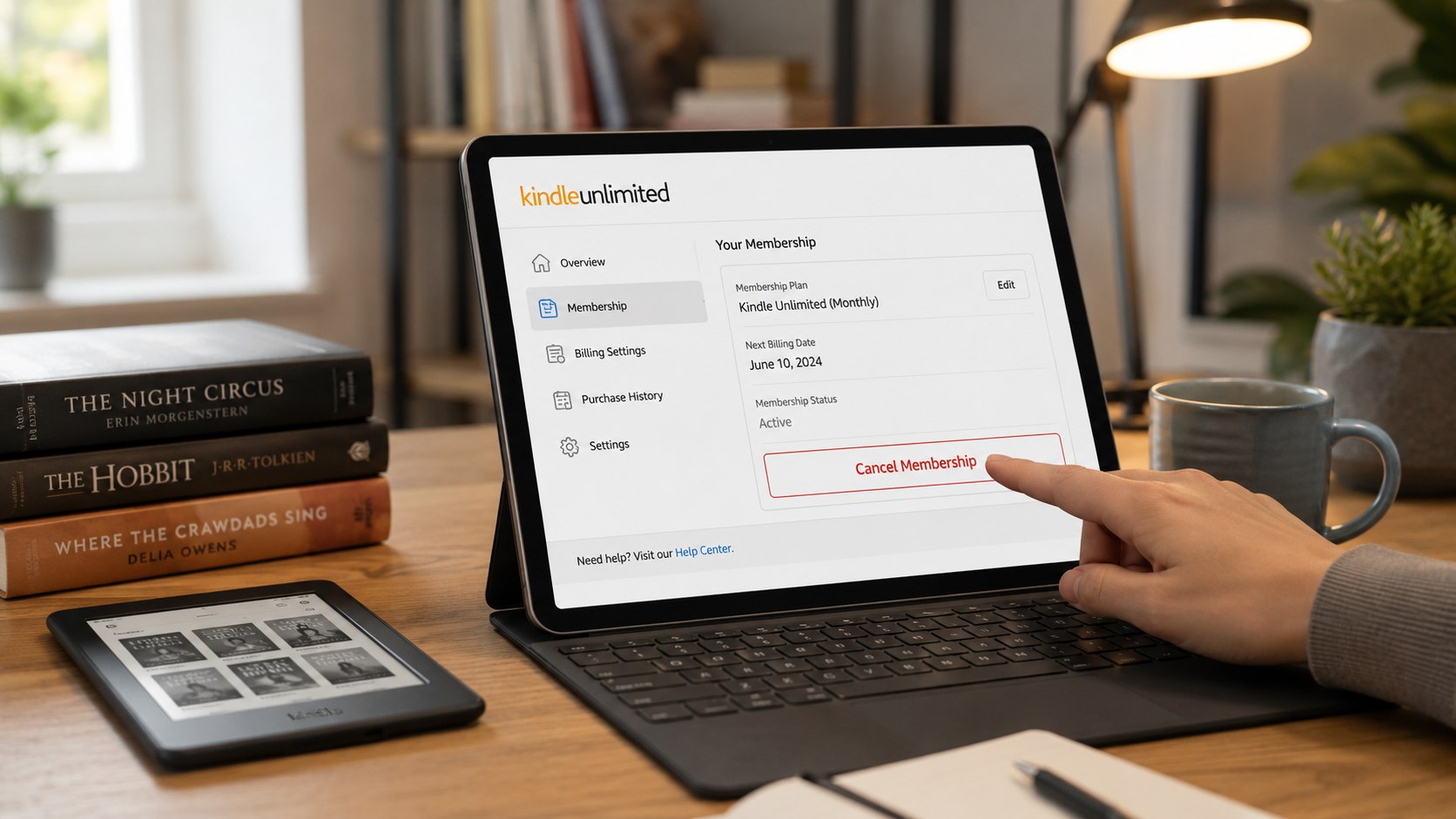
Under “Your Membership,” select “Cancel membership” or the equivalent cancellation control. Amazon may first display your renewal date, reading history, or a retention offer.
Continue until the page clearly states that automatic renewal will stop. Leaving after the first screen may leave the membership active.
This step matters because a survey or promotional offer is not a cancellation confirmation. The final page must show an expiration date or canceled status.
A common mistake is choosing a reminder option instead of cancellation. Read every button before selecting it.
Amazon’s official instructions direct members to open “Manage Your Kindle Unlimited Membership” and select “Cancel membership” under the membership section.
Source: Amazon Customer Service, cancellation instructions for Kindle Unlimited.
Amazon may offer a discounted period or another promotion before completing the request. Accepting that offer can keep recurring billing active.
Review the new price and renewal date if you accept any alternative. A temporary discount is not the same as ending the subscription.
Households conducting a larger subscription audit may also review the steps for canceling YouTube TV in 2026. The same billing principle applies: cancel through the company collecting the payment.
Step 4: Complete the final confirmation
Select the final confirmation button and wait for Amazon to update the membership status. Do not close the browser while the request is processing.
The page should show the last day of Kindle Unlimited access. Your account may remain usable until that date because the current period is already paid.
This matters because an expiration date proves that the next renewal has been stopped. A page showing only the next billing date usually means cancellation was not completed.
A common mistake is assuming that immediate access means the cancellation failed. Continued access through the paid term is generally expected.
After expiration, books borrowed through Kindle Unlimited should be removed from eligible devices and apps. Books purchased separately remain in your Kindle library.
Notes, highlights, and reading progress may remain associated with the Amazon account. However, you should not treat subscription books as permanent storage.
Download or record any important notes before the membership expires. Access to the underlying borrowed title may end with the subscription.
Step 5: Save proof and verify that renewal stopped
Take a screenshot of the final status page. Include the account name, cancellation status, and expiration date when possible.
Search your email for an Amazon cancellation message. Save it until at least one complete billing cycle has passed.
This evidence matters if another charge appears. It shows when the request was completed and which account was used.
A common mistake is saving only the first cancellation screen. Capture the final page that confirms the membership end date.
- Record the cancellation date and time.
- Save the confirmation email.
- Keep a screenshot of the expiration date.
- Review the payment method after the former renewal date.
- Check other Amazon accounts if another charge appears.
- Change the password if the membership restarts unexpectedly.
Check your bank or card statement after the expected renewal date. Pending transactions can disappear or change before settlement.
Match the exact amount, date, and merchant description. Another Amazon service may produce a similar charge.
Ask household members whether anyone restarted Kindle Unlimited. A shared device can make reactivation easy.
Review saved payment methods and account access when the charge is unfamiliar. Enable two-step verification for additional protection.
Baltimore Chronicle’s report on avoiding automatic subscription charges explains how reminders and billing records reduce renewal disputes.
Step 6: Request an Amazon refund when the facts support it
Canceling Kindle Unlimited does not normally guarantee a refund. Amazon’s terms generally allow access through the current membership period after cancellation.
A refund request has a stronger basis when the charge was duplicated, unauthorized, or processed after a confirmed cancellation. Accidental renewal may also receive individual review.
Contact Amazon Customer Service and select the membership or payment issue. Provide the account email, charge date, amount, payment method, and cancellation evidence.
This matters because Amazon must identify the transaction before reviewing a refund. Vague requests without dates or account details take longer to investigate.
A common mistake is demanding a chargeback before contacting Amazon. A bank dispute can complicate account access and does not replace subscription cancellation.
| Refund situation | Likely outcome | Evidence to provide |
|---|---|---|
| Changed your mind after renewal | Refund is not guaranteed | Charge date and cancellation date |
| Duplicate Kindle Unlimited charge | Review is appropriate | Both transaction records |
| Charge after confirmed cancellation | Strong reason for investigation | Confirmation email and statement |
| Unauthorized membership | Security and payment review | Charge details and account history |
| Promotional trial converted to paid | Depends on offer terms and timing | Trial email and renewal notice |
Describe the problem using specific dates. State when you canceled and when the payment posted.
Ask whether the refund will return to the original payment method. Also request the expected processing window.
Card refunds can take several business days after approval. The exact timing depends on Amazon, the card network, and the bank.
Keep the support transcript or case number. Check both the Amazon account and the financial statement until the matter closes.
If Amazon confirms that no refund applies, ask for the policy supporting that decision. Do not assume state consumer law creates an automatic refund for every used subscription period.
Troubleshooting Kindle Unlimited cancellation problems
- The cancellation button is missing: Try a desktop browser, confirm the correct account, and open Memberships & Subscriptions.
- Kindle Unlimited is not listed: Search other Amazon accounts and compare renewal emails with the statement charge.
- You were charged after canceling: Check the charge date, saved confirmation, other accounts, and possible reactivation.
- Borrowed books still open: Access may continue until the paid membership expiration date.
- The membership restarted: Change the password, review household access, and enable two-step verification.
Start with the billing source rather than the device. Kindle hardware does not control the subscription charge.
Clear browser cookies or use a private window when Amazon repeatedly opens the wrong account. Then sign in manually with the paying account.
Do not delete the Amazon account to stop one subscription. Account deletion can affect purchases, receipts, devices, and other services.
Contact Amazon support when the membership status and statement do not match. Provide screenshots without exposing full card numbers.
FAQ
Can I cancel Kindle Unlimited anytime in 2026?
Yes. You can generally cancel the monthly membership through Amazon’s membership settings. Access normally continues until the displayed expiration date.
Will Amazon refund Kindle Unlimited after cancellation?
A standard cancellation does not guarantee a refund. Amazon may review duplicate, unauthorized, accidental, or post-cancellation charges individually.
Do I lose my books immediately after canceling?
Usually not. Borrowed titles remain available until the current membership period ends. Separately purchased Kindle books remain in your library.
Does deleting the Kindle app cancel Kindle Unlimited?
No. Deleting the app only removes software from the device. You must cancel through Amazon’s membership controls.
Why can’t I find my Kindle Unlimited membership?
You may be signed into the wrong Amazon account. Check other email addresses, household accounts, receipts, and bank transaction dates.
Can I cancel Kindle Unlimited from my phone?
Yes. Use a mobile browser and open Amazon’s membership management page. A browser may provide clearer controls than the shopping or Kindle app.
Earlier we wrote about When Should I Sell My House? Mortgage Rates, Demand, and Seasonal Premiums