

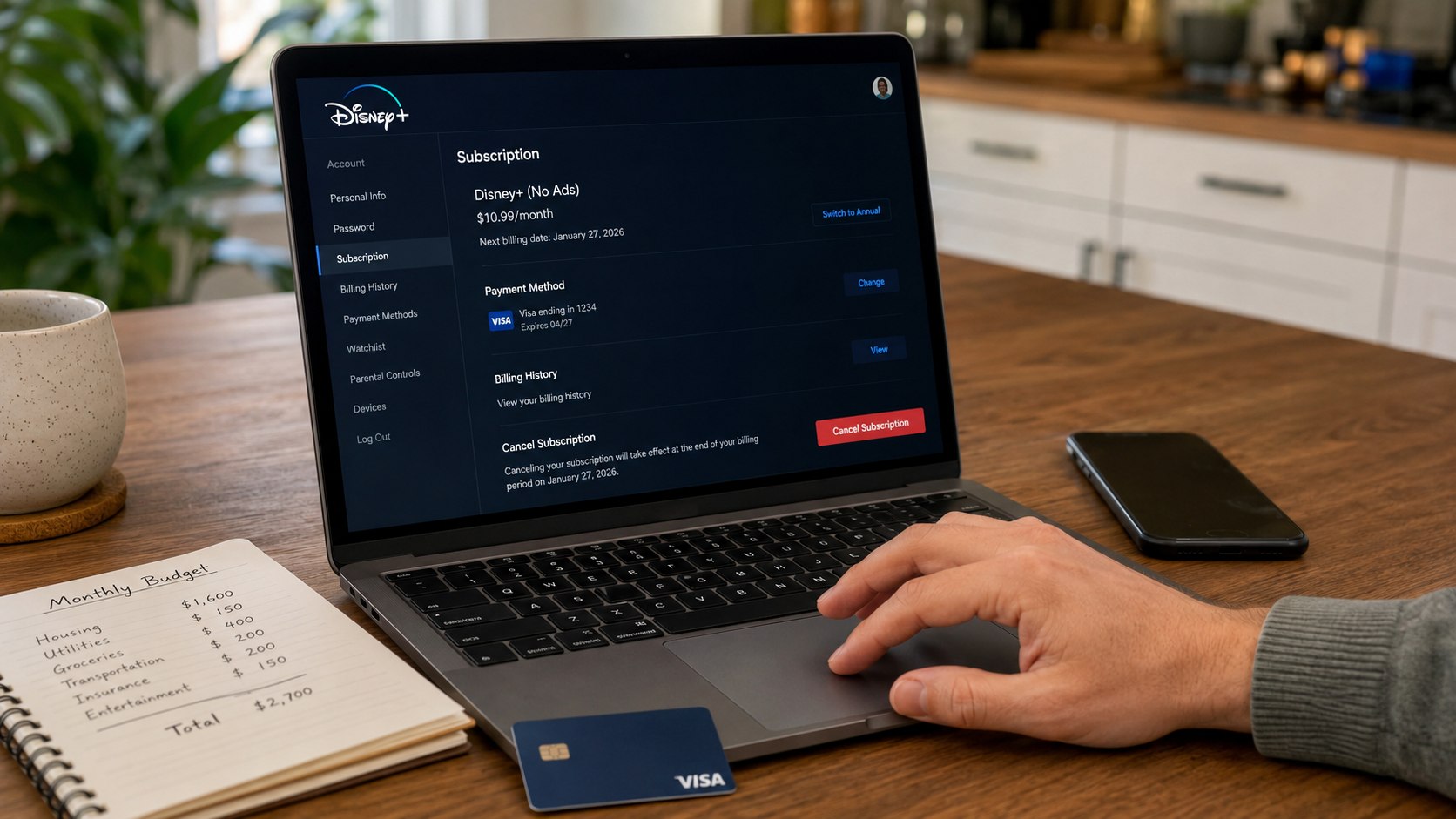
How to cancel Disney Plus 2026 starts with one practical question: who bills you for the subscription. If Disney bills you directly, you cancel through DisneyPlus.com; if Apple, Google Play, Roku, Amazon, Verizon, or another partner bills you, you cancel there. Most US subscribers can stop the next monthly or annual renewal in 5–10 minutes and keep watching until the paid period ends, as noted by Baltimore Chronicle.
This guide gives you the exact path for monthly Disney Plus cancellation, annual Disney Plus cancellation, third-party billing, Disney Bundle accounts, and missing cancel buttons. The goal is simple: stop future charges without losing proof, access, or time.
Key takeaways
- Cancel through the company that bills you, not through the device where you watch Disney+.
- Monthly and annual plans usually stay active until the end of the paid billing period.
- Save a screenshot and confirmation email before deleting the app or removing payment details.
What you need before canceling Disney Plus in 2026
Before you open the Disney+ app or account page, collect the basics. This prevents the most common mistake: trying to cancel in the wrong place. The device you use for streaming does not always show who controls the payment.
You need:
- Your Disney+ account email and password.
- Access to the inbox connected to Disney+, Hulu, ESPN, Apple, Google, Roku, Amazon, or Verizon.
- The payment method charged for the subscription.
- 5–10 minutes on a laptop, phone, or tablet.
- Your next renewal date, especially for an annual Disney Plus plan.
- A screenshot tool to save proof of cancellation.
After checking these items, open your card, bank, PayPal, Apple ID, Google Play, Roku, Amazon, or Verizon statement. The billing name often reveals the correct cancellation route. A charge from Disney usually means DisneyPlus.com controls the subscription. A charge from Apple, Google Play, Roku, Amazon, or Verizon means that company controls renewal.
Do not delete the app first. Removing Disney+ from an iPhone, Android phone, Roku TV, Fire TV, PlayStation, Xbox, or smart TV does not cancel billing. It only removes the app from that device.
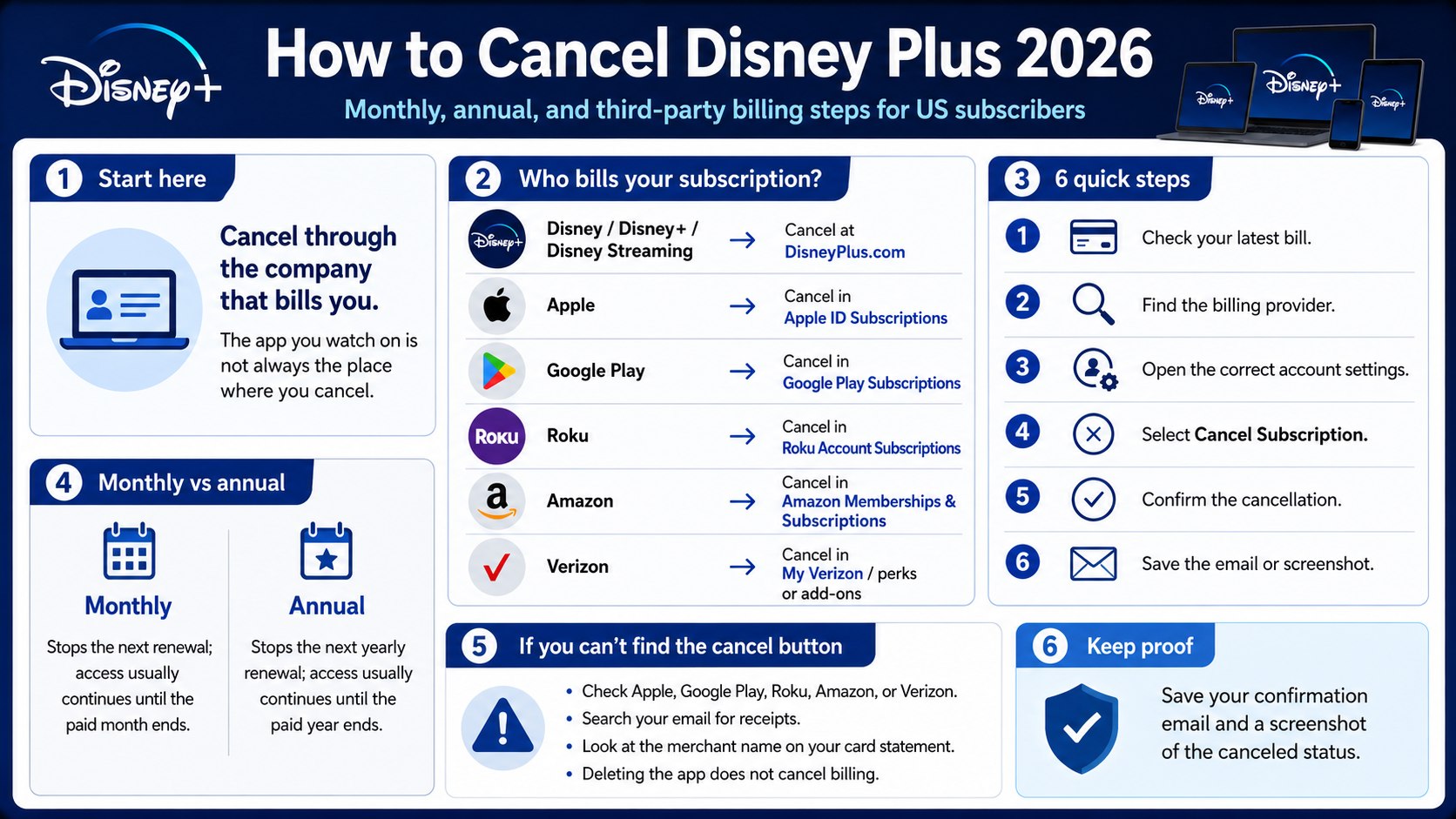
Step 1: Find out who bills your Disney Plus account
What to do: Check your latest statement and identify the merchant name connected to the Disney+ charge. Look for Disney, Disney Streaming, Apple, Google Play, Roku, Amazon, Verizon, Hulu, or ESPN.
Why it matters: Disney+ cancellation depends on the billing provider. The account may stream through Disney, but the payment can still run through a third party.
Common mistake to avoid: Do not assume the Disney+ app has the cancel button. Many TV and mobile apps only let you watch content, not manage payment.
| Billing name you may see | Where to cancel | What usually happens after cancellation |
|---|---|---|
| Disney, Disney+, Disney Streaming | DisneyPlus.com account settings | Access continues until the current paid period ends |
| Apple | Apple ID subscriptions | Apple confirms cancellation and stops renewal |
| Google Play | Google Play subscriptions | Google controls the renewal date |
| Roku | Roku account subscriptions | Roku sends the cancellation record |
| Amazon | Amazon memberships and subscriptions | Amazon manages the subscription status |
| Verizon | My Verizon perks or add-ons | Wireless plan or bundle rules may apply |
This check is especially useful for families. A subscription may have started on a child’s iPad, a living-room Roku, an Amazon Fire TV, or a shared Verizon account. That explains why the Disney+ account page sometimes shows no direct cancellation button.
It also helps renters, freelancers, and homeowners who track monthly expenses. Streaming charges are easy to miss when several apps renew in the same week. Confirm the billing source before you cancel, then keep the final record with your household budget notes.
Step 2: Cancel Disney Plus from DisneyPlus.com
What to do: Open DisneyPlus.com in a browser, sign in, select your profile, go to Account, choose your subscription, and select Cancel Subscription.
Why it matters: A browser usually shows account, plan, billing, renewal date, and cancellation status more clearly than a TV app.
Common mistake to avoid: Do not stop at a feedback survey or offer screen. Continue until the account shows a canceled renewal status.
Follow these steps:
- Open DisneyPlus.com in Chrome, Safari, Edge, or Firefox.
- Sign in with the email connected to the subscription.
- Select your profile icon.
- Open Account.
- Find the Subscription section.
- Select your Disney+ plan or Disney Bundle.
- Choose Cancel Subscription.
- Confirm cancellation.
- Save the confirmation email or screenshot.
After completing these steps, return to the Account page. The subscription should show an end date, canceled status, or no future renewal. If it still shows the next charge date, the cancellation may not be complete.
Monthly users usually keep access until the end of the paid month. For example, if your monthly plan renewed on June 2 and you cancel on June 17, your access normally continues until the next cycle would have started.
Annual users should check the renewal date carefully. Canceling usually stops the next yearly charge, but it does not always trigger a refund for unused months. Refund rules can depend on Disney policy, the billing partner, and the payment route.
Step 3: Cancel an annual Disney Plus plan before renewal
What to do: Write down the annual renewal date, cancel auto-renewal, and save proof. If the renewal is close, cancel as soon as possible rather than waiting until the final day.
Why it matters: An annual subscription is easier to forget than a monthly plan. One missed renewal can create a larger charge than expected.
Common mistake to avoid: Do not rely on a calendar reminder set for the same day. Time zones, card processing, or platform delays can create problems.
As of 2026, Disney+ pricing and bundle options may vary by plan and promotion. US subscribers may see ad-supported plans, premium plans, and bundles with Hulu or ESPN. Some offers renew monthly, while some premium options may offer annual billing. Always verify the active price inside your account before confirming any change.
If cost is the main reason, compare the yearly total with real usage. A $10–$20 monthly service can look small, but 4–6 streaming apps can become a serious household expense. Parents may value Disney, Pixar, Marvel, Star Wars, National Geographic, Hulu shows, or ESPN access differently depending on the season.
Step 4: Cancel Disney Plus through Apple, Google Play, Roku, Amazon, or Verizon
What to do: If DisneyPlus.com does not show a cancel button, cancel through the platform that bills you. Use that company’s subscription settings.
Why it matters: Third-party billing means Disney may show your profile and viewing access, but not control your payment renewal.
Common mistake to avoid: Do not create a new Disney+ account to solve the issue. The original paid subscription can continue billing in the background.
Use the correct platform route:
- Apple: Open Settings, tap your name, choose Subscriptions, select Disney+, and cancel renewal.
- Google Play: Open Play Store, tap your profile, choose Payments & subscriptions, then Subscriptions.
- Roku: Sign in to your Roku account and open Manage subscriptions.
- Amazon: Go to Memberships and subscriptions and find the Disney+ subscription or channel billing.
- Verizon: Open My Verizon, then check perks, add-ons, entertainment, or Disney Bundle benefits.
After canceling through a platform, Disney+ may still work until the paid period ends. That does not mean cancellation failed. It usually means your access is active until the final day already paid for.
Platform confirmations may arrive from different senders. Apple sends Apple ID receipts, Google sends Google Play notices, Roku sends Roku account emails, and Verizon may show the change inside the account owner’s profile.
Verizon users should be extra careful with bundles. A Disney Bundle may be tied to a wireless plan, promotional period, or account owner. If you are not the primary account holder, you may not be able to remove the perk yourself.
Step 5: Compare cancellation with Hulu, Apple Music, and other subscription cleanup
What to do: Before finalizing cancellation, check whether Disney+ is part of a larger subscription pattern. If you also pay for Hulu, Apple Music, ESPN, Netflix, Max, Peacock, Paramount+, or Apple TV+, review them together.
Why it matters: People rarely cancel only 1 service. The real savings often come from cleaning up several recurring payments at once.
Common mistake to avoid: Do not cancel Disney+ but leave a linked Hulu, ESPN, or app-store subscription active by mistake.
If you are reviewing more than one streaming bill, compare this Disney+ cancellation with Baltimore Chronicle’s guide to canceling Hulu in 2026, especially if you use the Disney Bundle. Hulu, Disney+, ESPN, Verizon, Apple, Google Play, and Roku can all create different billing paths, so one cancellation does not always close the full bundle.
If your Disney+ account started as a discounted offer or trial, also read the Baltimore Chronicle guide to paid trial traps and unexpected automatic subscription charges. The same rule applies here: set a reminder before renewal, save cancellation proof, and check your card statement after the final billing date.
Users who manage several app-based services may also find the guide on how to cancel Apple Music in 2026 useful. It explains a common cancellation mistake: deleting an app does not stop recurring billing when the subscription is tied to Apple ID, carrier billing, or another third-party account.
For a household in Maryland, California, Texas, Florida, Illinois, or New York, the logic is the same. Actual viewing matters more than brand loyalty. If the kids watch Disney+ daily, a cheaper plan may work. If nobody used it since the last Marvel or Star Wars release, cancellation is cleaner.
Step 6: Confirm cancellation and protect yourself from another charge
What to do: Save the confirmation email, take a screenshot of the canceled status, and check your next card statement. Mark the final access date on your calendar.
Why it matters: A clear record helps if another charge appears later. It also shows whether Disney, Apple, Google, Roku, Amazon, Verizon, Hulu, or ESPN handled the billing.
Common mistake to avoid: Do not assume a chat message, unfinished webpage, or deleted app counts as cancellation. You need a final status or confirmation.
“The safest cancellation record is simple: account email, billing company, plan name, cancellation date, confirmation email, and screenshot.”
If you cancel after a price increase, save the price notice too. It helps you remember why you canceled and prevents confusion when reviewing older card statements.
Do not delete your Disney account immediately unless you understand the difference between cancellation and account deletion. Canceling stops future billing. Deleting an account may remove profiles, watch history, settings, and other account data.
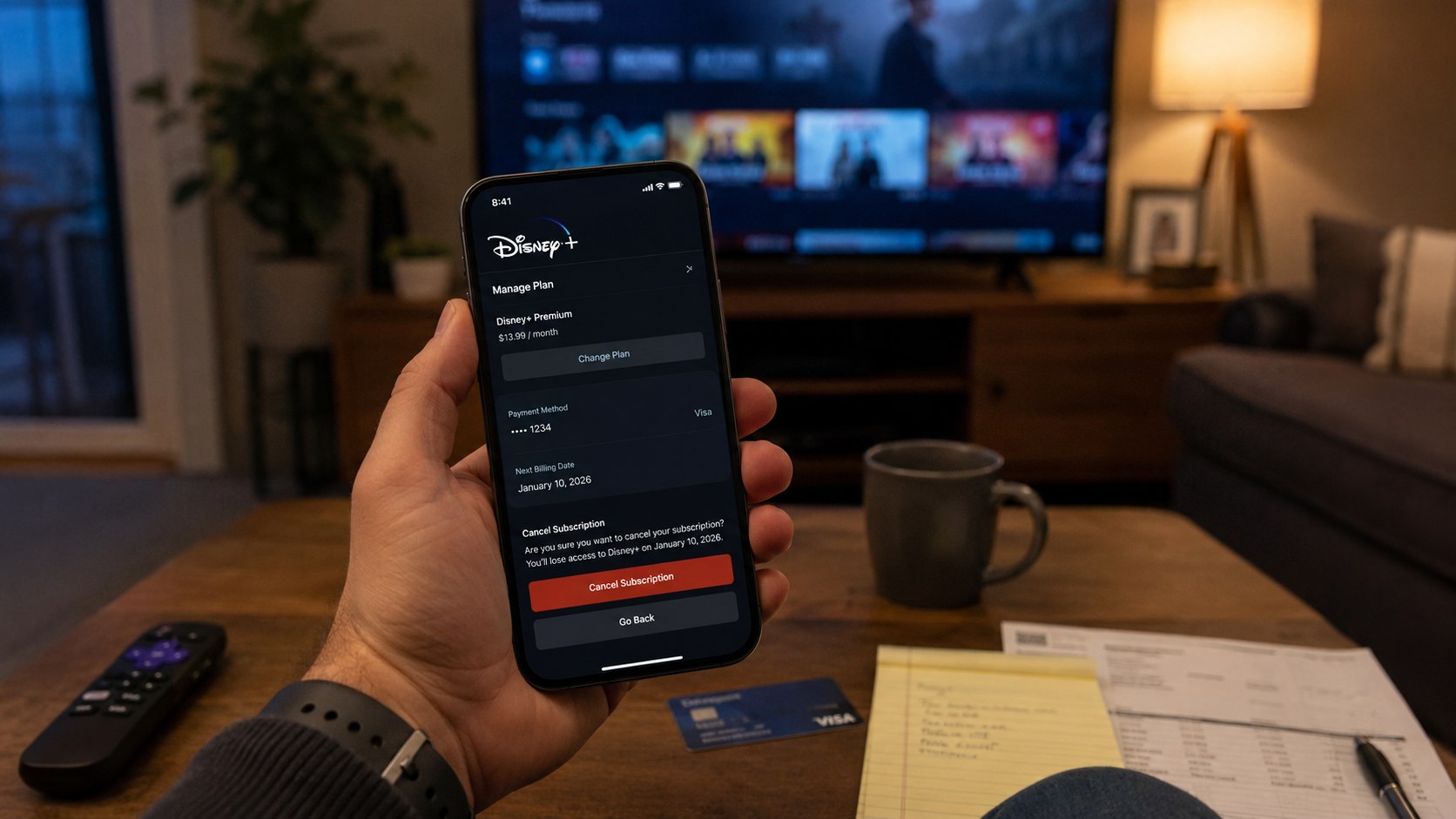
Troubleshooting Disney Plus cancellation problems
Most cancellation problems come from billing confusion. The account still streams through Disney+, but the payment is controlled by another company. Use these scenarios before contacting support.
- No cancel button appears: You probably pay through Apple, Google Play, Roku, Amazon, Verizon, or another partner.
- You canceled but still have access: This is normal if the current monthly or annual period is already paid.
- You were charged after canceling: Check whether another account uses the same card, email alias, or family profile.
- The Disney Bundle is confusing: Check Disney, Hulu, ESPN, Verizon, Apple, Google Play, Roku, and Amazon billing paths.
- You forgot the email: Search inboxes for Disney+, Hulu, ESPN, Apple, Google Play, Roku, Amazon, and Verizon receipts.
After checking these scenarios, contact the billing provider with exact details. Include the account email, last 4 digits of the card, charge date, and proof of cancellation. Keep the message short and factual.
Parents should also check older devices. A subscription may have started on an iPad, Android tablet, game console, Fire TV, or Roku years ago. That device does not need to be active for billing to continue.
If support cannot find the charge, call your card issuer and ask for the merchant descriptor. That name can identify who processed the payment. Do not start with a dispute until you have tried to cancel through the correct provider.
Monthly vs annual Disney Plus cancellation in 2026
Monthly cancellation is mostly about timing. Cancel before the next renewal date, and future charges should stop. You usually keep access until the current month ends.
Annual cancellation needs more planning because the next charge is larger. Set a reminder 2–4 weeks before renewal. That gives you time to compare Disney+, Hulu, ESPN, Netflix, Max, Peacock, Paramount+, and Apple TV+ without rushing.
A practical rule: cancel early if you are unsure. You can resubscribe later. Streaming services do not work like rent, mortgage payments, car insurance, or health insurance, where a gap may create bigger problems.
FAQ
Can I cancel Disney Plus and still watch until the end of the month?
Usually, yes. If you already paid for the current billing period, Disney+ access normally continues until that period ends. Check the final access date in your account.
How do I cancel Disney Plus if I subscribed through Apple?
Use your Apple ID subscriptions page. On iPhone or iPad, open Settings, tap your name, choose Subscriptions, select Disney+, and cancel renewal.
Does deleting the Disney Plus app cancel the subscription?
No. Deleting the app only removes it from the device. You must cancel through Disney, Apple, Google Play, Roku, Amazon, Verizon, or the billing provider.
Can I get a refund after canceling an annual Disney Plus plan?
Do not assume an automatic refund. Annual plans usually continue until the paid term ends. Refund rules can depend on Disney policy, state law, and the billing platform.
Why does Disney Plus still work after I canceled?
Access often remains active until the final day already paid for. That is normal unless the account still shows a future renewal date.
What should I do if Disney Plus charges me after cancellation?
Find the confirmation email, identify the billing provider, and contact that provider first. Share the charge date, account email, billing name, and proof of cancellation.
Earlier we wrote about Granite vs Quartz vs Marble Countertops 2026: Cost, Care, Durability