

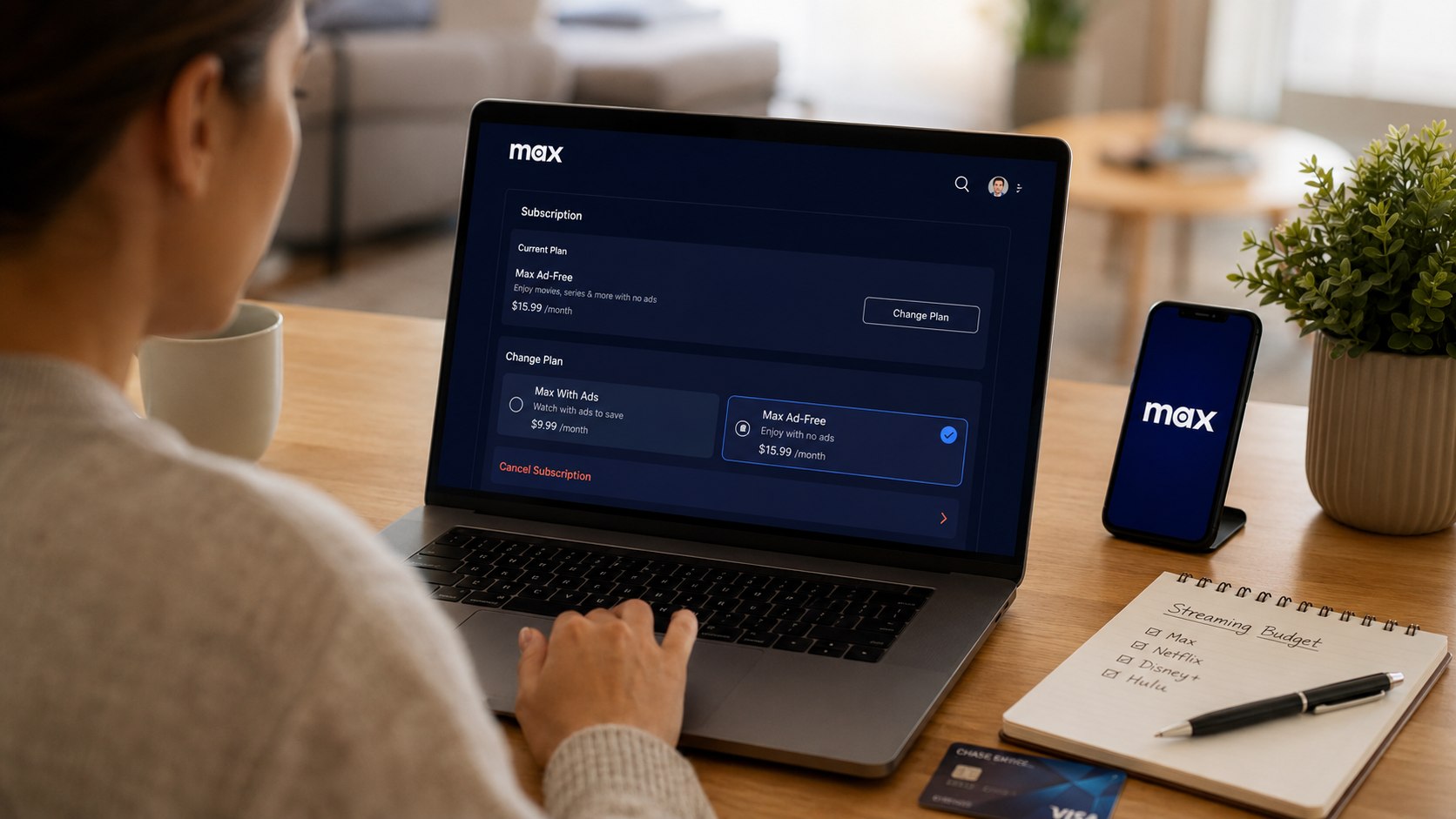
How to cancel Max HBO 2026 begins with identifying the company that collects your payment. Direct HBO Max subscribers can cancel through their account, while Apple, Google Play, Amazon, Roku, cable, and wireless customers must use the billing provider, as noted by the Baltimore Chronicle editorial team.
Most cancellations take less than 5 minutes. Sign in, confirm the billing source, stop automatic renewal, and save proof. You will usually keep access until the current paid period ends.
Key takeaways
- Cancel through the company named in your HBO Max subscription settings or latest payment record.
- Deleting the app, signing out, or removing a profile does not stop recurring charges.
- Downgrading to Basic with Ads lowers the price but keeps the subscription active.
A completed cancellation should show an expiration date, canceled status, or confirmation number. Keep a screenshot and email until the next expected renewal date has passed.
What You Need Before Canceling HBO Max
Collect the account and billing details before opening the cancellation menu. This prevents the most common problem: trying to cancel through the wrong platform.
- Your HBO Max email address and password
- Access to the connected email inbox
- Your Apple, Google, Amazon, Roku, or provider login
- A recent credit card or bank statement
- Your next renewal date
- About 5 minutes
- A screenshot tool for saving confirmation
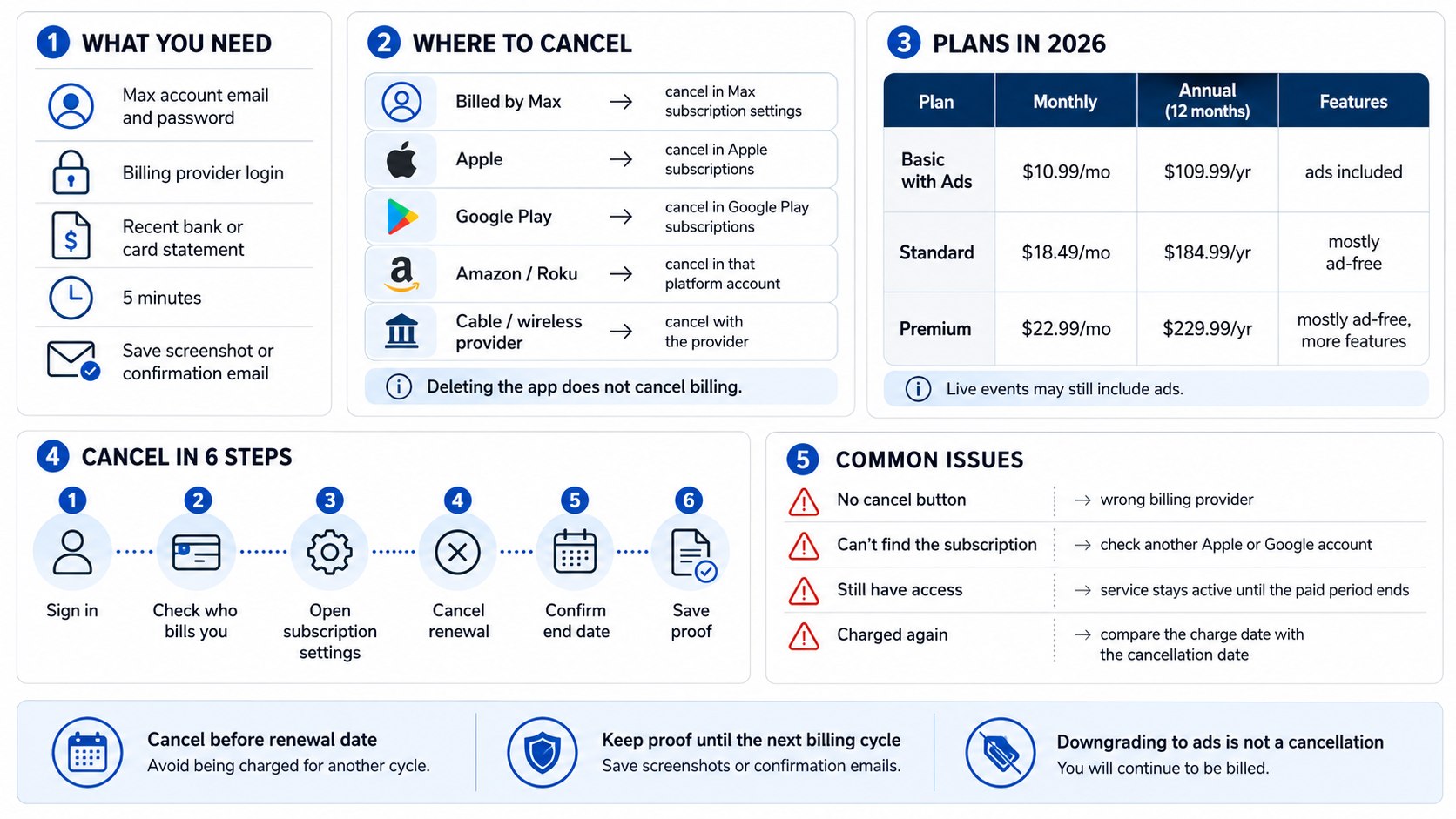
The merchant name on your statement can reveal who manages the subscription. Charges may reference HBO Max, Apple, Google, Amazon, Roku, Verizon, Xfinity, or another provider.
Do not begin by disputing a legitimate recurring payment with your bank. First cancel through the billing provider and save the result. A dispute may block a payment without ending the underlying subscription.
Step 1: Find Out Who Bills Your HBO Max Subscription
Sign in to HBO Max and select your profile. Open Subscription on a phone or computer, or open Settings and Subscription on a supported television device.
The account should show your current plan, billing period, and provider. This information determines where the cancel button is located.
The common mistake is assuming that HBO Max directly controls every subscription. It cannot cancel plans billed by Apple, Google Play, Roku, Amazon, or a television provider.
The following billing paths cover most US subscribers:
| Billing source | Where to cancel | Typical payment clue |
|---|---|---|
| HBO Max | HBO Max Subscription settings | Charge names HBO Max or WarnerMedia |
| Apple | Apple Account subscriptions | APPLE.COM/BILL appears on statement |
| Google Play | Google Play subscriptions | Charge references Google |
| Amazon | Amazon memberships or channel settings | Charge references Amazon |
| Roku | Roku Manage subscriptions | Charge references Roku |
| Cable or wireless provider | Provider account or customer service | HBO Max appears on a monthly provider bill |
The provider listed inside HBO Max is usually the strongest clue. Your statement offers a useful second check.
Review older receipts when no current account shows the subscription. A family member may have purchased it through another Apple ID, Google account, or television platform.
Some customers receive HBO Max through a bundle. In that situation, canceling one service may change the total package price or remove access to connected services.
Step 2: Cancel HBO Max When Billed Directly
Open the official HBO Max subscription page and sign in. Select Cancel Your Subscription, review any offer, and complete every confirmation screen.
This route works only when HBO Max processes the payment. The final account page should display the date when access will end.
Do not stop after the first cancel button. HBO Max may show a retention offer, survey, or second confirmation screen before renewal is disabled.
- Sign in to the HBO Max account.
- Select your profile.
- Open Subscription.
- Choose Cancel Your Subscription.
- Confirm that you want to cancel.
- Save the confirmation email or screenshot.
Return to the Subscription page after finishing. The account should show an expiration date instead of a future renewal date.
You can verify the current process through the official HBO Max cancellation guide. Provider options may change, so use the billing source shown inside your account.
Cancel before the renewal date whenever possible. Waiting until the final hours creates unnecessary risk if you encounter a password, payment, or account problem.
Step 3: Cancel HBO Max Through Apple
On an iPhone or iPad, open Settings and tap your name. Select Subscriptions, choose HBO Max, and tap Cancel Subscription.
Apple controls the payment because the subscription was purchased through an Apple Account. HBO Max support normally cannot end an Apple-managed renewal.
A common mistake is checking the wrong Apple Account. Families may use separate accounts for purchases, devices, and Family Sharing.
When HBO Max does not appear, check other accounts used on the device. You can also open the App Store on a Mac and review account subscriptions.
Do not remove the HBO Max app before canceling. App deletion changes the device only. Apple will continue billing until the subscription is canceled.
Step 4: Cancel HBO Max Through Google Play
Open Google Play and tap your profile picture. Select Payments and subscriptions, choose Subscriptions, open HBO Max, and tap Cancel subscription.
Google Play manages the renewal date and sends the final confirmation. Complete every screen, including any reason-for-canceling question.
The usual mistake is searching through the HBO Max app instead of the Google Play account that made the purchase.
Switch Google accounts when HBO Max is missing. Many Android users have personal, work, and family accounts connected to one device.
After cancellation, Google Play should show the date when access ends. Save that page because the HBO Max app may continue working until the paid term expires.
Step 5: Cancel Through Amazon, Roku, or Another Platform
Amazon customers should open Memberships and Subscriptions or Prime Video Channels. Find HBO Max and disable renewal through the account that receives the charge.
Roku customers can sign in through a browser and open Manage subscriptions. Some Roku devices also let users highlight the channel, press the star button, and review subscription options.
These providers control payment and refund decisions. HBO Max may only identify the provider and direct you to its support system.
Do not cancel an entire Amazon Prime or Roku account to remove one streaming service. Locate the individual HBO Max subscription first.
Households reviewing several streaming charges can also use Baltimore Chronicle’s guide on how to cancel YouTube TV in 2026. It covers Google billing, account confusion, pauses, and confirmation records.
Check both “HBO Max” and “Max” in old receipts and subscription menus. A legacy account may still appear under the earlier service name.
Do not assume that access ending on a television confirms cancellation. Device access and recurring billing are separate account functions.
Step 6: Cancel Through a Cable, Internet, or Wireless Provider
Sign in to the provider account that includes HBO Max. Review premium channels, entertainment add-ons, mobile perks, and television packages.
National and regional companies may bundle HBO Max with internet, wireless, or cable plans. The procedure depends on the provider contract, not the subscriber’s state.
The most important mistake to avoid is removing the service without checking the effect on bundle pricing. A package discount can disappear when one benefit is removed.
Before approving the change, ask the provider for 3 details:
- The effective cancellation date
- The new monthly package price
- Whether any other channels or benefits will disappear
Save the chat transcript, email, or confirmation number. Provider changes may not appear immediately inside HBO Max.
Customers using the Disney+, Hulu, HBO Max Bundle should confirm which company manages the bundle. A subscription purchased through Disney or Hulu may require cancellation there.
The Baltimore Chronicle guide on how to cancel a Hulu subscription in 2026 explains Hulu billing, Disney Bundle accounts, Roku, Verizon, Apple, and Google Play.
Bundle customers should also review how to cancel Disney Plus in 2026. Canceling one account does not always close the entire connected package.
Step 7: Decide Between Cancellation, Ads, and Ad-Free Plans
Some subscribers do not need to cancel completely. They want to reduce the price or remove advertising from movies and series.
As of June 2026, HBO Max lists 3 standard US plans. Prices exclude applicable taxes and may differ through third-party providers.
| HBO Max plan | Monthly price | Annual price | Main advertising rule |
| Basic with Ads | $10.99 | $109.99 | Ads before and during shows and movies |
| Standard | $18.49 | $184.99 | Shows and movies generally stream without ads |
| Premium | $22.99 | $229.99 | Shows and movies generally stream without ads |
HBO Max states that Basic with Ads contains about 6 minutes of advertising per hour. Ad breaks appear before or during eligible shows and movies.
Standard and Premium remove regular ads from most on-demand entertainment. However, live events and live sports can contain commercials on every plan.
Promotional trailers may also appear before some content. These trailers can often be skipped, unlike standard commercial breaks.
Switching to Basic with Ads is a downgrade, not a cancellation. The subscription continues renewing at the new price.
Compare the annual cost before changing plans. Basic with Ads costs $109.99 yearly, while Premium costs $229.99 yearly before tax.
Annual subscribers should also check when a downgrade becomes effective. Some providers apply changes immediately, while others wait until the next billing cycle.
Step 8: Confirm the Cancellation and Prevent Another Charge
Return to the billing page after canceling. Look for wording such as “canceled,” “expires,” or “access ends.”
This final check identifies incomplete cancellations and wrong-account errors. It also gives you evidence if another charge appears.
Do not delete the confirmation email. Keep it with a screenshot showing the account email, billing provider, and expiration date.
- Record the cancellation date.
- Save the confirmation number.
- Check the final access date.
- Review the next bank statement.
- Confirm that no second household account remains active.
- Contact the billing provider if another charge appears.
Cancellation normally stops future renewal. It does not automatically create a refund for the current billing period.
Refund rules depend on the billing company and payment circumstances. Apple, Google, Amazon, Roku, HBO Max, and television providers may apply different policies.
When another payment appears, compare its transaction date with your cancellation confirmation. The charge may have been processed before the cancellation became effective.
Provide the billing company with the amount, date, account email, and last 4 card digits. Never send a full card number through ordinary email or public support forums.
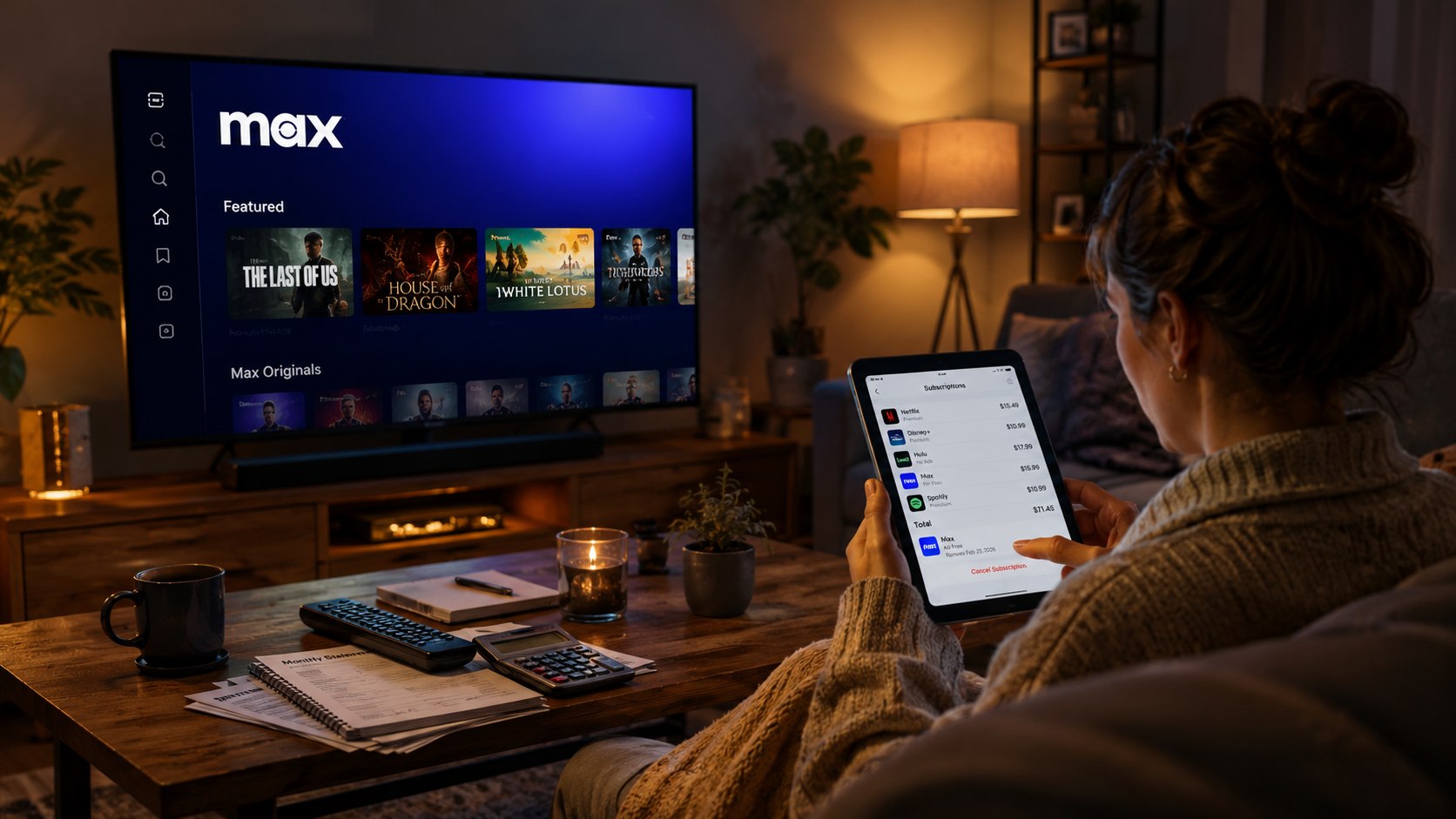
Troubleshooting HBO Max Cancellation Problems
Most problems come from account or provider confusion. These scenarios cover the most common reasons a cancellation fails.
- No cancel button appears: Check who bills the subscription and cancel through that company.
- HBO Max is missing from Apple: Review other Apple Accounts and Family Sharing purchases.
- The plan is missing from Google Play: Switch between every Google account connected to the device.
- You still have access: The current billing period may remain active after cancellation.
- A charge appeared later: Compare the payment date with the cancellation and renewal dates.
Search all email accounts for HBO Max, Max, WarnerMedia, Apple, Google, Amazon, Roku, Verizon, or Xfinity receipts. The original purchase email often identifies the correct account.
Check older phones, tablets, Fire TV devices, Roku players, and smart televisions. A subscription can remain active even when the original device is no longer used.
If support cannot locate the payment, ask your card issuer for the full merchant descriptor. That information may reveal the payment processor.
Do not dispute the transaction until you have tried the correct provider. A chargeback may block access without properly ending future renewals.
FAQ About Canceling HBO Max in 2026
Can I cancel HBO Max from the mobile app?
Some direct subscribers can reach subscription controls through the app. Apple, Google Play, Amazon, Roku, and provider customers must usually cancel through their billing platform.
Will HBO Max stop working immediately?
Usually not. Access commonly continues until the current paid billing period ends. Check the expiration date shown in your account.
Does deleting HBO Max cancel the subscription?
No. Deleting the app only removes it from one device. Automatic renewal continues until the billing provider confirms cancellation.
Can I get a refund after canceling?
Cancellation does not automatically trigger a refund. Contact the company that processed the payment and ask about its current refund policy.
Can I downgrade from ad-free instead of canceling?
Eligible subscribers can switch to Basic with Ads. Confirm the effective date and price because third-party providers may use different change schedules.
Why does the service still show an active subscription?
Your prepaid access may continue after renewal is disabled. Look for an expiration date and confirm that no future charge date remains.
Earlier we wrote about What Is an Owner Builder Loan? 2026 Rules, Down Payments, Draws, and Construction Risks