

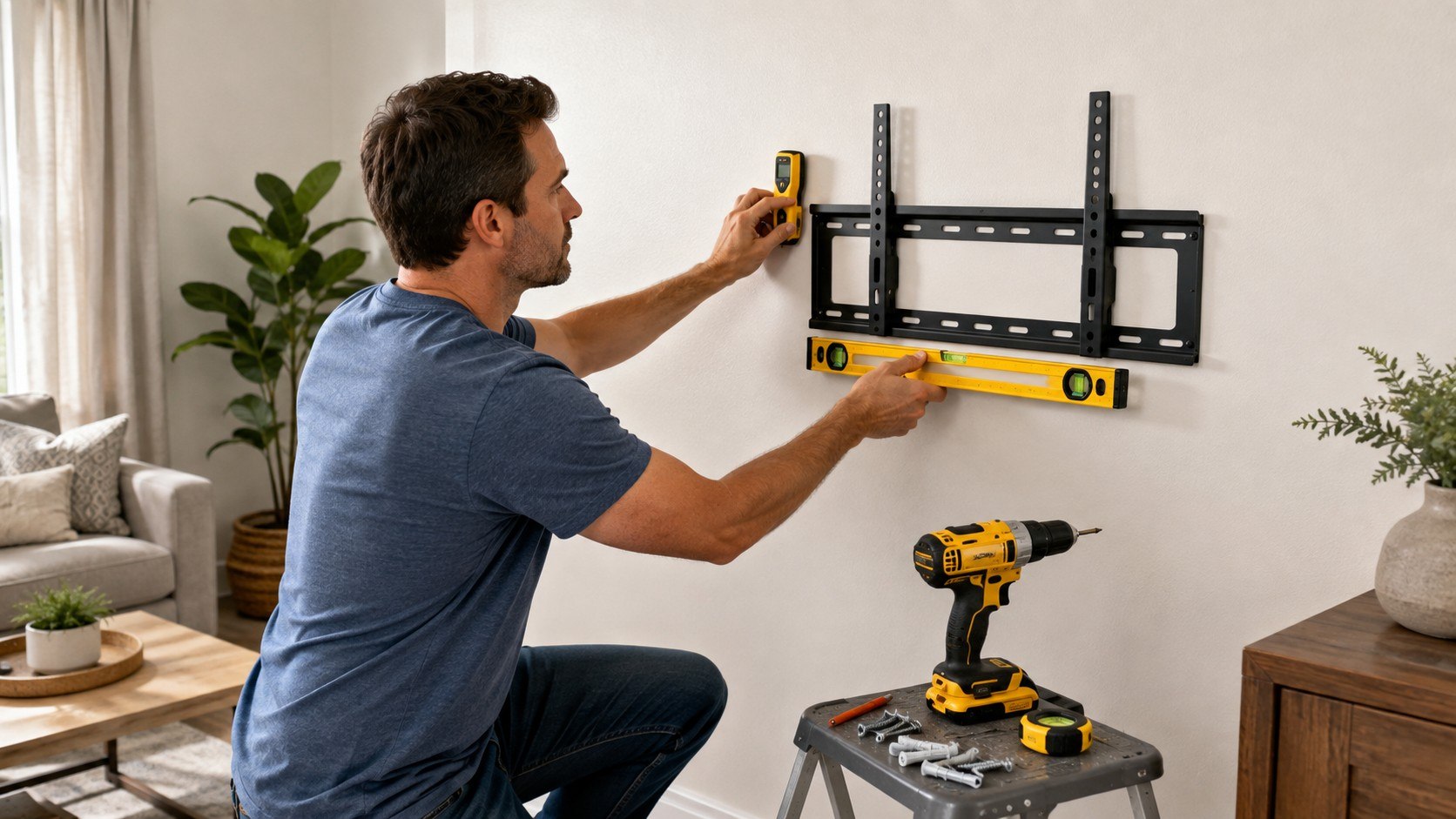
How to mount a TV on drywall safely comes down to 3 things: studs, correct hardware, and weight limits. Most straightforward installations take about 45–90 minutes when the wall has conventional wood framing. For a standard TV mount, securing the bracket into studs remains the safest approach, as noted by Baltimore Chronicle.
Drywall itself is not automatically a safe structural mounting surface. Some specialized mounts are engineered for drywall-only installation, but ordinary brackets usually require framing. Before drilling, confirm the TV weight, VESA pattern, mount rating, wall construction, and stud positions.
Key takeaways
- Use wood studs whenever the mount requires them, especially for large TVs or articulating arms.
- Never assume an anchor’s advertised capacity equals a safe TV mounting capacity.
- Check the mount manual, TV weight, VESA pattern, drywall thickness, and wall construction before drilling.
These checks matter because the television is only one part of the load. The bracket adds weight, while a full-motion arm creates leverage away from the wall.
What you need
You do not need professional equipment for a straightforward wood-stud installation. Accurate stud detection and correctly sized fasteners matter more than expensive tools.
- TV wall mount compatible with your TV’s VESA pattern
- stud finder or strong magnet
- tape measure and pencil
- level
- drill and manufacturer-specified drill bit
- socket wrench or ratchet
- manufacturer-supplied lag bolts and washers
- painter’s tape
- a second adult for lifting the television
- about 45–90 minutes for a typical installation
Electronic stud finders commonly cost about $17–$60 in US stores in 2026. A strong magnet can sometimes perform the same basic locating task. Basic fixed mounts can start below $20, while full-motion models often cost considerably more.
If the wall needs repair first, review current drywall material and repair costs. Small damage can become expensive when several unsuccessful test holes require patching and repainting.
The safest installation begins before drilling. Confirm the wall structure first, then choose the mounting method around that structure.
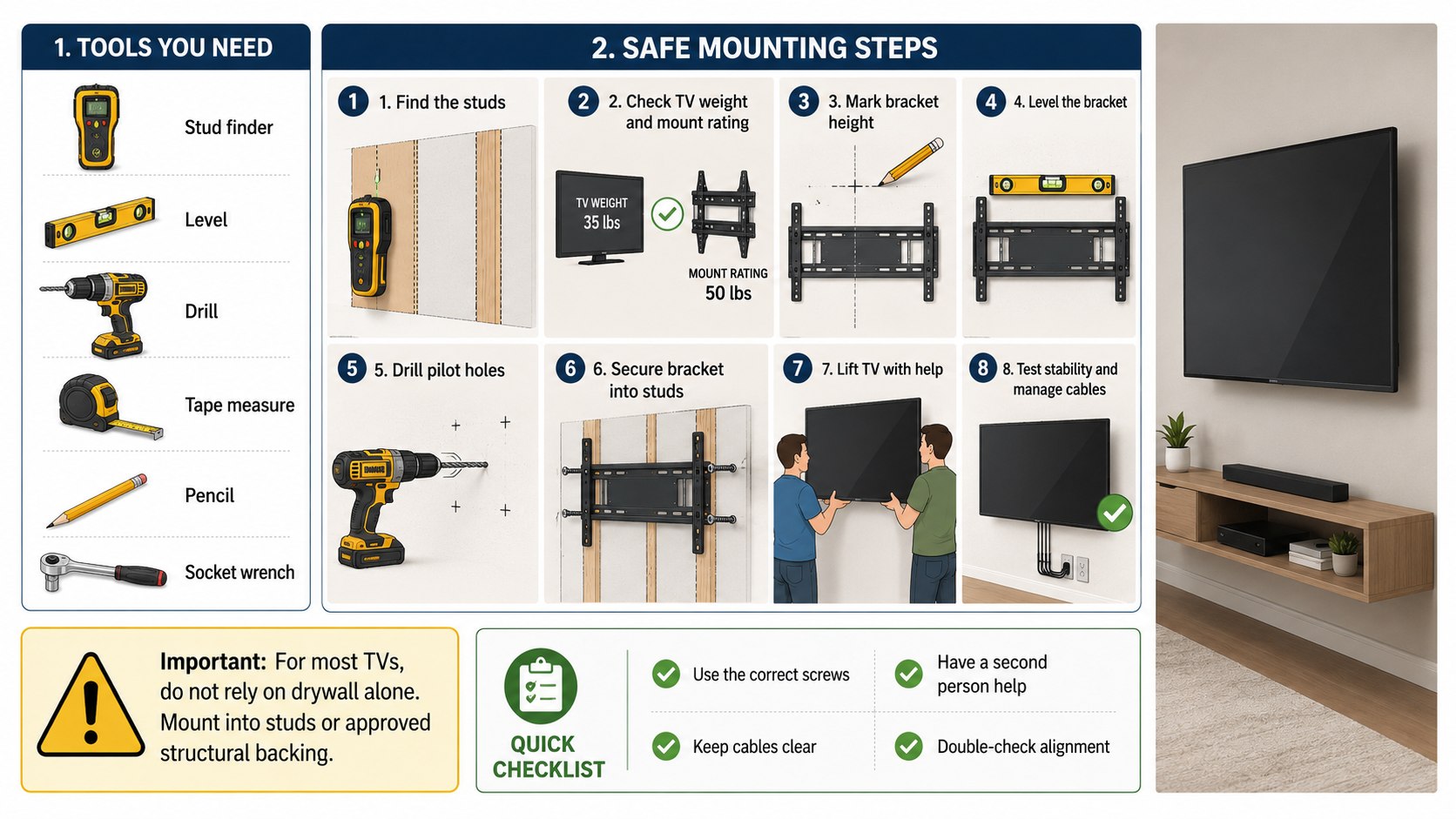
Step 1: Check the TV, mount, VESA pattern, and weight
Find the TV’s model number and official weight without the tabletop stand. Then check the bracket’s maximum television weight and supported VESA patterns.
TV mount weight limits should never be treated as rough suggestions. A bracket rated below the television’s weight is unsuitable, regardless of the fasteners used.
VESA dimensions describe the spacing between mounting holes on the TV’s back. Common patterns include 200×200 mm, 300×300 mm, 400×400 mm, and 600×400 mm.
Why it matters: even a strong wall connection cannot compensate for an incompatible bracket. The entire mounting system must work as one assembly.
A common mistake is buying a mount based only on screen size. A 65-inch television can differ substantially in weight and VESA layout from another 65-inch model.
Step 2: Locate and confirm the studs behind the drywall
Use a stud finder to scan horizontally across the planned mounting area. Mark both edges when possible, then identify the stud’s center.
Many US framed walls use studs spaced 16 inches on center. Some use 24-inch spacing, while remodels can produce irregular layouts.
Do not rely on spacing alone. The Baltimore Chronicle guide to finding wall studs without a stud finder explains several useful confirmation methods.
A magnet can detect screws securing drywall to framing. Finding several fasteners on one vertical line provides stronger evidence than one isolated magnetic hit.
Why it matters: screws driven near a stud edge can have much less wood engagement than centered fasteners.
A common mistake is trusting one stud-finder signal. Scan from both directions and confirm the location at several heights.
Step 3: Decide whether studs or drywall anchors are appropriate
For conventional brackets, mounting a TV into studs is generally preferable. This becomes especially important with tilting and full-motion mounts.
Drywall-only installation is different. It should be used only when the mount is specifically engineered and approved for that method.
SANUS, for example, sells specialized no-stud products. Its SimplySafe LML1 supports televisions up to 80 pounds and permits drywall installation according to the manufacturer.
“Can be installed directly onto drywall, with no drilling and no-studs required.”
— SANUS, SimplySafe LML1 product description.
That statement applies to that engineered product, not every TV bracket. Standard mounts may explicitly prohibit drywall-only installation.
Heavy-duty toggle anchors also have published load ratings. TOGGLER states that its SNAPTOGGLE anchor can support up to 238 pounds in 1/2-inch drywall under specified conditions.
That number should not be interpreted as permission to hang any 238-pound television. Real installations involve drywall condition, spacing, leverage, bracket geometry, and dynamic forces.
| Mounting situation | Preferred approach | Main concern |
|---|---|---|
| Fixed mount with wood studs | Lag bolts into studs | Correct pilot holes and stud centers |
| Tilting mount | Stud attachment | Additional load from tilt |
| Full-motion mount | Strong structural attachment | High leverage when extended |
| Drywall-only engineered mount | Follow exact instructions | Product-specific limitations |
| Metal studs | Hardware approved for metal framing | Different fastener requirements |
The mount type changes how forces reach the wall. A fixed bracket keeps the television close to the surface, while a full-motion arm moves the load outward.
This leverage is why anchor capacity alone gives an incomplete picture. Mount manufacturers may restrict acceptable wall types despite strong anchor ratings.
Older plaster walls also deserve separate evaluation. Homes in Maryland, Massachusetts, Pennsylvania, and New York can contain mixed construction from several renovation periods.
Metal studs require another mounting method. Do not use ordinary wood-stud lag screws simply because an electronic detector identified framing.
If wall construction remains uncertain, stop drilling. A professional installer can be cheaper than repairing a failed wall and damaged television.
Step 4: Position the wall plate and drill the pilot holes
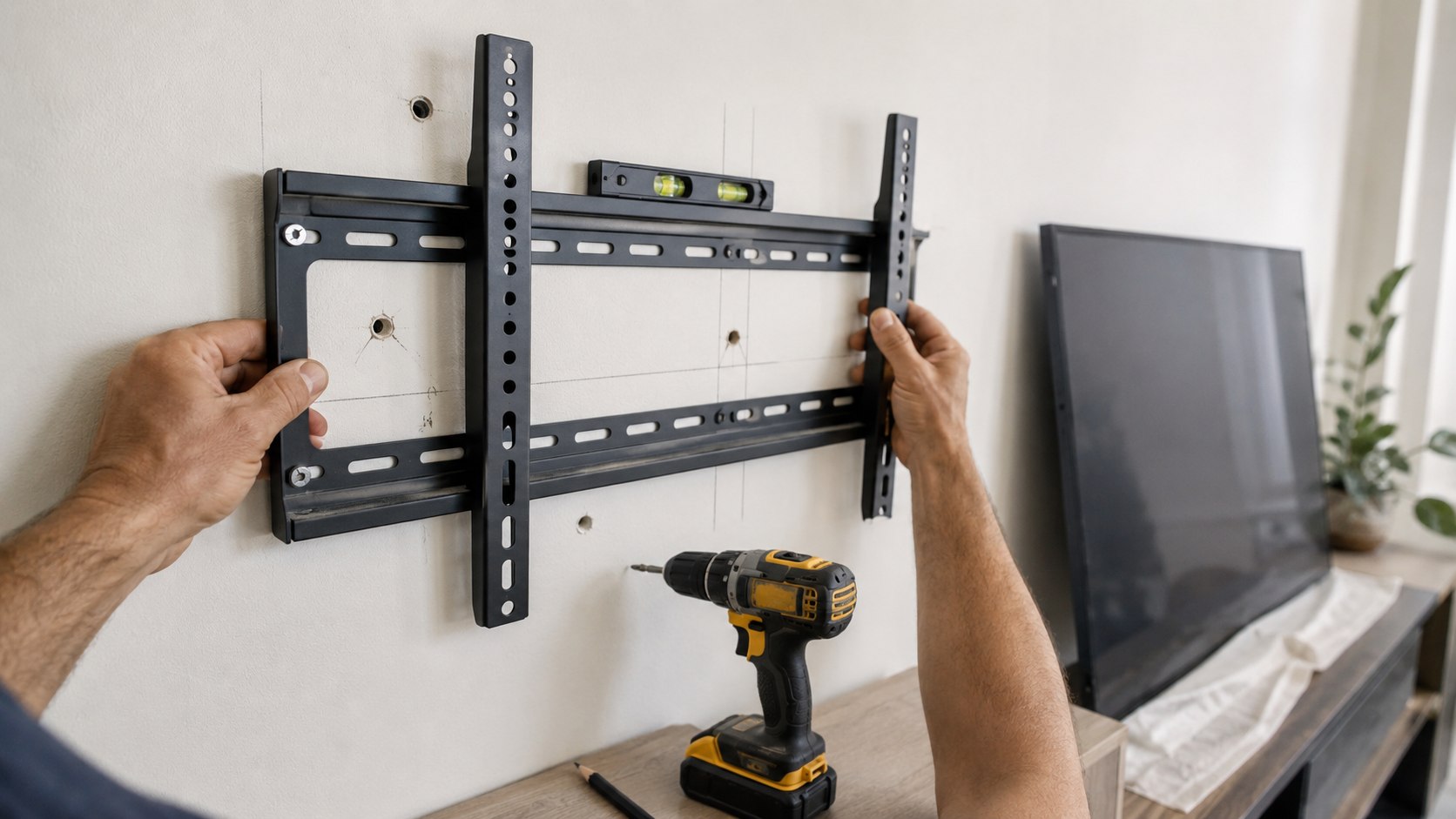
Hold the wall plate against the wall at the planned height. Use a level and mark the required fastener locations.
Check viewing height before drilling. The screen center should usually remain comfortable from the main seated viewing position.
Before making holes, check nearby outlets, switches, plumbing fixtures, and other clues about hidden utilities. Never drill blindly through unexpected resistance.
Use the drill-bit diameter and pilot-hole depth specified by the mount manufacturer. An oversized pilot hole can reduce fastener grip inside wood.
Why it matters: correctly positioned pilot holes help lag bolts enter near the stud center without splitting or wandering.
A common mistake is using a larger drill bit simply because installation feels easier. Easier insertion can mean weaker thread engagement.
For other wall-mounted fixtures, similar measuring principles appear in Baltimore Chronicle’s guide to hanging curtains at the correct height and width.
Step 5: Fasten the bracket without crushing the drywall
Install the wall plate using the supplied washers and specified fasteners. Tighten each connection gradually while checking that the bracket remains level.
The plate should sit firmly against the wall without visibly crushing the gypsum board. Excessive tightening can damage drywall or mounting hardware.
Drywall anchors for a TV mount should never replace specified lag bolts without manufacturer approval. Hardware substitution changes the tested installation system.
As of 2026, common heavy-duty anchor packages in US stores often cost roughly $10–$30 depending on type and quantity. Standard steel toggle bolt packs can cost less.
Price should never decide whether an unsuitable mounting method gets used. A $15 hardware shortcut makes little sense when it risks a television worth hundreds or thousands of dollars.
Why it matters: fastener strength depends on installation quality, substrate condition, and the direction of the load.
A common mistake is overtightening every bolt with maximum force. Tight is not the same as correctly seated.
The installation should feel structurally uneventful. Creaking, moving drywall, rotating anchors, or changing gaps are signals to stop.
Step 6: Attach the TV, test the mount, and manage cables
Attach the vertical brackets to the television using the correct screws and spacers. Do not use screws that bottom out inside the TV.
Lift larger televisions with 2 adults. Keep pressure away from the screen surface and support the chassis as the manufacturer recommends.
Engage the television with the wall plate and secure every safety latch. Then verify that the TV cannot lift free accidentally.
For a full-motion mount, move the television slowly through its complete range. Watch the wall plate while extending, swiveling, and retracting the arm.
Why it matters: TV wall mount safety depends on how the installation behaves under movement, not only when stationary.
A common mistake is testing only the centered position. Maximum extension creates the greatest leverage on many articulating mounts.
Keep ordinary TV power cables outside the wall unless the wiring system is approved for in-wall use. Do not conceal a standard detachable power cord inside drywall.
Troubleshooting common TV mounting problems
Most installation problems become obvious before the television reaches the wall. Treat unexpected conditions as information rather than obstacles to force through.
- The stud finder gives inconsistent readings: use a magnet and scan at several heights before drilling.
- The studs do not match the bracket holes: use approved lateral adjustment or another compatible mounting system.
- The wall plate moves after tightening: remove the load and inspect every attachment point.
- You find metal studs: use hardware specifically rated for metal framing.
- The TV tilts or sits unevenly: verify bracket engagement, leveling adjustments, and mounting screws.
A strange stud pattern does not necessarily indicate a problem. Windows, doors, corners, blocking, and earlier renovations can interrupt regular framing.
A hollow sound also does not prove there is no framing. Insulation and multiple drywall layers can change acoustic feedback.
If a drill hits metal unexpectedly, do not force it deeper. Protective plates may shield wiring or plumbing where framing has been drilled.
Stop immediately if the drywall cracks around loaded fasteners. Remove the television before evaluating the damaged area.
When several warning signs appear together, professional mounting becomes the safer option. This is particularly true for expensive 75-inch televisions and larger models.
FAQ about mounting a TV on drywall
Can you mount a TV directly on drywall without studs?
Yes, but only with a mounting system designed for drywall-only installation. Do not assume an ordinary fixed or articulating bracket qualifies.
How much weight can drywall anchors hold?
Ratings vary widely by anchor, drywall thickness, installation method, and load direction. Some heavy-duty anchors carry ratings above 200 pounds.
Those figures describe controlled anchor performance. They do not automatically establish a safe television weight for every bracket and wall.
Is one stud enough for a TV mount?
Some mounting systems are designed around one stud, while others require 2 or more. Follow the specific manufacturer’s installation pattern.
Are full-motion mounts harder on drywall?
They can create greater leverage because the television extends away from the wall. Structural attachment therefore becomes especially important.
How do I know whether my wall has wood or metal studs?
Stud finders with metal detection can help. Confirmation may require examining an outlet area or another accessible location.
Should renters mount a TV on drywall?
Renters should review their lease and obtain required permission before drilling. Large holes or wall damage can affect a security deposit.
A properly installed TV mount should match the wall, bracket, and television rather than rely on one oversized anchor. Confirm every weight rating and mounting instruction before lifting the screen.
Earlier we wrote about iPhone Running Slow in 2026? Check Storage, Battery Health and These 5 Settings