

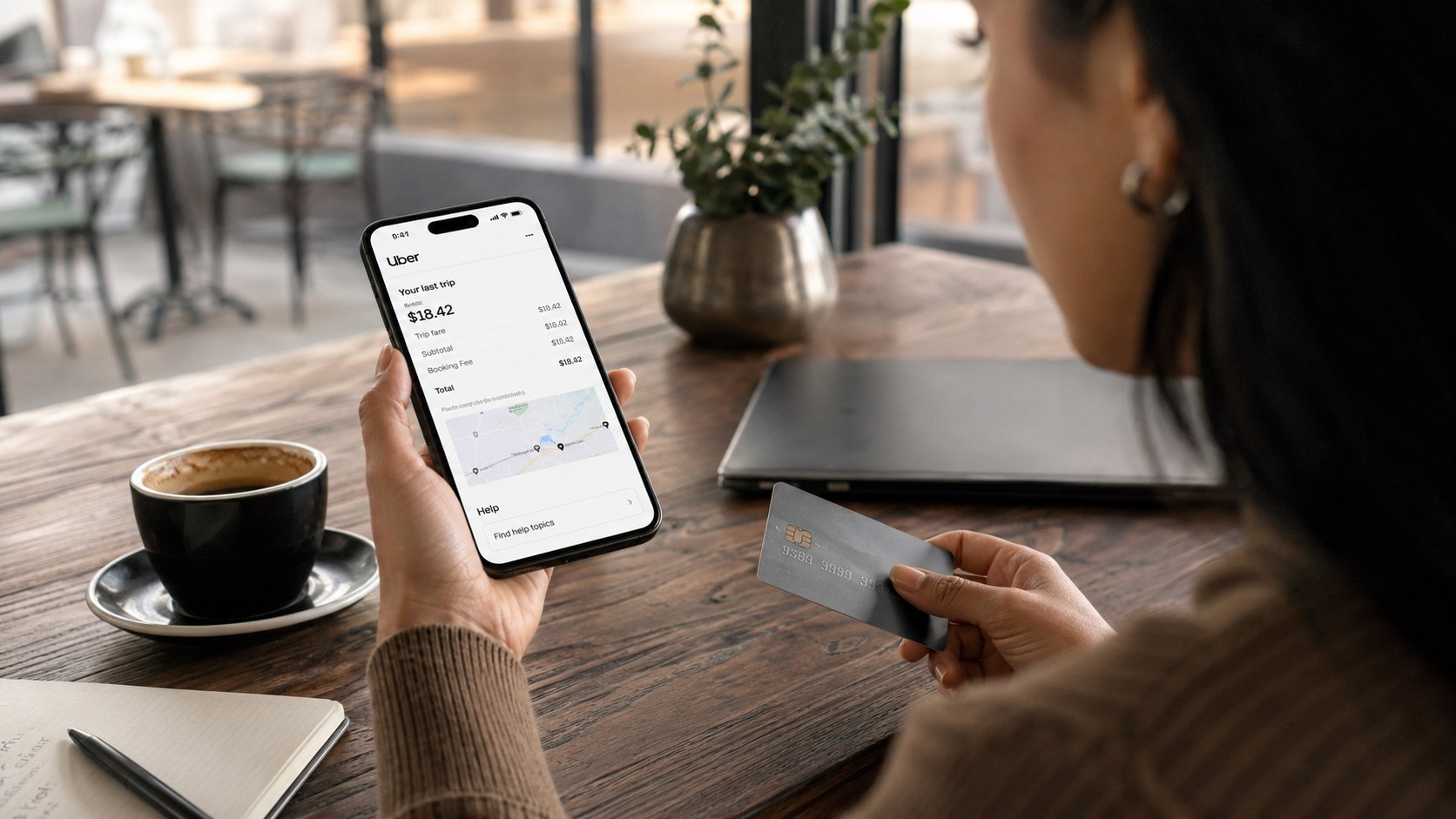
To learn how to get a refund for an Uber ride 2026, open the trip in the Uber app, select Help, choose the incorrect charge, and submit a concise explanation with supporting screenshots. A straightforward request usually takes five to ten minutes to file, аs noted by Baltimore Chronicle.
Use Uber support before contacting your bank. Select the issue that matches the charge, whether it involves an incorrect fare, cancellation fee, duplicate payment, trip you did not take, poor route, toll, wait-time fee, or cleaning charge.
Key Takeaways
- Open the exact trip in the Uber app and submit the request through its Help menu.
- Include the receipt, disputed amount, route details, transaction record, and screenshots in the first message.
- Contact the card issuer only after Uber fails to resolve a legitimate charge or the transaction is unauthorized.
What You Need
- The Uber account used to request the ride
- The Uber app with access to Activity or Your Trips
- The trip date, pickup location, destination, and disputed amount
- A screenshot of the Uber receipt
- A screenshot of the card, bank, PayPal, or Apple Pay transaction
- Any driver messages, route records, cancellation details, or toll information
- Five to ten minutes to prepare and submit the request
You normally do not need to pay a fee to request an Uber ride refund. Do not give a support agent your complete card number, bank password, Social Security number, or unrelated identity documents.
Uber prices vary by city, time, traffic, ride type, driver availability, tolls, airport charges, and demand. Riders who are unsure whether the original fare was reasonable can compare current pricing factors in this Uber vs. Lyft prices guide for 2026.
A $22 UberX ride in Baltimore, Maryland, does not establish what the same distance should cost in Los Angeles, California, or Austin, Texas. The correct comparison is between the upfront estimate, final route, itemized receipt, and charges disclosed in the app.
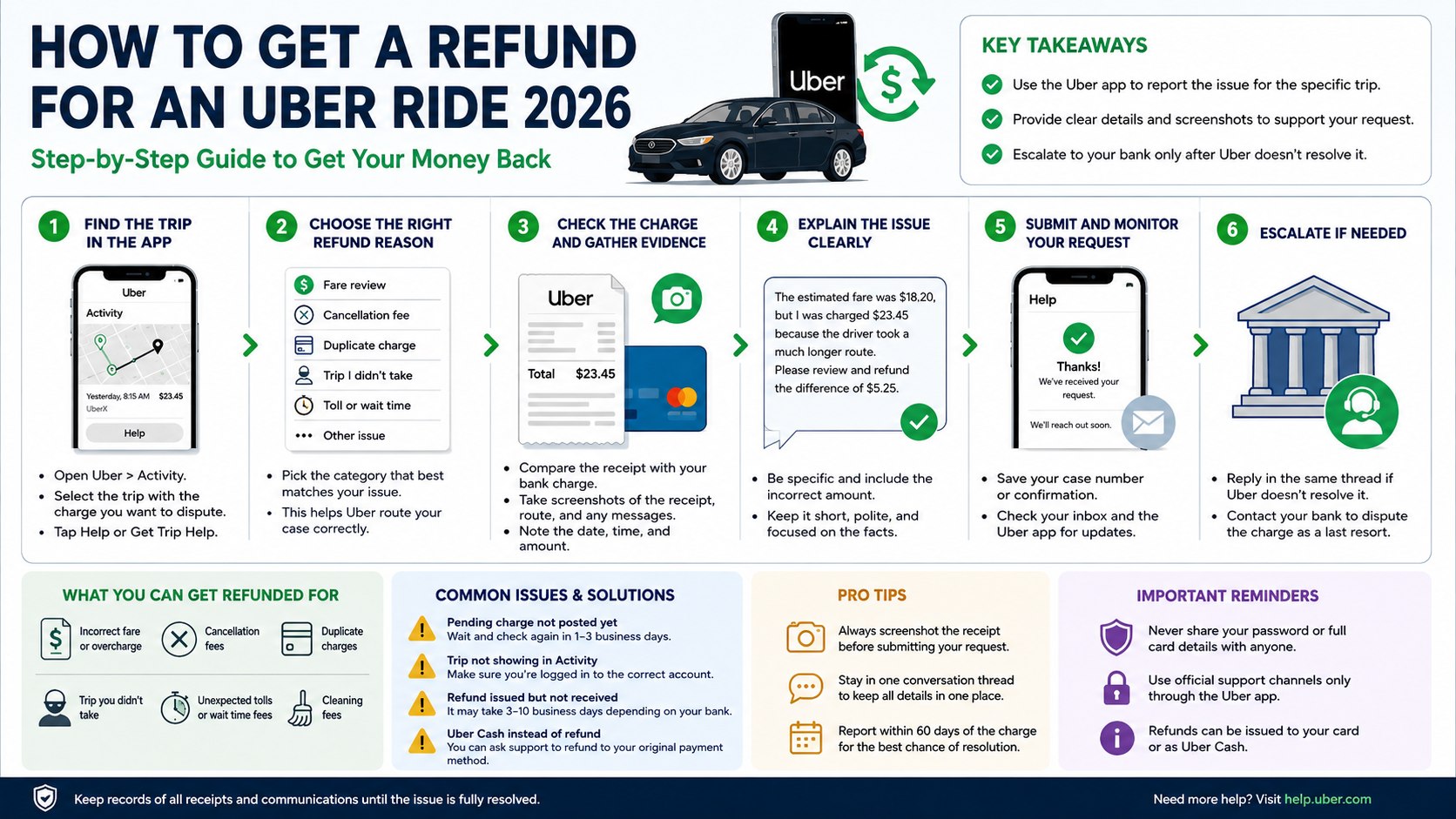
Step 1: How to Get a Refund for an Uber Ride 2026 in the App
Open Uber, tap Activity or the account menu, and select the trip connected to the disputed charge. Open the trip details, choose Help or Get Trip Help, and select the category that most closely describes the problem.
This matters because Uber connects a trip-specific report to the receipt, route, driver record, payment method, and timestamps. A general support message may not include all of this information automatically.
Avoid writing only that “the price is wrong.” Choose the specific option for a fare review, cancellation fee, duplicate charge, toll, wait time, cleaning fee, or unrecognized trip.
Step 2: Identify the Exact Charge You Are Disputing
Compare the Uber receipt with the transaction shown by Chase, Bank of America, Wells Fargo, Capital One, American Express, PayPal, Apple Pay, or the payment service used for the ride. Record the posted amount, transaction date, and merchant description.
This prevents confusion between a completed fare and a temporary authorization hold. A pending amount may change or disappear after the final fare posts, particularly when a trip is canceled or the completed fare differs from the initial authorization.
Avoid filing an Uber charge dispute solely because two entries appear while one remains marked pending. Confirm whether both transactions have posted and whether they correspond to separate rides, tips, cancellation fees, or other charges.
| Charge problem | Best support category | Evidence to include |
|---|---|---|
| Fare higher than expected | Fare review or fare was too high | Upfront estimate, final receipt, route details |
| Cancellation fee | Review cancellation fee | Driver location, arrival estimate, messages |
| Duplicate charge | Charged twice | Two posted transactions and trip receipt |
| Trip not taken | Trip I did not take | Unknown trip details and account security information |
| Unexpected toll or wait fee | Toll, surcharge, or wait-time review | Itemized receipt and pickup timeline |
| Cleaning fee | Cleaning fee review | Support notice, available photos, trip details |
A higher final price is not automatically an error. The amount may increase because of added stops, a changed destination, tolls, wait time, or a route that took longer than expected.
Dynamic pricing can also raise the original quote before the ride is booked. The Baltimore Chronicle guide to how Uber surge pricing works in 2026 explains why nearby trips can receive different estimates within a short period.
Step 3: Choose the Correct Refund Reason
Select the reason that matches what occurred. Uber maintains different support paths for high fares, poor routes, cancellation fees, duplicate payments, wait-time charges, trips not taken, and other payment problems.
This matters because each category can trigger a different review process. A route complaint requires different evidence from an unauthorized-trip report or a duplicate-charge claim.
Avoid describing a legitimate ride as unauthorized merely because it cost more than expected. Use the unauthorized-trip option only when neither the account holder nor another authorized user requested or took the ride.
Common Reasons Uber May Adjust a Charge
- The driver followed an unnecessarily long or incorrect route.
- A cancellation fee appeared even though the driver did not approach the pickup point.
- The account was charged for a trip that never occurred.
- A toll, airport surcharge, wait-time fee, or other item was added incorrectly.
- The same completed ride appears as two posted charges.
- The final receipt includes an error unrelated to normal changes in time or distance.
Service dissatisfaction alone does not always result in a full refund. A rude interaction, uncomfortable vehicle, missed preference, or low-quality ride may produce a service review, partial credit, or another remedy rather than reimbursement of the entire fare.
Airport trips deserve closer review because the receipt may contain tolls, pickup fees, and location-specific surcharges. Travelers comparing a rideshare receipt with other transportation options can use this guide to getting from BWI to downtown Baltimore, which covers rideshare, taxi, train, and bus costs.
Step 4: Write a Clear Refund Request
State what happened, identify the incorrect amount, and request a specific correction.
“The app estimated $31.40, but the final charge was $54.85 after the driver missed the exit and traveled about 9 extra miles. Please review the route and refund the $23.45 difference if the added distance was unnecessary.”
This gives Uber customer support a concrete billing issue to investigate. Dates, dollar amounts, trip locations, and screenshots are more useful than a long description of unrelated frustrations.
Avoid threats, repeated messages, profanity, and claims that cannot be supported by the trip record. Multiple reports for the same problem can divide the evidence across separate support threads.
A cancellation-fee request can use similar wording:
“I was charged a $7.50 cancellation fee after the driver remained several blocks away and did not move toward the pickup point. The attached screenshot shows the driver’s location and estimated arrival time. Please review and refund the fee.”
The requested refund should match the documented problem. Ask for the full fare when the entire transaction is invalid, or request the exact difference when only part of the charge is incorrect.
Step 5: Submit Evidence and Monitor Uber Support
Attach screenshots when the form permits them, submit the request, and save the confirmation or support conversation. Check the app inbox, email account, spam folder, and the trip’s Help section for follow-up questions.
Support may need clarification before approving an Uber fare adjustment. Respond in the original thread and restate the disputed amount when the reply does not address the main issue.
Do not delete receipts, driver messages, map screenshots, or bank records before the case closes. A refund may appear as a reversal, separate card credit, Uber Cash, or another adjustment.
- Save the original Uber receipt.
- Take a screenshot of the support request.
- Keep copies of each response from Uber.
- Confirm whether the offer is a card refund or Uber Cash.
- Check the original payment method for the credit.
- Retain the records until the billing cycle closes.
Processing time depends on Uber’s decision and the bank or card network. An approved refund may not appear immediately on a checking account or credit card statement.
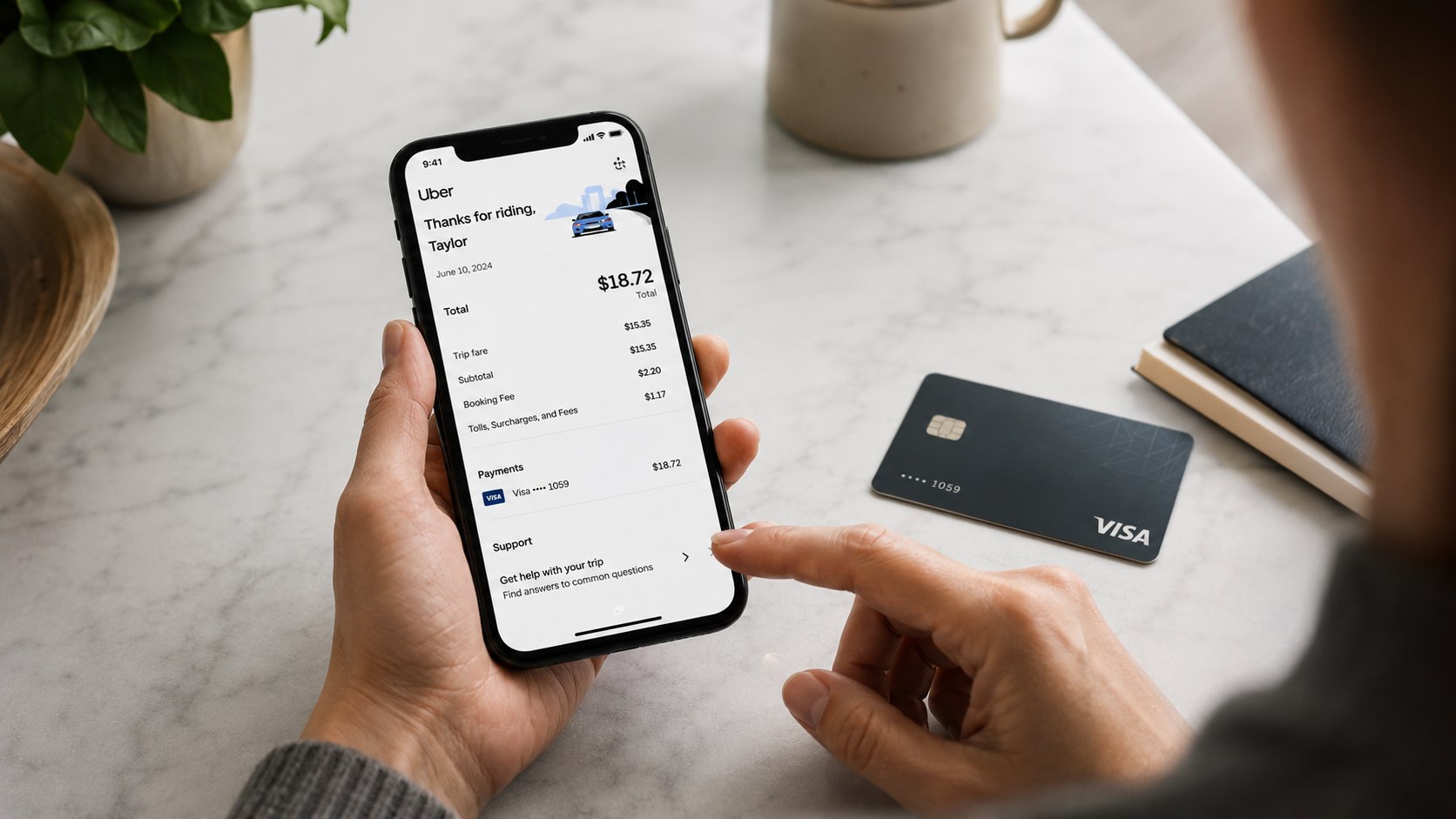
Step 6: Escalate an Unresolved Billing Error
Reply through the existing support thread and ask for another review when the response overlooks material evidence. Restate the trip date, disputed amount, selected issue, and requested resolution in four or five sentences.
This creates a clear record that Uber had an opportunity to address the problem. Keep the dispute focused on the charge rather than adding unrelated complaints about the driver, app, or general pricing.
Avoid starting with a bank chargeback unless the transaction is clearly unauthorized or immediate fraud prevention is necessary. A premature chargeback can complicate the Uber account, and the card issuer may ask whether the rider first contacted the merchant.
When a genuine credit card billing error remains unresolved, contact the card issuer and ask about its formal dispute process. The Consumer Financial Protection Bureau states that written notice of certain credit card billing errors generally must reach the issuer within 60 days after the charge appears on the statement.
An unauthorized Uber charge also requires account-security action. Change the Uber password, review saved payment methods, sign out unfamiliar devices, secure the connected email account, and notify the card issuer if card information may have been compromised.
Troubleshooting Common Uber Refund Problems
- The trip is missing from Activity. Confirm that the correct phone number, email address, and Uber account are open. Search email receipts and check whether another household member used the card.
- The cancellation fee appears unfair. Select the canceled trip, open Help, and choose the cancellation-fee review option. Include screenshots showing the driver’s location or messages.
- The card shows two charges. Determine whether one entry is pending. Report the problem when both amounts post and only one completed ride appears in the account history.
- Support issued Uber Cash instead of a card refund. Reply in the same thread when reimbursement to the original payment method is required. Explain why account credit does not resolve the billing error.
- The refund was approved but is not visible. Check whether the original transaction was reversed rather than followed by a separate deposit. Contact the bank with Uber’s confirmation if the credit remains absent.
- Uber rejected the first request. Ask for another review and provide the missing receipt, screenshot, route detail, or transaction record without opening multiple cases.
FAQ
Can I Get a Full Refund for a Bad Uber Ride?
A full refund depends on the billing problem and Uber’s review. Incorrect charges, trips not taken, duplicate payments, and serious service failures may justify reimbursement.
Minor dissatisfaction may result in a partial adjustment, Uber Cash, or no fare change. Describe the measurable problem rather than relying only on a low driver rating.
How Do I Request an Uber Refund Without Calling?
Open the Uber app, select Activity or Your Trips, choose the ride, tap Help, and select the relevant charge category. The app is the primary route for a trip-specific refund request through Uber.
Include the disputed amount and supporting screenshots in the first submission. Continue the conversation in the same support thread.
Can Uber Refund a Cancellation Fee?
Uber can review and refund a cancellation fee when the charge was applied incorrectly. Open the canceled trip and select the cancellation-fee review option.
Include evidence when the driver did not approach the pickup point, remained stationary, arrived substantially later than shown, or asked the rider to cancel.
What Should I Do About an Uber Trip I Never Took?
Report the unknown trip through the selected ride’s Help menu. Secure the Uber account, email address, and saved payment methods.
Contact the card issuer promptly when the transaction is unauthorized. Do not label a recognized but overpriced trip as fraudulent.
How Long Does an Uber Refund Take in 2026?
The timing depends on Uber’s review and the payment provider’s processing rules. Monitor both the support thread and the original payment account.
Check whether the original transaction was reversed before looking for a separate refund entry. Verify current processing estimates with Uber or the issuing bank.
Should I Dispute an Uber Charge With My Bank?
Use the bank’s dispute process after documenting the error and giving Uber an opportunity to correct it, except when immediate action is required for fraud. Preserve the receipt, support messages, screenshots, and final response for the card issuer.
Earlier we wrote about What Is an Earnest Money Deposit on a House and Is It Refundable?