

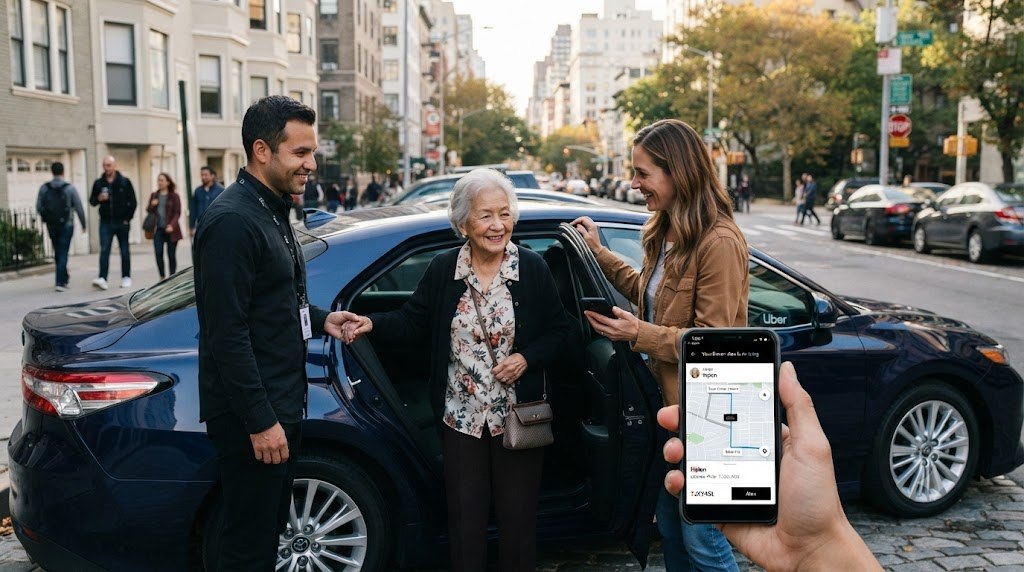
How to use Uber for someone else 2026 is straightforward: enter the other person’s pickup point, change the rider from “Me,” add their phone number, and confirm the fare. The process usually takes less than 3 minutes, and the passenger receives the driver’s name, vehicle details, arrival updates, and tracking information, as the Baltimore Chronicle editorial team notes.
You remain responsible for the payment, cancellation charges, tolls, tips, and destination entered through your account. The rider should have a working mobile phone and wait at the exact pickup pin.
Key takeaways
- Select the actual passenger before confirming, so the driver receives the correct name and contact information.
- Use an Uber Teen account for an unaccompanied rider aged 13–17, where that service is available.
- Review the upfront price before booking because demand, tolls, airports, and local fees can change the final cost.
Guest booking is best for a single ride. An Uber Family Profile is usually better when you regularly pay for a parent, partner, adult child, or teenager.
What you need before ordering the ride
Gather the trip details before opening the app. This prevents the most common errors, including an incorrect entrance, wrong terminal, or missing apartment number.
- An active Uber account with a valid payment method
- The passenger’s full name and mobile phone number
- An exact pickup address, entrance, terminal, or business name
- The destination and any necessary stop
- A phone connection for both you and the passenger
- A child restraint when required by state law
- Enough available credit for the fare, tolls, tip, and possible adjustments
Uber prices vary by city, distance, demand, vehicle type, and pickup rules. A ride may cost more near airports, stadiums, downtown entertainment districts, or major events. The displayed upfront price is therefore more useful than a national average.
Readers comparing quotes can also review Uber versus Lyft prices in 2026. For airport trips, the BWI transportation guide explains how rideshare costs compare with trains, buses, and taxis.
Check whether the passenger needs UberX, UberXL, Comfort, an accessible vehicle, or Uber Car Seat. Availability differs across cities and can change during busy periods.
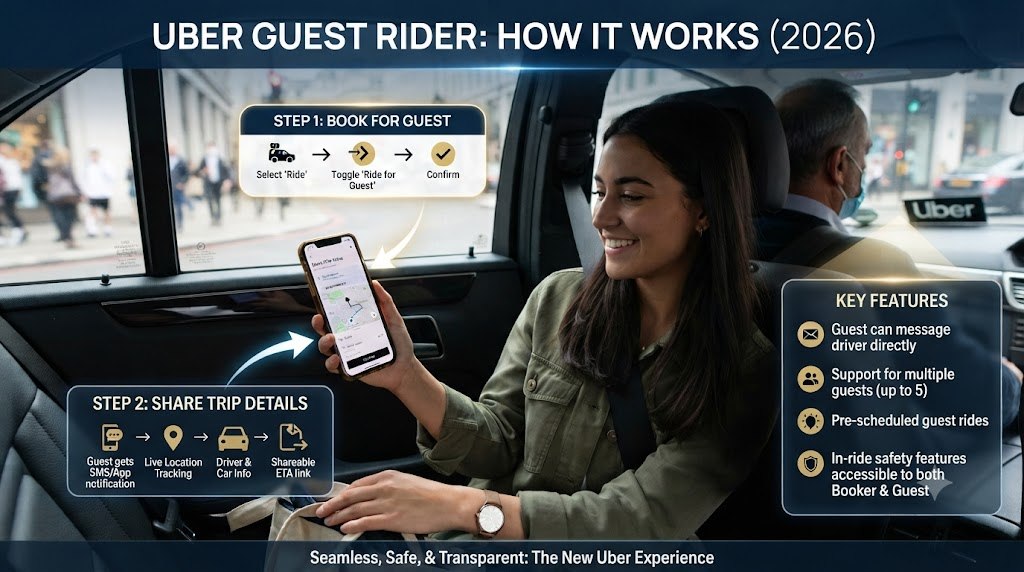
Step 1: Confirm the passenger’s pickup and destination
Ask for the complete street address and a recognizable meeting point. For hospitals, hotels, malls, and airports, include the entrance, building, terminal, or rideshare zone.
This matters because your phone’s location may be many miles from the rider. Do not accept the automatic pickup pin without checking it.
Common mistake: entering your own location first and correcting it after a driver accepts. That can create delays or a cancellation fee.
Step 2: Open Uber and change the rider
Open the Uber app and tap “Where to?” Enter the passenger’s pickup address, then look for “For me,” “Me,” or the rider selector near the top.
Choose the option to add or select another rider. Uber may automatically display this prompt when the pickup point differs from your location.
Common mistake: requesting the vehicle under your own name. The driver may then search for you rather than the intended passenger.
Step 3: Add the other person’s contact information
Select the passenger from your contacts or enter their mobile number manually. Confirm that the name and number belong to the person taking the ride.
Uber says a guest without an account can receive trip instructions by message. A rider with an account may receive an app notification with driver, vehicle, and tracking details.
“A friend or family member can request a ride for you even if you are in a different location.”
Uber Help, “Someone else booked me a ride,” guidance for guest passengers.
The contact information allows the passenger and driver to coordinate without relying entirely on you. It also reduces confusion at large pickup areas.
Common mistake: entering your own number. This forces you to relay every message while the driver waits.
Step 4: Select the correct ride type and check the price
Compare the available vehicle categories before confirming. The cheapest option may not fit luggage, mobility equipment, several passengers, or a child seat.
| Option | Best use | What to verify |
|---|---|---|
| UberX | 1–4 riders with light luggage | Seat count and luggage space |
| UberXL | Larger families or extra bags | Local capacity and fare |
| Comfort | More space and selected newer vehicles | Availability at pickup |
| Uber Car Seat | Young child in supported cities | Child’s size and local availability |
| Uber Teen | Eligible riders aged 13–17 | Guardian setup and city eligibility |
The quote shown in 2026 can include a base fare, current demand, booking charges, airport fees, and expected tolls. A later destination change may alter the charge.
Uber Car Seat is not available nationwide. Uber currently advertises supported service in selected US cities, so check the app before depending on it.
Parents should also confirm applicable state child-restraint rules. A standard UberX driver is not guaranteed to carry a child seat.
For a closer look at changing demand, see the Baltimore Chronicle guide to Uber surge pricing in 2026.
Common mistake: choosing UberX for 5 passengers or ordering a standard ride for a child without the required restraint.
Step 5: Review the trip and send the details
Check the rider’s name, pickup pin, destination, vehicle category, payment method, and estimated fare. Only then should you tap the final request button.
Send the passenger a separate message with the pickup point and your instructions. Tell them to confirm the driver’s name, license plate, vehicle model, and photo before entering.
The passenger should never enter a vehicle merely because the driver says their first name. Matching the plate and vehicle provides a stronger check.
Common mistake: assuming the passenger has seen Uber’s notification. Confirm directly when booking for an older adult or someone with limited mobile data.
Step 6: Track the ride and handle changes
Keep the app open until the passenger enters the correct vehicle. You can follow the driver’s approach and monitor the trip after pickup.
Call or message the passenger when the vehicle is close. Contact the driver only when necessary, using the communication tools provided through Uber.
If the passenger changes the destination, confirm the update in the app when prompted. Additional distance, time, tolls, waiting, or stops may increase the fare.
Common mistake: ending coordination immediately after booking. Guest rides work best when the account holder remains reachable until drop-off.

When to use a guest ride, Family Profile, Teen account, or voucher
The right method depends on who controls the booking and who pays. A one-time guest trip is not always the best arrangement for repeated family transportation.
- Guest ride: you order and pay for one specific trip.
- Family Profile: an invited adult requests rides using the organizer’s payment method.
- Uber Teen: an eligible rider aged 13–17 uses a guardian-linked account.
- Send a Ride: you provide a voucher with a set ride count or coverage limit.
- Uber Central: an organization arranges rides for clients, patients, or employees.
A Family Profile gives the invited person more independence because they request the ride from their own phone. The organizer receives receipts and pays through the shared method.
Uber states that only 1 Family Profile can be created at a time. Its help guidance also says organizers cannot restrict family members to selected vehicle types or spending limits.
Uber Teen requires parental or guardian consent. The service includes tools such as PIN verification, live tracking, and trip-status notifications, but availability remains city-dependent.
Do not book an ordinary adult guest ride for an unaccompanied minor. Uber’s US guidance says riders under 18 need an eligible Teen account or must travel with an adult.
Troubleshooting common guest-ride problems
Most failed bookings involve contact details, pickup accuracy, age restrictions, or payment issues. Use these fixes before canceling and starting again.
- The “For me” option is missing: update the Uber app, re-enter the remote pickup, or restart the booking.
- The passenger received no message: verify the mobile number and send driver details manually.
- The driver cannot find the rider: provide a door number, landmark, terminal, or designated rideshare zone.
- The fare suddenly increased: review changed stops, waiting time, destination edits, tolls, and current demand.
- The passenger is under 18: use Uber Teen where available or arrange for an adult to accompany them.
Do not repeatedly cancel while prices are changing. Cancellation charges may apply after a driver accepts or waits beyond the allowed period.
If the wrong passenger was selected, cancel quickly and review the fee shown in the app. Then create a new request with the correct contact.
For a disputed charge, open the trip receipt and choose the relevant support issue. Screenshots of the original pickup, destination, and quoted fare can help explain the problem.
When the ride involves an airport or venue, verify local pickup rules first. Drivers may be unable to stop outside approved zones.
For urgent safety concerns during an active trip, use the app’s safety tools or contact emergency services when appropriate.
FAQ about ordering an Uber for another person
Can I order an Uber for someone in another state?
Yes, when Uber operates at that pickup location. Enter the other person’s address and select them as the rider before confirming.
Does the other person need an Uber account?
No. Uber says a guest without an account can receive ride instructions and vehicle information by text message.
Who pays when I book Uber for somebody else?
The payment method selected on the booking account is charged. The account holder may also pay tolls, tips, waiting charges, and cancellation fees.
Can I order Uber for my elderly parent?
Yes. Use a guest ride for occasional trips or consider Family Profile for repeated travel. Uber also advertises phone booking for eligible seniors at 1-833-USE-UBER.
Can I book a standard Uber for my child alone?
Not through a normal adult guest booking. An unaccompanied rider aged 13–17 should use an eligible Uber Teen account linked to a guardian.
Can I schedule the other person’s ride in advance?
Advance options depend on the city, pickup, and vehicle category. Review the app’s Reserve details, price, and cancellation terms before confirming.
Earlier we wrote about How Much Does It Cost to Sell a House in USA 2026? Fees, Repairs and Commission Rules