

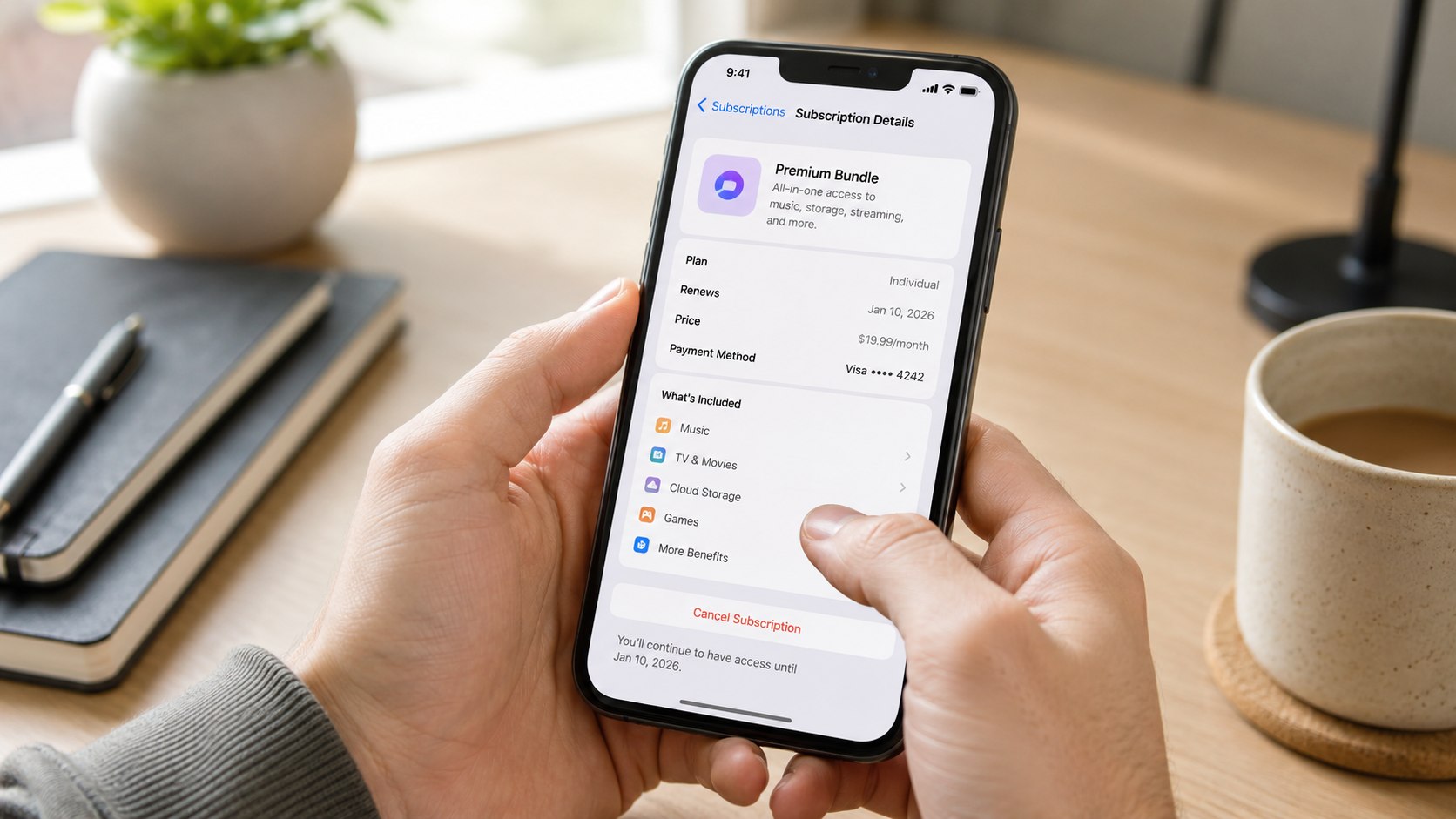
How to cancel Apple One 2026 is straightforward: open your Apple Account subscription settings, select Apple One, and cancel or change the plan. The process usually takes only a few minutes, but families should check iCloud storage and shared services first. This guide explains what changes after cancellation, how downgrading works, and how to avoid cutting off services your household still uses, as noted by Baltimore Chronicle.
If you simply want to stop the next Apple One renewal, you do not need to delete apps, remove your payment card, or close your Apple Account. On an iPhone or iPad, go to Settings, tap your name, choose Subscriptions, select Apple One, and follow the cancellation options.
Key takeaways
- Cancel Apple One through the Apple Account that actually pays for the subscription, not through individual Apple apps.
- Before downgrading, compare your household’s iCloud storage because Family includes 200GB while Premier includes 2TB.
- Family members may lose shared Apple services when the organizer cancels Apple One, even though personal Apple Accounts remain separate.
What you need before canceling Apple One
You need very little to cancel the subscription, but checking a few details first can prevent an expensive or inconvenient mistake. This is especially relevant for parents and households using Family Sharing.
- The Apple Account used to purchase Apple One
- Your iPhone, iPad, Mac, Windows PC, or access to account.apple.com
- Access to the email address receiving Apple billing receipts
- Your current Apple One renewal date
- Your household’s current iCloud storage usage
- A list of Apple Music, Apple TV, Apple Arcade, News+, or Fitness+ services you still need
- About 5 minutes
Do not assume the Apple Account currently signed into an iPhone owns the subscription. Some households use different accounts for media purchases and iCloud. Check the billing receipt when there is any doubt.
Families should also review who depends on the subscription. Apple One Family and Premier can be shared with up to 5 other family members. Canceling the organizer’s bundle can therefore affect several people.
Storage deserves particular attention. Photos and documents do not instantly disappear because you downgrade, but your available iCloud capacity can change substantially. Review usage before switching plans rather than dealing with storage warnings afterward.
An Apple One household is really managing several services under one bill. Canceling the bundle should therefore be treated as a subscription audit, not merely a button press.
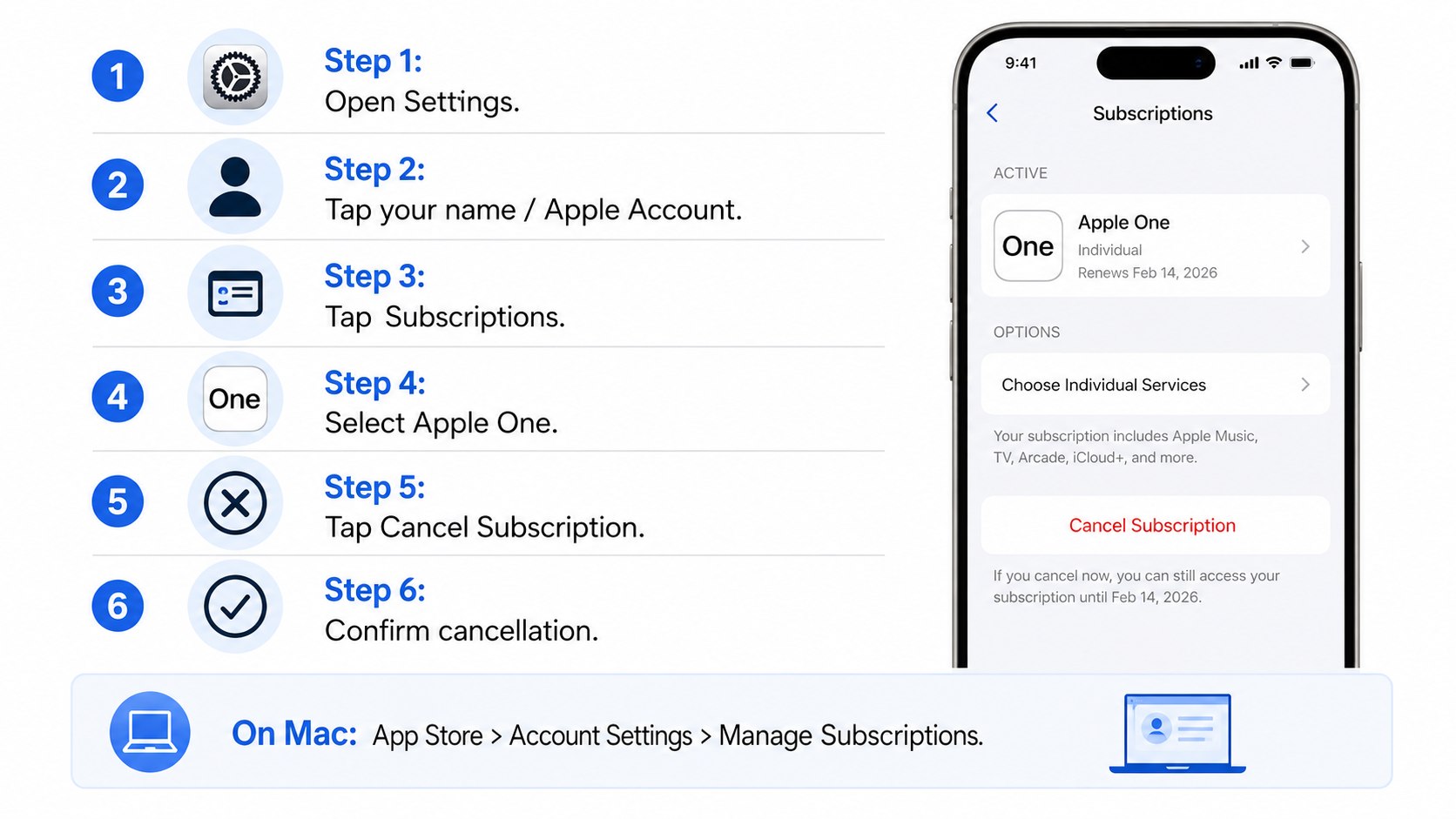
How to cancel Apple One 2026: 7 steps
Step 1: Confirm which Apple Account pays for Apple One
Open Settings on your iPhone or iPad and tap your name. Then select Subscriptions and look for Apple One.
This matters because only the account managing the subscription can cancel it. A family member using shared Apple One benefits cannot normally terminate the organizer’s subscription.
A common mistake is checking another Apple Account and assuming Apple One has disappeared. Search your email for Apple receipts if the subscription does not appear.
Step 2: Check the renewal date before making changes
Open Apple One inside Subscriptions and review the current plan and billing information. Record the renewal or expiration date before changing anything.
This tells you when the next charge is expected and helps you decide whether immediate action is necessary.
Do not rely only on a credit-card statement. A statement shows previous charges, while subscription settings show the current status.
Step 3: Review Apple One services your family actually uses
List the Apple services used during a normal month. Check Apple Music, Apple TV, Apple Arcade, iCloud+, Apple News+, and Apple Fitness+ where applicable.
This step matters because canceling a bundle and then resubscribing to several individual services can erase much of the expected saving.
Do not judge the plan only by one person’s usage. A spouse or child may use shared music, games, storage, or another included service.
Readers reviewing multiple recurring payments may also use Baltimore Chronicle’s guide on how to cancel Apple Music in 2026. Households reorganizing shared accounts can review how to set up Family Sharing on iPhone.
Step 4: Compare cancellation with an Apple One downgrade
Apple lists 3 Apple One tiers in the United States in 2026. Before canceling completely, compare your current tier with less expensive alternatives on the official Apple One page.
| Apple One plan | US price in 2026 | iCloud+ storage | Family use | Main services |
|---|---|---|---|---|
| Individual | $19.95/month | 50GB | Limited sharing | Apple Music, Apple TV, Apple Arcade, iCloud+ |
| Family | $27.95/month | 200GB | Up to 6 people total | Apple Music, Apple TV, Apple Arcade, iCloud+ |
| Premier | $39.95/month | 2TB | Up to 6 people total | Family services plus News+ and Fitness+ |
The price difference between Family and Premier is $12 per month at Apple’s current US pricing. That equals $144 over 12 months if pricing remains unchanged.
Moving from Premier to Family may make sense when nobody regularly uses Apple News+ or Apple Fitness+. The storage difference, however, is significant: Premier supplies 2TB compared with 200GB on Family.
Individual costs $8 less per month than Family. However, Apple Music through the Individual Apple One tier cannot be shared with the entire Family Sharing group in the same way as the Family plan.
The cheapest tier is therefore not automatically the lowest-cost configuration. Calculate which standalone subscriptions would need to be restored afterward.
Prices and bundle contents can change. Verify the current US offer on Apple’s website before confirming the switch.
Step 5: Cancel or change Apple One
On an iPhone or iPad, open Settings, tap your name, choose Subscriptions, and select Apple One. Follow the options shown to cancel or change the subscription.
Apple’s current support instructions use the same subscription-management area for recurring Apple services. The official Apple subscription cancellation guide also explains cancellation on Mac, Windows, and the web.
This matters because deleting Apple Music, Apple TV, or another app does not stop Apple One billing.
The common mistake is leaving the screen before the final status changes. Confirm that Apple shows an expiration date or another clear indication that renewal has been canceled.
“If there is no Cancel button or you see an expiration message in red text, the subscription is already canceled.”
— Apple Support, subscription cancellation guidance.
Step 6: Decide which services to keep separately
Once Apple One is canceled, decide whether you need individual subscriptions after the bundle ends. Do this based on actual usage rather than automatically recreating every service.
This prevents a familiar subscription problem: canceling one $39.95 bundle and replacing it with several smaller charges that eventually cost just as much.
A useful approach is to keep only services someone in the household used during the previous 30 days. Rejoin later if a particular service becomes necessary.
For broader household subscription cleanup, the same billing principle applies elsewhere. Baltimore Chronicle’s YouTube Premium cancellation guide explains how provider-controlled billing can affect another common family subscription.
Step 7: Verify that the cancellation worked
Return to Settings, open Subscriptions, and select Apple One again. Check the status and save a screenshot showing the expiration information.
This matters because a screenshot and Apple email provide useful records if an unexpected charge appears after the expected cancellation date.
Do not confuse continued access with a failed cancellation. A canceled subscription may remain usable during a period you have already paid for.
Set a calendar reminder for several days after the former renewal date. Check your card or bank statement once more rather than assuming the subscription disappeared permanently.
Cancel Apple One or downgrade? The family decision
For many US households, downgrading Apple One is more practical than canceling everything. The decision depends mainly on family sharing, iCloud capacity, and which services receive regular use.
Consider a household using Apple Music every day, Apple TV occasionally, and around 120GB of shared iCloud storage. Moving from Premier to Family preserves those core functions while reducing the monthly bundle price.
An Individual plan is different. Its 50GB of included iCloud+ storage can be restrictive for an iPhone user with a large photo library. It also does not provide the same family-wide Apple Music arrangement.
- Choose Individual when 1 person mainly wants Music, TV, Arcade, and modest iCloud storage.
- Choose Family when several people use Apple services and 200GB is enough for shared storage.
- Consider Premier when the household uses News+, Fitness+, or needs substantially more included iCloud capacity.
- Cancel completely when the household rarely uses enough included services to justify the bundle.
- Price standalone subscriptions before assuming unbundling will save money.
Families should treat iCloud as a separate decision from entertainment. Storage needs can remain even when nobody watches Apple TV or plays Apple Arcade.
Also check whether somebody already pays separately for additional iCloud+. Apple One storage and separately purchased storage can interact differently depending on the account setup.
Parents should review children’s devices before changing Family Sharing. Removing the bundle is not the same action as removing someone from the family group.
People using different Apple Accounts for iCloud and media purchases should be particularly careful. Verify which account receives the Apple One storage before changing plans.
Finally, repeat the cost calculation whenever Apple changes prices. A plan that made financial sense last year may no longer match household usage in 2026.
What happens to your family after you cancel Apple One?
If you organize a Family or Premier plan, other members can lose access to services provided through your Apple One subscription after the applicable access period ends. Their personal Apple Accounts remain separate.
Personal photos, messages, contacts, and independently purchased content are not simply transferred to the organizer. Family Sharing is designed around separate accounts rather than a shared login.
The main issue is access to shared subscriptions and storage. Someone who relies on the organizer’s Apple Music family access may need another subscription afterward.
iCloud storage requires more attention. A household using hundreds of gigabytes under Premier should not move casually to a plan offering 200GB or 50GB.
Before changing the plan, open iCloud settings on the organizer’s account. Compare actual storage consumption with the capacity of the intended replacement plan.
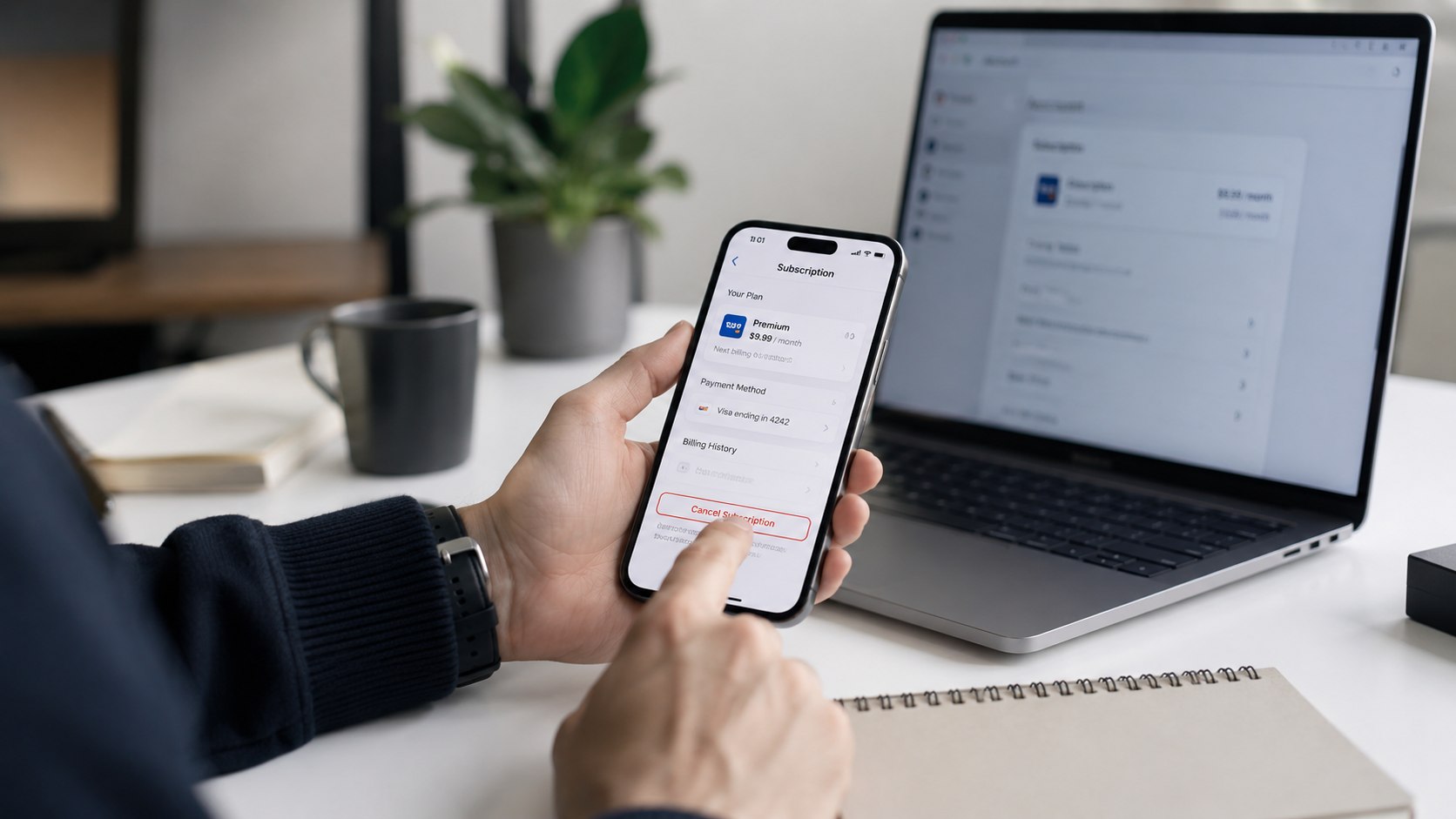
Troubleshooting Apple One cancellation problems
Most cancellations are simple, but account ownership and family billing can create confusion. These are the most common situations to check.
- Apple One does not appear: check other Apple Accounts and search your email for Apple subscription receipts.
- There is no Cancel button: Apple may already show the subscription as canceled with an expiration date.
- A family member cannot cancel it: confirm which Apple Account owns and pays for the subscription.
- You still see an Apple charge: check whether it belongs to another Apple subscription, iCloud+ plan, or App Store purchase.
- You need less service, not zero service: review available plan-change options before canceling the entire bundle.
Start by identifying the billing source rather than repeatedly pressing cancellation buttons. The Apple receipt normally reveals which account made the purchase.
Review every active subscription listed under that account. Apple One is only one possible recurring charge in the Apple ecosystem.
If the cancellation status is already visible, save it. Repeatedly attempting to cancel an expired subscription will not change anything.
For family accounts, talk to the organizer before making broader Family Sharing changes. Leaving a family group affects more than the Apple One bill.
If the billing record remains unclear, use Apple’s official support system rather than removing cards or closing accounts.
FAQ
Can I cancel Apple One immediately in 2026?
Yes. You can turn off renewal through your Apple subscription settings. Check the expiration information displayed on your account to understand when access changes.
Can I downgrade Apple One instead of canceling it?
Apple provides different Apple One tiers. Available change options appear in subscription management. Compare Individual, Family, and Premier before confirming the change.
What happens to Family Sharing if I cancel Apple One?
Canceling Apple One does not automatically mean deleting your entire Family Sharing group. However, family members can lose access to Apple One services supplied by the organizer’s plan.
Will my iCloud photos disappear if I downgrade Apple One?
Do not assume your files instantly disappear, but reduced storage can leave the account above its new capacity. Check current iCloud usage before downgrading.
Why can’t I find Apple One under Subscriptions?
You may be signed into the wrong Apple Account. Search for Apple receipts and verify the account used for media purchases and subscriptions.
Is Apple One worth keeping for a family in 2026?
It depends on usage. At current US prices, Family costs $27.95 monthly and Premier costs $39.95. Compare that bill with the standalone services your household actually uses.
Earlier we wrote about How to Sell on Mercari 2026: Fees, Ratings, Shipping and 6 Steps for Beginners