

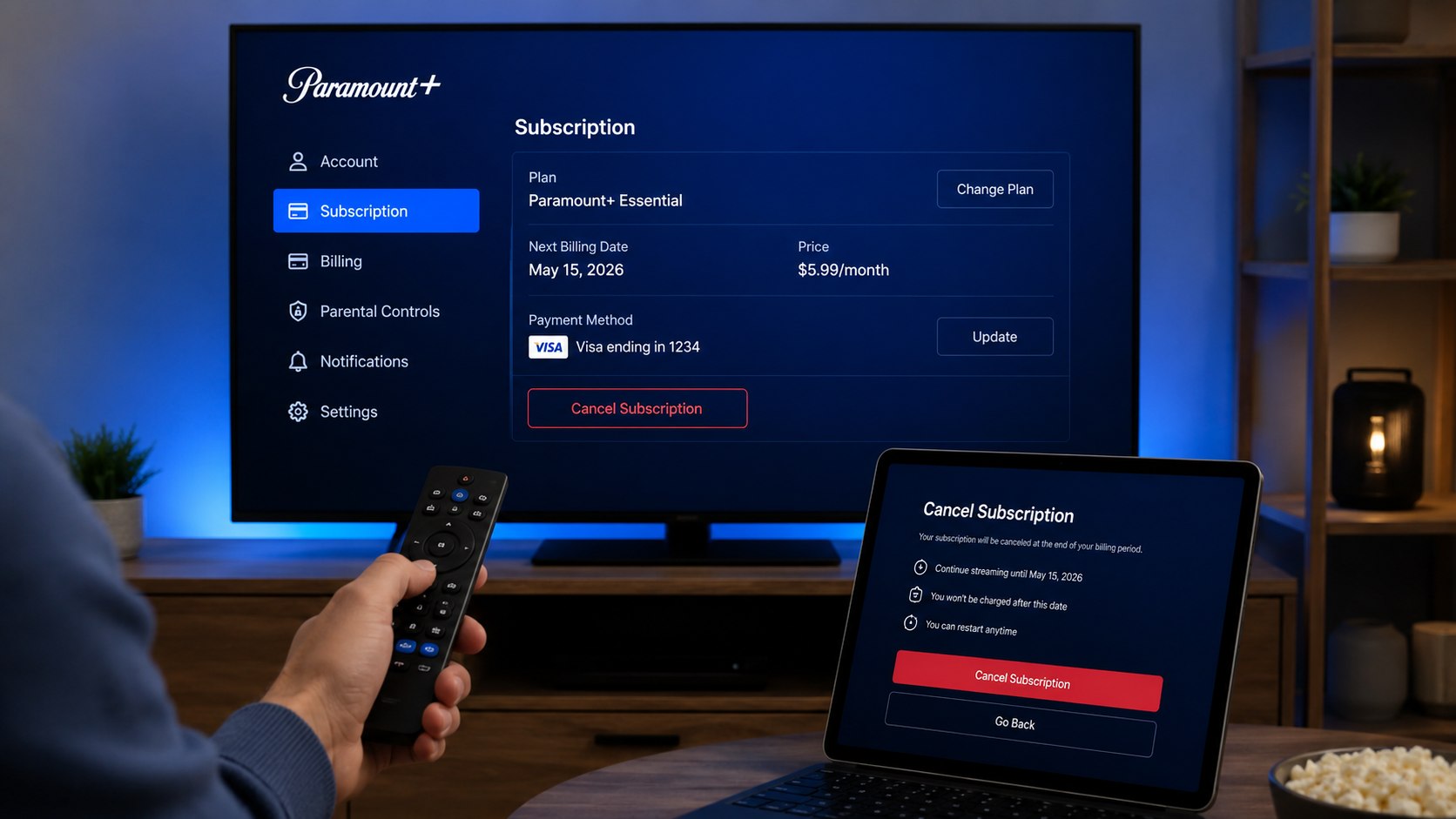
How to cancel Paramount Plus 2026 depends on the company processing your subscription payment. Direct subscribers can cancel through ParamountPlus.com, while Apple, Google Play, Roku, Amazon, and TV-provider customers must use that company’s billing settings. Most cancellations take about 5 minutes, and access usually continues through the paid billing period, as noted by the Baltimore Chronicle editorial team.
First, check a recent receipt, bank statement, PayPal record, or app-store account. Find the exact merchant collecting the recurring payment. Deleting the Paramount+ app, signing out, or removing a viewing profile will not stop future charges.
Cancel through the company that bills you, finish every confirmation screen, and save proof until the next scheduled renewal date passes.
Key takeaways
- Cancel at ParamountPlus.com only when Paramount+ directly processes your monthly or annual payment.
- Apple, Google Play, Roku, Amazon, and provider subscriptions require separate cancellation procedures.
- Your paid access usually remains active until the current billing cycle or free-trial period ends.
Do not assume a missing cancellation button means the account cannot be closed. It usually indicates that another company controls billing. The account page may instead display the name of the relevant provider.
Households reviewing several entertainment services can use the same approach across different platforms. Baltimore Chronicle also provides separate instructions on how to cancel Disney Plus in 2026, including bundle and third-party billing cases.
What you need
Collect the account and billing information before opening subscription settings. This prevents repeated password resets and reduces the risk of canceling the wrong household account.
- The email address connected to Paramount+
- Your Paramount+, Apple, Google, Roku, or Amazon password
- A recent credit card, debit card, or PayPal statement
- Access to the inbox receiving subscription receipts
- A computer, smartphone, tablet, or streaming device
- About 5–10 minutes
- A screenshot tool for saving cancellation evidence
Search every household inbox for “Paramount+,” “subscription,” “renewal,” or “receipt” when the account email is uncertain. Parents should check accounts created by teenagers or other family members. Couples may also discover that the service belongs to a spouse’s Apple ID or Amazon account.
Do not remove the payment card before canceling. A declined renewal does not always close the subscription correctly. It can also disrupt unrelated services using the same card.
Try password recovery when the correct email is known but the account cannot be opened. Contact the billing provider only after checking stored passwords, receipts, and active app-store subscriptions.
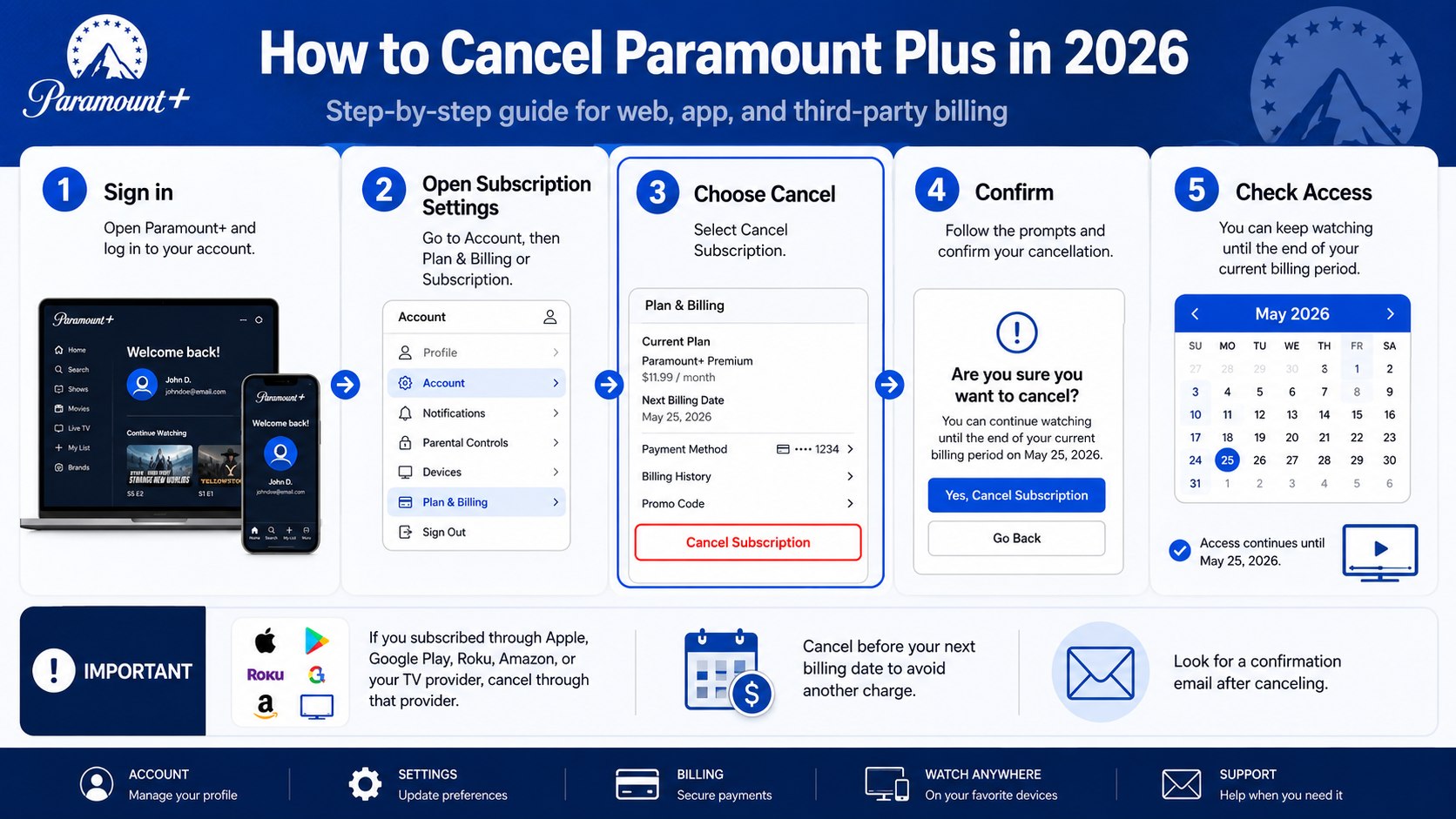
Step 1: Identify who bills your Paramount+ subscription
Open the most recent transaction and inspect the full merchant description. Look for Paramount+, Apple.com/bill, Google, Roku, Amazon Digital, PayPal, or your cable and internet provider.
This step matters because the Paramount+ app may deliver the programming without controlling the payment. The most common mistake is repeatedly searching Paramount+ settings while another company holds the billing agreement.
Use this billing guide to locate the correct cancellation route.
| How the charge appears | Where to cancel | Setting to find |
|---|---|---|
| Paramount+ or ParamountPlus.com | Paramount+ account | Subscription and Billing |
| Apple.com/bill | Apple Account | Subscriptions |
| Google or Google Play | Google Play Store | Payments and subscriptions |
| Roku | Roku device or Roku.com | Manage subscriptions |
| Amazon Digital | Amazon account | Memberships and Subscriptions |
| Cable or internet provider | Provider account | Services, Add-ons, or Entertainment |
Merchant names can appear differently between banks. Expand the transaction instead of relying on a shortened mobile-app label. PayPal users should also inspect automatic payments within PayPal settings.
Amazon Prime Video Channels and standalone Paramount+ accounts are separate subscriptions. Signing into Paramount+ does not necessarily provide control over an Amazon-managed charge.
Roku customers should inspect both the television interface and their online Roku account. A subscription may remain active even after the Paramount+ channel disappears from the home screen.
Provider bundles require extra attention. Paramount+ may be included through a wireless, cable, internet, or retail promotion. Removing the app will not remove that add-on from the provider bill.
Step 2: How to cancel Paramount Plus 2026 on the website
Sign in at ParamountPlus.com using a web browser. Open the account page, locate Subscription and Billing, select Cancel Subscription, and follow every displayed confirmation prompt.
This route works only for customers billed directly by Paramount+. A common mistake is choosing a cancellation reason and closing the page before the final confirmation appears.
Paramount+ may present a discount, plan change, or temporary retention offer. Read the price and renewal conditions carefully. Decline the offer when the goal is to stop billing completely.
The account should then show an expiration date or indicate that automatic renewal has ended. Save a screenshot and watch for a confirmation email.
Step 3: Cancel Paramount+ through Apple
On an iPhone or iPad, open Settings, tap your name, and choose Subscriptions. Select Paramount+, tap Cancel Subscription, and confirm the request.
Apple TV users can open Settings, select Users and Accounts, choose the relevant user, and open Subscriptions. Mac users can manage subscriptions through the App Store account settings.
This matters because Apple controls the recurring payment. The cancellation option may not appear inside Paramount+ when Apple bills the subscription.
Check the Apple Account that originally started the plan. Families often search the wrong account because several people use the same television. If no cancel button appears, Apple may already show an expiration date.
Step 4: Cancel Paramount+ through Google Play
Open the Google Play Store and tap the profile icon. Choose Payments and subscriptions, select Subscriptions, open Paramount+, and tap Cancel subscription.
The same controls are available through Google Play in a desktop browser. This helps when an Android phone is unavailable or the subscription belongs to another Google Account.
Check every Google Account used on the device when Paramount+ does not appear. The app login and Google Play billing account may use different email addresses.
Do not uninstall the Android app first. Uninstalling software does not stop Paramount Plus automatic renewal or close the billing agreement.
Step 5: Cancel Paramount+ on Roku
Highlight the Paramount+ channel on the Roku home screen and press the star button on the remote. Select Manage subscription, choose Turn off auto-renew, and confirm the cancellation.
You can also sign in at Roku.com and open Manage your subscriptions. This route is useful when the Roku device is unavailable or several devices share one account.
The subscription must be canceled under the Roku account that purchased it. Removing the channel only removes its icon and local app data.
Roku users managing several streaming services may also find similar billing patterns in Baltimore Chronicle’s guide explaining how to cancel a Netflix subscription in 2026.
Step 6: Cancel Paramount+ through Amazon
Sign in to the Amazon account used for the purchase. Open Memberships and Subscriptions or Prime Video Channels, find Paramount+, and turn off automatic renewal.
This matters because Amazon, not Paramount+, owns the billing relationship for Prime Video Channel subscriptions. Paramount+ support may be unable to close an Amazon-managed plan.
Check all Amazon accounts used by the household. The subscription might belong to a spouse, roommate, or family member sharing Prime benefits.
Do not cancel Amazon Prime unless you intend to end the broader membership. Paramount+ should appear as a separate channel or digital subscription.
Step 7: Review your plan, price, and expiration date
Paramount+ Essential is advertised at $8.99 per month in the United States as of June 2026. Paramount+ Premium is advertised at $13.99 per month. Annual prices, promotional rates, taxes, and bundled offers can vary, so verify the live account page before making a decision.
Essential includes advertising and fewer premium features. Premium adds SHOWTIME programming, downloads, selected 4K content, and local live CBS access in supported markets. Live programming, trailers, and sponsorship messages can still include ads.
Review whether canceling, downgrading, or changing the billing interval best fits your viewing habits. A lower plan can reduce costs, but it still creates a recurring charge.
Annual subscribers should note the exact renewal date. A forgotten annual plan can produce a much larger single charge than a monthly subscription.
Step 8: Confirm cancellation and monitor your payment method
After completing the cancellation, save the confirmation page and email. The account should show an expiration date or indicate that renewal is disabled.
This proof matters when a later charge appears. The most common mistake is assuming the request succeeded after closing a browser window or leaving the app.
Set a calendar reminder for 1–2 days after the former renewal date. Check the payment method for new Paramount+, Apple, Google, Roku, Amazon, or provider charges.
Do not immediately delete the Paramount+ account. Keeping access to receipts, plan details, and billing history can simplify a later dispute.
People canceling multiple services should review each billing path separately. The Baltimore Chronicle guide on how to cancel Hulu in 2026 explains Disney Bundle, Apple, Google Play, Roku, and Verizon complications.
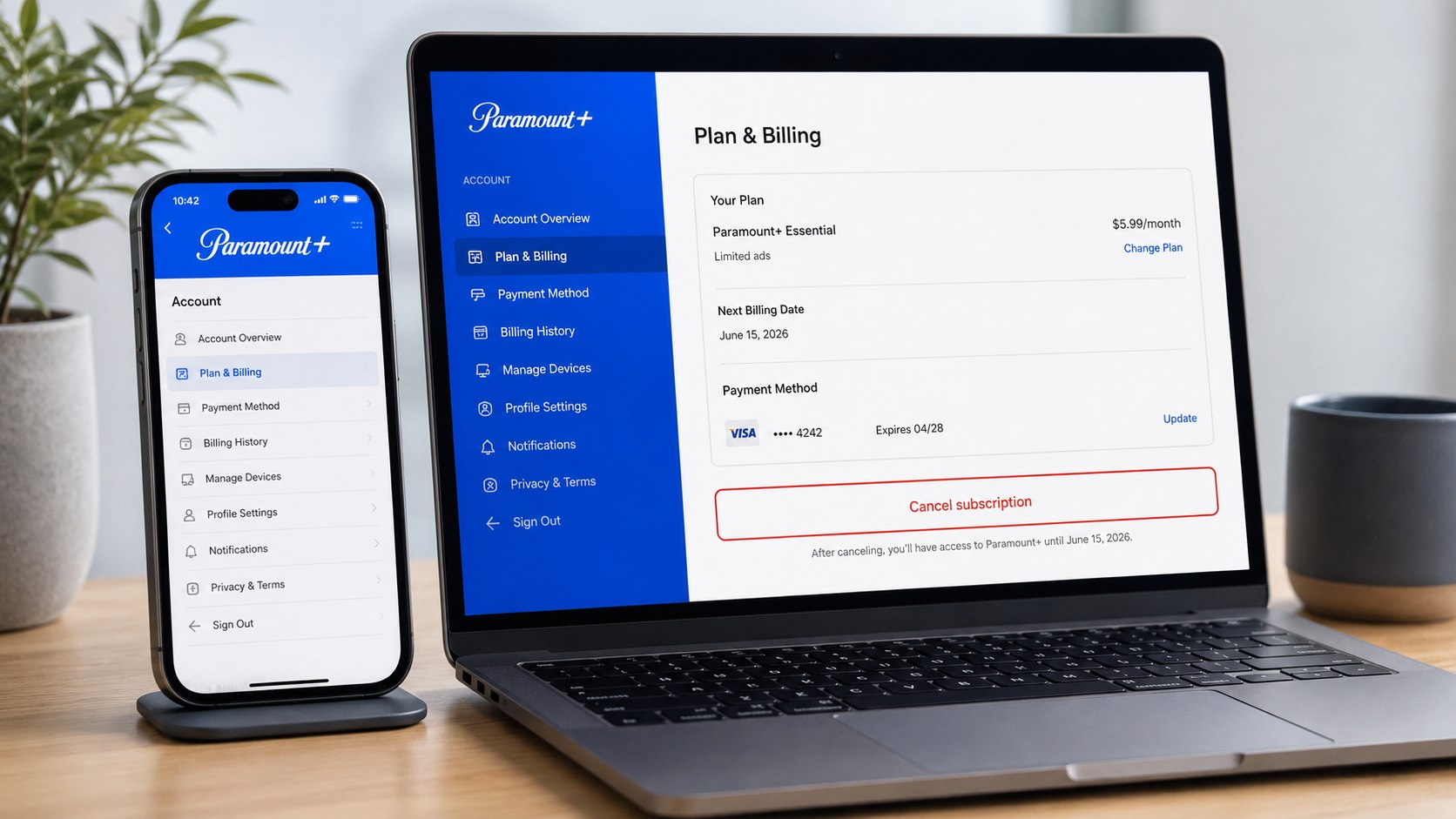
Troubleshooting Paramount+ cancellation problems
Most problems come from using the wrong account or contacting the wrong billing company. Work through these common situations before requesting a bank dispute.
- No cancel button appears: another provider probably controls the subscription or renewal is already disabled.
- You cannot find the account: search every household inbox and payment account for receipts.
- A charge appeared after cancellation: compare the charge date with the cancellation timestamp and renewal deadline.
- The free trial converted to a paid plan: review the original offer and its stated expiration date.
- The amount changed: check whether a promotion ended or the account moved to the current standard rate.
- The charge is unauthorized: secure the account, contact the biller, and then notify the payment provider.
A transaction posted after cancellation may have been authorized earlier. Compare exact dates rather than looking only at the statement month. Pending transactions can also change before they settle.
Send the billing provider the account email, charge amount, transaction date, cancellation confirmation, and last 4 card digits. Never send a full card number by ordinary email.
Paid streaming charges are usually not automatically refunded because the service remains available through the prepaid period. Apple, Google, Roku, Amazon, and other providers may apply separate refund rules.
Contact the card issuer when the charge is unauthorized or the provider fails to resolve a documented billing error. A chargeback should not replace the normal cancellation process.
FAQ
Can I cancel Paramount Plus immediately?
Yes. You can turn off automatic renewal immediately. Access usually continues until the current monthly, annual, or trial period expires.
Will deleting the Paramount+ app cancel my subscription?
No. Deleting the app only removes it from that device. You must cancel through the company processing the payment.
Can I get a Paramount+ refund after canceling?
Cancellation does not normally create an automatic refund. Contact the billing provider quickly when a charge was duplicated, unauthorized, or caused by a confirmed error.
How do I know Paramount+ was canceled?
Look for an expiration date, canceled status, or disabled auto-renewal message. Save the confirmation email or screenshot until the next billing date passes.
Can I cancel Paramount+ during a free trial?
Yes. Cancel before the deadline displayed in the account or promotional terms. Do not rely on deleting the app or removing a payment card.
Can I restart Paramount+ later?
Yes. Sign in with the existing account and select an available plan. Current pricing and promotional eligibility may differ from the previous subscription.
Earlier we wrote about Which Foundation Is Best in 2026? Compare Slab, Crawl Space and Basement Costs