

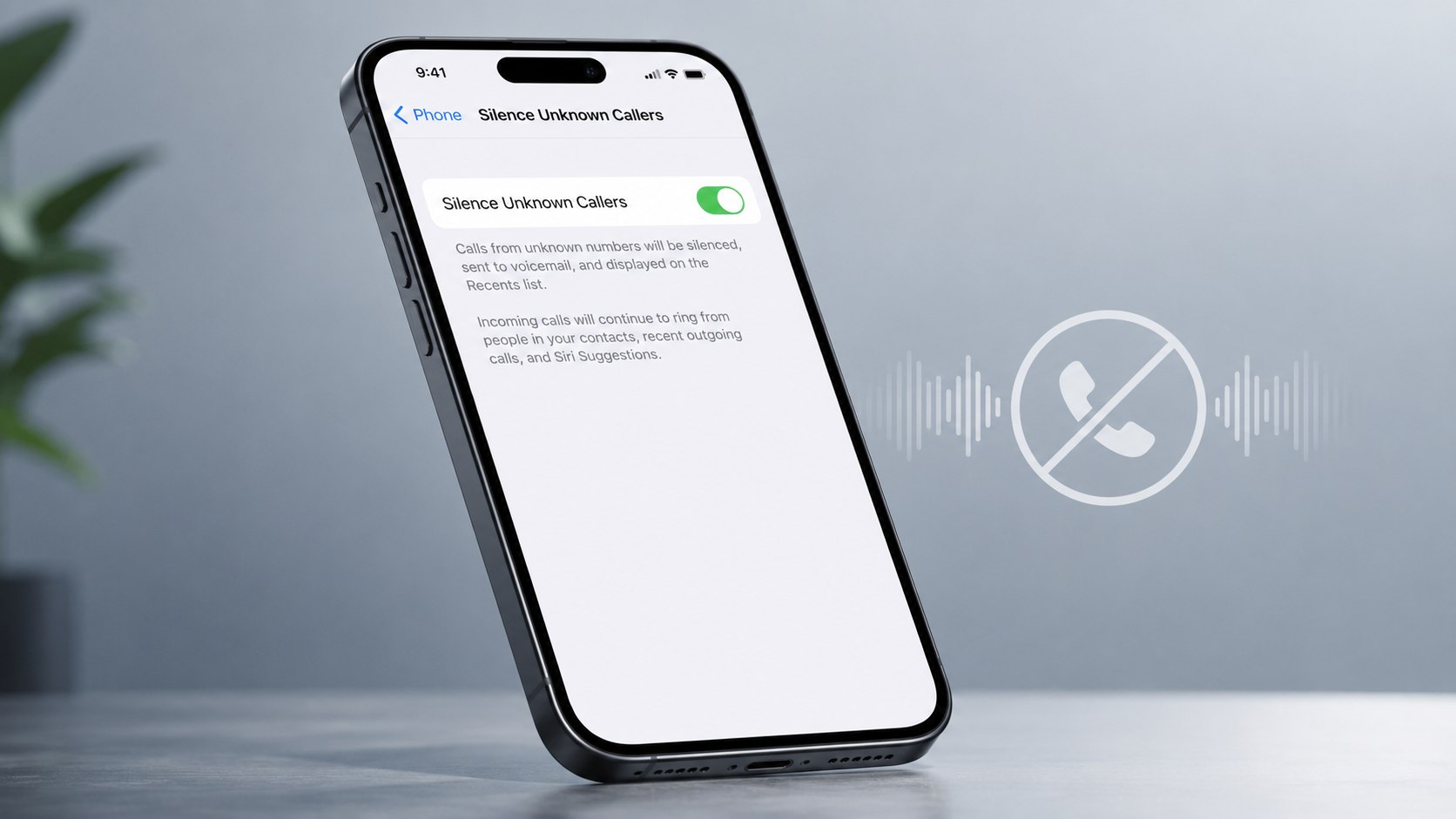
How to silence unknown callers iPhone 2026: open Settings, select Apps, tap Phone, find the unknown-caller screening controls, and choose Silence. Calls from numbers your iPhone does not recognize will stop ringing and usually go to voicemail. The change takes about 2 minutes and requires no paid app, as noted by the Baltimore Chronicle.
This setting can stop robocalls, spoofed local numbers, telemarketers, and repeated sales calls from interrupting work or family time. However, it can also silence a doctor, school, delivery driver, contractor, landlord, or new client whose number is not saved.
Key takeaways
- Choose Silence to send most calls from unrecognized numbers directly to voicemail without ringing.
- Use call screening when legitimate first-time callers still need a way to identify themselves.
- Check voicemail and filtered call lists when expecting medical, school, delivery, repair, or business calls.
What You Need Before Changing the Setting
You do not need a subscription, AppleCare plan, or third-party call-blocking app. Apple includes the main unknown-caller controls within iOS, while US carriers may provide additional spam identification.
- An iPhone with a current compatible iOS version
- Access to the Settings and Phone apps
- An active cellular plan
- About 2 minutes
- Access to voicemail
- No additional payment for Apple’s built-in setting
Consider which unsaved callers may need to reach you before enabling the strongest option. Parents may receive calls from schools, nurses, coaches, or other parents. Homeowners and renters often hear from repair technicians, delivery services, utility companies, and property managers.
Freelancers and small-business owners face a different risk. A prospective customer may call from a number that has never appeared on the iPhone before. Screening may be more practical than automatically silencing every unfamiliar caller.
People preparing a replacement phone should first confirm that the device is activated correctly. Baltimore Chronicle’s guide on how to set up a new iPhone in 2026 covers Apple Account access, Quick Start, eSIM activation, software updates, and other first-use checks.
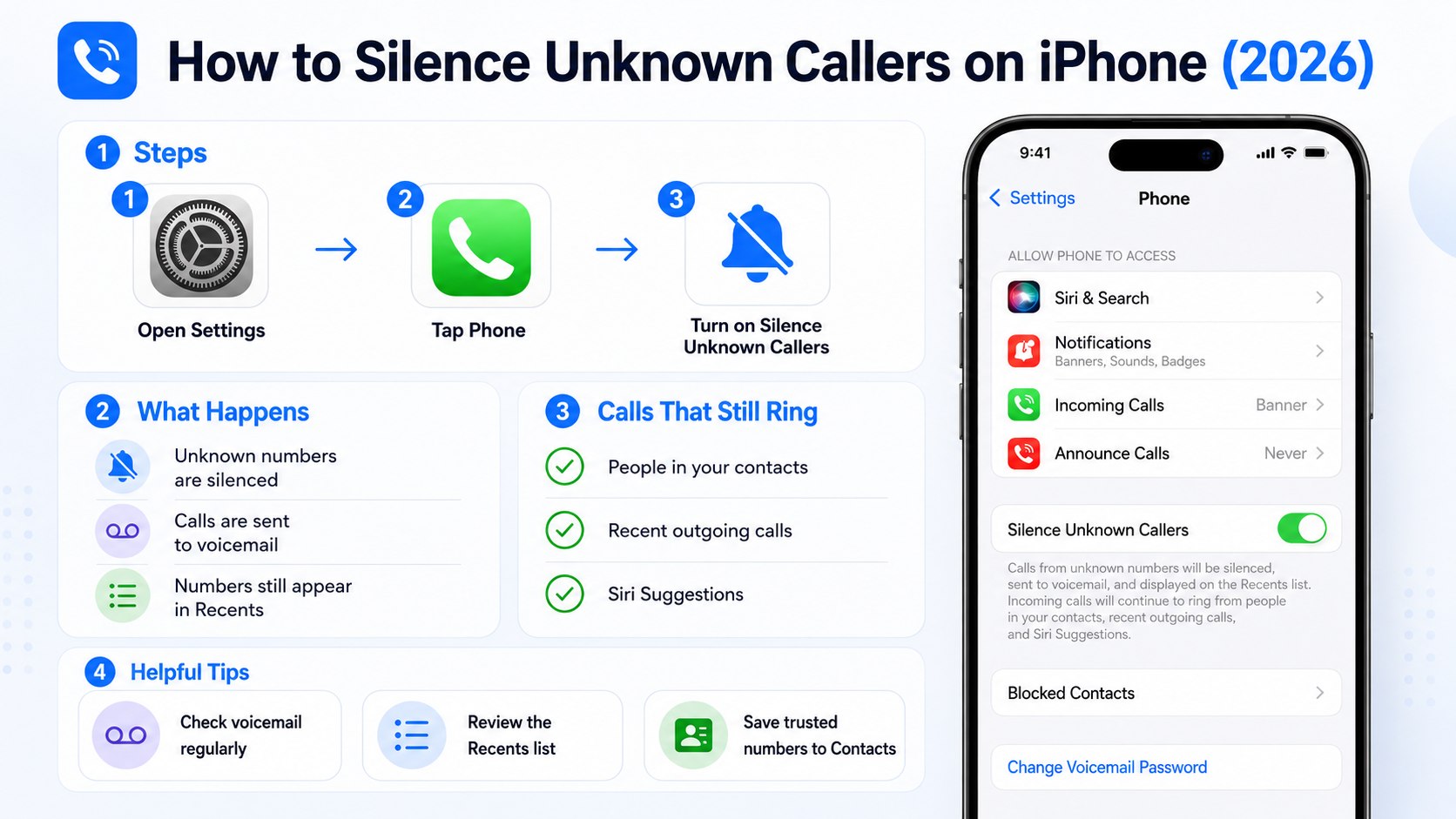
Step 1: Check Your iPhone Software Version
Open Settings, select General, and tap Software Update. Install the latest compatible release offered for your iPhone before changing call controls.
This matters because Apple occasionally changes the location, wording, and behavior of Phone settings. Older instructions may tell you to open Settings and tap Phone directly. Current versions may place Phone inside the Apps section.
Updating can also fix errors affecting voicemail, carrier identification, Focus modes, and call screening. Keep the iPhone connected to Wi-Fi and power during a major update.
Common mistake: Do not assume every iPhone displays the same menu. An older model may run a different iOS release and offer fewer screening choices.
Step 2: Open the Phone Settings
Return to Settings, scroll down, and select Apps. Find Phone in the alphabetical list and open it.
The Phone settings control incoming calls, caller identification, blocked contacts, call forwarding, voicemail behavior, and carrier-supported filtering. Changing notification sounds elsewhere will not produce the same result.
Before making major changes, a current backup protects contacts and other settings if the phone later requires a reset. The Baltimore Chronicle guide to backing up an iPhone to iCloud in 2026 explains storage checks, manual backups, automatic backups, and common iCloud errors.
Common mistake: Turning down the ringtone volume silences every standard call. It does not specifically identify or filter unknown callers.
Step 3: How to Silence Unknown Callers iPhone 2026
Inside Phone settings, locate the section covering calls from unknown numbers. Depending on your software version, it may appear as Silence Unknown Callers, Screen Unknown Callers, or a similar label.
Open the control and select Silence unknown callers or the Silence option displayed on the device. The change normally takes effect immediately.
Calls from qualifying unsaved numbers will no longer produce the usual ringtone. They may still appear in the Phone app and can usually leave voicemail.
This feature is not identical to blocking. A silenced person can call again, leave a message, or become recognized after you save the number.
Common mistake: Do not enable Silence and then ignore voicemail. Appointment offices and delivery companies frequently use numbers that customers have not saved.
Step 4: Decide Between Silence and Call Screening
Some current iPhone software versions provide several choices for handling unfamiliar numbers. The exact labels may vary by model, carrier, region, and installed iOS release.
| Setting | What happens | Best suited to | Main risk |
|---|---|---|---|
| Never | Unknown calls ring normally | People expecting many first-time calls | More robocall interruptions |
| Ask Reason for Calling | The caller identifies themselves before the phone rings | Parents, freelancers, landlords, and business owners | Some legitimate callers may hang up |
| Silence | Most unrecognized callers go to voicemail | People receiving frequent nuisance calls | Important first-time calls may be missed |
Silence unknown calls on iPhone provides the strongest protection against interruptions. It is useful during meetings, focused work, sleep, or periods of repeated spam activity.
Ask Reason for Calling creates a middle option. It may help a legitimate caller explain why they are contacting you while stopping automated systems that cannot respond properly.
A homeowner waiting for a plumber should consider screening rather than complete silence. A driver repeatedly receiving spoofed calls may prefer Silence during work hours.
Test the selected option from a number not stored in Contacts. Confirm that the call follows the expected route before relying on the feature.
Common mistake: Do not assume the setting filters calls only from obvious scammers. It evaluates whether the number is recognized, not whether the caller is trustworthy.
Step 5: Enable Carrier Spam Identification
Return to Phone settings and look for Call Filtering, Spam, Call Identification, or a carrier-specific control. Enable the available option when your network supports it.
Carrier spam filtering differs from silencing every unknown number. Verizon, AT&T, T-Mobile, and other providers analyze network activity and may label suspected fraud or spam.
Carrier tools may send suspected spam to voicemail or place it in a separate list. Availability and naming depend on the provider, plan, state, and current network configuration.
- Verizon may offer Call Filter features.
- AT&T may identify calls through ActiveArmor services.
- T-Mobile may use Scam Shield protections.
- Smaller carriers may rely on their underlying network partner.
- Business plans may use separate account-level filtering.
Some carriers provide free basic identification and optional paid upgrades. Verify 2026 prices directly with the provider before subscribing because packages can change.
No carrier filter catches every fraudulent call. Criminals can spoof Maryland, California, Texas, Florida, or New York area codes to make a call appear local.
Caller ID is therefore a clue, not proof of identity. A familiar area code does not confirm that the person is actually calling from that location.
Common mistake: Do not trust a caller merely because the iPhone displays a bank, government agency, or nearby city.
Step 6: Review and Save Legitimate Callers
Open the Phone app and review Calls, Recents, Voicemail, Unknown Callers, or Spam. The exact filters available depend on the installed software and carrier support.
Save verified doctors, schools, pharmacies, insurers, contractors, property managers, and business contacts. Once the correct number is stored, future calls are more likely to ring normally.
People who recently moved to another iPhone should check whether all Contacts transferred successfully. A missing contact can cause a familiar person to appear unknown. Baltimore Chronicle compares Quick Start, iCloud, and Finder in its guide on how to transfer data from an old iPhone to a new iPhone in 2026.
- Listen to new voicemail before deleting an unfamiliar call.
- Check the organization through its official website or existing paperwork.
- Call back using a verified number rather than the number provided by the caller.
- Save legitimate numbers with clear contact names.
- Block callers that repeatedly contact you without a valid reason.
- Report suspected illegal robocalls through official FTC channels.
- Never disclose passwords, account PINs, or verification codes.
A caller claiming to represent the IRS, Social Security Administration, a police department, or a utility should not be trusted solely because of Caller ID. End the call and contact the organization through its published number.
Do not press a button to remove yourself from a suspicious robocall list. Responding may confirm that the number is active and encourage more calls.
Blocking one number may not end a larger spam campaign. Spoofing systems can rotate through hundreds of false numbers.
Common mistake: Do not return a suspicious international call without checking the country code and possible carrier charges.
Step 7: Check Focus Modes and Emergency Exceptions
Open Settings and select Focus. Review Do Not Disturb, Sleep, Work, Personal, and Driving modes for schedules or call restrictions.
Focus can silence known contacts as well as unknown callers. This explains why some users continue missing calls after turning off the unknown-caller option.
Open each active Focus profile and inspect the People section. Confirm which contacts are allowed, whether repeated calls can pass through, and whether the profile activates automatically.
Parents may wish to permit calls from family members, schools, babysitters, and emergency contacts. Freelancers can allow important clients while restricting other interruptions after business hours.
Remember that a hospital may call from a central switchboard or department number not saved in Contacts. Temporarily changing the setting may be sensible when awaiting urgent medical information.
Common mistake: Do not blame unknown-caller filtering before checking whether a scheduled Focus mode is controlling all calls.
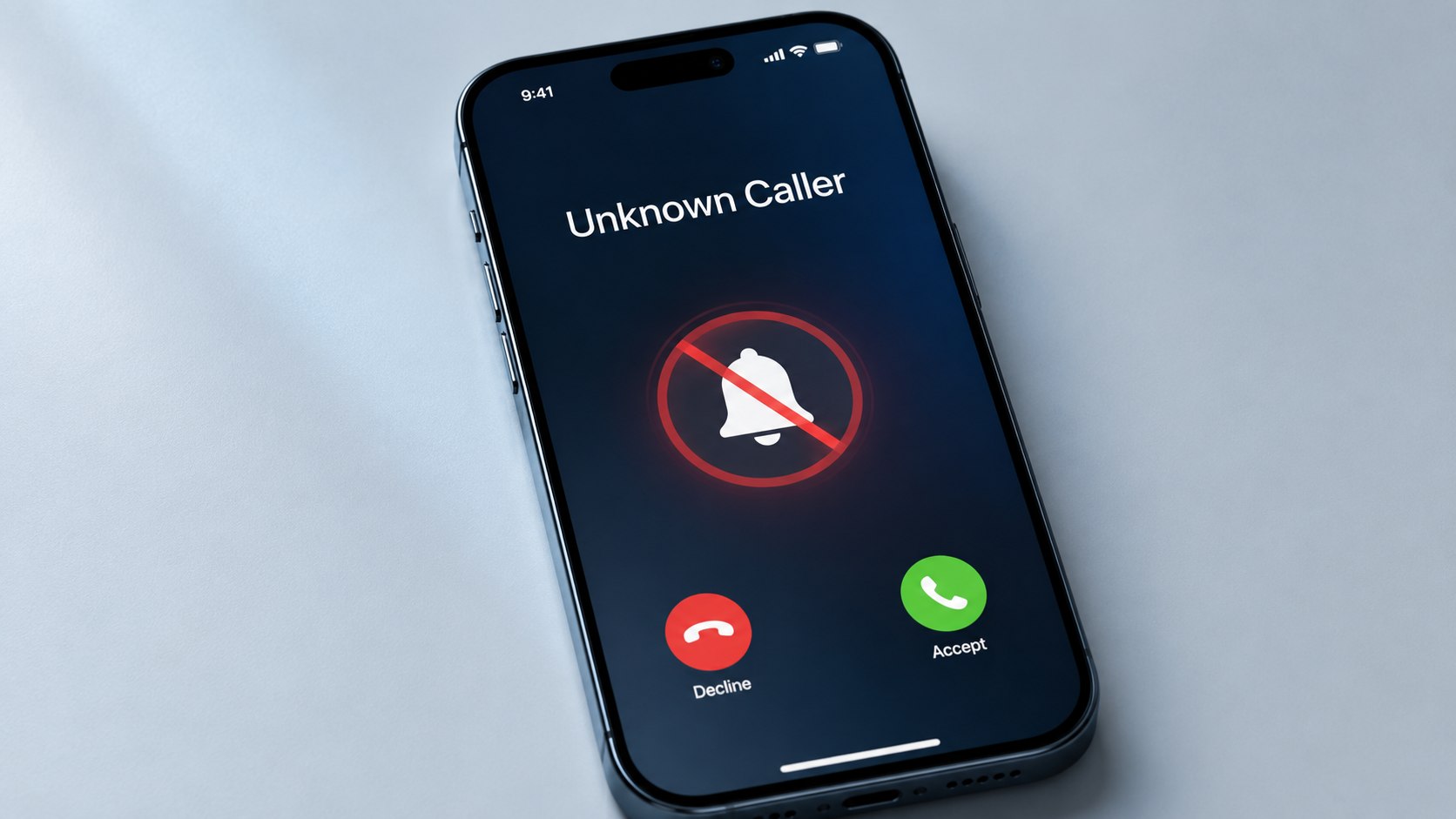
Troubleshooting Unknown Calls on iPhone
Most problems involve outdated menu instructions, an active Focus profile, incomplete contact records, voicemail configuration, or confusion between Apple controls and carrier services.
- The setting is missing: Update iOS and check Settings > Apps > Phone.
- Unknown calls still ring: Confirm that Silence is selected instead of Never or a screening option.
- A saved person is silenced: Check whether they called from a second number missing from their contact card.
- Every call is silent: Review Focus schedules, ringtone volume, the Ring/Silent control, and connected devices.
- Voicemail is unavailable: Contact the cellular carrier and confirm that voicemail is active.
Third-party calling apps may not follow Apple Phone settings. WhatsApp, Signal, Telegram, Google Voice, and business calling platforms have separate notification controls.
Also check Bluetooth devices, CarPlay, Apple Watch, and connected hearing devices. The ringtone may be routed to another product instead of the iPhone speaker.
Call forwarding can create another confusing result. Open Phone settings and verify that incoming calls are not being redirected to a different number.
When known contacts cannot reach you at all, test cellular service and restart the device. That problem may involve the carrier rather than iPhone call screening settings.
FAQ
Does Silence Unknown Callers block phone numbers?
No. The setting prevents many unrecognized calls from ringing, but callers may still leave voicemail. Blocking is a separate action applied to a specific number or contact.
Will a doctor or hospital still reach me?
A medical office calling from an unsaved number may be silenced. Save known office numbers and monitor voicemail when expecting test results, appointment changes, or hospital updates.
Can I silence unknown callers only at night?
The built-in Silence option is generally not a time-based schedule. Create a customized Focus mode when you need different rules during certain hours.
Why did an unknown number ring after I enabled Silence?
The iPhone may recognize the number through recent outgoing calls, Messages, Mail, Siri Suggestions, or another available source. The feature does not treat every unsaved number identically.
Is Silence Unknown Callers free in 2026?
Apple’s built-in feature has no separate charge. Carrier spam services may offer free and paid tiers, so verify current terms before enrolling.
Should freelancers silence every unknown caller?
Usually not during business hours. Screening is often safer because prospective customers can identify themselves before the phone rings.
Earlier we wrote about How to Cancel Paramount Plus 2026 on Apple, Roku, Amazon, Google Play, or the Website