


Here is how to cancel Netflix subscription 2026 in the USA without losing the rest of your paid month. Most people can finish in 3–5 minutes through Netflix.com, the Netflix app, Apple Subscriptions, Google Play, Roku, Amazon, or a carrier account such as T-Mobile, аs noted by Baltimore Chronicle.
The fastest fix is simple: sign in to the account that pays for Netflix, open billing or membership settings, choose cancel, and save the confirmation email. Deleting the Netflix app, signing out, or removing a profile does not stop billing.
Key takeaways
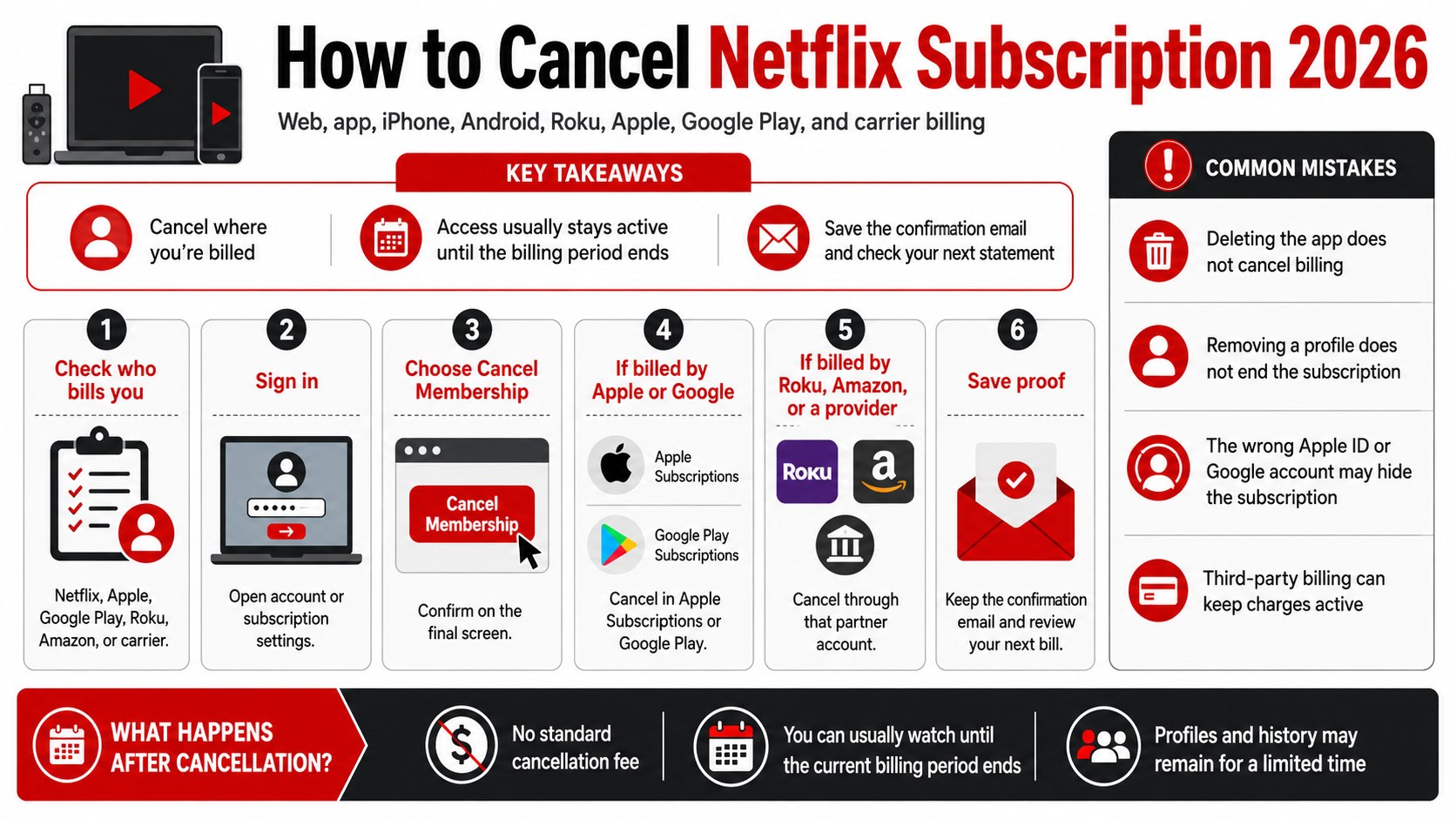
- Cancel from the place that bills you: Netflix, Apple, Google Play, Roku, Amazon, Verizon, Comcast, or T-Mobile.
- You usually keep watching until the end of the current Netflix billing cycle after cancellation is confirmed.
- Save the cancellation confirmation and check the next card statement to catch failed cancellations or third-party billing.
What you need before you cancel
You need the Netflix email address or phone number, the password or passkey, and access to the recovery email. You also need the device you normally use: laptop, phone, tablet, smart TV, or streaming box.
If Netflix is paid through Apple, Google Play, Roku, Amazon, T-Mobile, Verizon, Xfinity, or another partner, access to that billing account is required. The full process usually takes about five minutes and does not require a cancellation fee.
Your latest bank, credit card, PayPal, Apple, Google, or carrier statement can help if the billing source is unclear. This is the same first step used in broader subscription cleanups, especially when households are trying to avoid unexpected automatic subscription charges.
As of 2026, Netflix lists three main US streaming plans: Standard with ads at about $8.99 per month, Standard at about $19.99 per month, and Premium at about $26.99 per month before applicable taxes. Prices can vary for bundles, add-ons, extra members, and local taxes in states such as California, New York, Texas, Florida, and Washington, so the live plan page remains the source to verify before changing or canceling.
| Where you are billed | Where to cancel | What to check after |
|---|---|---|
| Netflix directly | Netflix.com account page or Netflix mobile app | Cancellation email and account end date |
| Apple | iPhone, iPad, Mac, or Apple Subscriptions page | Apple renewal date and subscription status |
| Google Play | Google Play subscriptions | Google receipt and Play Store status |
| Roku or Amazon | Roku account or Amazon memberships/subscriptions | Streaming device billing history |
| Carrier or internet provider | T-Mobile, Verizon, Xfinity, or provider account | Phone or internet bill after cancellation |
Streaming bills can add up quickly when Netflix sits next to YouTube Premium, Disney Plus, Hulu, Max, Spotify, and app-store subscriptions. The same budget pressure is visible in the YouTube Premium price hike for US subscribers, where family and individual plans became harder to ignore in monthly household spending.
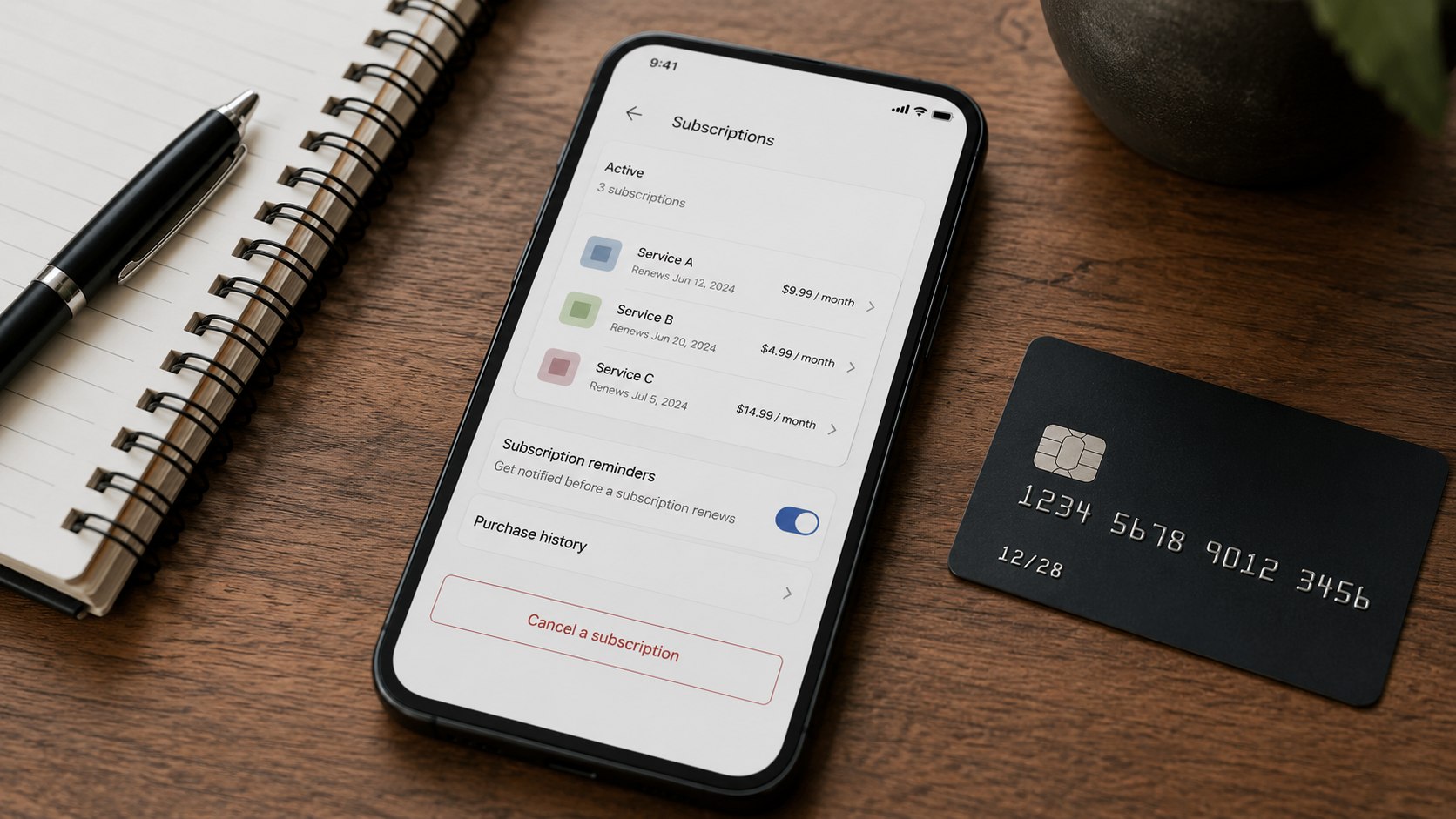
How to cancel Netflix subscription 2026 from the web or app
Use this path if Netflix charges your credit card, debit card, PayPal account, or Netflix gift balance directly. It also works when Netflix is watched on a TV but the account is easier to manage from a laptop.
- Go to Netflix’s official cancellation help page or sign in at Netflix.com.
- Open Account from the profile menu.
- Choose Cancel Membership or Manage Membership.
- Confirm the cancellation on the final screen.
- Save the confirmation email or take a screenshot of the cancellation date.
Deleting the app does not cancel Netflix. The account must be canceled through the billing path connected to the payment method.
If the cancel button is missing, Netflix is probably billed through a third party. The account page should show the billing partner or give instructions for that payment route.
Step 1: Confirm who bills your Netflix account
Open Netflix, select your profile, and go to account or membership settings. Look for the payment method, billing partner, plan name, and next billing date.
This matters because cancel Netflix account steps are different when Apple, Google Play, Roku, Amazon, T-Mobile, Verizon, Xfinity, or another company controls the charge.
A common mistake is canceling inside Netflix when the actual charge appears on a phone bill, Apple ID, or Google account. That can leave the subscription active.
Step 2: Cancel Netflix directly on a browser
On a laptop or phone browser, sign in to Netflix.com, open Account, select Cancel Membership, and confirm on the last screen. Do not stop after the first warning page.
This matters because the browser path is the cleanest way to stop Netflix billing when Netflix holds the payment method.
A common mistake is signing out, deleting the app, or removing a profile. Those actions do not end the paid membership.
Step 3: Cancel Netflix through the mobile app
Open the Netflix app, tap your profile icon, choose account or membership settings, and follow the cancellation link. On some phones, the app may send you to a mobile browser for the final confirmation.
This matters because many US subscribers manage Netflix from an iPhone or Android phone, even if the family watches on a Samsung TV, LG TV, Roku, Fire TV, or game console.
A common mistake is assuming the app store controls every mobile cancellation. If Netflix bills you directly, the cancellation still happens through Netflix account settings.
Step 4: Cancel Netflix on iPhone, Apple ID, or Google Play
For Apple billing, open iPhone Settings, tap your name, choose Subscriptions, select Netflix, and cancel. For Google Play, open the Play Store, tap your profile, choose payments and subscriptions, select Netflix, and cancel.
This matters because cancel Netflix on iPhone searches often come from people who subscribed years ago through Apple and no longer see a cancel button on Netflix.com.
A common mistake is checking the wrong Apple ID or Google account. The subscription only appears under the account that originally started billing.
Step 5: Cancel Netflix through Roku, Amazon, or a TV provider
If Netflix appears on a Roku, Amazon, Verizon, Comcast Xfinity, Spectrum, or other provider bill, sign in to that provider’s account and open its subscriptions, add-ons, or entertainment section. Remove Netflix there and save the confirmation.
This matters because Netflix cancellation can fail when the viewer cancels the streaming profile but not the partner add-on that creates the monthly charge.
A common mistake is removing the Netflix app from a Roku, Fire TV, or smart TV home screen. Removing the app only clears the icon from that device.
Step 6: Save proof and check the next billing cycle
After cancellation, save the confirmation email, screenshot the cancellation page, and check the account end date. Then review the next credit card, Apple, Google, PayPal, or carrier statement.
This matters because Netflix generally lets users watch until the end of the current paid period, but the next statement is the real test that billing stopped.
A common mistake is ignoring small recurring charges after a household member restarts the account. If multiple adults share a TV, set expectations before the billing date.
Troubleshooting common Netflix cancellation problems
- No cancel button appears: check the account page for a third-party billing partner, then cancel through that partner’s account.
- You forgot the Netflix email: search your inbox for Netflix receipts, check saved passwords, or use Netflix account recovery.
- The charge continues after cancellation: compare the merchant name on the statement with Netflix, Apple, Google, Roku, Amazon, T-Mobile, Verizon, or Xfinity.
- A family member restarted the account: change the password, sign out of unused devices, and remove saved payment details where available.
- You moved states: check whether taxes or billing details changed after moving from one state to another, such as California to Arizona or New York to Florida.
If the problem is not limited to Netflix, the same approach works for gyms, cloud storage, delivery apps, streaming add-ons, and paid trials. Baltimore Chronicle’s guide to online bill payer services explains why recurring payments should be reviewed in one place instead of scattered across apps, email receipts, and bank statements.
What happens after you cancel Netflix
Canceling does not usually cut off access immediately. Netflix says members with time left in the billing period can keep watching until the account closes at the end of that period.
Profiles, viewing history, recommendations, watch list, game saves, and account details may remain available for a limited time if the account is restarted later. Those features should not be treated as permanent storage for household profiles or children’s viewing settings.
There is no standard Netflix cancellation fee in the USA for ordinary monthly streaming plans. The practical cost is the unused portion of the current billing period if cancellation happens right after renewal, because monthly services often do not issue prorated refunds unless required by a specific billing partner or policy.
| Action | Does it cancel billing? | Best use |
|---|---|---|
| Cancel membership | Yes | Ending Netflix charges |
| Change plan | No | Lowering the monthly cost |
| Pause membership | Temporarily | Taking a short break where available |
| Delete app | No | Freeing device space only |
| Delete a profile | No | Removing a viewer profile |
Before canceling, consider downgrade, pause, or password cleanup
If the goal is cost control rather than leaving Netflix completely, compare the current plan against the live Netflix plan page. As of 2026, Netflix’s US plans and pricing page lists plan details, device limits, download options, and extra member rules.
A downgrade can make sense for renters, parents, freelancers, and drivers who only watch on one or two screens. Premium may be excessive if the household rarely uses 4K, downloads, or multiple simultaneous streams.
Consider these alternatives before ending Netflix membership entirely:
- Move from Premium to Standard if 4K and extra screens are not needed.
- Switch to Standard with ads if the lower monthly price matters more than ad-free viewing.
- Pause if the account offers that option and the break is temporary.
- Remove extra members if the household no longer needs them.
- Change the password and sign out of unused devices if strangers or former roommates still have access.
The Federal Trade Commission has focused on recurring subscription practices for years, so clear cancellation records are useful if a billing dispute reaches a card issuer or payment provider. Keep the cancellation date, confirmation number if shown, and statement screenshots in one folder.
FAQ
Can I cancel Netflix anytime in 2026?
Yes. Monthly Netflix streaming plans in the USA can generally be canceled anytime, and access usually continues until the end of the current billing period.
Does deleting the Netflix app cancel my subscription?
No. Deleting the app only removes it from the device. To manage Netflix subscription billing, cancel through Netflix, Apple, Google Play, Roku, Amazon, or the partner that bills you.
Why do I still see a Netflix charge after canceling?
The most common reasons are third-party billing, a cancellation that was not fully confirmed, a second Netflix account, or a household member restarting the membership. Match the charge name on the statement to the billing source.
Can I get a refund after I cancel Netflix?
Netflix monthly streaming plans usually remain active through the paid period instead of refunding unused days. Refund options, if any, depend on the billing partner and the facts of the charge.
How do I cancel Netflix if I pay through T-Mobile or another carrier?
Sign in to the carrier account and remove the Netflix benefit or paid add-on from the plan. Also check the Netflix account page, because some linked accounts may resume billing through a saved Netflix payment method after a carrier benefit ends.
Will Netflix keep my profiles if I restart later?
Netflix may retain profiles and viewing history for a limited period after cancellation. Anyone who needs a clean break should download billing records, review account access, and avoid restarting from a shared TV.
Earlier we wrote that Best Refrigerator Size Guide for 2026: Cu Ft Per Person, Family Needs, and Kitchen Fit