

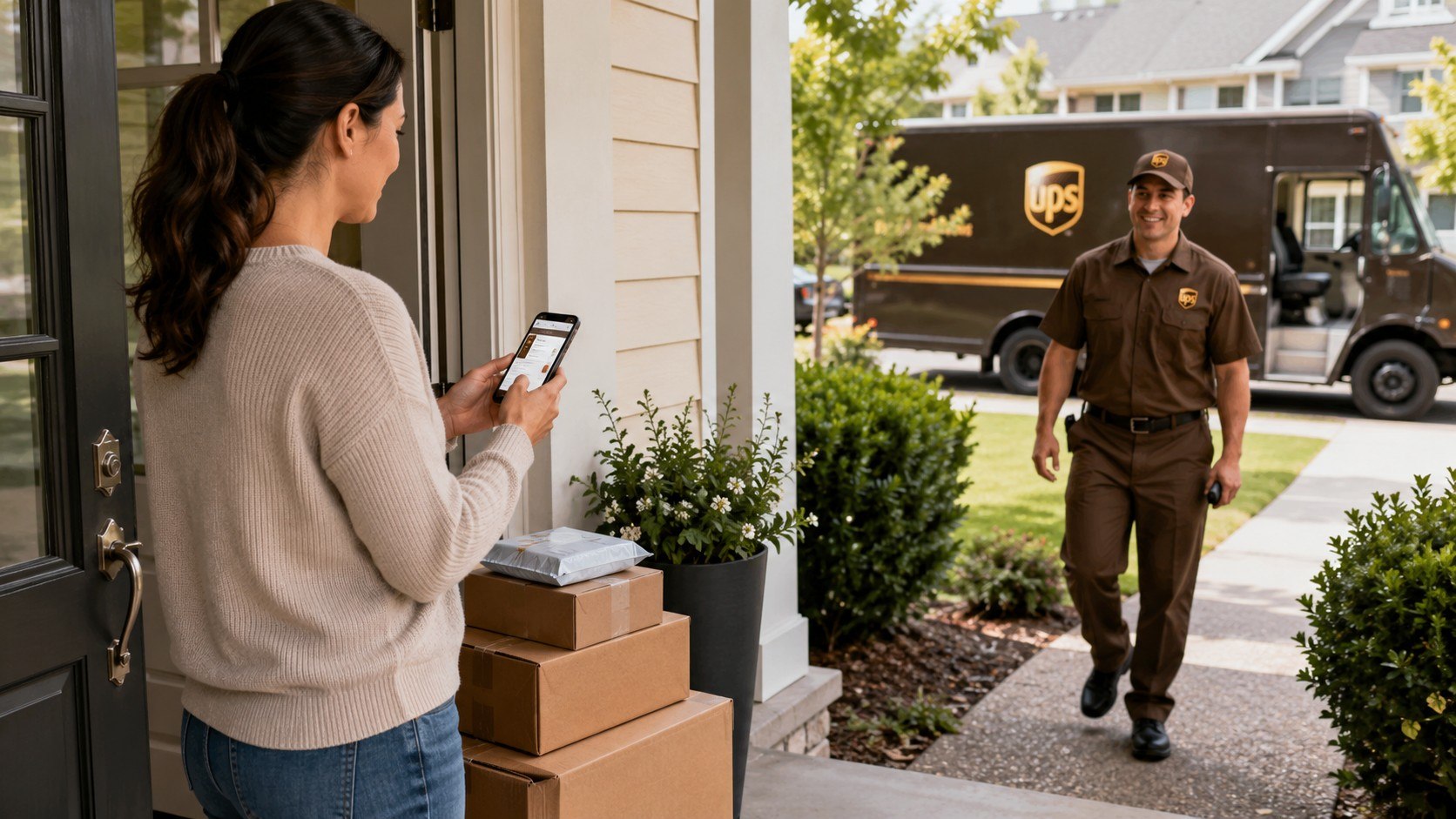
How to schedule a UPS pickup at home is straightforward: prepare a labeled package, open the UPS pickup page, enter the shipment and address details, choose a date, and pay any applicable fee. The online request usually takes 5–10 minutes, while the pickup itself can be arranged for the same day or a future business day, as noted by the Baltimore Chronicle editorial team.
You do not need to drive to The UPS Store or wait at a UPS Customer Center. UPS On-Call Pickup allows customers across the United States to request collection from a house, apartment, home office, hotel, or another approved address.
Key takeaways
- A 2026 UPS On-Call Pickup costs $15.75 for same-day service or $9.65 for a future business day.
- One pickup request can cover several prepared UPS packages without a separate base pickup fee for each box.
- Residential, remote-area, fuel, Saturday, or special-handling charges may increase the final amount shown before payment.
What you need
Collect the following items before opening the online form. Having everything ready prevents timeouts, address errors, and missed pickup windows.
- A sealed box or shipping envelope suitable for the contents.
- A printed UPS shipping label attached to each package.
- The tracking number shown beneath the label barcode.
- The exact pickup address, including apartment or unit number.
- A working phone number and email address.
- The total number of packages and their combined weight.
- A credit or debit card if the pickup is not prepaid.
- About 5–10 minutes to complete the request.
A UPS account can simplify the process, but occasional shippers can often request a pickup without maintaining a recurring service. Confirm that the shipment label has already been created and paid for. The pickup charge normally covers the driver’s stop, not the transportation cost printed on the label.
Renters should include gate codes, call-box instructions, floor numbers, and building access details. Homeowners should identify a sheltered location if they cannot meet the driver. Freelancers sending client orders should count every box before submitting the request.
Parents should keep outgoing packages away from children and pets. Drivers need a clear path to the collection point. A package left behind a locked door cannot be collected, even when the online request was accepted.
The fastest setup is a future-day pickup booked before the package becomes urgent. Same-day service costs more and may disappear after the local cutoff.
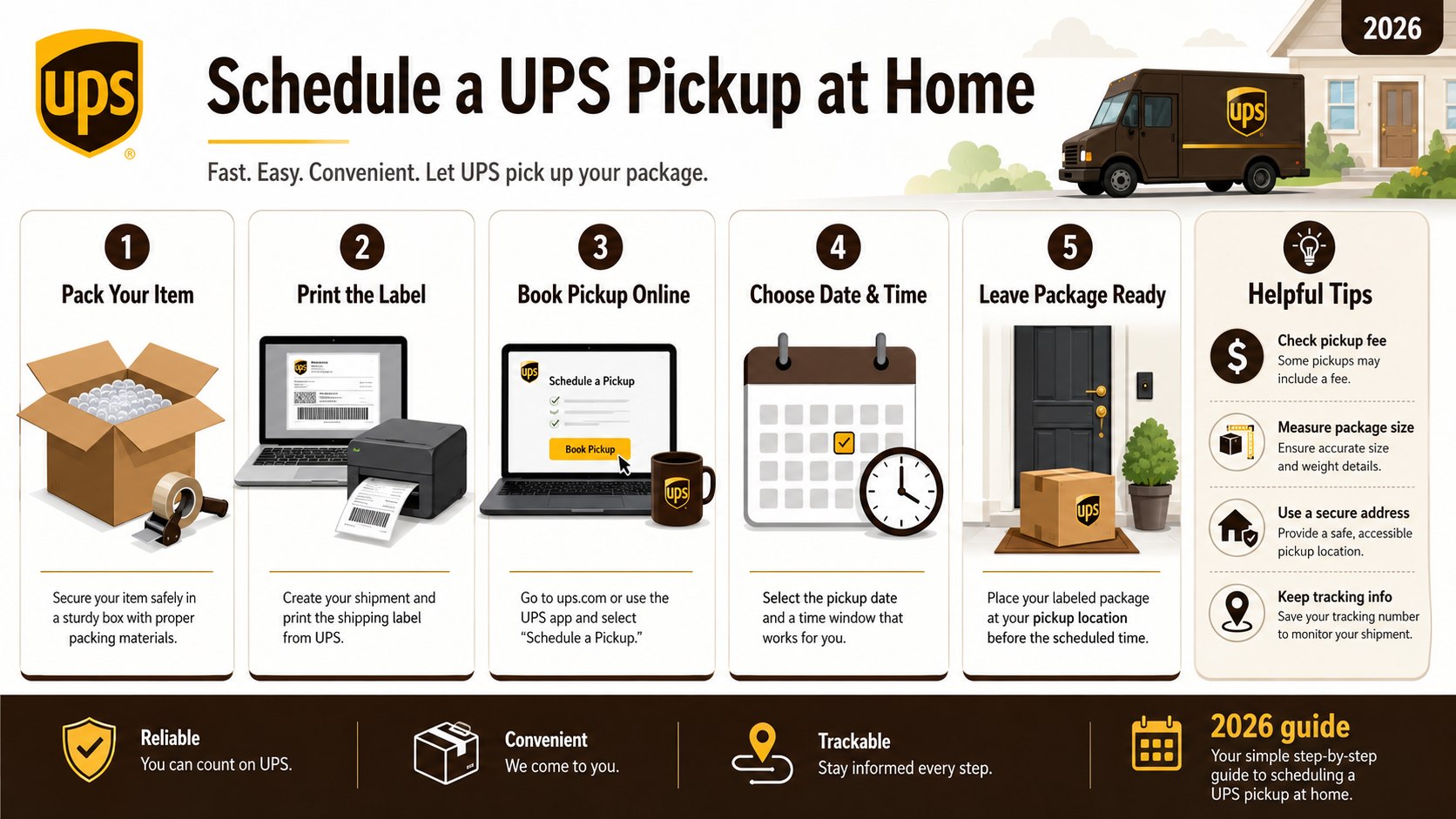
Step 1: Pack, Measure, and Weigh the Shipment
Place the item in a sturdy corrugated box and fill empty space with cushioning. Measure the package’s length, width, and height in inches, then weigh it in pounds.
This matters because UPS calculates shipping charges using actual weight or dimensional weight. An understated size can produce a later billing adjustment.
A common mistake is reusing a damaged box with old barcodes still attached. Remove outdated labels, reinforce weak seams, and use packaging tape rather than masking tape or household string.
Before sealing electronics, fragile goods, or valuable items, photograph the contents and packing method. These images may help if the package is damaged or lost. For broader delivery planning, readers can also review the Baltimore Chronicle guide to USPS rates and shipping costs in 2026.
Step 2: Create and Attach the UPS Shipping Label
Go to UPS.com, select the shipping option, and enter the sender, recipient, package, and service details. Pay for the shipment and print the generated label at its original size.
The label matters because a pickup request does not create postage automatically. The driver generally expects each parcel to be sealed, labeled, and ready for transportation.
Do not place clear tape over the entire label. Glare, wrinkles, and folded barcodes can interfere with scanning. Use a transparent shipping pouch or tape only around the label’s edges.
Check the destination ZIP code before printing. A single wrong digit can redirect a package to another city or generate an address-correction charge. Customers shipping to California, Texas, Florida, New York, or another state should also verify the recipient’s apartment or suite number.
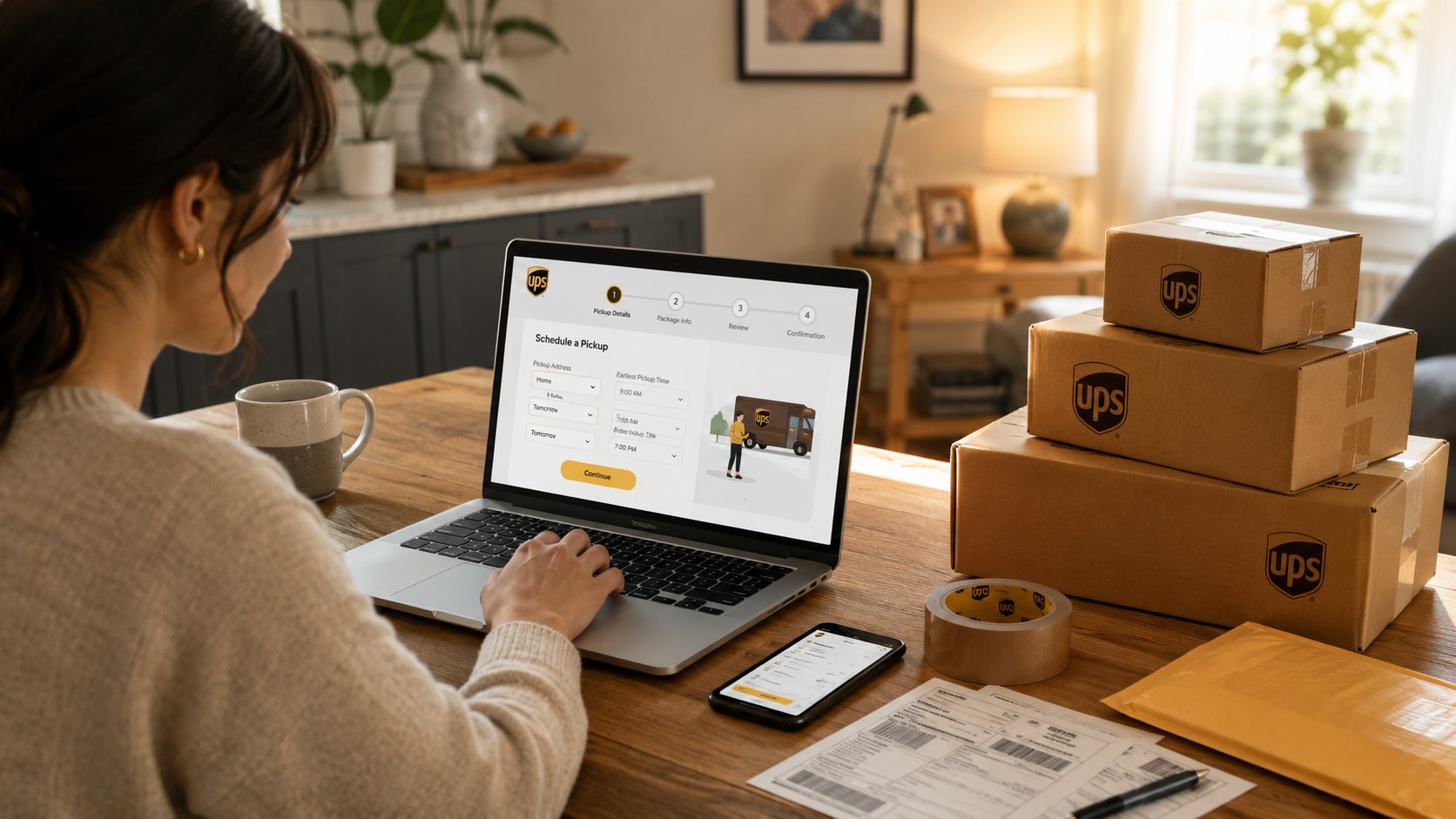
Step 3: Open the UPS Online Pickup Form
Visit the official UPS Schedule a Pickup page. Enter the tracking number if the form requests one, or continue with the available account and payment options.
Using the official form reduces the risk of paying a third-party booking service. It also allows UPS to determine whether the shipment already includes pickup service.
A common mistake is clicking a sponsored search result that resembles UPS. Check that the domain belongs to UPS before entering an address, tracking number, or card information.
“UPS will pick up all packages with a single pickup request.”
United Parcel Service, UPS On-Call Pickup service description, accessed in July 2026.
The statement refers to the base pickup request. It does not mean every possible surcharge disappears. Residential location, remote-area, Saturday, fuel, or special-service charges can still apply.
People who regularly monitor letters and parcels may also find the Baltimore Chronicle instructions for setting up USPS Informed Delivery useful. That USPS service is separate from UPS and does not schedule UPS collections.
Step 4: Enter the Pickup Address and Driver Instructions
Type the name, street address, city, state, ZIP code, phone number, and email associated with the pickup location. Add the apartment, suite, building, or floor information where applicable.
Accurate access instructions matter because the pickup window may cover several hours. The driver must be able to identify the correct entrance and reach the package safely.
Do not assume that a driver can call from a personal phone. Provide complete instructions such as “use north lobby call box,” “package is with concierge,” or “side entrance beside garage.”
Never write sensitive security details where they may be exposed unnecessarily. For a gated property, use the instruction field provided by UPS and limit the information to what the driver needs. Renters should confirm whether management permits packages to remain in a lobby or mailroom.
Where to leave the package
Select a location that is dry, visible to the driver, and protected from public access. Suitable options depend on the property and local security conditions.
- With an adult at the front door.
- At a staffed apartment concierge desk.
- Inside an authorized office reception area.
- On a covered porch when UPS permits unattended collection.
- At another location described clearly in the pickup instructions.
Do not leave the parcel near sprinklers, trash containers, moving vehicles, or an unlocked sidewalk entrance. Rain can damage cardboard and shipping labels. An exposed box may also attract theft before the UPS truck arrives.
Keep dogs and other animals inside during the expected window. Clear snow, toys, hoses, and other hazards from the path. When a signature or personal handoff is required, arrange for an adult to remain available.
If the shipment contains medication, perishables, batteries, aerosols, alcohol, or regulated materials, confirm eligibility before scheduling. Ordinary pickup availability does not override packaging, labeling, or transportation restrictions.
Step 5: Choose the Date, Pickup Window, and Service
Select same-day pickup when the shipment must leave quickly and the local cutoff has not passed. Choose future-day pickup when cost matters more than immediate collection.
The choice matters because the two services have different base fees. Availability also varies by ZIP code, package type, UPS operating schedule, and the time when the request is submitted.
Do not treat the displayed pickup window as an appointment at one exact minute. Keep the shipment ready throughout the full window shown in the confirmation.
The following 2026 amounts provide a practical cost comparison. UPS may update rates, and the checkout screen remains the final source for a specific address.
| Pickup option | Published 2026 base charge | Best suited for | Possible added costs |
|---|---|---|---|
| Same-day On-Call Pickup | $15.75 per request | Urgent prepared shipments | Residential, area, fuel, or Saturday charges |
| Future-day On-Call Pickup | $9.65 per request | Occasional home shippers | Residential, area, or remote-location charges |
| Daily On-Route Pickup | $11.25 per week | Frequent shippers on an existing route | Account-specific conditions may apply |
| UPS Smart Pickup | $18.50 per week | Businesses creating shipments on demand | Saturday service may cost extra |
| UPS Access Point drop-off | $0 pickup fee | Customers able to transport the package | Normal shipping charge still applies |
The same-day and future-day figures come from UPS’s revised 2026 value-added service schedule. A residential UPS On-Call Pickup area surcharge may add $6.50 before other location-based charges. UPS can also apply extended or remote-area charges to certain addresses.
The fee is generally assessed per pickup request, not per parcel. That makes one request more efficient when several labeled boxes are leaving from the same address. All packages must be listed correctly and ready when the driver arrives.
For one parcel, compare the pickup total with the cost of driving to a UPS Access Point, CVS, Staples, or The UPS Store. Consider fuel, parking, distance, mobility, childcare, and the time required for the trip.
A future-day pickup often provides the best balance for an occasional household shipment. Frequent e-commerce sellers should compare weekly services instead of paying repeated one-time charges.
Do not rely on a search snippet or an older receipt. Verify the final pickup fee on UPS.com before submitting payment in 2026.
Step 6: Review, Pay, and Save the Confirmation
Review the package count, total weight, pickup address, date, contact information, and driver instructions. Submit the payment when required, then save the Pickup Reference Number.
The confirmation matters because it allows you to check, modify, or cancel the request. It also gives customer service a specific record if the driver does not arrive.
A common mistake is closing the browser immediately after payment. Take a screenshot, save the email, and record the reference number until tracking shows the first UPS scan.
Place the parcels at the approved location shortly before the window begins. Do not leave them overnight unless the area is secure and protected from weather. Count the boxes again after collection, especially when several shipments are involved.
The first tracking update may not appear the moment the package leaves your property. Allow time for the driver to return to a UPS facility and complete the origin scan. If tracking remains unchanged, use the reference number when contacting UPS.
Troubleshooting a UPS Home Pickup
Most problems involve missed cutoffs, incomplete access instructions, label errors, or confusion between the shipping charge and pickup fee. Use these responses before creating a second request.
- No same-day date appears: the local cutoff may have passed. Select the next available business day.
- The driver cannot enter the building: update the access instructions or arrange delivery to a concierge or reception desk.
- The fee is higher than expected: review residential, area, remote, fuel, and Saturday charges before paying.
- The package was not collected: check the pickup status and call 1-800-PICK-UPS with the reference number.
- The label will not scan: print a clean replacement without shrinking, folding, or covering the barcode.
Do not submit repeated paid requests until you know what happened to the first one. A duplicate booking can create another charge and confuse the local route.
If the parcel has already entered the carrier network but later stops moving, a pickup request is no longer the correct tool. Begin with tracking and carrier support. The Baltimore Chronicle guide on filing a missing mail search explains the comparable USPS process, although UPS claims follow different rules.
Weather, wildfires, hurricanes, flooding, and road closures can affect collections in states such as Florida, Texas, California, Louisiana, and North Carolina. Check UPS service alerts during major disruptions. Holiday schedules may also limit Ground pickup or require advance arrangements.
When the package contains a time-sensitive return, save evidence of the booking date. A retailer’s return deadline may depend on the first carrier scan, not the date you printed the label.
FAQ
How much does it cost to schedule a UPS pickup at home?
As of 2026, UPS lists a $15.75 base charge for same-day On-Call Pickup and $9.65 for future-day pickup. Residential, area, remote, fuel, and Saturday charges may increase the final price.
Can I schedule a UPS pickup without an account?
Occasional customers can generally use the online UPS pickup form with shipment and payment information. An account is more useful for saved addresses, billing, pickup history, and recurring services.
Will UPS pick up several boxes for one fee?
UPS states that one On-Call Pickup request can include multiple packages. The base charge applies to the pickup request, although other shipment or location surcharges may still apply.
Can I leave a UPS package outside?
It depends on the property, shipment, and available pickup instructions. Use a covered, secure location and avoid leaving valuable packages exposed to theft, animals, traffic, or weather.
Can UPS bring a shipping label during pickup?
Do not assume the driver will print a standard outbound label. Create, pay for, and attach the label before collection unless your return service specifically provides another approved method.
What happens if I miss the UPS pickup?
Check the pickup status using the confirmation details. Contact UPS with the Pickup Reference Number, then reschedule only after confirming whether another attempt is planned.
Earlier we wrote about DIY Dishwasher Installation 2026: Connect Water, Drain and Electrical Lines Correctly