

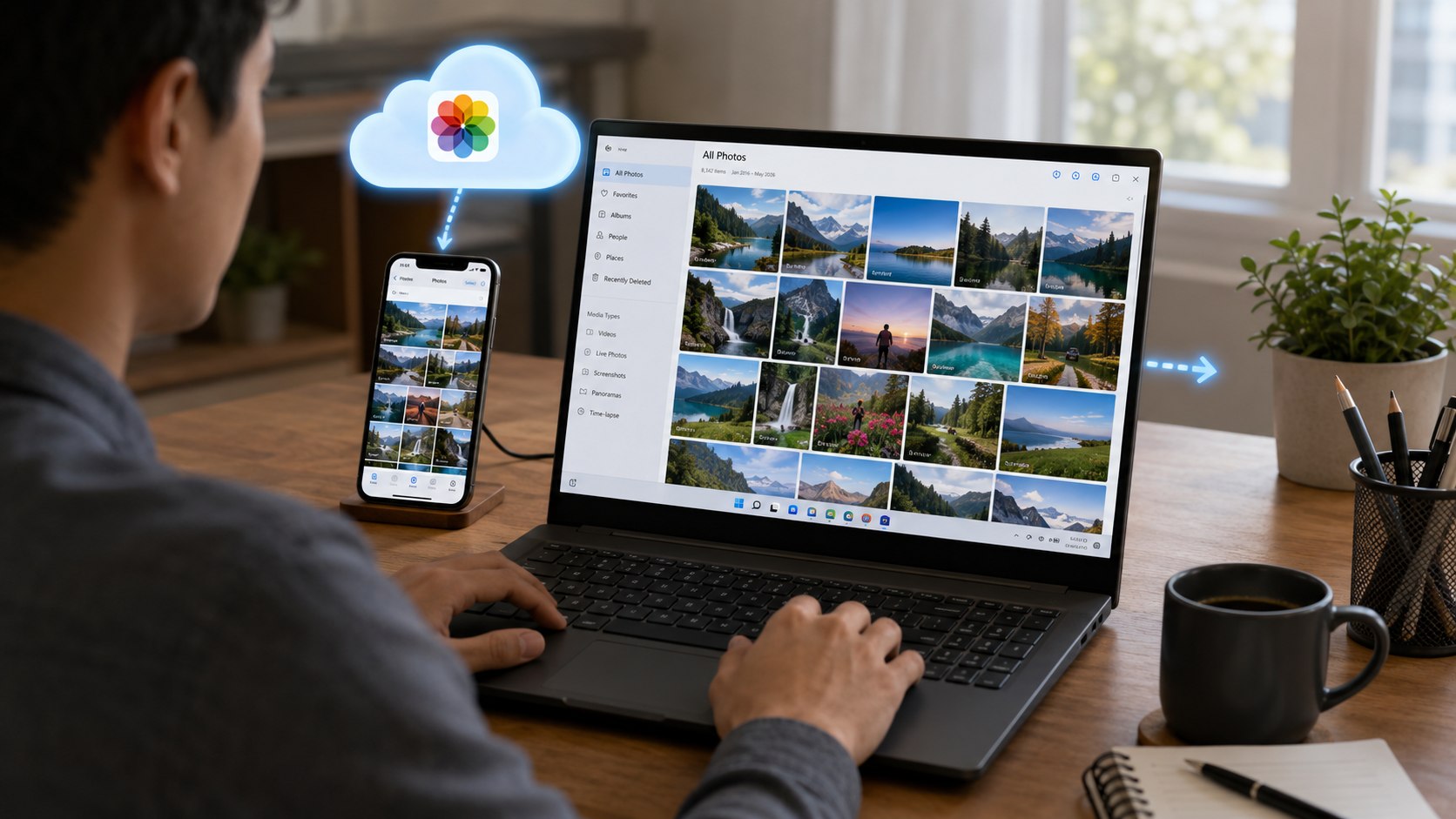
How to download photos from icloud to pc 2026 can take 5 minutes for a small selection. A full photo library may need hours, depending on its size and internet speed. The quickest method uses iCloud.com, while large libraries are easier through iCloud for Windows, as noted by Baltimore Chronicle.
The important choice is not simply where to click. You must decide whether you need several pictures, permanent offline copies, or your entire iPhone photo archive. That choice determines whether a browser download or Windows synchronization makes more sense.
Key takeaways
- Use iCloud.com when you need selected photos without installing extra software on the PC.
- Use iCloud for Windows when you want continuing access to a large iCloud Photos library.
- Copy important downloads outside the iCloud Photos folder if you want an independent local backup.
Apple says iCloud.com can download up to 1,000 selected photos or videos at one time. Users can also choose original, high-resolution, or more compatible file formats.
What you need
Before starting, make sure the basic pieces are available. No paid transfer utility is required.
- A Windows PC with enough free disk space.
- Your Apple Account email or phone number and password.
- Access to the trusted device used for Apple verification.
- A reliable internet connection.
- Microsoft Store access if using iCloud for Windows.
- An external SSD or hard drive for an optional second copy.
- Enough time for larger photo and 4K video libraries.
For a few vacation pictures, the browser method is usually faster. A 100GB family library calls for a more deliberate approach.
Before moving thousands of files, check the PC’s available storage. Downloading a cloud library onto a nearly full drive creates another storage problem.
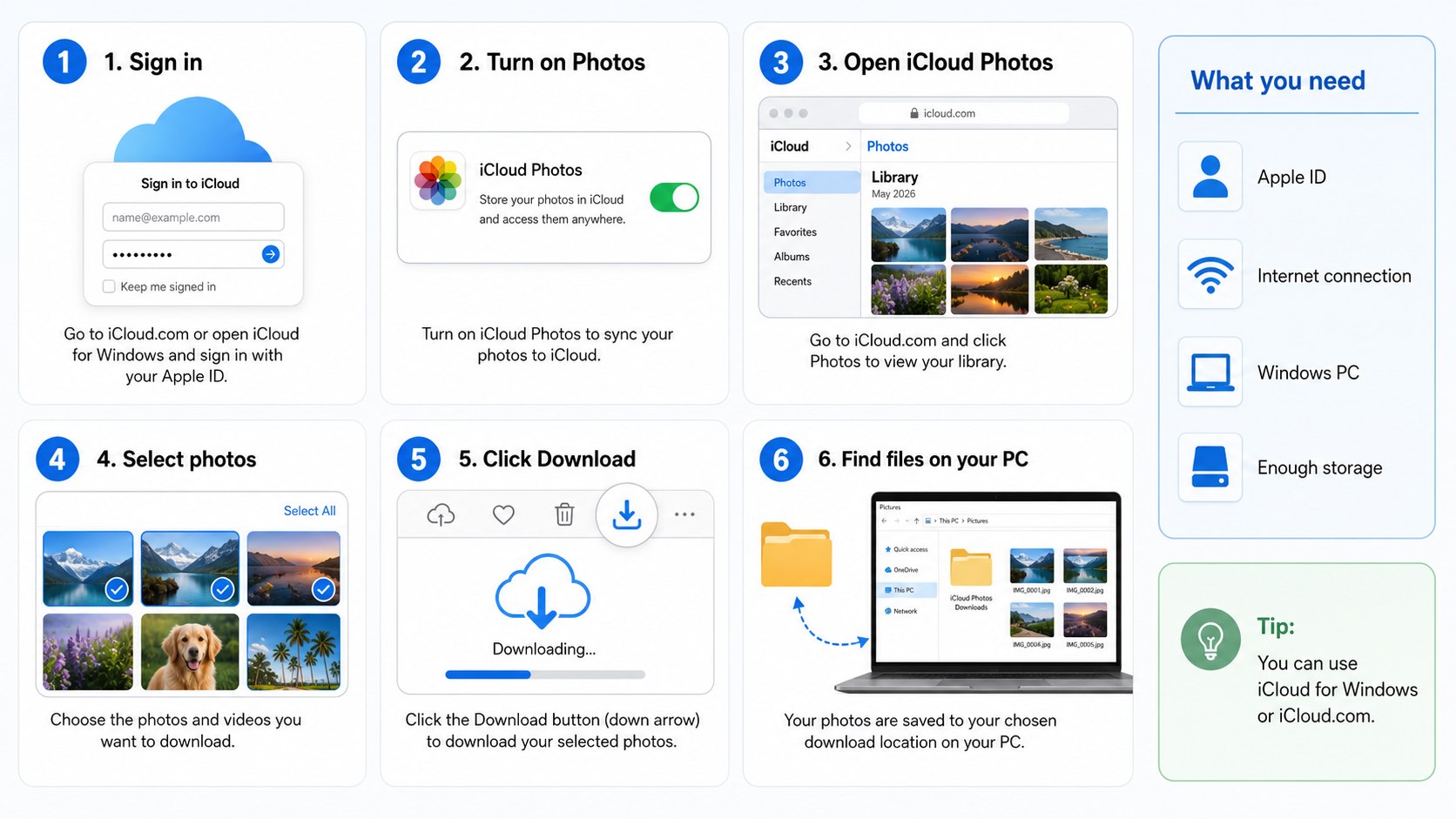
Step 1: Choose how to download photos from iCloud to PC 2026
Start by choosing between iCloud.com and iCloud for Windows. The browser is best for a limited selection, while Apple’s Windows application works better for ongoing access.
This matters because the 2 methods behave differently. A browser creates ordinary downloaded files, while iCloud for Windows integrates the library with File Explorer.
The common mistake is installing extra software to retrieve only 20 photos. Another mistake is using repeated browser batches for a library containing tens of thousands of files.
| Method | Best use | Software needed | Main limitation |
|---|---|---|---|
| iCloud.com | Small or selective downloads | Web browser | Up to 1,000 selected items per batch |
| iCloud for Windows | Large or continuing libraries | Apple app from Microsoft Store | Requires setup and local storage planning |
| External drive after download | Long-term independent copy | Drive only | Requires enough drive capacity |
The browser route is also useful on a borrowed or temporary computer. Sign out when finished and avoid saving the Apple Account password.
For a household PC, the Windows application is more convenient. Photos appear inside File Explorer without repeatedly opening a website.
People clearing an overloaded phone should first understand the difference between local and cloud storage. Baltimore Chronicle’s guide to freeing storage on an iPhone in 2026 explains why buying cloud space does not enlarge the phone’s physical storage.
Apple’s US iCloud+ plans remain separate from the downloading process. As of 2026, Baltimore Chronicle lists 50GB at $0.99 monthly, 200GB at $2.99, and 2TB at $9.99. Larger US plans include 6TB at $29.99 and 12TB at $59.99.
Downloading existing files does not require buying a larger plan. Storage becomes relevant when the iCloud account itself is full.
Step 2: Download selected photos through iCloud.com
Open a current browser and go to Apple’s iCloud Photos instructions. Sign in to iCloud.com with the Apple Account linked to the photo library.
Open Photos and select the images or videos you need. Hold Ctrl while clicking different items on a Windows PC.
This method matters because it creates a straightforward download without setting up synchronization.
Avoid selecting random batches without checking their dates. Large ZIP downloads can become difficult to organize when several batches have similar names.
“Then you can use File Explorer or iCloud.com to download your photos and videos.”
Apple Support, guidance for using iCloud Photos on a Windows PC.
Apple offers additional download options for file format and quality. Unmodified Originals retains the original capture or import format.
The Most Compatible option can be easier for older Windows programs. It may deliver images as JPEG and compatible video formats instead of newer Apple-oriented formats.
This distinction becomes important when moving an archive to older editing software. The photograph can be perfectly intact while the application cannot open its original HEIC format.
Step 3: Install iCloud for Windows for larger libraries
For a large iCloud photo download to Windows, install Apple’s current iCloud for Windows application through the Microsoft Store. Apple said in August 2026 that its latest version requires Windows 11 or later.
Open the application and sign in with the same Apple Account used on the iPhone. Enable Photos when the setup screen appears.
This matters because Windows can then display your iCloud Photos directly through File Explorer. Changes can also remain synchronized across supported devices.
Do not download an unofficial program claiming to be an iCloud transfer utility. Apple directs Windows users to obtain iCloud for Windows through Microsoft’s store.
The official application also provides access to other iCloud features. Those may include iCloud Drive, passwords, calendar data, and related services.
Users considering lower cloud costs should finish their local copies before reducing storage. The Baltimore Chronicle guide to canceling iCloud+ storage in 2026 explains what happens when account usage exceeds the new limit.
Step 4: Download full-resolution files in File Explorer
Open File Explorer after iCloud Photos finishes its initial setup. Select iCloud Photos from the navigation pane.
Many items first appear as thumbnails or cloud-based placeholders. Double-clicking an item downloads the full file to the PC.
This step matters because seeing a thumbnail does not necessarily mean the original file already exists offline.
Do not assume every visible image is safely stored on the hard drive. Apple uses status icons to distinguish cloud-only items from downloaded files.
“Your photos and videos appear as thumbnails until you download them.”
Apple Support, iCloud for Windows user guidance.
For multiple files, select the required items with Ctrl or Shift. Windows can then request their local versions.
For an archive that must remain available offline, select the photos and use the Windows option to keep them on the device. Wait until the download status shows completion before disconnecting from the internet.
An image visible in File Explorer can still depend on iCloud. A true backup needs a completed local copy in a separate location.
Step 5: Copy the files outside the synchronized iCloud folder
Once the files have fully downloaded, create a separate folder such as Pictures\iCloud Archive 2026. Copy the photos there rather than treating the synchronized folder as your only backup.
This matters because save iCloud photos to PC and synchronize iCloud Photos are not identical operations. A separate copy reduces dependence on later synchronization changes.
Avoid moving the only copy before confirming the transfer finished. Copy first, verify several files, and then decide whether anything should be removed.
A simple archive structure makes years of phone photos easier to manage:
- Create one main folder for the archive.
- Add folders for years such as 2024, 2025, and 2026.
- Separate major trips or family events only when useful.
- Open several photos and videos after copying.
- Compare folder size with the expected download.
- Copy irreplaceable files to another physical drive.
Do not organize exclusively by filename. Apple’s filenames can repeat across older devices, exports, screenshots, and edited copies.
A chronological folder structure works better for most families. Professional photographers may prefer project names, client names, or capture dates.
Keep at least one copy separate from the synchronized library. That precaution matters if someone later deletes photos from an iPhone connected to the same iCloud Photos account.
This is also useful before changing Apple services or replacing a phone. A local archive is easier to inspect than a cloud library during account problems.
Baltimore Chronicle also covers iOS 27 and its Photos changes for users managing newer iPhones in 2026.
Step 6: Verify quality, file format, and backup integrity
Open several downloaded photos at full size. Test a few videos from different years and confirm that they play correctly.
This matters because a successful-looking transfer can still contain cloud placeholders, incomplete downloads, or formats unsupported by older programs.
The common mistake is deleting photos from iCloud immediately after seeing their thumbnails on the PC. Verify the actual local files first.
Check these points before treating the transfer as complete:
- Photos open without an internet connection.
- Videos play from beginning to end.
- Recent iPhone images appear in the expected folders.
- HEIC images open in your chosen Windows software.
- Important Live Photos or videos were not overlooked.
- The second backup contains the expected folders.
- Free disk space remains adequate after the transfer.
HEIC itself is not evidence of a damaged photograph. It is a format commonly used by Apple devices.
If compatibility matters more than preserving the exact original format, use Apple’s compatible download option through iCloud.com. JPEG may work more easily with older applications.
Users editing RAW photography should preserve originals before creating converted versions. Conversion can be useful for viewing, but it should not replace the archival master.
A portable SSD can provide another local copy without an ongoing subscription. Prices vary substantially by capacity and brand, so compare current US retail prices before buying.
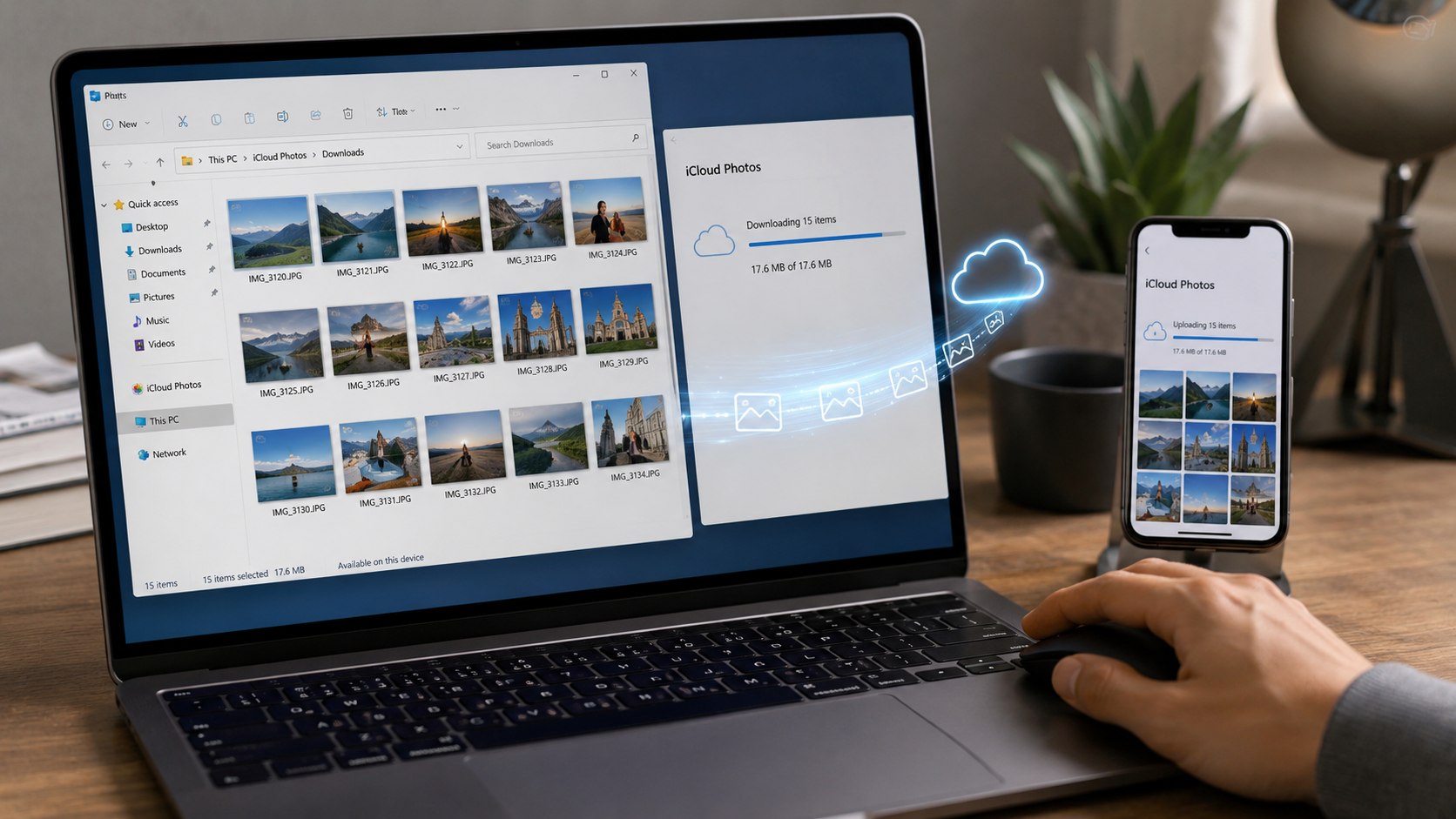
Troubleshooting iCloud photo downloads on Windows
Most problems involve storage, account authentication, synchronization status, or unsupported expectations. These scenarios cover the failures users are most likely to encounter.
- Photos are visible but will not open: the full file may still be cloud-only. Check the download status and internet connection.
- iCloud Photos is missing in File Explorer: reopen iCloud for Windows and confirm Photos is enabled for the correct Apple Account.
- Downloads stop midway: check PC storage, Wi-Fi stability, and whether Windows has paused the application.
- HEIC photos will not open: use compatible Windows software or download a more compatible version through iCloud.com.
- Recent photos are missing: confirm the iPhone finished uploading them to iCloud before troubleshooting the PC.
Do not start deleting cloud files while investigating a failed transfer. A synchronization problem is easier to repair while the original library remains untouched.
Restarting the PC can clear some temporary integration problems. Reopening iCloud for Windows also shows whether the account remains signed in.
If the library is extremely large, download in controlled groups. A year-by-year approach makes missing files easier to identify.
Available disk space deserves special attention. A 256GB laptop cannot hold a 400GB photo archive without another storage destination.
For repeated errors, Apple’s current iCloud for Windows download and requirements page is the safest reference. Apple updates system requirements as Windows and iCloud versions change.
FAQ
Can I download all my iCloud photos to a Windows PC?
Yes. Download all iCloud photos to PC is easiest through iCloud for Windows when the library is large.
Allow enough local disk space for the files you intend to keep offline. Copy important items outside the synchronized folder afterward.
Can I download iCloud photos without installing iCloud for Windows?
Yes. Sign in at iCloud.com through a browser and open Photos.
Apple allows up to 1,000 selected photos or videos in one web download batch.
Why are my iCloud photos showing as thumbnails on Windows?
A thumbnail can represent a file that remains primarily stored in iCloud. Open or request the item to download its full local version.
What is the safest way to transfer iCloud photos to PC?
Use an official Apple method, wait for every file to finish, and then make an independent copy. Transfer iCloud photos to PC should end with verification, not immediate cloud deletion.
Will downloading photos from iCloud delete them from my iPhone?
Downloading a copy does not itself delete the original. Deleting items from a synchronized iCloud Photos library is different and can affect connected devices.
Should I use iCloud.com or iCloud for Windows?
Use iCloud.com for selected images and occasional transfers. Choose iCloud for Windows photos for a larger library or regular Windows access.
Earlier we wrote about FedEx Damage Claims in 2026: The Form, Evidence and Deadline US Customers Need to Know