

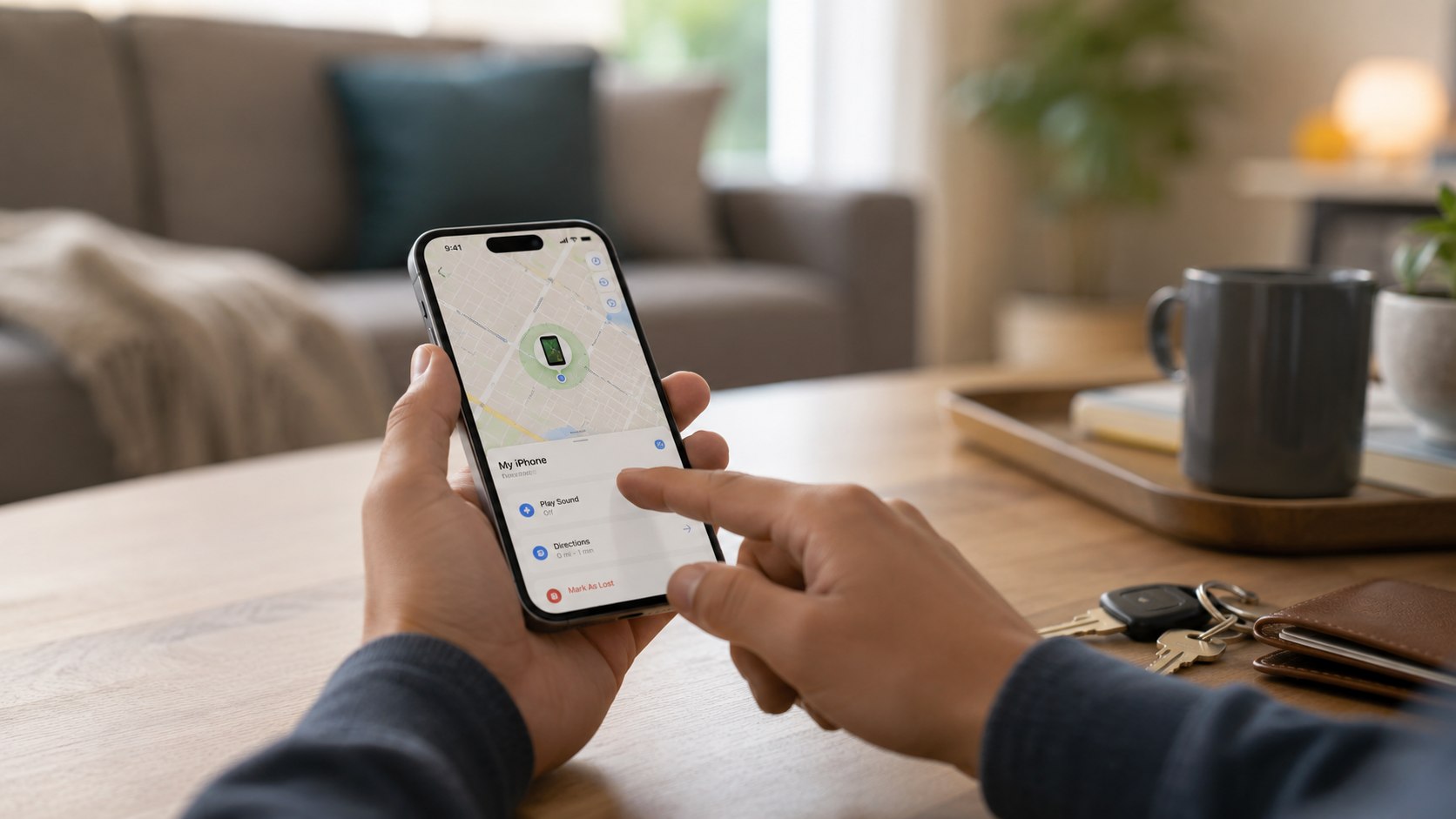
How to find my iPhone when offline 2026 starts with 3 moves: open Find My, mark the phone as lost, and avoid erasing it too early. Most people can complete the first check in 5 minutes if they know the Apple Account password and have another trusted device nearby, as the Baltimore Chronicle editorial team notes.
Offline does not always mean invisible. In 2026, Apple’s Find My network can still show a recent or relayed location when the missing iPhone is powered off, disconnected from Wi-Fi, or away from cellular service. The result depends on your settings before the phone disappeared, nearby Apple devices, battery status, and whether the device was stolen or simply misplaced.
Key takeaways:
- Check Find My first, because an offline iPhone may still report through nearby Apple devices.
- Use Lost Mode before remote erase, since erasing can reduce your recovery options.
- Do not trust texts or emails claiming your iPhone was found; check only Apple’s official tools.
If the phone is still moving, do not chase it. Save screenshots, contact local police, and share location details with them. Apple’s 2026 software changes also matter for families and security-conscious users. Baltimore Chronicle covered Apple WWDC 2026 updates, including Siri AI and stronger parental controls, which fits naturally with Find My, Family Sharing, and safer iPhone recovery.
What you need before you start
You do not need special software, a paid tracking app, or a third-party recovery service. You need access to Apple’s own tools and enough information to prove the missing device belongs to you.
You will need:
- Your Apple Account email and password.
- A trusted iPhone, iPad, Mac, or browser access to iCloud.
- Your device passcode, if Apple asks for verification.
- About 5–15 minutes for the first search.
- Your carrier account login, if the iPhone may be stolen.
- A police report number, if insurance or AppleCare+ theft coverage applies.
The most common mistake is trying random “iPhone tracker” websites. Many are lead forms, ad traps, or phishing pages. Apple does not require you to install an unknown app to locate your own iPhone. Keep every action inside Find My or Apple’s official support pages. If your SIM is still active, contact Verizon, AT&T, T-Mobile, or your carrier after you secure the device in Lost Mode.
Step 1: Open Find My from a trusted device or iCloud
What to do: Open the Find My app on another Apple device signed in to your Apple Account. If you do not have one, go to Apple’s official Find My location guide from a browser and use iCloud access.
Why it matters: Find My is the only reliable starting point because it shows Apple’s latest available location data. A device may appear as online, offline, “No location found,” or show an older location.
Common mistake to avoid: Do not sign in through links sent by text message. Stolen iPhone phishing often imitates Apple and tries to steal your Apple Account password.
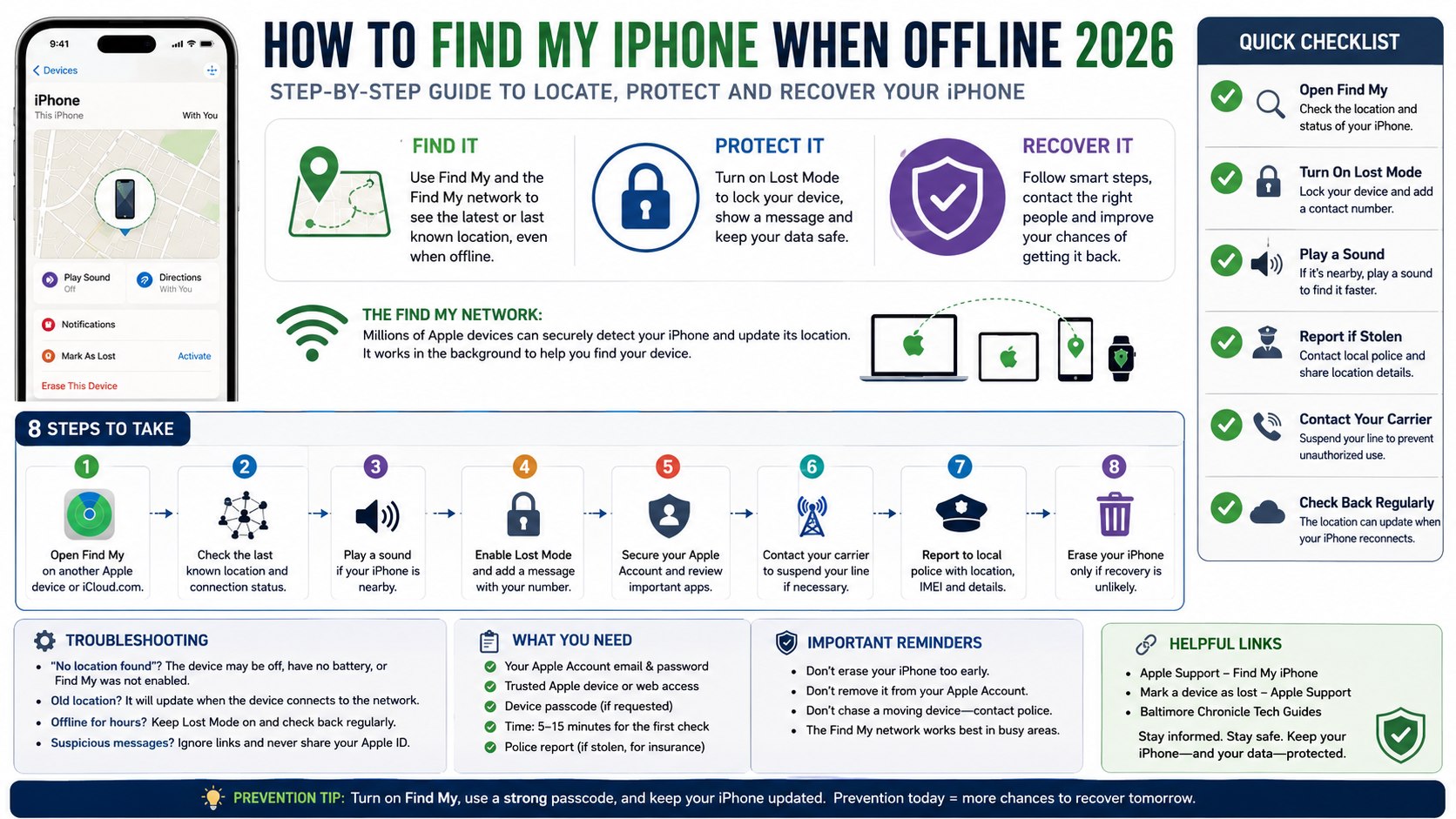
Step 2: How to Find My iPhone When Offline 2026 through the Find My network
What to do: Select your missing iPhone in Find My and check the timestamp beside its location. If it says offline, look for a recent location, a last known location, or a movement update.
Why it matters: The Find My network uses nearby Apple devices to help relay encrypted location signals. This can work even when your iPhone is not connected to your Wi-Fi or cellular data.
Common mistake to avoid: Do not assume an offline phone is permanently lost. Give the network time, especially in dense areas like New York City, Los Angeles, Chicago, Houston, or Baltimore.
The feature works best in places with many Apple devices nearby. It may be weaker in rural areas, parking lots, hiking trails, or buildings with poor signal. If the phone was left in a rideshare, airport terminal, school, office, or mall, the location may refresh when someone with an Apple device passes close to it.
Parents and freelancers should check shared family devices too. Family Sharing can help locate eligible devices faster when the missing phone belongs to a child, partner, or household member.
Step 3: Play a sound if the iPhone is probably nearby
What to do: Tap “Play Sound” in Find My if the map shows your home, office, car, hotel room, gym, or a known address. Listen near couches, laundry baskets, backpacks, glove boxes, and nightstands.
Why it matters: A phone marked offline can become reachable again when it wakes, reconnects, or gets near another Apple device. A sound is faster than searching every room.
Common mistake to avoid: Do not use Play Sound as your only step. If the phone may be stolen, move directly to Lost Mode and account protection.
Step 4: Turn on Lost Mode before you erase anything
What to do: In Find My, choose your iPhone, tap “Mark As Lost,” and follow Apple’s steps. Add a safe contact number or short message, but do not reveal your home address.
Why it matters: Lost Mode locks the device and can display a recovery message. Apple explains the process in its official guide to marking a device as lost.
Common mistake to avoid: Do not erase the iPhone first unless recovery is unlikely. Remote erase protects data, but it can change what you can track later.
| Situation | Best first action | What not to do |
|---|---|---|
| Phone lost at home | Play sound and check last location | Erase the phone immediately |
| Phone left in Uber, Lyft, or taxi | Use Lost Mode, then contact the driver through the app | Share your Apple password |
| Phone location is moving | Save screenshots and contact police | Follow the device yourself |
| Phone shows offline for hours | Keep Lost Mode active and watch for updates | Try random tracking websites |
| Phone may be stolen | Secure Apple Account and carrier line | Remove the device from your account too soon |
This comparison matters because different losses need different responses. A phone under a couch is not the same as a phone moving across 20 miles. Lost Mode is usually the safest middle step because it protects the device without giving up recovery.
Screenshots help if you later need a police report, insurance claim, or AppleCare+ theft claim. Keep the device listed in Find My unless Apple, your insurer, or law enforcement gives a specific reason to remove it. If the device resurfaces, you can turn off Lost Mode after you physically recover it.
If the missing iPhone is replaced, the next practical step is restoring your data correctly. Baltimore Chronicle has a detailed guide on how to transfer iPhone data in 2026, including Quick Start, iCloud backup, and what to do before removing the old device from Find My.
Step 5: Protect Apple Pay, banking apps, and private data
What to do: After Lost Mode, change your Apple Account password from a trusted device. Then review Apple Pay, email, banking apps, password managers, and work accounts.
Why it matters: Many adults keep tax documents, client files, insurance photos, home security apps, and family messages on one iPhone. A locked device is safer, but account security still matters.
Common mistake to avoid: Do not remove Activation Lock just because someone messages you. Scammers often claim they bought the phone and need you to “release” it.
Parents should also check family payment methods and child accounts. Freelancers should revoke access to Slack, Google Workspace, Microsoft 365, Dropbox, or client portals when sensitive work data is involved. Drivers should check digital car keys, parking apps, toll apps, and insurance apps. Renters and homeowners should review smart lock, camera, and alarm apps.
The stronger your passcode was, the more time you have to act calmly. A 6-digit passcode is better than 4 digits, but an alphanumeric passcode is stronger. If the missing phone had Face ID enabled, the risk is lower, but not zero. Account recovery attempts can still target your email, SIM, or trusted contacts.
Step 6: Contact your carrier if the iPhone may be stolen
What to do: Call your carrier or use its app to suspend the SIM or eSIM line. Ask whether your plan includes device protection, deductible rules, or claim deadlines in 2026.
Why it matters: A suspended line can reduce unauthorized calls, texts, and account takeover attempts. It can also stop someone from using SMS codes tied to your number.
Common mistake to avoid: Do not cancel service before you understand insurance rules. Some protection plans require an active line at the time of claim.
In the US, major carriers often sell phone protection with deductibles that vary by model and plan. As of 2026, out-of-pocket replacement costs for a modern iPhone can run from several hundred dollars to over $1,000 without coverage. AppleCare+ with Theft and Loss has its own terms and claim process.
Verify the current deductible with Apple or your carrier before you make a claim. Keep the IMEI, serial number, purchase receipt, and police report together. These details can save hours when speaking with Verizon, AT&T, T-Mobile, Apple Support, or an insurance provider.
Step 7: Report theft, but do not confront anyone
What to do: If the map shows a suspicious address, moving vehicle, storage facility, apartment complex, or unfamiliar neighborhood, contact local police. Provide screenshots, timestamps, serial number, and IMEI.
Why it matters: A live or recent location can support a report, but it does not prove who has the phone. Police departments decide how to respond based on local policy and safety risk.
Common mistake to avoid: Do not knock on doors or follow a vehicle. A $900 phone is not worth a confrontation.
For readers in Maryland, California, Texas, Florida, Illinois, and New York, the basic pattern is similar: document first, report second, recover only with lawful help. If the device was lost at a workplace, school, hospital, airport, or courthouse, also contact the property office.
Large buildings can make location dots imprecise by several floors or rooms. A location pin is a lead, not a warrant. Treat it as evidence, not a rescue plan.
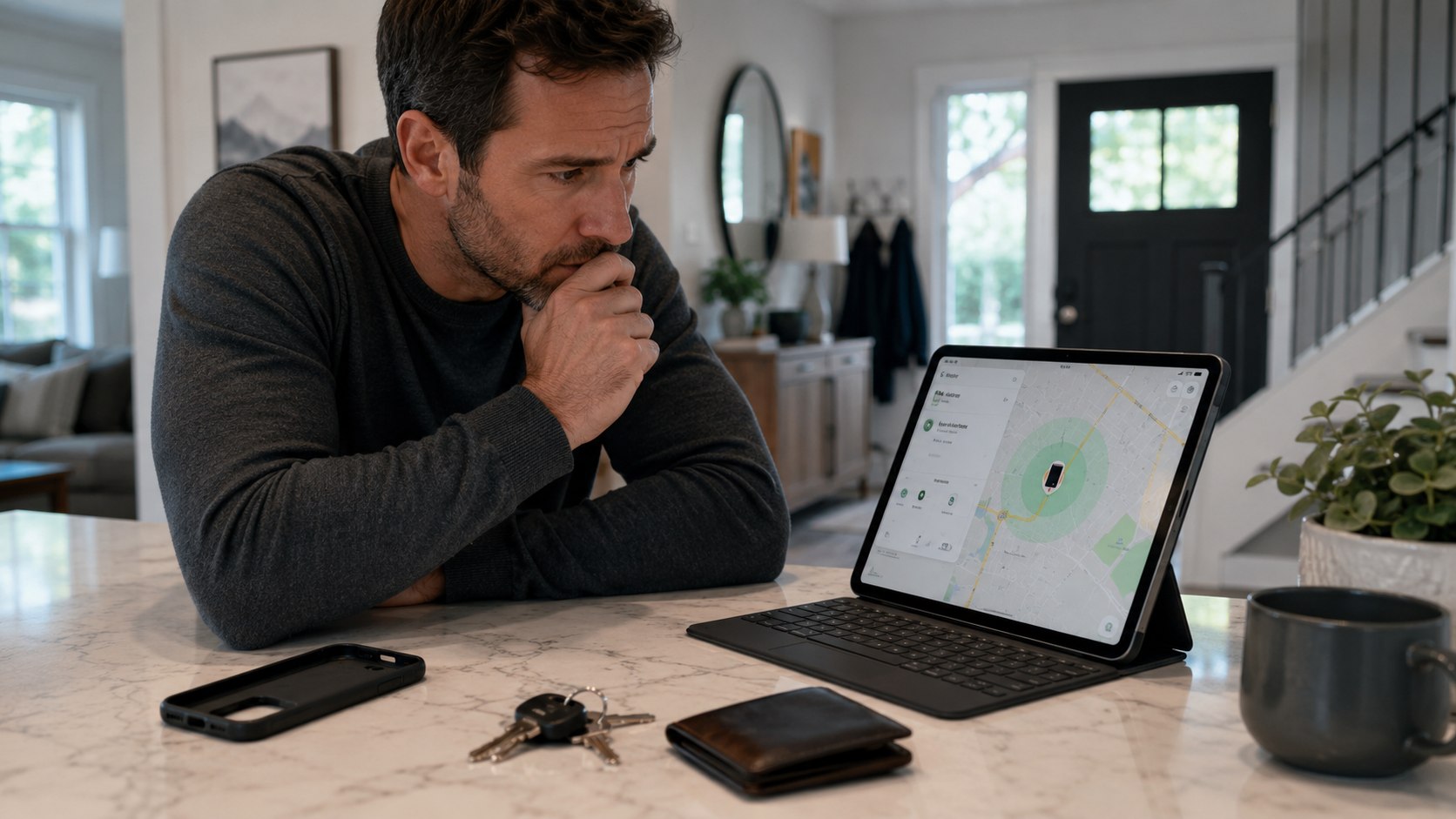
Step 8: Decide when remote erase is the right move
What to do: Use remote erase only when you believe recovery is unlikely or sensitive data is at risk. Confirm your backups before you erase.
Why it matters: Erase protects private information, photos, saved files, and app data. It is the right call when a stolen iPhone holds work files, legal documents, health records, or financial apps.
Common mistake to avoid: Do not erase because the phone is offline for 10 minutes. Offline updates can return later through the Find My network.
Before erasing, check iCloud Backup, iCloud Photos, Google Photos, Microsoft OneDrive, or local Mac backups. If your last backup is recent, recovery is less painful. If no backup exists, wait if the phone appears likely to be nearby.
Readers setting up a replacement device should also check the Baltimore Chronicle guide on how to set up a new iPhone in 2026. It explains activation, eSIM setup, app transfer, photos, and the first settings worth checking before daily use.
For business phones, follow your employer’s device policy. For family phones, talk to the person who uses the device before deleting irreplaceable photos or messages. Remote erase is a security tool, not a first reaction.
Troubleshooting: when Find My does not show the offline iPhone
Find My is powerful, but it is not magic. These scenarios explain why the map may look empty, delayed, or confusing.
- “No location found” appears: Find My may not have been enabled before the phone disappeared.
- The location is old: The iPhone has not checked in recently, or no nearby Apple device relayed it.
- The phone shows at your house: Search cars, laundry, bags, garage shelves, and couch gaps before reporting theft.
- A stranger texts you a link: Ignore it and check only Find My or iCloud directly.
- The phone is powered off: Keep watching Find My if the Find My network was enabled before loss.
Many bad outcomes start with panic. Wait for a fresh timestamp before assuming the worst. Save every suspicious message, because it may help with a fraud report. Do not send verification codes, Apple Account passwords, or device passcodes to anyone.
If your phone reappears, inspect it before entering passwords. When in doubt, restore from a trusted backup rather than trusting a device that was outside your control. A phone lost for 2 hours is very different from a phone stolen for 2 days.
FAQ
Can I find my iPhone if it is offline in 2026?
Yes, sometimes. If Find My and the Find My network were enabled before the loss, the iPhone may show a recent or relayed location. If those settings were off, Apple cannot create a location history afterward.
Does Find My work if my iPhone is powered off?
It can work on supported models when the right settings were enabled. Battery status, model, software version, and nearby Apple devices affect the result. Check Find My several times before deciding the phone is unrecoverable.
Should I erase my offline iPhone right away?
Usually, no. Turn on Lost Mode first. Erase when sensitive data is at risk, recovery looks unlikely, or your employer requires it. Check your backups before erasing.
Can Apple track my stolen iPhone for me?
Apple provides Find My tools, but it does not personally recover stolen devices. Use Find My, secure your Apple Account, contact your carrier, and file a police report when theft is likely.
What if someone asks me to remove the iPhone from my Apple Account?
Do not do it unless you have recovered the device or finished a legitimate insurance process. Removing it can weaken Activation Lock and help a thief resell the phone.
Earlier we wrote about How to Install a Kitchen Backsplash in 2026 Without Crooked Tile or Costly Mistakes