

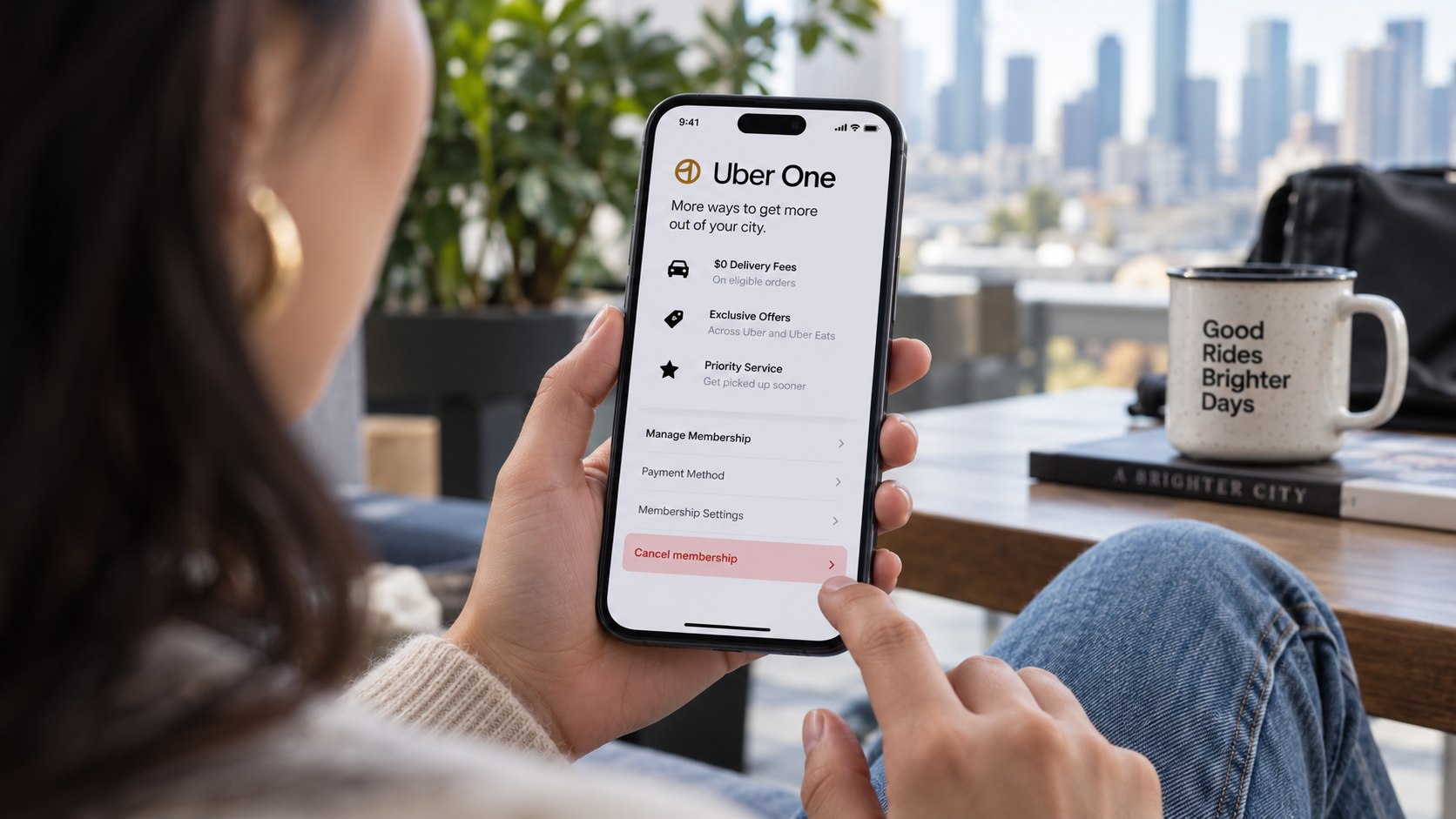
How to cancel Uber One 2026 takes only a few minutes when the membership controls appear correctly in the Uber app. Open Uber One, choose Manage Membership, select End Membership, and confirm the cancellation. Paid benefits normally remain active through the current billing period, as noted by Baltimore Chronicle.
The main risk is timing. Uber says a cancellation made less than 24 hours before renewal may still produce a charge, although that charge may be automatically refunded. Account-specific screens can differ, so checking the renewal date before touching the cancellation button is the safest approach.
For most US subscribers, the goal is not deleting Uber. It is stopping Uber One from renewing.
Uber describes Uber One as an automatically renewing membership that can be canceled from the membership-management section of its app.
Source: Uber, Uber One official US page, accessed for 2026 membership information.
Key takeaways
The cancellation process is simple, but billing dates and refunds require more attention than the final button.
- Cancel through Uber One under Manage Membership, rather than deleting the Uber or Uber Eats app.
- Check the next renewal date first, particularly when cancellation happens within 24 hours of the scheduled payment.
- Standard subscription charges are generally non-refundable once a billing cycle begins, subject to applicable consumer law.
These rules apply nationally to US Uber One accounts, although consumer protections can differ by state. California, New York, Illinois, and other states may impose additional subscription requirements. Uber also changes promotional offers and account interfaces periodically. The cancellation confirmation therefore matters more than remembering a particular screen layout. Save that confirmation until the next scheduled billing date has passed.
Readers cleaning up several recurring charges can also use Baltimore Chronicle’s guide to cancel Spotify Premium in 2026.
What you need before canceling Uber One
A successful Uber One cancellation usually requires very little preparation. Having the right account information ready prevents a billing problem from becoming a support problem.
- Uber or Uber Eats app with the correct account signed in.
- Access to the email address or phone number attached to that account.
- A working internet connection.
- About 5 minutes for a normal cancellation.
- The payment card or digital wallet used for the membership.
- A screenshot of the current renewal date if a refund dispute seems possible.
No cancellation fee is listed for a standard Uber One membership. Uber currently lists the regular US membership at $9.99 monthly or $96 annually on its Help pages. Promotional and partner-funded memberships can have different conditions.
Check the displayed price inside the account before relying on those figures. A student offer, free trial, American Express promotion, or other partnership can change the amount actually charged, citing renewz.de. The billing screen also helps identify whether the payment is already pending. That distinction matters when asking for an Uber One refund. A cancellation stops future renewal but does not automatically reverse every completed membership charge.
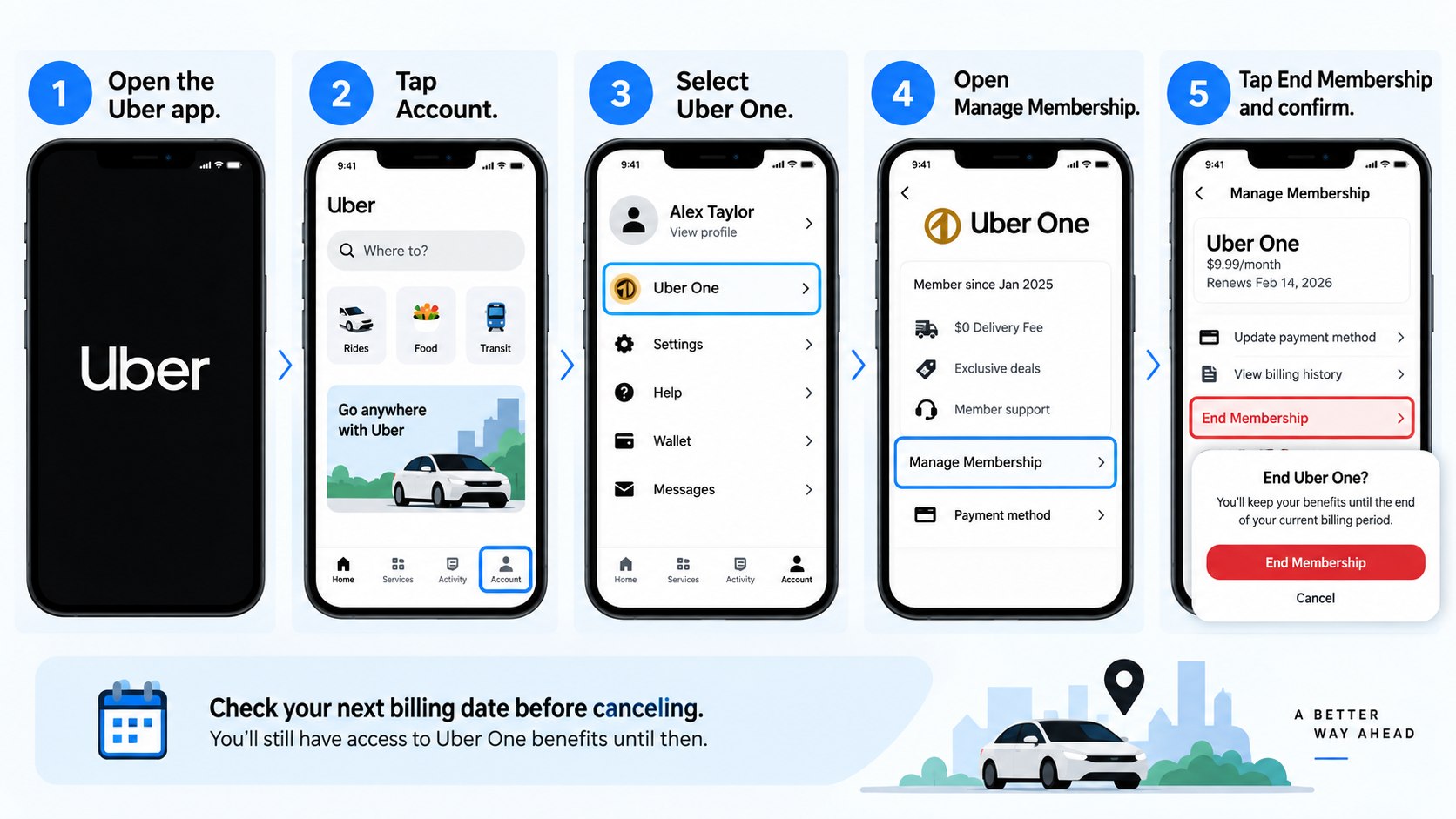
Step 1: Open the correct Uber account
Open the Uber or Uber Eats app and confirm that the correct account is signed in. People with separate work and personal profiles can easily inspect the wrong membership.
This matters because Uber One belongs to the account that purchased it. A common mistake is canceling activity on one profile while another profile continues renewing.
If several household members use Uber, compare the payment method and membership email against the latest bank charge. A $9.99 transaction can otherwise be mistaken for another family member’s subscription. Screenshots can help when more than one account uses the same card.
Step 2: Open Uber One
Tap the profile or Account icon and select Uber One. The membership page should display current benefits and access to membership management.
This is the correct route for cancel Uber One in app searches. Deleting Uber, uninstalling Uber Eats, or removing a saved credit card is not a substitute for ending the membership.
People canceling several entertainment subscriptions should follow the same billing-source principle. Baltimore Chronicle explains the issue in its guide on how to cancel YouTube Premium in 2026. A service must be canceled where its recurring billing relationship is actually controlled.
An app disappearing from a phone does not mean its subscription disappeared from the billing system.
Step 3: Check the renewal date
Select Manage Membership and locate the next billing or renewal date before proceeding. Take a screenshot if the renewal is close.
The date determines whether the cancellation will simply stop the next payment or whether a new charge might already be processing. Uber’s current US information says a charge appearing after cancellation within 24 hours of renewal may be automatically refunded.
| Situation | What normally happens | Best action |
|---|---|---|
| More than 24 hours before renewal | Next renewal should stop | Cancel in the app |
| Less than 24 hours before renewal | A charge may still appear | Cancel and monitor billing |
| Paid period already started | Charge is generally non-refundable | Cancel future renewal |
| Free trial canceled | Benefits may end immediately | Confirm before canceling |
| Cancellation option missing | Self-service may be unavailable | Contact Uber Support |
These outcomes describe Uber’s published policy, not a guarantee for every account. State consumer law can create additional rights. The payment network may also show pending transactions differently from completed charges. Do not file a card dispute merely because a pending charge appears briefly. First confirm whether Uber has reversed it automatically. Keep screenshots until the transaction settles.
Step 4: Select End Membership
Inside Manage Membership, choose End Membership. Uber may ask why the subscription is being canceled or present an offer before displaying the final confirmation.
Continue until the app clearly states that the membership has ended or will not renew. Leaving the screen after choosing a cancellation reason can result in no cancellation at all.
This is one of the most common mistakes with how to stop Uber One membership instructions. A retention screen is not a cancellation confirmation. Read the final screen rather than assuming the first End Membership button completed the process.
Step 5: Confirm the cancellation
Select End Membership again when Uber requests final confirmation. The wording can differ slightly between app versions.
The confirmation is important because Uber One renews automatically until the subscription is properly canceled. According to Uber’s official cancellation instructions, paid members generally retain benefits through the current billing period.
Free trials work differently. Uber says benefits can end when a free-trial membership is canceled. A user planning another ride or delivery during the trial should consider that timing before pressing the final button.
Uber states that paid members normally keep membership benefits through the current billing period after cancellation.
Source: Uber Help, membership cancellation guidance for riders.
Step 6: Save proof and check billing
Take a screenshot of the cancellation confirmation and any displayed membership end date. Also check the email connected to the Uber account for a confirmation message.
This proof matters if a later Uber One charge after cancellation appears. A screenshot showing the date can give Uber Support a clear timeline.
Do not delete the account immediately afterward. Keeping account access makes it easier to review billing, contact support, and verify the membership status. The same precaution applies when canceling streaming services. Baltimore Chronicle’s Disney Plus cancellation guide also emphasizes identifying the billing relationship before assuming recurring charges have stopped.
Step 7: Request a refund when the facts support it
Canceling and obtaining a refund are separate processes. Uber states that subscription charges are generally non-refundable once the billing cycle begins, except where law requires otherwise.
A refund request makes more sense when a renewal posted despite a timely cancellation, the charge was unauthorized, or Uber’s system created a duplicate payment. Contact Support through the signed-in account and provide the cancellation date, charge date, amount, and payment method.
For a $9.99 monthly membership, explain the disputed transaction precisely. Avoid submitting several slightly different claims for the same payment. Clear documentation makes the issue easier to trace.
Refund rights can also depend on state law. Residents of California or New York, for example, may have subscription protections beyond a company’s standard policy. The specific circumstances of the transaction remain decisive.
Troubleshooting Uber One cancellation problems
Most problems fall into a small number of account, timing, or billing scenarios.
- End Membership is missing: update the Uber app, reopen Uber One, and check whether the membership is active.
- Renewal is less than 24 hours away: cancel immediately, then monitor the payment and contact Uber Support if needed.
- A charge appears after cancellation: determine whether it is pending, completed, or automatically reversed.
- The wrong account opens: sign out and locate the account connected to the membership charge.
- Benefits disappeared immediately: check whether the membership was a free trial rather than a paid billing period.
Do not solve a missing button by removing the payment card. Uber may still have another valid payment method attached to the account. A card issuer can also replace an expired card through automatic account-updater services. That means changing plastic does not necessarily terminate the underlying subscription agreement. The reliable evidence is the membership status inside Uber. A final cancellation confirmation remains the most useful record.
How refunds and Uber One benefits work in 2026
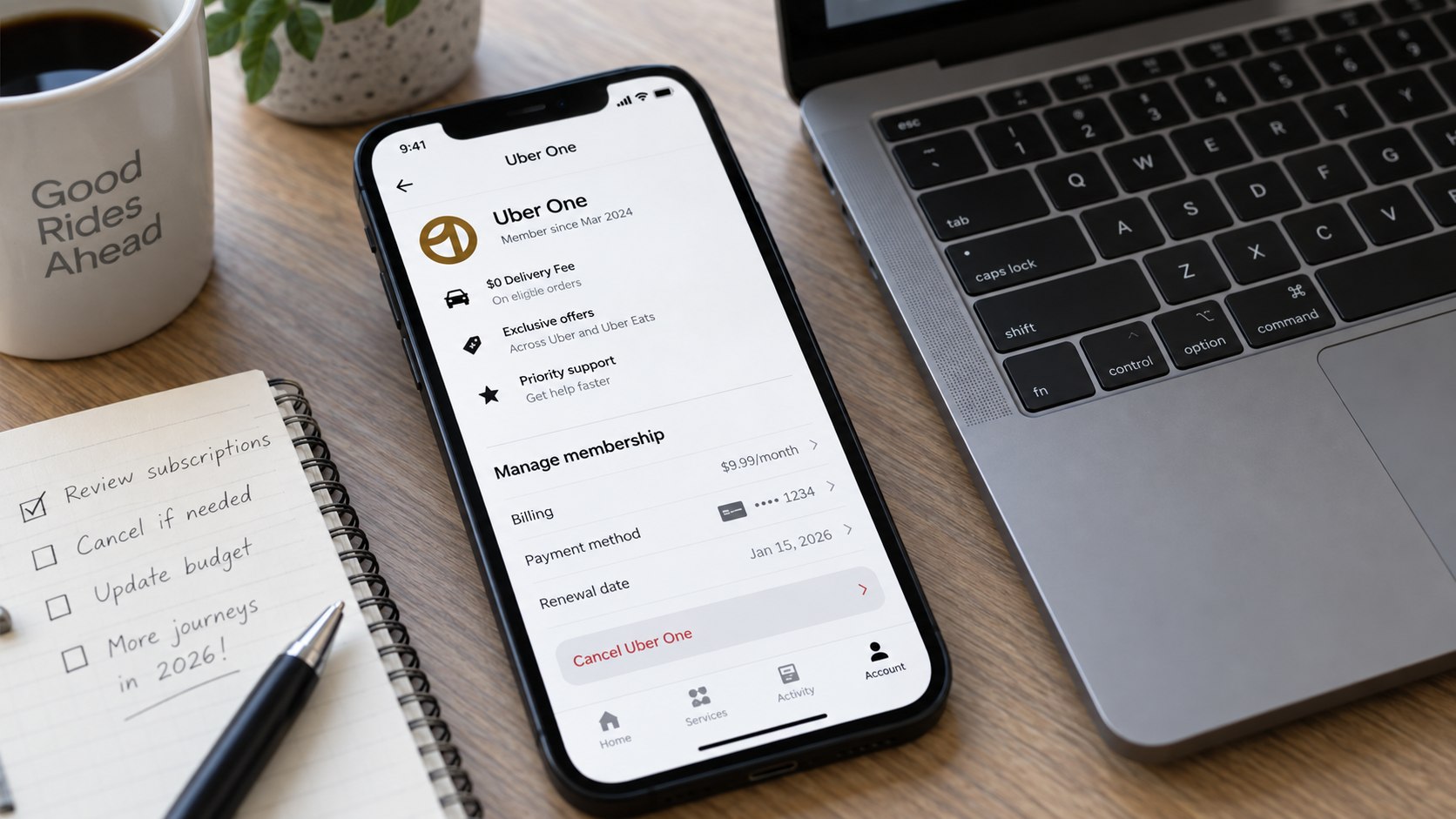
The practical distinction is between canceling renewal and reversing a payment. Canceling normally prevents another billing cycle while allowing paid benefits to continue until the current term ends.
Uber’s US page currently lists Uber One at $9.99 per month or $96 annually. Eligible plans can include $0 delivery fees on qualifying orders and Uber One credits on eligible rides. Those benefits depend on the offer and transaction requirements shown inside Uber.
If Uber refunds a membership payment, benefits tied to that payment may end. Credits associated with membership can also be affected when membership terminates.
Anyone canceling primarily because of one unexpected charge should document the charge before changing the account.
This approach creates a cleaner record if support asks for evidence. Bank statements should show the merchant, amount, and transaction date. Screenshots should show the Uber One status and renewal date. Avoid including full card numbers in messages or screenshots.
FAQ
Can I cancel Uber One from the Uber app?
Yes. Open Account or the profile menu, choose Uber One, select Manage Membership, and then choose End Membership.
Does deleting Uber cancel Uber One?
No. Removing the app from a phone does not cancel an automatically renewing membership. The subscription must be ended through membership controls or Uber Support.
Will Uber refund my $9.99 membership fee?
Not automatically in most situations. Uber states that a subscription charge is generally non-refundable after a billing cycle begins, subject to applicable law.
Can I cancel Uber One immediately after a charge?
Yes, but cancellation normally stops the next renewal rather than reversing the charge already made. A separate refund request may be necessary.
What happens to Uber One benefits after cancellation?
Paid members generally retain benefits until the end of the current billing period. Free-trial benefits may end immediately after cancellation.
Why am I still being charged after canceling Uber One?
The cancellation may have occurred too close to renewal, remained incomplete, or involved another account. Check the transaction status and saved cancellation confirmation before contacting support.
Earlier we wrote about How to Clean a Window AC Unit in 2026 Without Damaging the Coils