

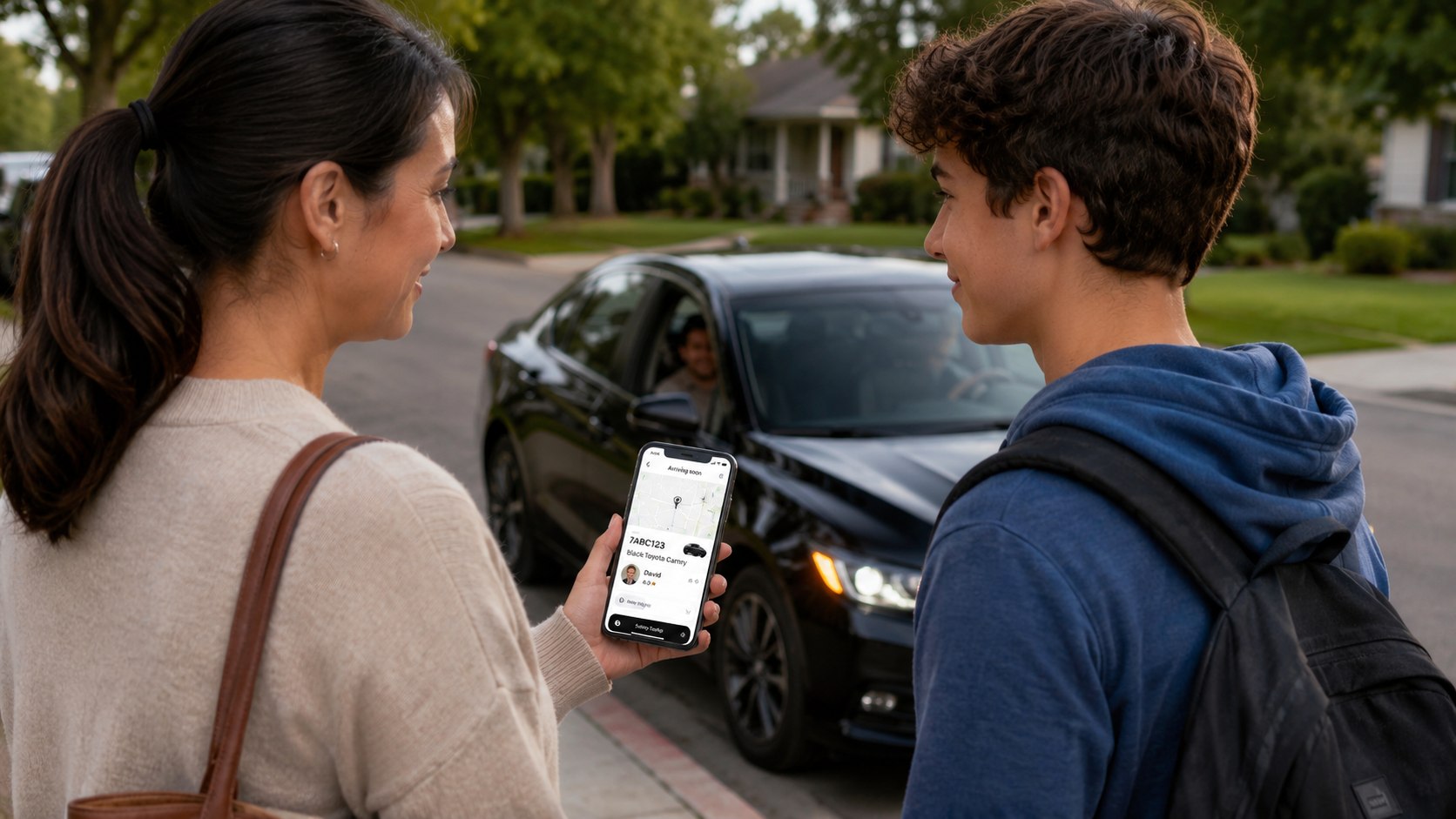
Uber teen rider how to set up takes about 10–15 minutes when both phones are ready. A parent creates or opens an Uber Family profile, invites a teen aged 13–17, approves account access, and adds a valid payment method. The teen then accepts the text invitation and completes Uber’s required safety onboarding, as noted by the Baltimore Chronicle.
The practical answer is simple: do not create a standard adult account for the teen. Use the dedicated Teen account connected to the parent’s Family profile. This preserves parental trip alerts, live tracking, PIN verification, and other safety features designed for unaccompanied teen rides.
Key takeaways
- A parent or legal guardian must invite the teen through an existing Uber Family profile.
- The teen must generally be aged 13–17 and live in an area supporting Uber Teen accounts.
- Every teen trip includes mandatory protections such as PIN verification, trip notifications, and live location tracking.
Parents should confirm local availability before relying on the service for school, work, sports, or airport transportation. Uber Teen does not operate identically in every US market. Available ride products and app screens can also differ by city.
The setup itself has no separate enrollment fee as of 2026. Families pay the displayed fare for each ride, including possible booking fees, tolls, airport charges, and demand-based pricing. Our guide to Uber surge pricing in 2026 explains why the same route may cost more after a concert, during bad weather, or at school dismissal time.
Safety tools reduce common risks, but they do not replace family rules. A teen should still verify the driver, vehicle, license plate, pickup location, and PIN before entering.
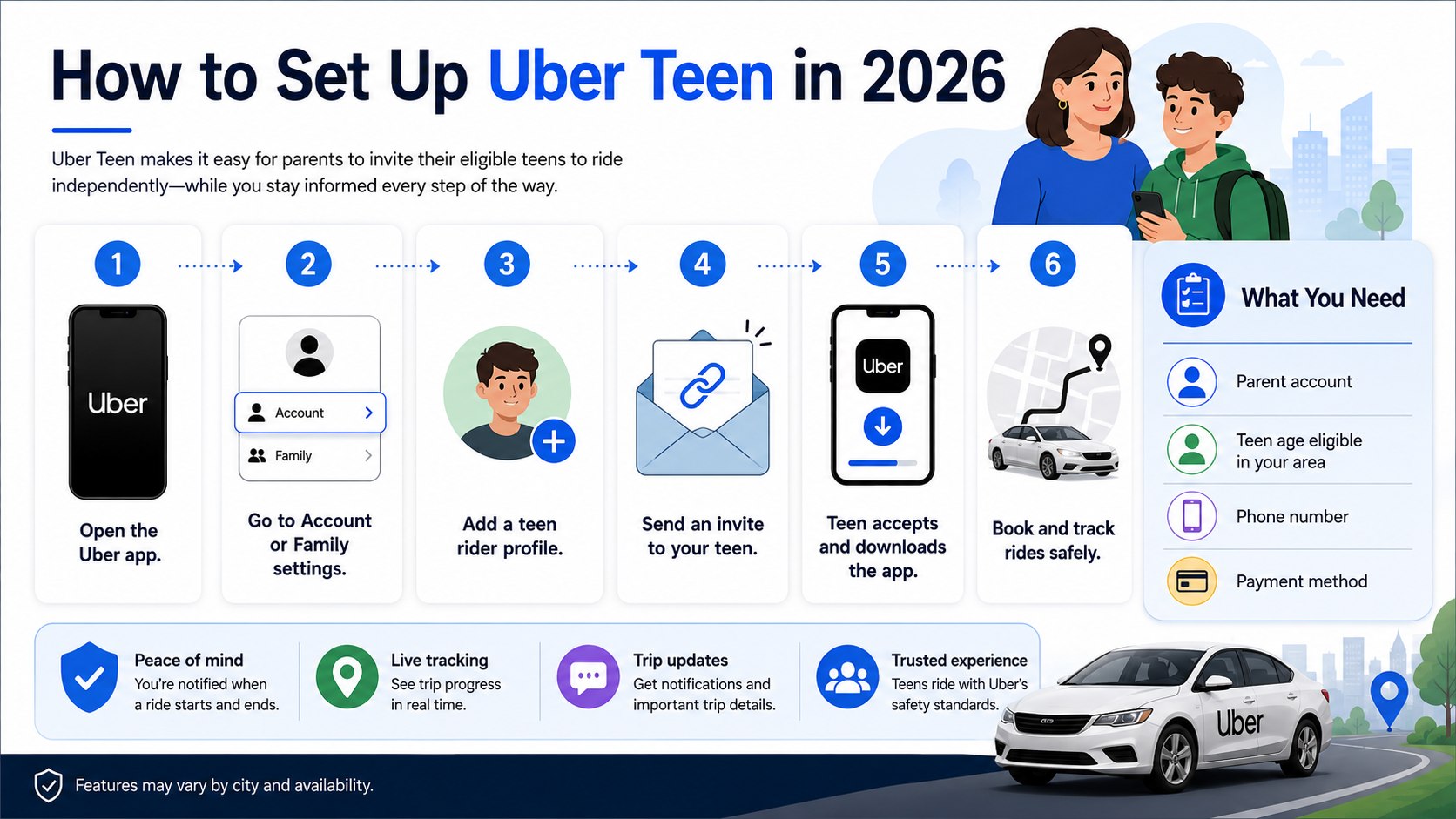
What you need
Prepare both phones before beginning the setup. The parent and teen should be together because the invitation, account confirmation, and safety onboarding may require actions on both devices.
- A parent or legal guardian with an active Uber account
- The latest Uber app on the parent’s phone
- A smartphone for the teen
- The teen’s mobile phone number
- The teen’s correct birth date and contact information
- A valid credit or debit card
- Reliable cellular or Wi-Fi service
- About 10–15 minutes for setup and safety review
The parent’s payment card usually covers rides requested through the Teen account. Review the selected card before the first trip, especially when several cards appear in the adult’s Uber Wallet.
The teen should use their own phone number and device. Sharing the parent’s login defeats several account protections and may prevent accurate trip notifications.
Parents should also update the app before starting. Older versions may show different menu labels or may not display “Family and teens.” Closing and reopening the app can resolve delayed menu updates.
An Uber Teen account is not merely a payment profile. It is a supervised rider account with safety functions attached to every eligible trip.
Step 1: Confirm Uber Teen availability
Open Uber and check whether “Family and teens” appears under the Account or Settings area. Uber states that Teen accounts are available only in supported locations, so the feature may not appear everywhere in the United States.
This check matters because riders normally must be adults unless they use an authorized Teen account or travel with an adult. A common mistake is creating a regular account with an incorrect birth date when the Teen option is unavailable.
Step 2: Update the parent’s Uber account
Install the latest Uber app version, sign in, and verify the parent’s phone number and email address. Review the account name because the teen will receive an invitation linked to this Family profile.
Updated contact details help the parent receive trip alerts, receipts, and support messages. Avoid starting with an old business account, unused phone number, or account belonging to another family member.
Step 3: Create or open an Uber Family profile
Tap “Account,” open “Settings,” and select “Family” or “Family and teens.” Create a Family profile when none exists. Uber allows only 1 Family profile owner per account, although that profile can include invited members.
The Family profile connects the parent’s payment settings and supervision tools to the teen. Do not add the teen as a normal adult family member because that path may not activate the required Teen safety experience.
Step 4: Invite the teen
Select “Add new member,” choose “Teen,” and pick the teen from the phone’s contacts. The teen must generally be at least 13 years old and no older than 17 when the account is created.
Uber sends the invitation by SMS to the selected number. Check the phone number carefully because sending the invitation to the wrong contact may expose the invitation link and delay setup.
| Setup item | Parent’s responsibility | Teen’s responsibility |
|---|---|---|
| Family profile | Create or manage the profile | No action required |
| Invitation | Select the correct contact | Open the SMS invitation |
| Consent | Approve the Teen account | Provide accurate account details |
| Safety onboarding | Review family expectations | Complete required app screens |
| Payment | Add and verify the card | Review the fare before booking |
| First trip | Track the ride in Activity | Verify the driver, car, plate, and PIN |
The division of responsibilities is important. A parent cannot complete every screen for the teen because the teen must understand how to verify a ride and access emergency tools.
The teen should not rush through the onboarding screens. These prompts explain what to check before entering a vehicle and how to respond when something feels wrong.
Parents can review the same safety rules aloud. This helps identify misunderstandings before the teen takes an independent trip.
Families should also decide who may request rides and which destinations are approved. A technical setup without household rules leaves avoidable gaps.
For airport journeys, review pickup zones and alternatives beforehand. The Baltimore Chronicle’s BWI transportation guide shows why rail, taxis, and rideshare can have different pickup procedures and costs.
Step 5: Have the teen accept the invitation
The teen opens the SMS link, downloads or opens Uber, and follows the account creation instructions. They must use the invited phone number and provide accurate personal information.
This links the Teen account to the correct parent or guardian. A frequent mistake is accepting the invitation on the parent’s phone, which can produce login conflicts and notification problems.
Step 6: Complete the safety onboarding
Uber requires the teen to review safety information before requesting an independent ride. The onboarding covers driver verification, PIN use, trip tracking, and access to in-app support.
This step matters because Uber Teen safety features operate differently from a casual ride ordered by an adult for another person. Avoid tapping through the screens without discussing pickup behavior, communication, and emergency contacts.
“Drivers can’t start a trip without a PIN.”
Uber Help, Uber Technologies Inc., explaining PIN verification for Teen trips in its official rider FAQ.
The PIN should be given only after the teen confirms the driver’s name, vehicle model, photo, and license plate in the app.
Step 7: Verify payment and ride costs
Return to the Family profile and confirm the default credit or debit card. Uber’s official Family profile instructions state that eligible card payment methods are used for Family profile charges.
There is no fixed national Uber Teen fare. Prices vary by distance, city, time, traffic, tolls, airport rules, ride type, and local demand. A parent should review the upfront price with the teen before the first request.
| Cost factor | How it affects the fare in 2026 | What families can do |
|---|---|---|
| Distance and time | Longer routes and congestion usually increase the price | Compare safe pickup and drop-off points |
| High demand | Concerts, storms, and rush hour may raise fares | Wait and recheck when the trip is not urgent |
| Airport fees | Airports may add regulated pickup charges | Compare taxis, rail, and approved pickup zones |
| Tolls | Bridge, tunnel, or highway tolls may be included | Review the route before confirming |
| Ride product | UberX is usually cheaper than premium options | Select the eligible standard option |
The displayed fare should be treated as the main decision point. Parents should not assume a familiar route will always cost the same.
Checking Lyft may provide useful price context, but Lyft’s rules for minors and supervised accounts must be reviewed separately. The comparison of Uber versus Lyft prices in 2026 explains why one platform may be cheaper at a specific moment.
For recurring school or work trips, record the usual fare range. This makes an unusually expensive request easier to spot.
Families should also agree on tipping, optional stops, and food-order spending. Clear limits reduce surprise charges and arguments later.
Always verify current pricing inside the Uber app because rates and local fees can change without a national announcement.
Step 8: Test the account before an important trip
Plan the first ride during daylight and choose a familiar pickup point. The teen should request the ride while the parent watches the process from a separate phone.
This test confirms that alerts, live tracking, payment, and PIN verification work correctly. Do not make the first Teen trip a late-night airport pickup, emergency ride, or time-sensitive school event.
Before the vehicle arrives, the teen should compare every visible identifier. They should wait in a safe, well-lit place and never enter a car based only on the driver calling their name.
- Check the driver’s name and profile photo.
- Match the vehicle make, model, and color.
- Read the license plate character by character.
- Ask the driver to confirm the rider’s name.
- Provide the PIN only after all details match.
- Sit in the back seat and fasten the seat belt.
- Keep the phone charged and notifications enabled.
- Contact the parent when the ride ends.
The checklist should become routine rather than a one-time exercise. Repetition helps the teen avoid entering the wrong vehicle during crowded school, mall, stadium, or airport pickups.
The parent should keep the Uber Activity screen open during the first trip. Notifications should appear when the ride is requested, begins, changes, and ends.
A route change is not automatically an emergency because traffic and road closures can alter navigation. However, an unexplained stop or major deviation deserves immediate attention.
The teen should know that canceling and moving to a safer location is acceptable. Avoiding a cancellation charge is never more important than personal safety.
After arrival, discuss what worked and what felt confusing. Adjust pickup instructions and family rules before the next ride.
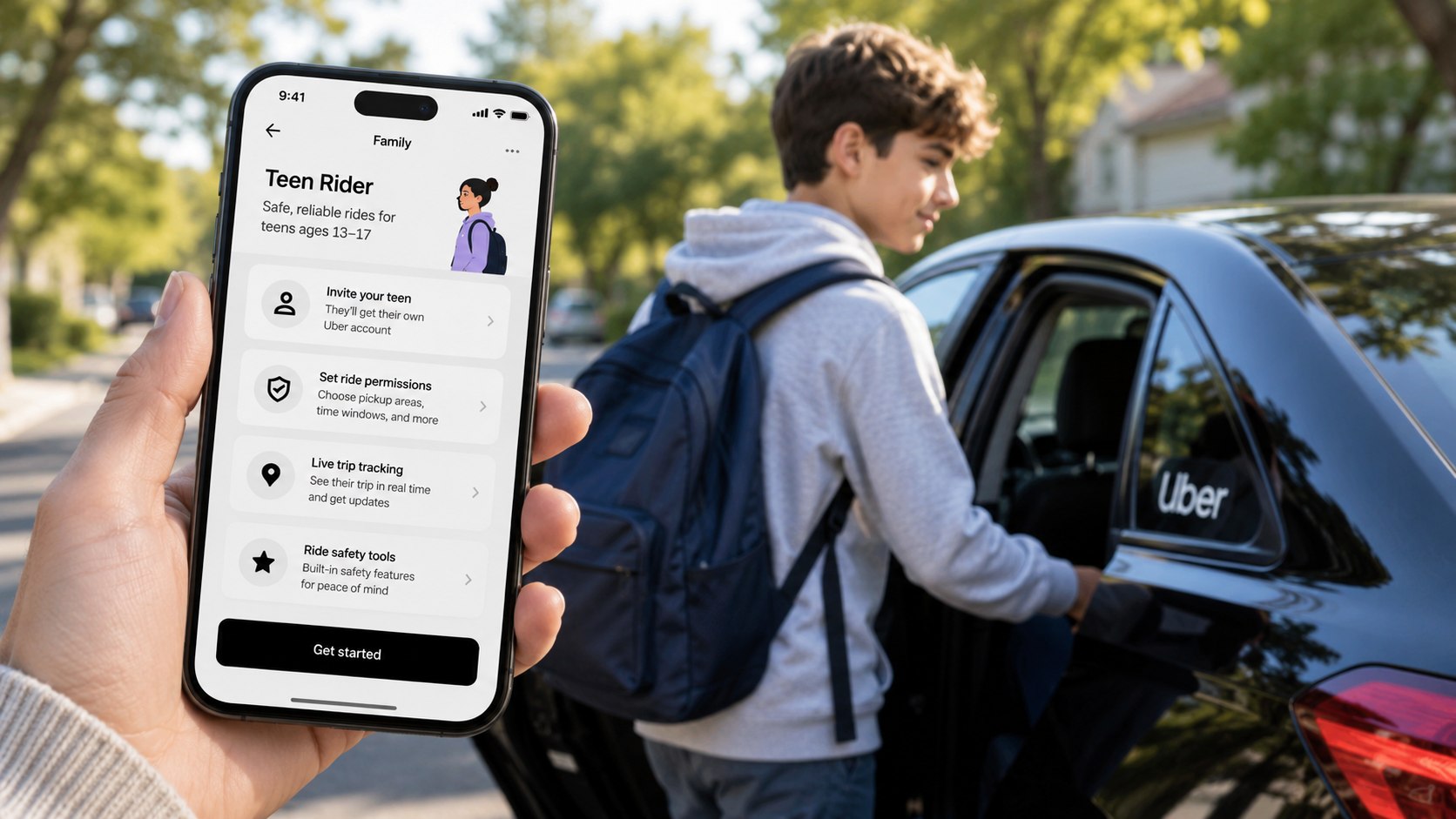
Troubleshooting Uber Teen setup
Most setup problems involve app versions, contact details, local availability, or an incomplete invitation. Work through these scenarios before contacting support.
- “Family and teens” is missing: Update the app, restart it, and confirm Teen accounts are supported in your location.
- The invitation never arrives: Check the teen’s mobile number, blocked messages, cellular service, and SMS filtering.
- The invitation opens the wrong account: Sign out and use the phone number that received the invitation.
- Payment fails: Verify the card, billing details, available funds, and Family profile payment selection.
- The parent cannot see the ride: Open Activity, check the Family member filter, and confirm the teen used the linked account.
Do not repeatedly create new accounts when an invitation fails. Duplicate profiles can make payment and identity checks harder to resolve.
Restart both phones after updating the app. Then resend the invitation from the parent’s Family settings when that option is available.
Confirm that the teen completed every onboarding screen. An accepted invitation does not always mean setup is finished.
For unresolved account errors, use Uber’s in-app Help section. Support can review account-specific issues that a general guide cannot access.
Never send passwords, full card numbers, or one-time login codes through unofficial support channels.
FAQ
How old must a teen be to use Uber Teen?
Uber’s US rider information generally describes Teen accounts for riders aged 13–17. Availability and eligibility may vary by location, so parents should verify the current rules in the app.
Can a 13-year-old ride in an Uber alone?
A 13-year-old may request an eligible ride through an approved Uber Teen account where the service is available. They should not use a standard adult account or travel alone under an adult’s login.
Can parents track an Uber Teen ride?
Yes. Parents or guardians can receive trip notifications and follow an active Teen ride through the Activity area of their Uber app.
Does Uber Teen cost extra?
Uber does not list a separate national Teen account enrollment fee as of 2026. Families pay the upfront trip fare and any applicable tolls, local surcharges, airport fees, or demand-related increases.
Can a parent order the ride for the teen?
Yes. Uber says guardians can select the teen’s profile while arranging an eligible trip. The parent should confirm that the booking displays the correct Teen profile and safety features.
What happens when the teen turns 18?
Account options may change when the rider reaches adulthood. Review the profile, payment settings, and Uber’s current terms around the teen’s 18th birthday.
Earlier we wrote about Running Toilet Costs in 2026: When to Repair the Valve or Replace the Toilet